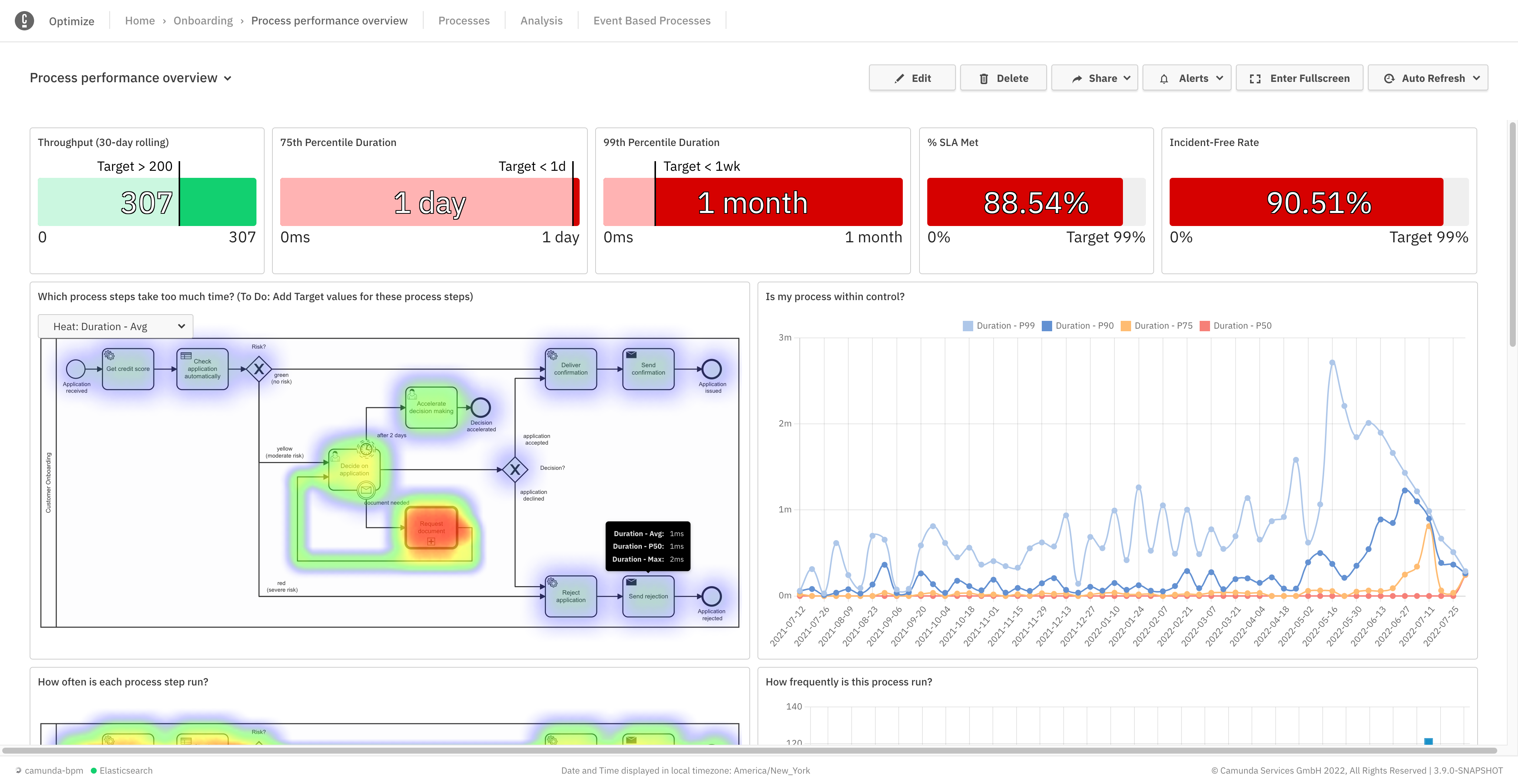
Camunda is a process orchestration tool designed to help organizations design, automate, and improve any process. Built for business and IT collaboration using BPMN and DMN standards, Camunda aims to enable seamless integration across endpoints to transform mission-critical processes.
N/A
IBM Business Automation Workflow
Score 9.7 out of 10
N/A
IBM Business Automation Workflow is a solution that helps users automate digital workflows to increase productivity, efficiency and insights — on premises or on cloud.
N/A
Pricing
Camunda
IBM Business Automation Workflow
Editions & Modules
Self-Managed Enterprise
Contact Sales
per year
SaaS Enterprise
Contact Sales
per year
No answers on this topic
Offerings
Pricing Offerings
Camunda
IBM Business Automation Workflow
Free Trial
Yes
Yes
Free/Freemium Version
Yes
No
Premium Consulting/Integration Services
No
No
Entry-level Setup Fee
No setup fee
No setup fee
Additional Details
—
—
More Pricing Information
Community Pulse
Camunda
IBM Business Automation Workflow
Features
Camunda
IBM Business Automation Workflow
Customization
Comparison of Customization features of Product A and Product B
Camunda
9.0
Ratings
38% above category average
IBM Business Automation Workflow
-
Ratings
API for custom integration
9.00 Ratings
00 Ratings
Reporting & Analytics
Comparison of Reporting & Analytics features of Product A and Product B
Camunda
8.0
Ratings
1% below category average
IBM Business Automation Workflow
10.0
Ratings
20% above category average
Dashboards
8.00 Ratings
10.00 Ratings
Standard reports
7.00 Ratings
10.00 Ratings
Custom reports
9.00 Ratings
10.00 Ratings
Process Engine
Comparison of Process Engine features of Product A and Product B
Camunda
8.5
Ratings
17% above category average
IBM Business Automation Workflow
10.0
Ratings
18% above category average
Process designer
9.00 Ratings
10.00 Ratings
Process simulation
9.00 Ratings
10.00 Ratings
Business rules engine
7.00 Ratings
10.00 Ratings
SOA support
9.00 Ratings
10.00 Ratings
Process player
9.00 Ratings
10.00 Ratings
Form builder
5.00 Ratings
10.00 Ratings
Model execution
10.00 Ratings
10.00 Ratings
Support for modeling languages
00 Ratings
10.00 Ratings
Business Process Automation
Comparison of Business Process Automation features of Product A and Product B
Camunda
9.0
Ratings
39% above category average
IBM Business Automation Workflow
-
Ratings
Business Process Modeling
9.00 Ratings
00 Ratings
Decision Modeling
9.00 Ratings
00 Ratings
Collaboration
Comparison of Collaboration features of Product A and Product B
Camunda
-
Ratings
IBM Business Automation Workflow
10.0
Ratings
17% above category average
Social collaboration tools
00 Ratings
10.00 Ratings
Content Management Capabilties
Comparison of Content Management Capabilties features of Product A and Product B
Camunda Platform is well suited for scenarios where there are different stages in a business flow and the flow is driven by user action at each stage. For example placing of an order on an ecommerce platform. Depending on whether user was able to make the payment or not the workflow would go to dispatch or retry stage. Now the retry stage would trigger further actions like sending follow up emails etc. Likewise, dispatch stage would have a different set of actions. Since every order is important and we need to know where it stands, using Camunda Platform is imperative. Camunda Platform might not be a right choice where just a one off thing needs to be done. For example, uploading of product information by user or periodic processing of heavy images by a worker. These are all either one step processes or periodic automated processes where we can track the status without using a business modeler like Camunda Platform.
Documentation - It is usually daunting for beginners because of lack of good documentation
Simplified setup on local machine for Camunda Server would help developers test changes quickly
Easier migration from one deployment version of a Camunda process to another deployment version would help in making changes and deploying them faster.
Heap memory management becomes issue at times resulting in stuck processes. This needs to be resolved.
Installation is (typically) a bit painful out of the box and requires expert help.
Following installation, initial projects require outside consulting expertise to be successful. Projects without importing BPM expertise tend to have much higher failure rates. Though individually the technologies involved are widely available and not complicated, combined and collectively BPM solutions require a flexible, creative, technical talent to help deliver. It takes time to learn the judgment and craft required.
The out-of-the-box UI controls (widgets) are not terribly inspiring- on desktop or mobile. Use of third party toolkits (e.g. Brazos) is recommended. Silver lining: those third party toolkits are quite good.
This particular decision will be made by other people. Overall IBM BPM is the best BPM engine that I have worked with. It is implemented at our company and IT and business are already somewhat familiar with it. Therefore if asked I will recommend renewal as long as the price is reasonable.
Building complex UIs can be cumbersome. Calling complex SOA services that have a lot of objects, types, anyType attributes, recursive object references, etc can be cumbersome. The Process Designer IDE communicates with the server side Process Center a lot and as a result it is pretty slow. The IDE is also Eclipse based which doesn't make it faster.
Issues can be raised through tickets and it works based on the priority of the issue. The Support Team response is also good and the solution is provided in a short span of time. In a case where the issue is serious, they try to find out the root cause and provide an alternative for it.
• Attended on premise sysadmin training for 4 days, 8 hours per day. Although further follow-up training was available, I never felt the need to go back. Training was very hands-on with real modeling (rather than just following a manual). Very effective.
• Very satisfied – not too difficult at all. • We had a consultant available as part of our contract, but we didn’t really need to use (except for some advice on ActiveDirectory and single sign-on)
Pega Pega is a comprehensive suite which offers a unique theme of BPM development in the market. A no-coding approach based on rules with inheritance makes Pega a very powerful product. However Pega, falls short on integration centric capabilities and very rigid to customize. On the other hand IBM comes with array of products which suits needs of varying degree. Advanced integration is solved by BPEL Process Server which has support for state based patterns and mediation. Dynamic rules and event management can be solved with WODM, Cloud to on-premise connectivity with Cast Iron, Enterprise gateway and security usecases with DataPower, Social BPM with IBM BPM , WODM, mobify with Worklight. Pega has a little bit of eveything here and there. It solves the dynamic rule management, brings out the flavor of Social BPM and mobility with Antenna ( I guess) and predictive analytics as well in one single suite. There are certain usecases which needs to have a little bit of everything, however this little bits and pieces of functionality when its blows, Pega would have problems to scale. With IBM its a bit nightmare to maintain a variety of technologies, however you can wish to go for one without the other and go for something only when you truly need it. Pega vs IBM Its difficult to pick a winner. In nutshell when you want a full scale BPM with rich integration capabilities go for IBM BPM. On the other hand if you hava mature integration capability already, Pega can yield quick results for you as well. Pega's strength is its methodology. IBM BPM's strength is integration. Actually you can't go wrong with both in terms of implementation. My strong recommendation is to invest time to process analysis and pick a good vendor to support consulting and implementation.
It scales from small team interactions to business processes serving thousands of employees, as well as straight-through-processing needs that go well beyond. Of course, scale is always in the eye of the beholder, but IBM BPM does a good job of giving you all of the hooks, APIs, and data that you need to take on whatever scaling approaches you need to meet the load
Easier to implement and does not take much effort to work on it.
Versioning made easy. We can even degrade to the previous version in case of any issue, which is not easier to do in other BPM suites, thereby, saving a good amount of time.
Helped in achieving client requirements faster, which results in a higher return of investment.