build.works vs. WorkflowMax

Overview
ProductRatingMost Used ByProduct SummaryStarting Price
build.works
Score 0.0 out of 10
Small Businesses (1-50 employees)
build.works is a BIM model information based business management software (SaaS) for manufacturing, prefabrication of building elements and on-site construction. The software provides a solution for running business processes. The features of build.works cover the project execution life-cycle - starting from BIM model based take-off and project specifications, providing tools for budgeting and scheduling and finishing with task management and real-time reporting…
$55
per month per user
WorkflowMax
Score 9.2 out of 10
Small Businesses (1-50 employees)
WorkflowMax is a web-based project management solution.The platform offers end-to-end functionality standard to project management software, including time tracking, lead management, collaboration with external stakeholders, invoicing, integrations, and customizable reporting.
$20
per month
Pricing
build.worksWorkflowMax
Editions & Modules
Worker
$10
per month per user
Define
$55
per month per user
Plan
$55
per month per user
Execute
$55
per month per user
Standard
$20
per month
Standard
$35
per month
Premium
$70
per month
Offerings
Pricing Offerings
build.worksWorkflowMax
Free Trial
YesYes
Free/Freemium Version
NoNo
Premium Consulting/Integration Services
NoNo
Entry-level Setup FeeOptionalNo setup fee
Additional Detailsbuild.works is a monthly user-subscription based software as a service (SaaS). Subscriptions are usage and role based allowing flexible pricing for companies of all sizes.
More Pricing Information
Community Pulse
build.worksWorkflowMax
Features
build.worksWorkflowMax
Project Management
Comparison of Project Management features of Product A and Product B
build.works
-
Ratings
WorkflowMax
9.3
27 Ratings
20% above category average
Task Management00 Ratings9.525 Ratings
Resource Management00 Ratings9.56 Ratings
Gantt Charts00 Ratings9.23 Ratings
Scheduling00 Ratings9.419 Ratings
Workflow Automation00 Ratings9.54 Ratings
Team Collaboration00 Ratings9.519 Ratings
Support for Agile Methodology00 Ratings8.93 Ratings
Support for Waterfall Methodology00 Ratings9.23 Ratings
Document Management00 Ratings9.219 Ratings
Email integration00 Ratings9.44 Ratings
Mobile Access00 Ratings9.221 Ratings
Timesheet Tracking00 Ratings9.624 Ratings
Change request and Case Management00 Ratings9.111 Ratings
Budget and Expense Management00 Ratings9.418 Ratings
Professional Services Automation
Comparison of Professional Services Automation features of Product A and Product B
build.works
-
Ratings
WorkflowMax
9.5
27 Ratings
23% above category average
Quotes/estimates00 Ratings9.723 Ratings
Invoicing00 Ratings9.527 Ratings
Project & financial reporting00 Ratings9.722 Ratings
Integration with accounting software00 Ratings9.227 Ratings
Best Alternatives
build.worksWorkflowMax
Small Businesses
FollowUp CRM
FollowUp CRM
Score 10.0 out of 10
Stackby
Stackby
Score 9.0 out of 10
Medium-sized Companies
InEight
InEight
Score 8.3 out of 10
InEight
InEight
Score 8.3 out of 10
Enterprises
InEight
InEight
Score 8.3 out of 10
InEight
InEight
Score 8.3 out of 10
All AlternativesView all alternativesView all alternatives
User Ratings
build.worksWorkflowMax
Likelihood to Recommend
-
(0 ratings)
8.8
(28 ratings)
Likelihood to Renew
-
(0 ratings)
9.0
(1 ratings)
Usability
-
(0 ratings)
9.0
(2 ratings)
Support Rating
-
(0 ratings)
7.0
(2 ratings)
Implementation Rating
-
(0 ratings)
9.1
(1 ratings)
User Testimonials
build.worksWorkflowMax
Likelihood to Recommend
build.works
No answers on this topic
Xero
WorkflowMax is very well suited for a business that wants to track time billed by project, to have an easy way to generate invoices for those projects, and to keep track of overall productivity and invoice status. I imagine it can also be adapted to different types of businesses that deal in goods rather than services and time. I am not sure for which scenarios or businesses the program is not appropriate.
Read full review
Pros
build.works
No answers on this topic
Xero
  • You can customize the notifications and this has helped us enormously to schedule dates that we overlooked. Also the templates are customizable which gives the company its own branding on its reports.
  • It is integrated with the Xero platform which makes it very useful to streamline the processes of billing, accounts payable, accounts receivable, petty cash flow and all the accounting and administrative area.
  • It also has a very complete mobile version, where we can be present and monitor the progress of projects in real time, no matter where we are.
Read full review
Cons
build.works
No answers on this topic
Xero
  • Currently the timesheet function allows staff to input time for overlapping periods which can cause some headaches when it comes to payroll and invoicing. We understand this is being addressed.
  • The amount of flexibility in the product can create some challenges when setting up the jobs database at the onset. It is a daunting challenge but worthwhile when completed correctly and rolled out across the firm. Adding new jobs is much easier.
  • No search function to find a specific job, you have to scroll through all jobs allocated to you.
Read full review
Likelihood to Renew
build.works
No answers on this topic
Xero
Because we can't imagine being without it!
Read full review
Usability
build.works
No answers on this topic
Xero
It's easy to use and provides me with instant online access to the management of my business whether I am at my desk or overseas
Read full review
Support Rating
build.works
No answers on this topic
Xero
The support team are excellent. The only downside is that you can't phone them!
Read full review
Implementation Rating
build.works
No answers on this topic
Xero
Decide how to breakdown your ongoing jobs - are they monthly recurring or annual broken into chunks? What are you going to give clients i.e. how will your proposals and invoices look?
Read full review
Alternatives Considered
build.works
No answers on this topic
Xero
WorkflowMax is much much easier than Streamtime, much more affordable and easier to try out and see if it meets your needs. Streamtime is a great comprehensive product but we lost a year's subscription in investment because we couldn't get answers to the support questions we needed and they had a no refund policy!
Read full review
Return on Investment
build.works
No answers on this topic
Xero
  • Max enables Loan Assistant to invoice very quickly and easily and integration with Xero for card payments brings our cashflow forward.
  • Max enables the Loan Assistant team to manage their workflow in an efficient and productive way. The team all work from home. It is the centre of our Loan Assistant universe.
Read full review
ScreenShots

build.works Screenshots

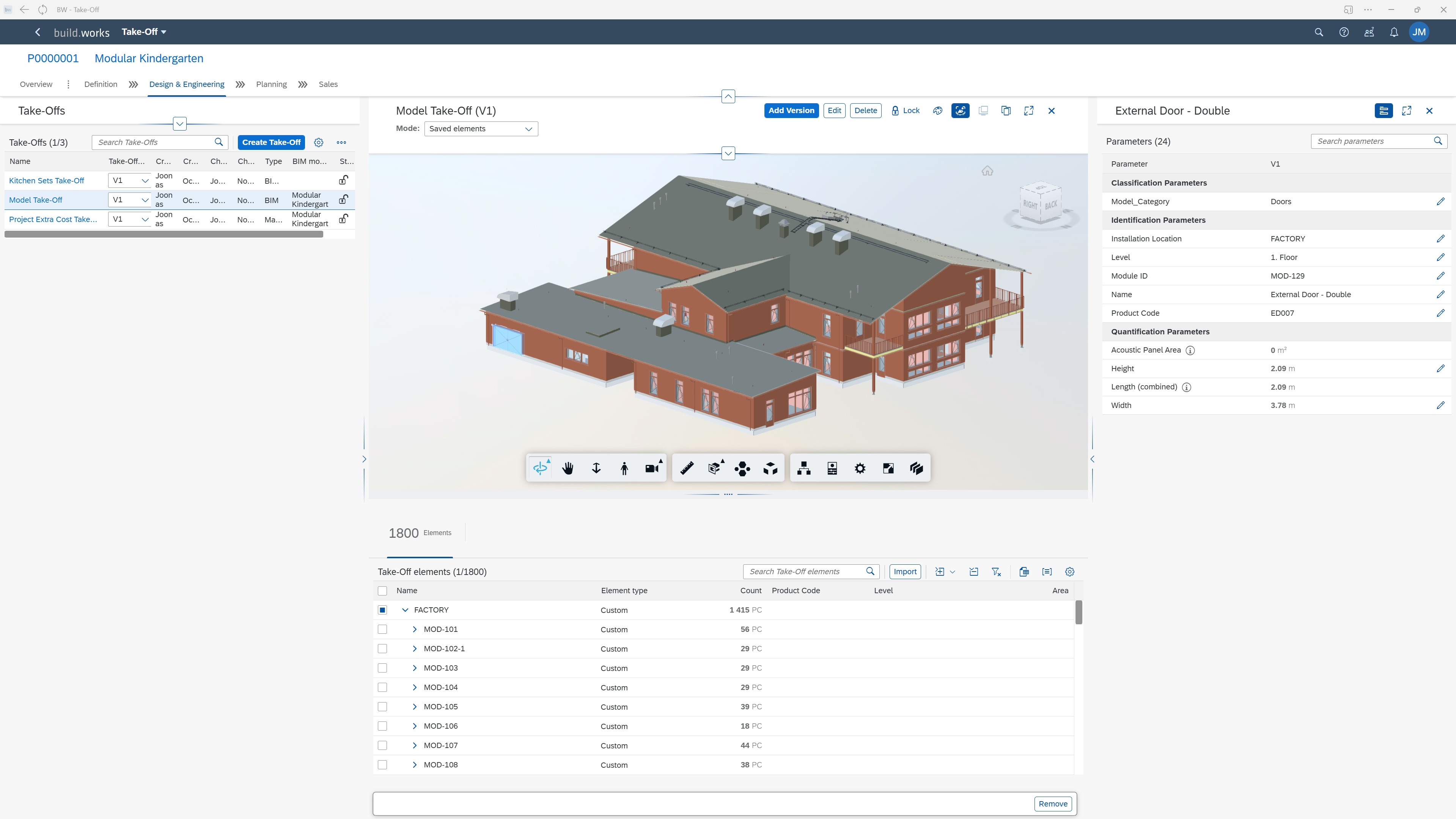
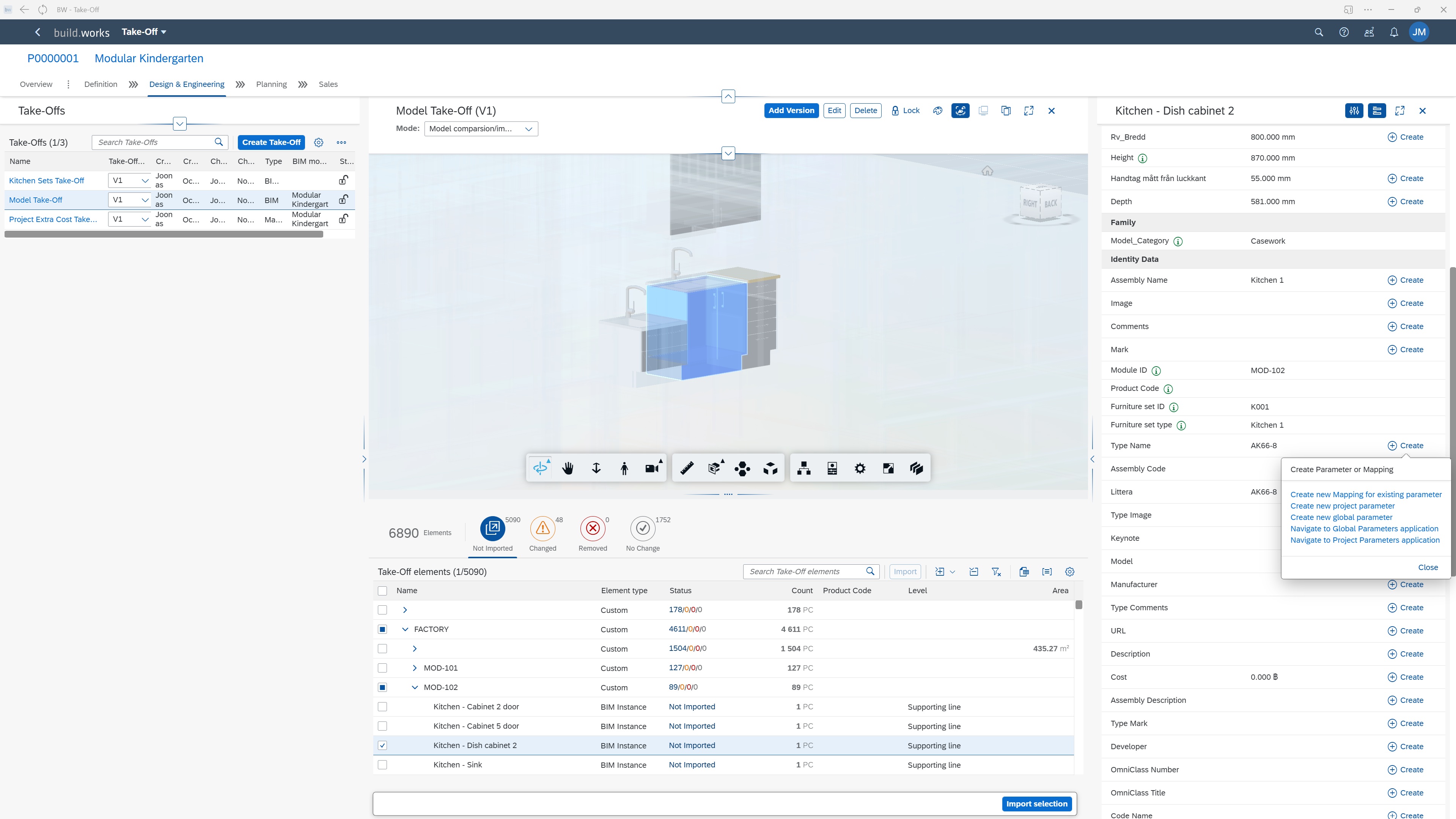
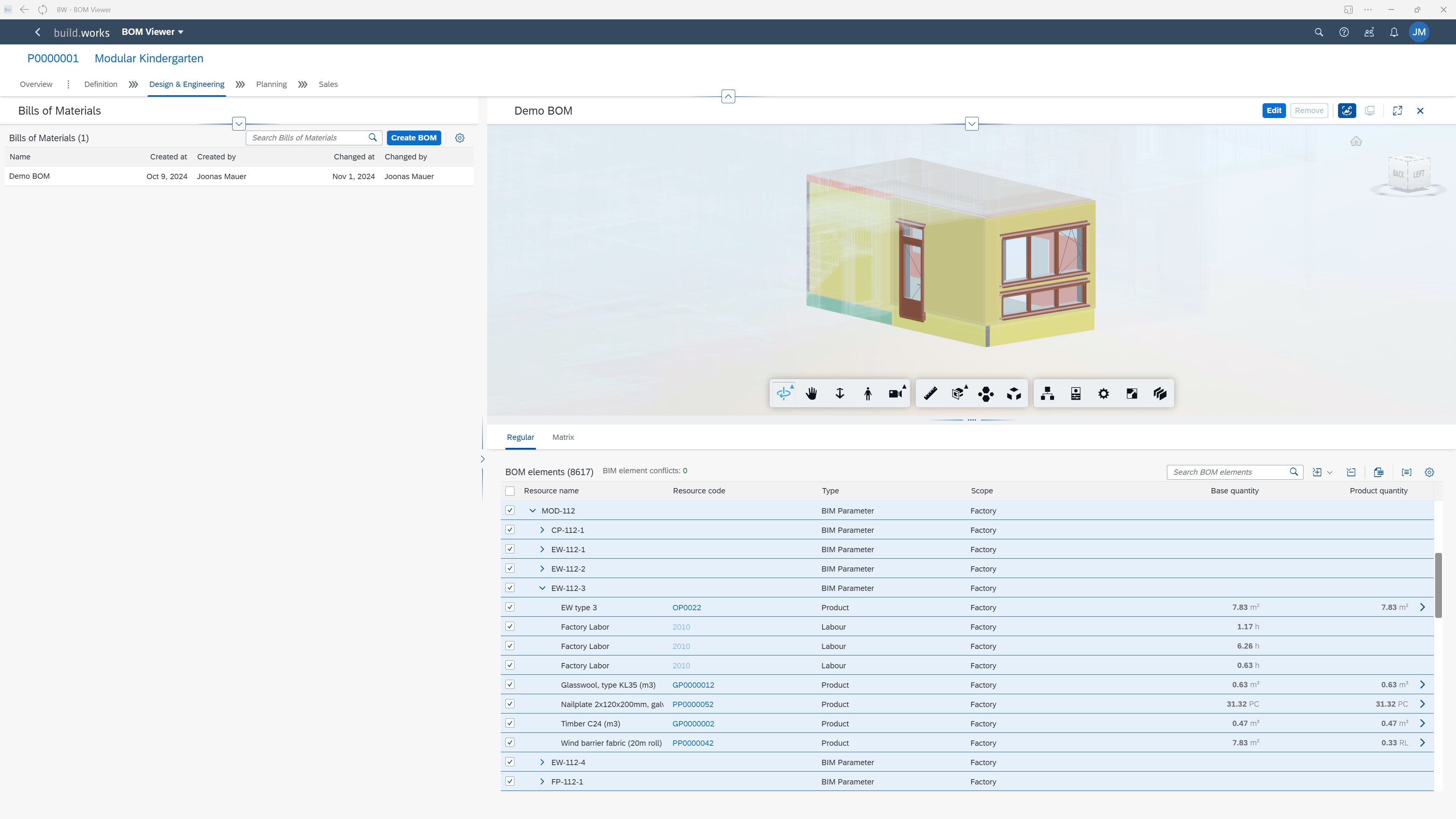
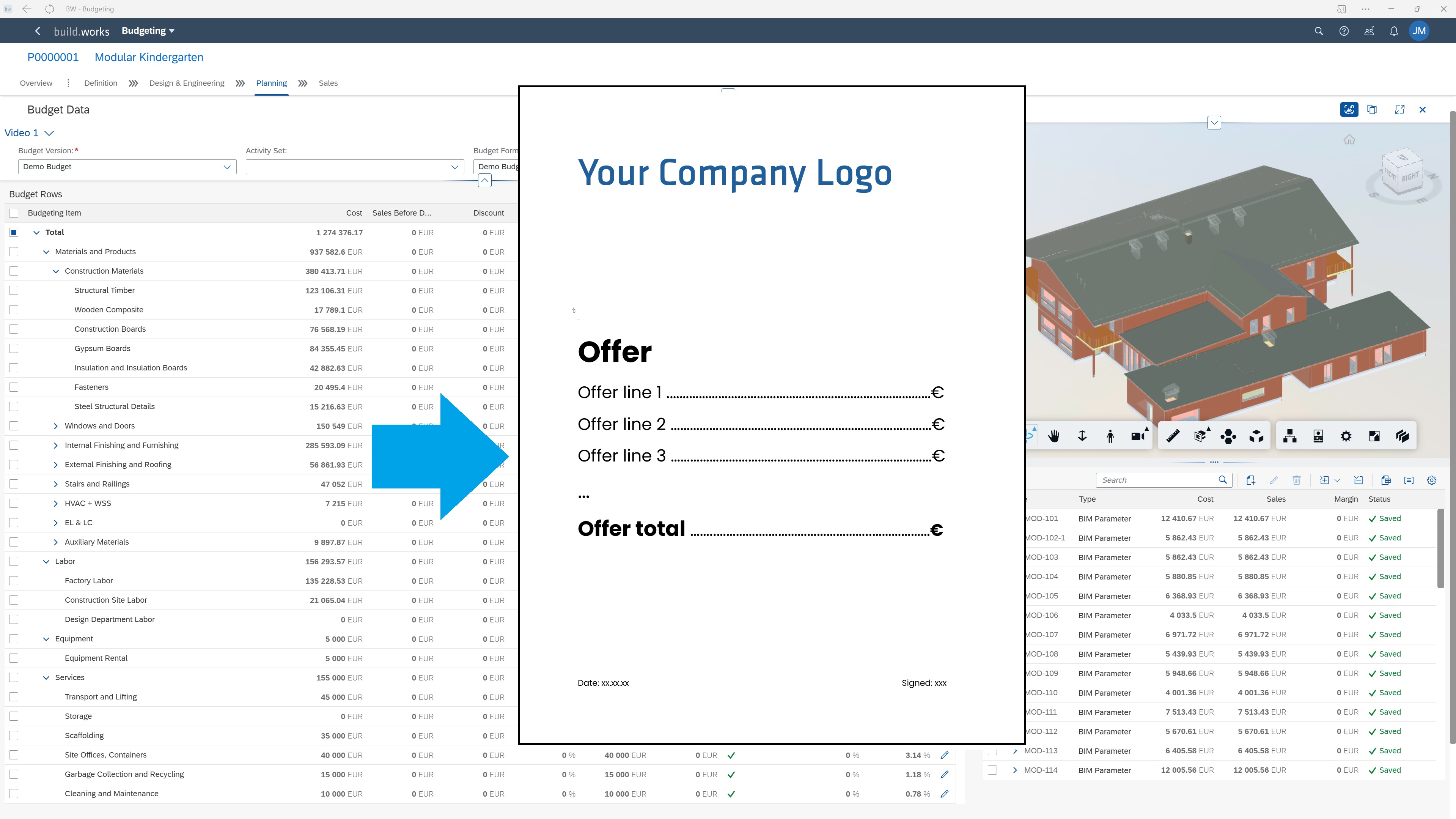
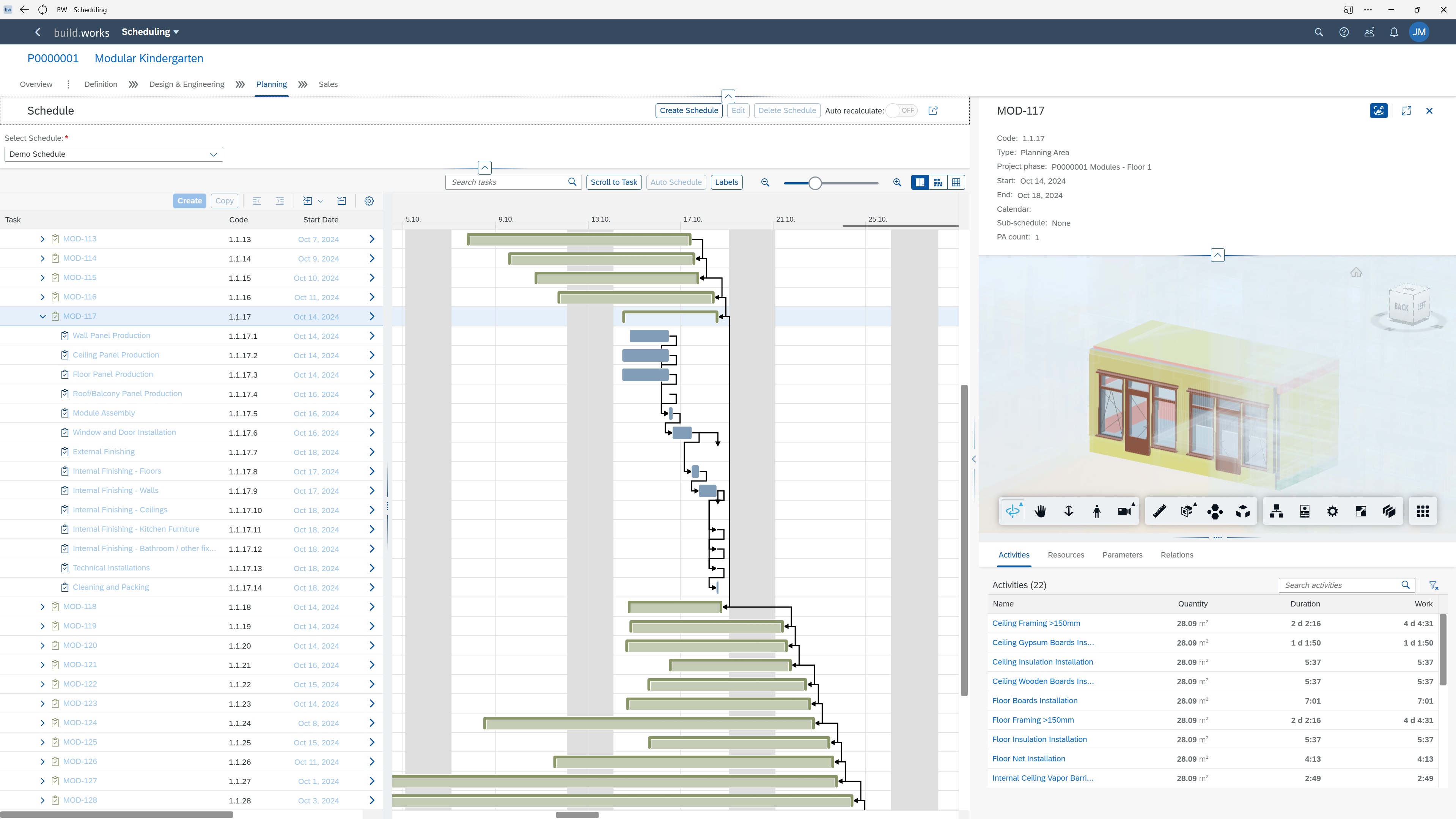
Screenshot of build.works DEFINE - Create BIM model based Quantity and Information Take-offs.Screenshot of build.works DEFINE - Save and work with model parameters. Use parameter values to structure the project and create a comprehensive BIM information based project specification.Screenshot of build.works DEFINE - Save model elements quantities and link them to specific products to form project specific custom BOMs (materials, labor, equipment, services).Screenshot of build.works PLAN - Compile dynamic budgets for projects based on project BOMs and resource purchasing information. Format the budgets into Quotations in just a few clicks using document templates.Screenshot of build.works PLAN - Estimate project execution capacity requirements and form high level capacity planning schedules for your production or building site.Screenshot of build.works PLAN - Generate dynamic project schedules based on project BOMs and production process templates.

WorkflowMax Screenshots

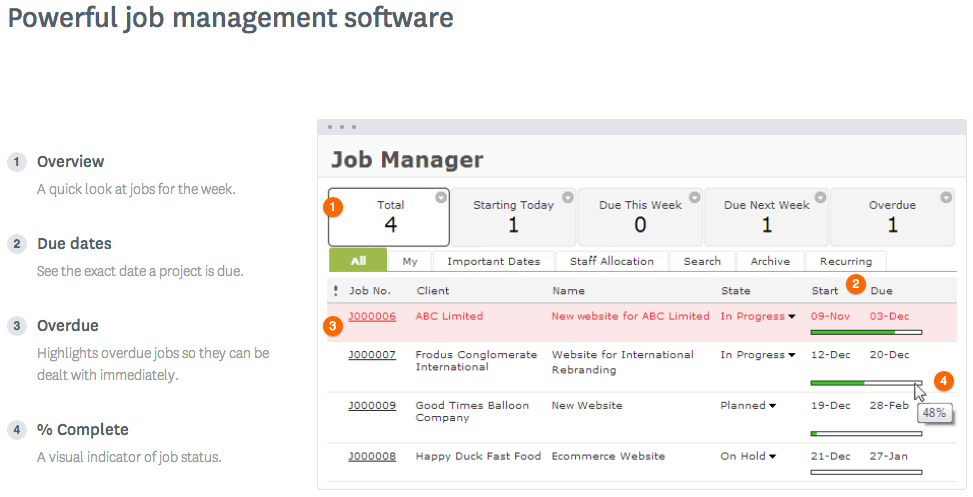
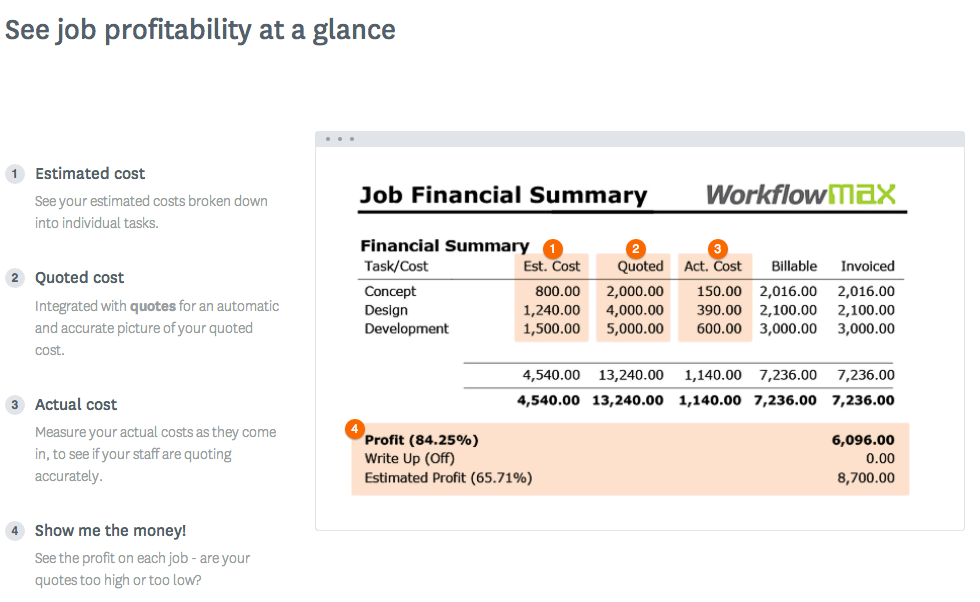
Screenshot of WorkflowMax Quoting SoftwareScreenshot of WorkflowMax CRM SoftwareScreenshot of WorkflowMax Project Management SoftwareScreenshot of WorkflowMax Mobile SiteScreenshot of Job Costing | WorkflowMaxScreenshot of Powerful Custom Reporting | WorkflowMax