Bugasura vs. Zabbix

Overview
ProductRatingMost Used ByProduct SummaryStarting Price
Bugasura
Score 0.0 out of 10
Small Businesses (1-50 employees)
Bugsura is a bug-tracker for teams, built with the vision of having a standalone bug-tracker without any dependency of project-management that makes it discover and deliver for many bug-tracking needs as features. It is invented for simplicity and collaboration. Currently being used by all the members for SaaS teams. Be it a developer, a designer, manager, or even a marketing team member, Bugasura can be used to report and track issues and…
$0
Zabbix
Score 8.7 out of 10
N/A
Zabbix is an open-source network performance monitoring software. It includes prebuilt official and community-developed templates for integrating with networks, applications, and endpoints, and can automate some monitoring processes.N/A
Pricing
BugasuraZabbix
Editions & Modules
No answers on this topic
Offerings
Pricing Offerings
BugasuraZabbix
Free Trial
YesNo
Free/Freemium Version
YesNo
Premium Consulting/Integration Services
NoNo
Entry-level Setup FeeNo setup feeNo setup fee
Additional Details
More Pricing Information
Community Pulse
BugasuraZabbix
Best Alternatives
BugasuraZabbix
Small Businesses
GitLab
GitLab
Score 8.6 out of 10
Veeam ONE
Veeam ONE
Score 8.2 out of 10
Medium-sized Companies
GitLab
GitLab
Score 8.6 out of 10
Logz.io
Logz.io
Score 7.0 out of 10
Enterprises
GitLab
GitLab
Score 8.6 out of 10
LogicMonitor
LogicMonitor
Score 8.6 out of 10
All AlternativesView all alternativesView all alternatives
User Ratings
BugasuraZabbix
Likelihood to Recommend
-
(0 ratings)
8.3
(28 ratings)
Likelihood to Renew
-
(0 ratings)
9.0
(3 ratings)
Usability
-
(0 ratings)
8.6
(4 ratings)
Support Rating
-
(0 ratings)
5.0
(5 ratings)
Implementation Rating
-
(0 ratings)
8.0
(2 ratings)
User Testimonials
BugasuraZabbix
Likelihood to Recommend
Moolya
No answers on this topic
Zabbix
Zabbix is great for monitoring your servers and seeing alerts when the system uses too much CPU or memory. This allowed the system Engineer to be proactive and add resources to these systems to avoid interrupting the services. Especially servers running operations applications and services. This is one of the best usages for Zabbix.
Read full review
Pros
Moolya
No answers on this topic
Zabbix
  • Collecting hardware data - CPU, Memory, Network, and Disk Metrics are collected and reported on.
  • Flexible design - It is very easy to build out even very large environments via the templating system. You can also start where you are - network monitoring, server monitoring, etc. and then build it out from there as time and resources permit.
  • Provides a "plugin architecture" (via XML templates) to allow end users to extend it to monitor all kinds of equipment, software, or other metrics that are not already added into the software already.
  • Very complete documentation. Almost every aspect of Zabbix has been documented and reported on.
  • Cost - Zabbix is FOSS software and always free. Support is reasonably priced and readily available.
Read full review
Cons
Moolya
No answers on this topic
Zabbix
  • Creating an alert & its trigger can be made easier.
  • More VM-based data collection counters should be introduced to have better VM monitoring.
  • The raw counters collection agent in every node is relatively weak. It goes down often, which needs more stability.
Read full review
Likelihood to Renew
Moolya
No answers on this topic
Zabbix
It is free. It didn't cost anything to implement (other than my time and the cost incurred for it) and it is filling a badly needed gap in our IT infrastructure. Support is available if we have issues and can be done annually or paid for on a per incident basis as needed. Expansion, updates, and all other future lifecycle activities are likewise free of cost, so as long as someone is able to implement/maintain the software (and the OSS project is maintained) then I imagine the company will never leave it.
Read full review
Usability
Moolya
No answers on this topic
Zabbix
I think every organization, especially the IT department, needs a tool like this. I know of another product like Zabbix that gives a similar or the same solution, but its range makes it very useful. You can see almost all the device info in one place: disk usage, disk space, network usage, etc.
Read full review
Support Rating
Moolya
No answers on this topic
Zabbix
The setup is the most time-consuming portion of using zabbix. It takes a lot of effort to shape it into a usable format and even then it can get very messy. It's not exactly intuitive and as mentioned the UI seems a bit antiquated. If I was to roll out a monitoring solution from scratch, I'd probably look for alternatives which are easier to use and maintain.
Read full review
Implementation Rating
Moolya
No answers on this topic
Zabbix
We are a mainly Windows environment, so it would be useful if we could have used Active Directory to deploy agents. As of version 4.2, Zabbix has announced a new agent MSI file to allow exactly that. Unfortunately, we didn't have that option. Also, for Linux and MAC deployments, there is no simple way to deploy that. Using remote scripts you may be able to create something, but most places will opt for either SNMP (agentless) or manual installation of agents to add to Zabbix. A way of deploying agents via discovery would go a long way to helping in the adoption of the tool.
Read full review
Alternatives Considered
Moolya
No answers on this topic
Zabbix
We're using the Solarwinds suite as our global monitoring standard, but it is very complex and its licensing model makes it difficult to monitor a wide range of technologies. So, we're using Zabbix as a complement on our monitoring process. Zabbix is a way more flexible and has free integrations to a wide range of technologies. It is also more 'user friendly' and easy to manage.
Read full review
Return on Investment
Moolya
No answers on this topic
Zabbix
  • Good ROI when trying to get ahead of network related problems instead of waiting for users to complain
  • Good ROI when doing upgrades or exploratory work on a neglected network
  • Good ROI when showing usage trends to management showing higher actual usage versus what was thought to be happening
Read full review
ScreenShots

Bugasura Screenshots

Screenshot of Customize Everything:
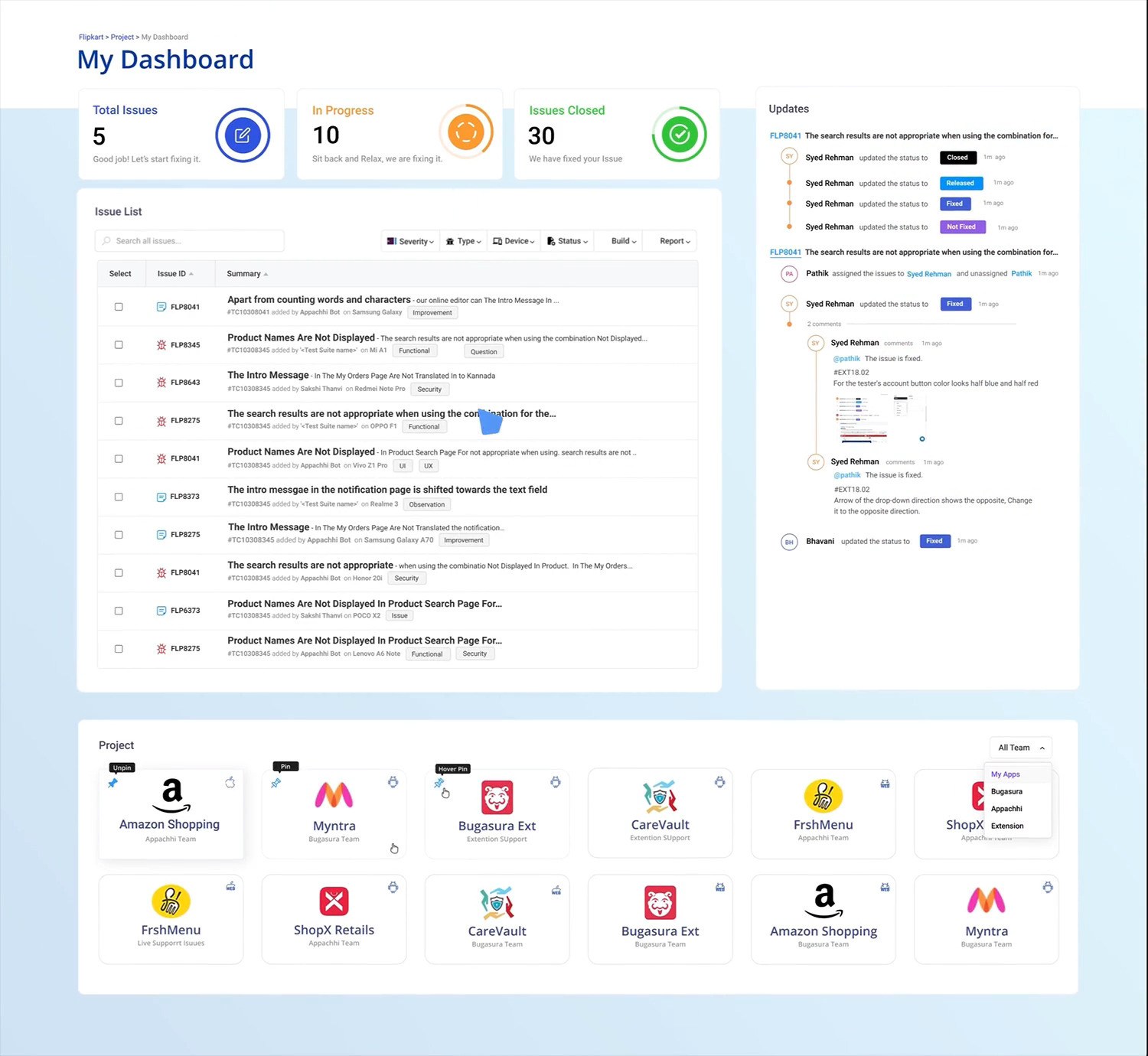
From tracking to closure, every modern team has their own way of doing things. Customizing workflows becomes a pain. Not with Bugasura. Just anyone can set up a new flow and manage issues on it.Screenshot of Modern teams use collaboration and simple workflows to move things faster. 
Bugasura brings you everything you need to work together and release software.Screenshot of Close Bugs Faster: What matters to developers is what’s on their plate to close.
Bugasura enables them to focus on closing what’s assigned to them with a personalized view of bugs they need to resolve.Screenshot of Issue Threads: Every issue has its own story line. Many issue trackers fail at understanding this.
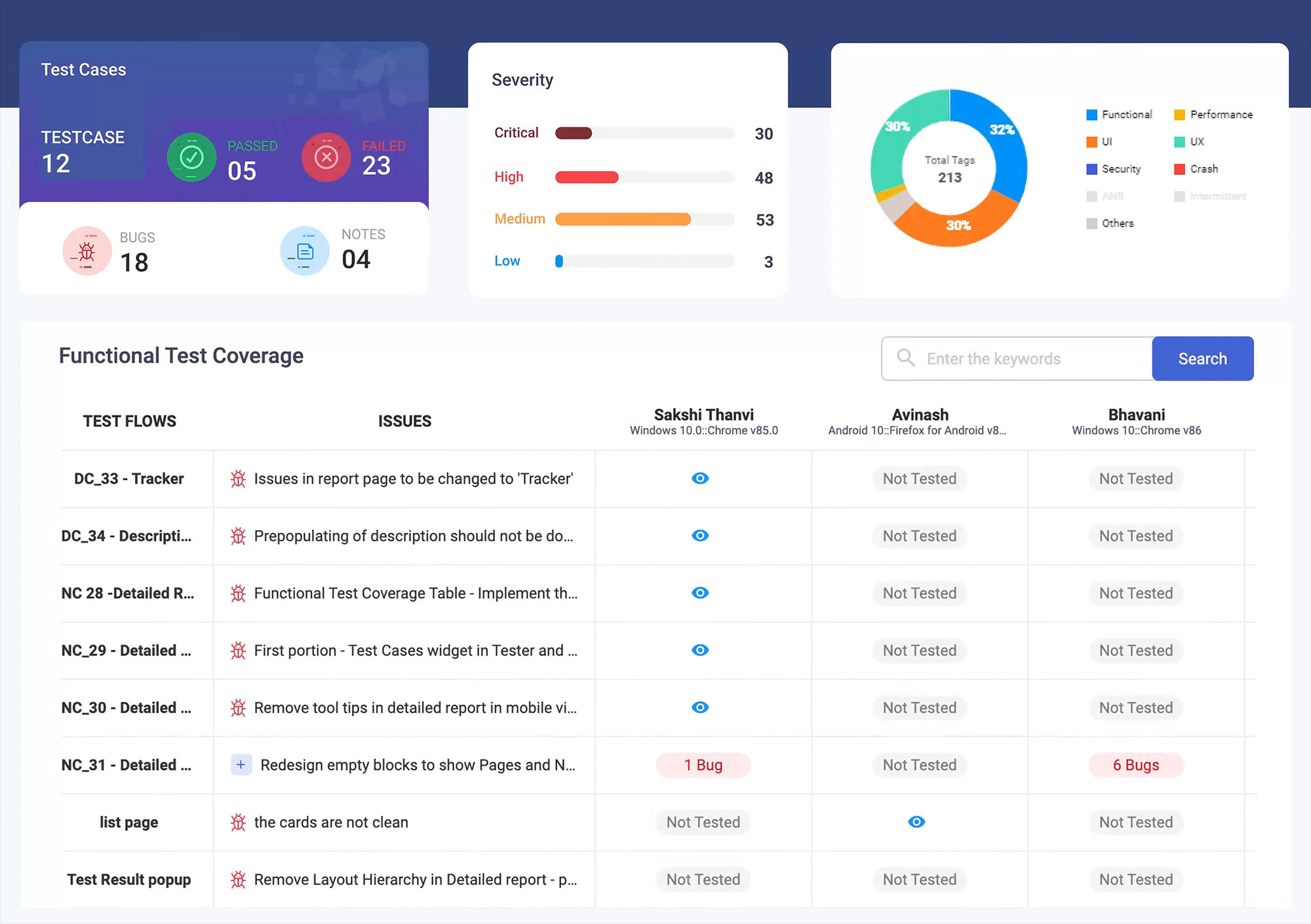
Bugasura gives each issue a detailed track, till it gets closed.Screenshot of Enable Quality and Track Coverage: QA Test Teams put in a lot of effort to find just one issue but who sees the effort.
Bugasura gives you a complete overview of device coverage, test coverage and even tester level coverage.Screenshot of Inclusive tool:A team has a diverse set of people. If a tool works for one - it doesn’t for others.
Bugasura is highly inclusive. It is built keeping Product, Design, QA and Dev teams in mind.