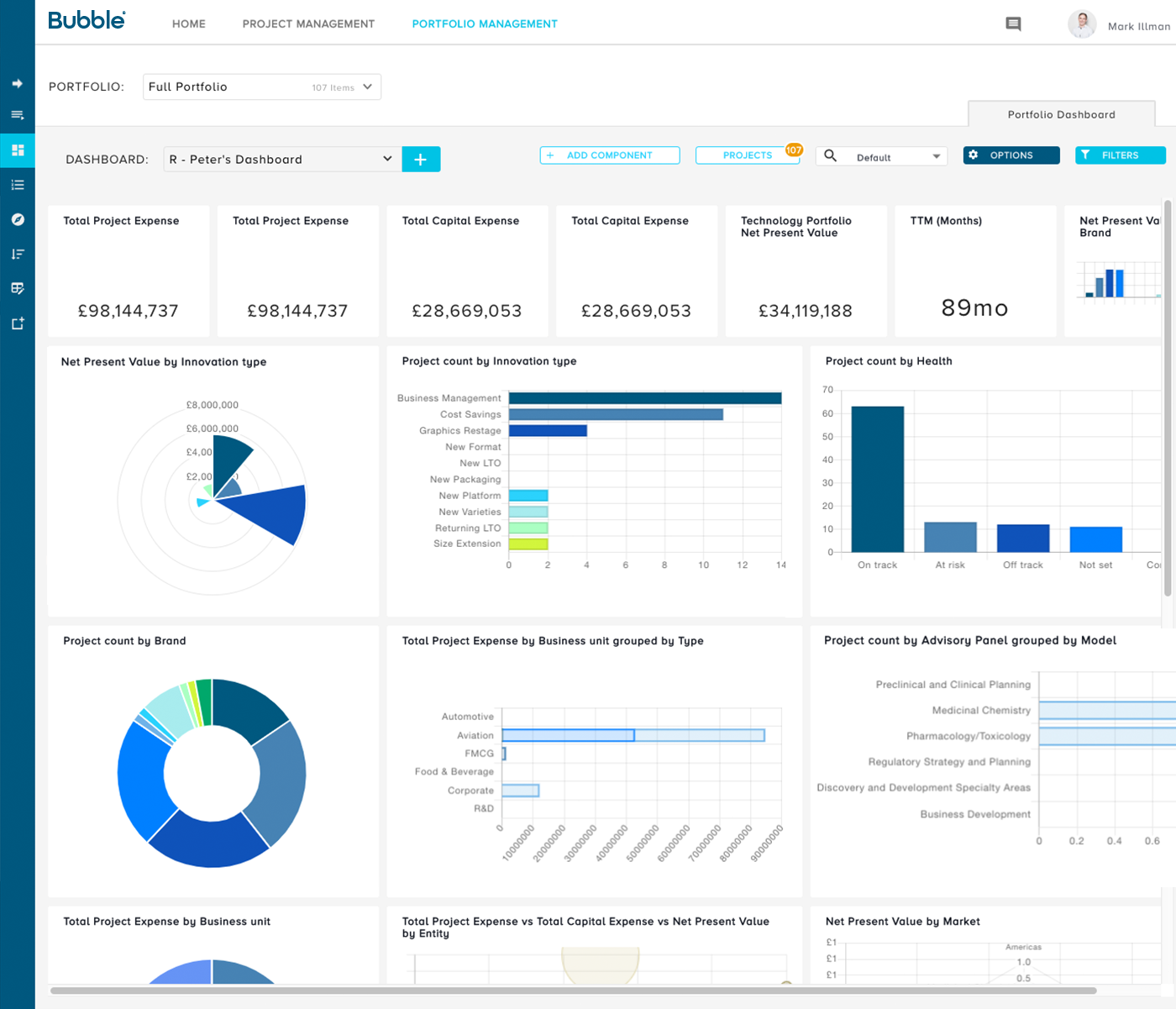
Bubble PPM is a cloud-based Project and Portfolio Management (PPM) software solution from Bubble®. Founded in 1999, the company serves clients globally via offices in London, Cambridge, and Melbourne. Its cloud-based solutions help customers improve the planning, governance, and delivery of Innovation, New Product Development, Engineering, IT, and other initiatives. Their software supports Portfolio Planning, ongoing Project and Portfolio Management, and Resource management.…
N/A
Oracle Primavera
Score 7.7 out of 10
N/A
Oracle’s Primavera is a software suite designed for construction and other asset-intensive industries. It contains a variety of project planning, management, and execution components for buyers to select from.
N/A
Pricing
Bubble PPM
Oracle Primavera Portfolio Management
Editions & Modules
No answers on this topic
No answers on this topic
Offerings
Pricing Offerings
Bubble PPM
Oracle Primavera
Free Trial
Yes
No
Free/Freemium Version
No
No
Premium Consulting/Integration Services
No
No
Entry-level Setup Fee
Required
No setup fee
Additional Details
Element 1: One-time fixed SaaS set-up fee
One-time investment based on required configuration and deployment.
Element 2: Monthly license fee
Calculated on #users (per user type). Variable - According to required users/types.
No stage gate or portfolio reporting solution can overcome poor input data. The organization has to be willing to commit to consistent and rigorous updates of the information, or the reporting becomes useless. From what I've seen of competitive systems, Bubble Innovator is the easiest to use in this regard, so the excuse of not having good data because it's painful to upload or cumbersome to retrieve goes away. And the ease with which you can produce customized reports allows you to immediately find the gaps and weak points in your data, and take action to address them. That's not to say that every report and function in Bubble Innovator is perfect. But the close collaboration and responsiveness of the Bubble Innovation team has made it relatively easy to triage, prioritize, and implement improvements along the way.
This program is well suited for online database management for construction-related fields and their contract management. It has many features which allow for reporting, issuance of changes, applications for payment and HB, and related construction-related documentation for both client and user. It also allows one to print and review in PDF any required documentation needed as per contracts.
The Bubble team is outstanding at providing technical support, query response times are often within an hour and resolutions (depending on the level of complexity of the query) follow very quickly after this. They provide a professional, reliable service.
The software design is simple, intuitive and more accessible than many of the alternatives on the market. It does not require licenses, installations, internal servers, extensive training programs. It doesn't interface directly with 'business management' software which provides flexibility and development opportunities.
The Bubble team have a depth of knowledge for new product development processes and relevant industries, and provide much more than just the software. The teams are actively involved in process design beyond the software, and their recommendations have been invaluable when establishing a new stage-gate process across our organisation.
Only thing I can think of is almost piddly, that is having to scroll on a screen within the web browser - so that you have to scroll the screen then scroll the browser screen to get to the bottom of a chart.
The business has been extremely satisfied with Bubble Innovator and is in support of rolling this tool out to our other businesses within the overall franchise.
The user interface is highly visual and simple. Literally within 10-15 minutes of my introduction to the software, I was up and running. Of course, deeper capabilities become apparent after additional use, but the basic functionality is very simple to grasp. Where there are consistent challenges reported by multiple users, the Bubble Innovation team is quick to connect and put plans in place to address the challenges.
Outstanding response times, and solutions to issues requiring support are quickly implemented. For bigger issues or longer term developments, Bubble happily takes the time to meet in person and discuss requirements to drive detailed solutions.
The number of variables made this extremely challenging (org changes, stage gate harmonization, pipeline prioritization, and new governance model). I think the implementation was handled very well in spite of this, and managed to deliver on time and on budget.
Prior to Bubble PPM we attempted use of many of the well-known project management tools to manage our product development work. Those other project management tools were met with frustration in attempts to implement them because they are more focused with the timing and scheduling of individual projects rather than capturing the full portfolio of possible candidate projects and selecting the most strategic and valuable projects to move forward. Bubble PPM was the first system we found that was purpose-built for managing product development work, and its implementation was very successful from the beginning with the personal help given by the team at Bubble.
I did not select Oracle Primavera Portfolio Management. It was an inherent application. Having used other applications, compared to those, Oracle Primavera Portfolio Management is a far superior tool for portfolio management. However, in the span of the last 10 years, there are newer, perhaps better products available. Oracle Primavera Portfolio Management does still manage to get the job done, but its time in the sun is fading.
Bubble Innovator helped us drive new product on time deliveries to 80% on-time product launches.
Our corporate target was new product making up 20% of our annual revenues. Bubble Innovator helped us manage our resources to plan and exceed that goal.
Bubble innovator allowed us to redeploy a full time team member that was managing spreadsheets of information for monthly updates. It also saved our project managers significant amounts of time that they could dedicate back to their projects.