BrowseControl by CurrentWare vs. Webroot DNS Protection

Overview
ProductRatingMost Used ByProduct SummaryStarting Price
BrowseControl by CurrentWare
Score 10.0 out of 10
N/A
BrowseControl is a content filtering software for configuring content access to websites and Windows applications based on user, device, department, or other Organizational Unit (OU). BrowseControl's content filtering features allow administrators to configure the internet and application usage permissions of the students, employees, and patrons that use computers within their network. Content filtering policies for websites, applications, and files can be…
$6
per month per user
Webroot DNS Protection
Score 7.7 out of 10
N/A
Webroot DNS Protection redirects web traffic away from unsafe or inappropriate web content.
$150
per 5 seats
Pricing
BrowseControl by CurrentWareWebroot DNS Protection
Editions & Modules
10-99 Users
$6
per month per user
100+ Users
Volume & prepurchase discounts available. Please contact sales for info.
Per User Per Month
DNS Protection
$150.00
per 5 seats
DNS Protection
$690.00
per 25 seats
DNS Protection
Contact sales team
per 50+ seats
Offerings
Pricing Offerings
BrowseControl by CurrentWareWebroot DNS Protection
Free Trial
YesNo
Free/Freemium Version
NoNo
Premium Consulting/Integration Services
NoNo
Entry-level Setup FeeNo setup feeNo setup fee
Additional DetailsPrice per license is based on purchase volume. There are additional discounts available for educational organizations, non-profits, managed services providers, and for businesses that pre-purchase multiple year plans.
More Pricing Information
Community Pulse
BrowseControl by CurrentWareWebroot DNS Protection
Best Alternatives
BrowseControl by CurrentWareWebroot DNS Protection
Small Businesses

No answers on this topic

No answers on this topic

Medium-sized Companies
Quantum Firewalls and Security Gateways
Score 9.6 out of 10
Quantum Firewalls and Security Gateways
Score 9.6 out of 10
Enterprises
Quantum Firewalls and Security Gateways
Score 9.6 out of 10
Quantum Firewalls and Security Gateways
Score 9.6 out of 10
All AlternativesView all alternativesView all alternatives
User Ratings
BrowseControl by CurrentWareWebroot DNS Protection
Likelihood to Recommend
-
(0 ratings)
7.5
(0 ratings)
User Testimonials
BrowseControl by CurrentWareWebroot DNS Protection
Likelihood to Recommend
No answers on this topic
Webroot is very easy to setup and configure, while offering some fantastic best of breed protection. It can do a lot and offer enough to a business quick enough to justify its cost very quickly and effectively. The DNS protection on offer is very well suited and will grow alongside the organisation.
Read full review
Pros
No answers on this topic
  • Policies by IP, Groups, and even by device.
  • Cloud based, no hardware.
  • Protects at the domain which helps support our at workstation level protection.
Read full review
Cons
No answers on this topic
  • No discount for using both the AV and the DNS filtering
  • Redirection is pretty slow
  • As Webroot is a company that caters to the SMB and customers looking for a cheap solution, the threat protection is not that great compared to some of its competitors
Read full review
Alternatives Considered
No answers on this topic
It's pretty similar when you compare it to the DNS filters of other AV vendors. They're all additional offerings to the core solution of an AV. I would say if you're on Trend Micro and you're thinking of moving to Webroot, it's really a sideways step, but it's certainly a big improvement to have this product over nothing at all. It's pretty cheap, easy to manage, and definitely offers value for money due to the big leap in security this will give your business
Read full review
Return on Investment
No answers on this topic
  • It is a centralized platform, easy to use, completely affordable. It provides a completely positive return on investment by providing a higher level of security and better performance for our organization.
Read full review
ScreenShots

BrowseControl by CurrentWare Screenshots
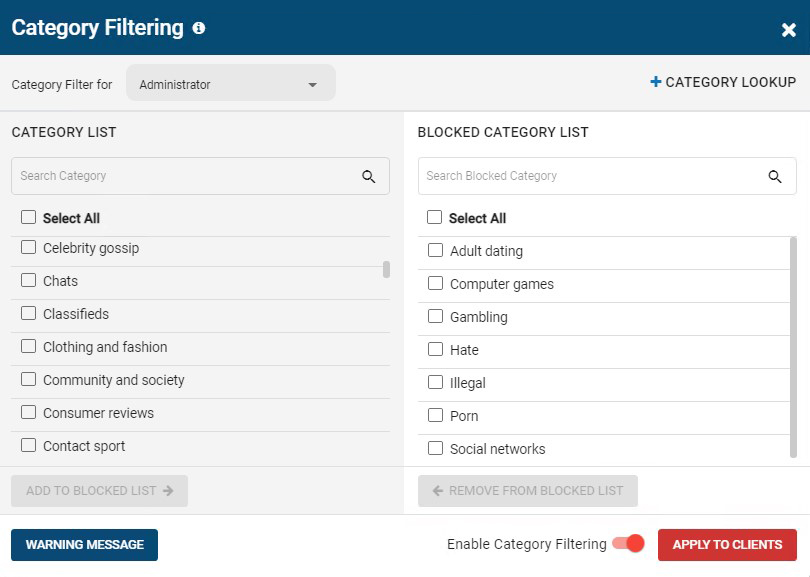
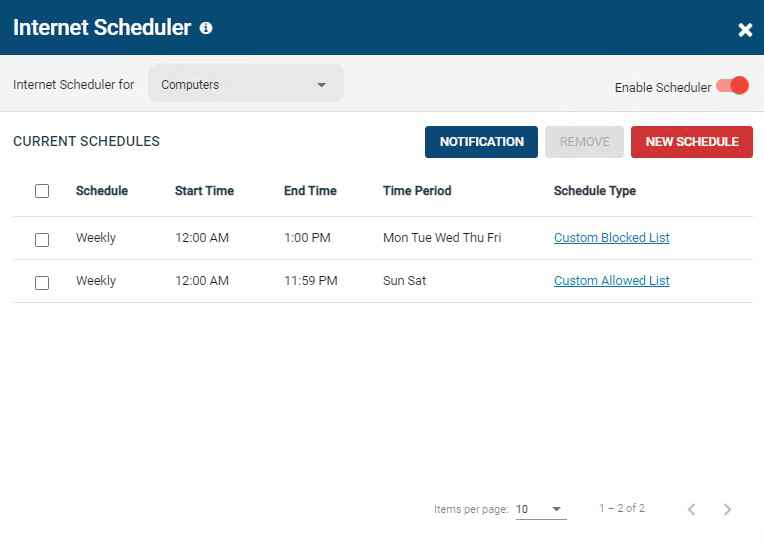
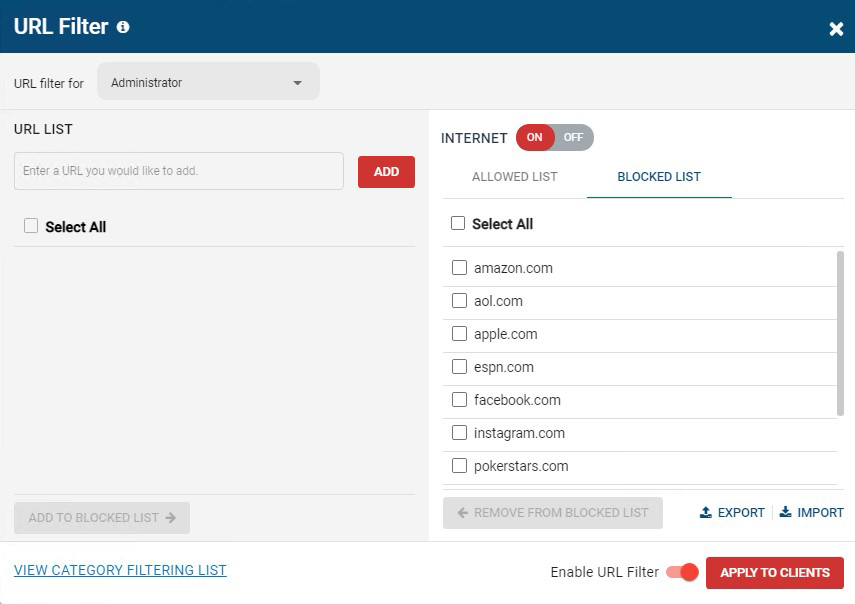
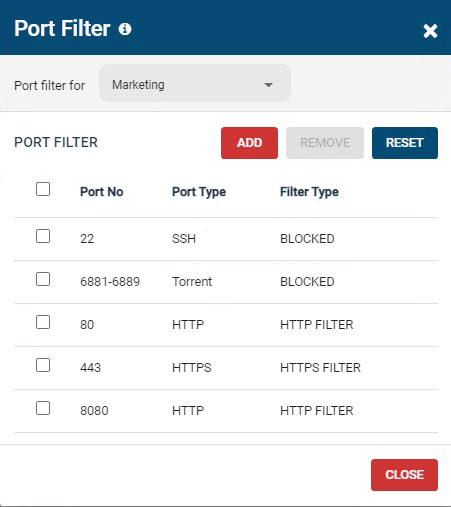
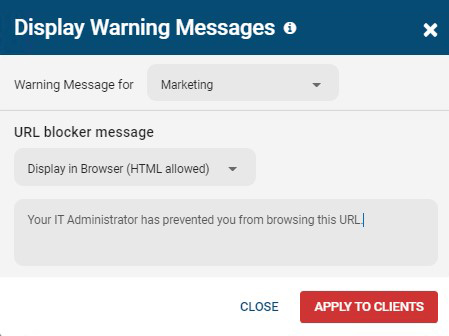
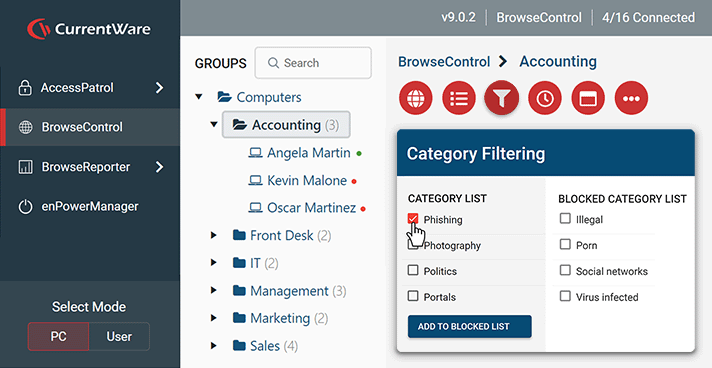
Screenshot of BrowseControl's category filtering feature window. The URL category database is constantly updated with new URLs, making the blocking of porn, malware-infected sites, social media, and other undesirable websites as easy as a few clicks.Screenshot of BrowseControl's internet scheduler feature window. Allowed and block lists can be scheduled to provide unique internet restriction policies for special occasions and breaks.Screenshot of BrowseControl's URL filter. Specific URLs/Domains can be added to the allowed or blocked list for granular control over employee internet use.Screenshot of BrowseControl's port filter. The port filter blocks egress and ingress network traffic based on network port numbers and port ranges. This allows network administrators to block unused ports and reduce the attack surface of their network.Screenshot of BrowseControl's warning message. When a user attempts to access a blocked website they will be presented a warning message. The message can be customized to include links to a company's acceptable use policy, or any other messaging.Screenshot of BrowseControl web console