BrowseControl by CurrentWare vs. pfSense

Overview
ProductRatingMost Used ByProduct SummaryStarting Price
BrowseControl by CurrentWare
Score 10.0 out of 10
N/A
BrowseControl is a content filtering software for configuring content access to websites and Windows applications based on user, device, department, or other Organizational Unit (OU). BrowseControl's content filtering features allow administrators to configure the internet and application usage permissions of the students, employees, and patrons that use computers within their network. Content filtering policies for websites, applications, and files can be…
$6
per month per user
pfSense
Score 9.9 out of 10
N/A
pfSense is a firewall and load management product available through the open source pfSense Community Edition, as well as a the licensed edition, pfSense Plus (formerly known as pfSense Enterprise). The solution provides combined firewall, VPN, and router functionality, and can be deployed through the cloud (AWS or Azure), or on-premises with a Netgate appliance. It as scalable capacities, with functionality for SMBs. As a firewall, pfSense offers Stateful packet inspection, concurrent…
$179
per appliance
Pricing
BrowseControl by CurrentWarepfSense
Editions & Modules
10-99 Users
$6
per month per user
100+ Users
Volume & prepurchase discounts available. Please contact sales for info.
Per User Per Month
SG-1100
$179
per appliance
SG-2100
$229
per appliance
SG-3100
$399
per appliance
SG-5100
$699
per appliance
XG-7100-DT
$899
per appliance
XG-7100-1U
$999
per appliance
XG-1537
$1,949
per appliance
XG-1541
$2,649
per appliance
Offerings
Pricing Offerings
BrowseControl by CurrentWarepfSense
Free Trial
YesNo
Free/Freemium Version
NoNo
Premium Consulting/Integration Services
NoNo
Entry-level Setup FeeNo setup feeNo setup fee
Additional DetailsPrice per license is based on purchase volume. There are additional discounts available for educational organizations, non-profits, managed services providers, and for businesses that pre-purchase multiple year plans.
More Pricing Information
Community Pulse
BrowseControl by CurrentWarepfSense
Features
BrowseControl by CurrentWarepfSense
Firewall
Comparison of Firewall features of Product A and Product B
BrowseControl by CurrentWare
-
Ratings
pfSense
7.6
Ratings
13% below category average
Identification Technologies00 Ratings5.00 Ratings
Visualization Tools00 Ratings7.00 Ratings
Content Inspection00 Ratings4.00 Ratings
Policy-based Controls00 Ratings10.00 Ratings
Active Directory and LDAP00 Ratings7.00 Ratings
Firewall Management Console00 Ratings9.50 Ratings
Reporting and Logging00 Ratings8.00 Ratings
VPN00 Ratings10.00 Ratings
High Availability00 Ratings10.00 Ratings
Stateful Inspection00 Ratings7.00 Ratings
Proxy Server00 Ratings6.10 Ratings
Best Alternatives
BrowseControl by CurrentWarepfSense
Small Businesses

No answers on this topic

Sophos UTM
Sophos UTM
Score 8.1 out of 10
Medium-sized Companies
Quantum Firewalls and Security Gateways
Score 9.6 out of 10
Quantum Firewalls and Security Gateways
Score 9.6 out of 10
Enterprises
Quantum Firewalls and Security Gateways
Score 9.6 out of 10
Palo Alto Networks Virtualized Next-Generation Firewalls - VM Series
Score 10.0 out of 10
All AlternativesView all alternativesView all alternatives
User Ratings
BrowseControl by CurrentWarepfSense
Likelihood to Recommend
-
(0 ratings)
9.6
(0 ratings)
Usability
-
(0 ratings)
10.0
(0 ratings)
User Testimonials
BrowseControl by CurrentWarepfSense
Likelihood to Recommend
No answers on this topic
pfSense is incredibly budget friendly and capable for organizations of all sizes. My specific scenario, working for a non-profit organization, requires budget consciences decisions without compromising security and function. pfSense has helped tremendously in accomplishing this. It specifically tackles advanced routing, static routing, remote access, intrusion prevention, in a single platform, mostly available for free.
Read full review
Pros
No answers on this topic
  • Easy to use. Good user interface design! Easy to understand and easy to set up.
  • Lower hardware requirement. 3 years ago, we used an old PC to run it. Now, we have changed to a router device with Celeron CPU and 8GB RAM. It runs smoothly with a 1000G commercial broadband.
Read full review
Cons
No answers on this topic
  • There is no API for making changes. This can be a hindrance in environments where auto-deploying something needs firewall rules or HAProxy configs updated. Since all settings are stored in an XML file and then configs are generated from that, even manually updating config files cannot be done.
  • Beware that some network cards can have issues. pfSense is based on FreeBSD, so it's best to look on their compatibility list before deploying.
Read full review
Usability
No answers on this topic
pfSense can be a very elementary firewall but can also be as comples as you want, according your needs. I'd always reccomend a HA solution when used in a company and, for bigger companies, commercial license is recommended. It's also very adptable to everyone's needs.
Read full review
Support Rating
No answers on this topic
pfSense+ basic provides "As Available" email support. pfSense+ Pro offers 24 hr turn around email support. pfSense+ Enterprise offers 24/7 phone support.
Read full review
Alternatives Considered
No answers on this topic
PFSense is not a fully featured and supported enterprise-grade solution; however, it does offer a lot of similar functionality at a fraction of the cost for more minor requirements.
Read full review
Return on Investment
No answers on this topic
  • pfSense has only had positive impacts on our company. We are not a huge company so not having to buy licenses to get all these features have been excellent.
  • I was not around when our current sysadmin decided to use pfSense, but I am assuming from day one it was probably a 100% return on investment since it does everything we need it to and it was open source software.
Read full review
ScreenShots

BrowseControl by CurrentWare Screenshots
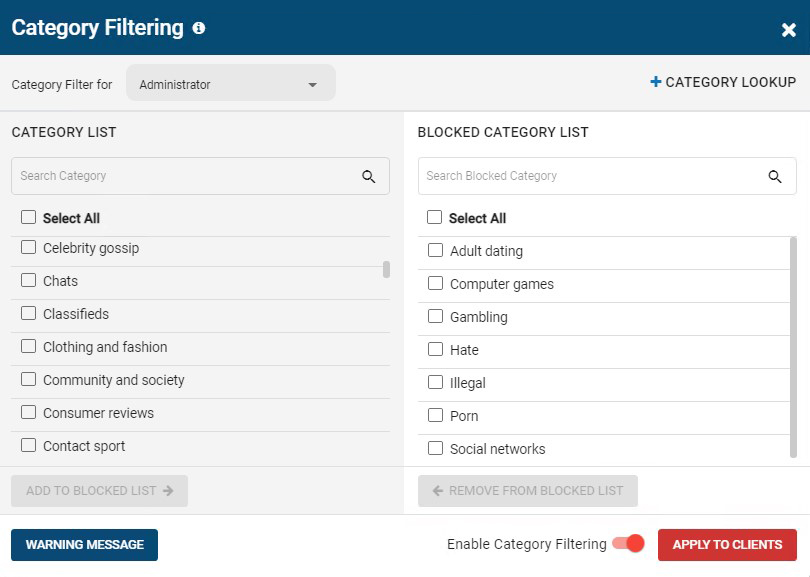
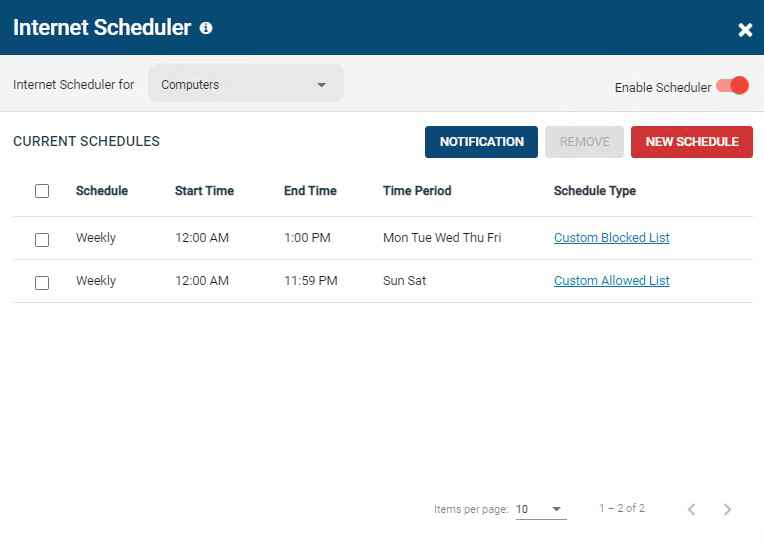
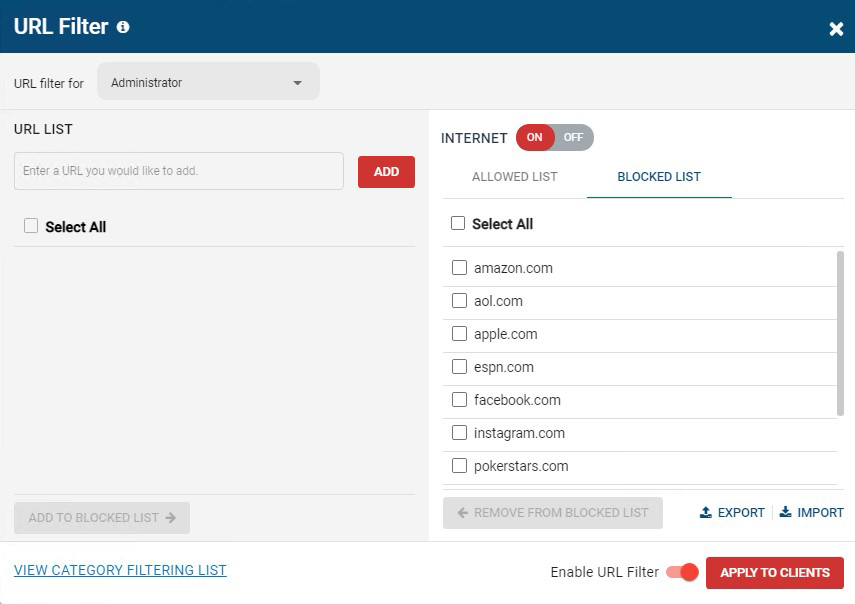
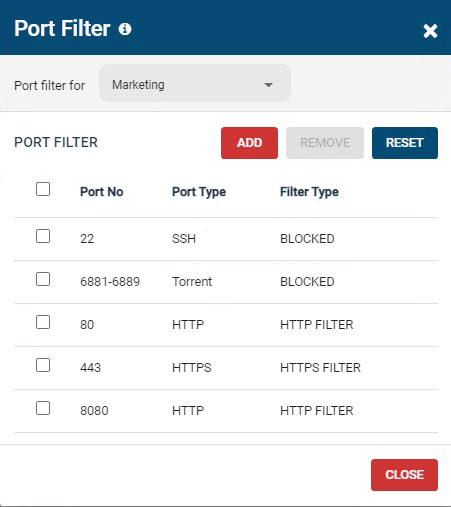
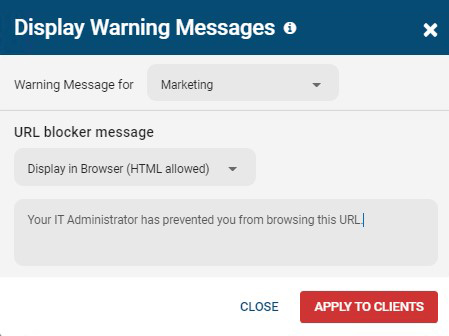
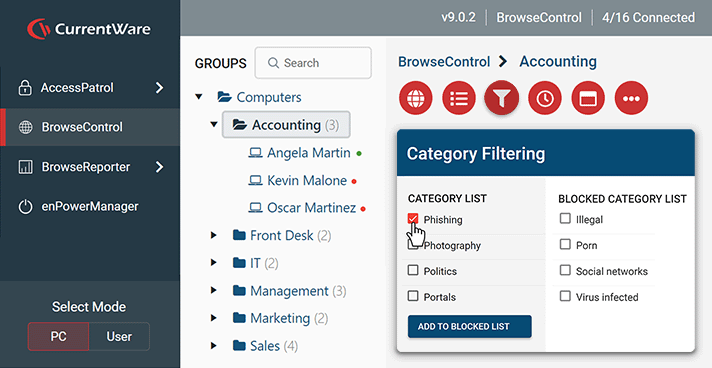
Screenshot of BrowseControl's category filtering feature window. The URL category database is constantly updated with new URLs, making the blocking of porn, malware-infected sites, social media, and other undesirable websites as easy as a few clicks.Screenshot of BrowseControl's internet scheduler feature window. Allowed and block lists can be scheduled to provide unique internet restriction policies for special occasions and breaks.Screenshot of BrowseControl's URL filter. Specific URLs/Domains can be added to the allowed or blocked list for granular control over employee internet use.Screenshot of BrowseControl's port filter. The port filter blocks egress and ingress network traffic based on network port numbers and port ranges. This allows network administrators to block unused ports and reduce the attack surface of their network.Screenshot of BrowseControl's warning message. When a user attempts to access a blocked website they will be presented a warning message. The message can be customized to include links to a company's acceptable use policy, or any other messaging.Screenshot of BrowseControl web console