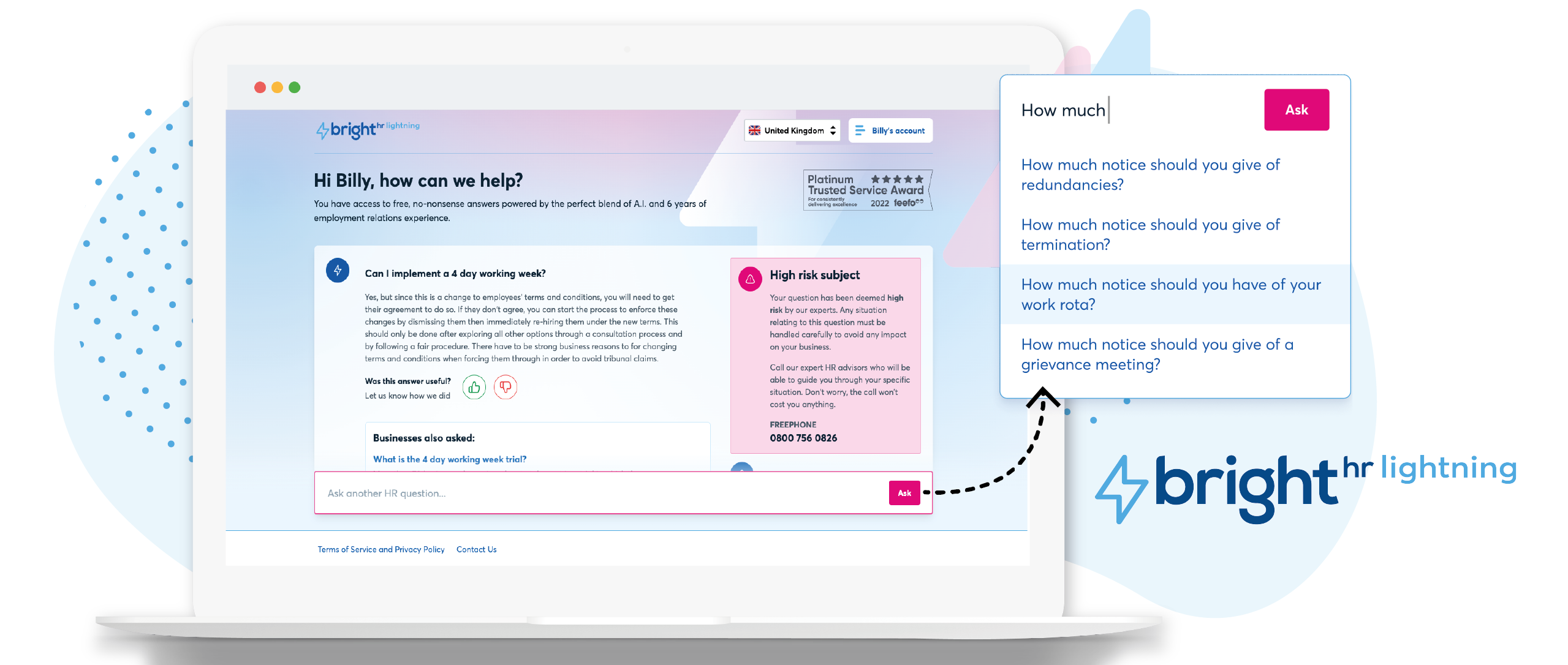
British company BrightHR offers a human resources platform which helps replace paper documents with edocuments and contains features for managing employee scheduling and ROTA, sick leave and tardiness, vacation and holiday shift planning, as well as providing employment law legal advice.
$4.50
SAP SuccessFactors HCM
Score8.4 out of 10
N/A
SAP SuccessFactors is a suite of HR/HCM products covering these capability areas: core HR and payroll, recruiting and onboarding, learning and development, performance and compensation management, workforce analytics and planning, and employee experience management.
I feel Bright HR is well suited to most small/medium sized businesses where they have a 'straight' forward resource set up. For larger businesses or for complex businesses similar to ourselves, where we operate 24 hours per day, rotational shift patterns, ambulatory staff, locums etc...we have to 'fudge' the way we use the information sometimes to make it work for us.
A de minimis incentive was given to thank the reviewer for their time. The incentive was not used to bias or drive a particular response, nor was the incentive contingent on a positive endorsement. More Info
It is a strong system that pays off once it's fully tailored to your organization. If your company has well-defined HR processes, SuccessFactors will likely integrate seamlessly. We've automated processes that previously required departments to spend weeks on back-and-forth emails. We've partnered with Capgemini to fully suck out the most out of its technical customization.
A de minimis incentive was given to thank the reviewer for their time. The incentive was not used to bias or drive a particular response, nor was the incentive contingent on a positive endorsement. More Info
A de minimis incentive was given to thank the reviewer for their time. The incentive was not used to bias or drive a particular response, nor was the incentive contingent on a positive endorsement. More Info
The product is straightforward to use. The product allows instant edits if a mistake is made and is very helpful in keeping track of individual employee working hours.
Use of the platform ensures that your business is connected to a global workforce experience powered by modern HR technologies and AI.
Implementation of the software ensures an excellent workforce experience and accelerates overall business performance.
A de minimis incentive was given to thank the reviewer for their time. The incentive was not used to bias or drive a particular response, nor was the incentive contingent on a positive endorsement. TR verified that a representative sample of customers was invited. More Info
Notifications for requests should be optional based on individual employees. For example an admin won’t necessarily want every staff members leave requests by email and push notification. The settings only currently allow for notifications for everyone or no one. Being assigned as a manager may not allow data viewing required of wider staff.
Toil should automatically be accrued into a balance if the employees clocked in time amounts to more than the target hours. It shouldn’t have to be calculated and requested.
When reviewing hours worked for the week, the history calculation should take into account approved leave and sickness etc. I have a staff members target of 37 hours, but if their hours show 29 hours worked then I have to work out why they worked less. It should account for this if the absence is approved.
I think just overall the configuration can be a little bit hard on the backend user, like myself, knowing which screens to go to. Better documentation on how we configure things would be a great resource for employees in the HR field that are making those backend changes.
A de minimis incentive was given to thank the reviewer for their time. The incentive was not used to bias or drive a particular response, nor was the incentive contingent on a positive endorsement. TR verified that a representative sample of customers was invited. More Info
It's not entirely my decision - we are members of a 'community' of veterinary practices who have signed up to the contract with pensinusla and have bright hr as part of that contract however, I am usually involved in the tender process as I am one of the biggest users of both bright hr and the services from peninsula
A de minimis incentive was given to thank the reviewer for their time. The incentive was not used to bias or drive a particular response, nor was the incentive contingent on a positive endorsement. More Info
It is the product that the Business is fully committed to for co-ordinately HR processes. Employee and Manage Self-Service has allow our business to reduce the overheads in our HR operating mode. The integration with 3rd party products is now in place and further developments will only increase its importance. SuccessFactors provide regular enhancements and has a support model in line with our business requirements.
A de minimis incentive was given to thank the reviewer for their time. The incentive was not used to bias or drive a particular response, nor was the incentive contingent on a positive endorsement. TR verified that a representative sample of customers was invited. More Info
It is quite good. Has alot of useful features such as the inbuilt learning / trainings. I really like the clock in function where admin can update or edit staff clock in times. I love the easily accessable annual leave section where we can easily see wat annual leave a staff has. However what would be useful is for 0 hour staff due to them not automatically having 17/28 days annual leave, if it can calculate itbased on hours they work
A de minimis incentive was given to thank the reviewer for their time. The incentive was not used to bias or drive a particular response, nor was the incentive contingent on a positive endorsement. More Info
1. User training is required to be acquainted with the technology, but better output is achieved while automating most tasks. 2. Data-driven decision making in terms of performance, hiring, review, and compensation. 3. Better scale-based talent search from the talent pool. 4. better integration performance with SAP products like SAP MM, SAP FICO, SAP Sales, SAP SD, etc.
A de minimis incentive was given to thank the reviewer for their time. The incentive was not used to bias or drive a particular response, nor was the incentive contingent on a positive endorsement. TR verified that a representative sample of customers was invited. More Info
Until now we have not had serious availability problems with SuccessFactors, we had Microsoft Active Directory and SSO with ADFS and we had availability problems but because of problems with ADFS, we migrated to Azure AD and with that the availability problems of SuccessFactors because of ADFS went away. The only windows of unavailability that we have had are those that we are communicated to do maintenance and upgrades.
A de minimis incentive was given to thank the reviewer for their time. The incentive was not used to bias or drive a particular response, nor was the incentive contingent on a positive endorsement. More Info
The performance is very good, the truth is that we have not had serious performance problems, some complex reports may take a little longer, but considering the complexity and the amount of records it is an acceptable time. We have never received a complaint from users regarding page loading speed.
A de minimis incentive was given to thank the reviewer for their time. The incentive was not used to bias or drive a particular response, nor was the incentive contingent on a positive endorsement. More Info
The team are proactive, having an advocacy team is just amazing and a great way to really understand their product roadmap and have input into useful features or feedback
A de minimis incentive was given to thank the reviewer for their time. The incentive was not used to bias or drive a particular response, nor was the incentive contingent on a positive endorsement. More Info
SAP SuccessFactors has been a easy to implement tool with low risks for a sensitive thing like employee feedback. It provides powerful performance in the backend functionalities, and at the same time a great look and feel for the employees. Totally recommended.
A de minimis incentive was given to thank the reviewer for their time. The incentive was not used to bias or drive a particular response, nor was the incentive contingent on a positive endorsement. TR verified that a representative sample of customers was invited. More Info
The in-person training was with a consultancy, we have taken several courses, all very specific. They have been reports in ecp, general configuration of ec, reports and IAS
A de minimis incentive was given to thank the reviewer for their time. The incentive was not used to bias or drive a particular response, nor was the incentive contingent on a positive endorsement. More Info
We use SAP Learning, and we like it very much, the topics are updated along with the products, we have access to the SFX customer certifications and we have done them all, in general the SAP learning platform is very good and complete.
A de minimis incentive was given to thank the reviewer for their time. The incentive was not used to bias or drive a particular response, nor was the incentive contingent on a positive endorsement. More Info
it was fairly easy to do but timely as i had to enter everything from scratch - i didn't at the time realise how important it was to set up the variable or fixed working pattern correctly given future changes as this is very tricky once it has been set up and i wished i had been aware that sometimes you can't make future changes without deleting the whole profile and starting again
A de minimis incentive was given to thank the reviewer for their time. The incentive was not used to bias or drive a particular response, nor was the incentive contingent on a positive endorsement. More Info
As we were new with all this, we would greatly appreciate if we had assitance directly from SAP so we can implement the modules with all of its features and best practices. Unfortunately, we notice that the partner left some thing incomplete.
A de minimis incentive was given to thank the reviewer for their time. The incentive was not used to bias or drive a particular response, nor was the incentive contingent on a positive endorsement. TR verified that a representative sample of customers was invited. More Info
I chose BrightHR as it offered a one-stop platform for HR management for which we have dedicated UK and ROI HR specialists who not only give HR advice but also write policies and handbooks, etc. They are a one-stop-shop, which was very important as when I signed the contract I did not have an HR person in my team and they were essentially my back office. Also, by signing up, I got access to Bright Safe too; which is great as again it's a one-stop-shop for Health and Safety in the workplace. So I can roll out toolbox talks, training, and accident management.
A de minimis incentive was given to thank the reviewer for their time. The incentive was not used to bias or drive a particular response, nor was the incentive contingent on a positive endorsement. More Info
SAP SuccessFactors is a very user-friendly application, it stacks up very well against competition, such as Oracle PeopleSoft HCM. We selected SAP SuccessFactors because we are already using a lot of other SAP solutions, such as SAP S/4 HANA and SAP Business Technology Platform. It allows us to have single-sign on and one vendor with multiple solutions.
A de minimis incentive was given to thank the reviewer for their time. The incentive was not used to bias or drive a particular response, nor was the incentive contingent on a positive endorsement. TR verified that a representative sample of customers was invited. More Info
A de minimis incentive was given to thank the reviewer for their time. The incentive was not used to bias or drive a particular response, nor was the incentive contingent on a positive endorsement. TR verified that a representative sample of customers was invited. More Info
The scalability and flexibility of SuccessFactors is unbeatable. It is very easy to scale the product to new countries and areas, and with the help of CPI it can be easily integrated.
A de minimis incentive was given to thank the reviewer for their time. The incentive was not used to bias or drive a particular response, nor was the incentive contingent on a positive endorsement. More Info
A de minimis incentive was given to thank the reviewer for their time. The incentive was not used to bias or drive a particular response, nor was the incentive contingent on a positive endorsement. More Info
A de minimis incentive was given to thank the reviewer for their time. The incentive was not used to bias or drive a particular response, nor was the incentive contingent on a positive endorsement. More Info
A de minimis incentive was given to thank the reviewer for their time. The incentive was not used to bias or drive a particular response, nor was the incentive contingent on a positive endorsement. TR verified that a representative sample of customers was invited. More Info