Brightcove vs. StreamYard

Overview
ProductRatingMost Used ByProduct SummaryStarting Price
Brightcove
Score 9.0 out of 10
N/A
Brightcove Video is a video hosting and publishing solution. The company also provides a cloud media processing product called Zencoder.N/A
StreamYard
Score 8.2 out of 10
N/A
StreamYard is a live streaming studio in a browser. Users can interview guests, share a screen, and simulcast to platforms like Facebook, YouTube, and LinkedIn.N/A
Pricing
BrightcoveStreamYard
Editions & Modules
No answers on this topic
Offerings
Pricing Offerings
BrightcoveStreamYard
Free Trial
YesNo
Free/Freemium Version
NoNo
Premium Consulting/Integration Services
NoNo
Entry-level Setup FeeNo setup feeNo setup fee
Additional Details
More Pricing Information
Community Pulse
BrightcoveStreamYard
Best Alternatives
BrightcoveStreamYard
Small Businesses
IBM Video Streaming
IBM Video Streaming
Score 9.4 out of 10
OBS Studio
OBS Studio
Score 8.9 out of 10
Medium-sized Companies
IBM Video Streaming
IBM Video Streaming
Score 9.4 out of 10
Zoom Events & Webinars
Score 8.5 out of 10
Enterprises
IBM Video Streaming
IBM Video Streaming
Score 9.4 out of 10
Zoom Events & Webinars
Score 8.5 out of 10
All AlternativesView all alternativesView all alternatives
User Ratings
BrightcoveStreamYard
Likelihood to Recommend
8.0
(0 ratings)
9.4
(0 ratings)
Likelihood to Renew
9.0
(0 ratings)
10.0
(0 ratings)
Usability
9.0
(0 ratings)
10.0
(0 ratings)
Support Rating
4.0
(0 ratings)
-
(0 ratings)
User Testimonials
BrightcoveStreamYard
Likelihood to Recommend
It works very nicely for our company site because it can easily and seamlessly embed into the site and email HTML pages. It also has picture in picture, sharing, closed captioning (CC) as basic functions. It will also show the time of the video. Because these are short-term-use videos or might get updated frequently and also are just targeting a specific audience, being able to hide or not able to show the number of views or date published (unlike YouTube) actually helps us.
Read full review
We usually recommend it to those that want to start streaming their podcasts LIVE and don't have much bandwidth for learning new software. Its simplicity is perfect for beginners. That being said, if the person we are talking to wants to be able to download high-quality video and audio files after the stream is over -for post-production reasons- we usually refer them to different software.
Read full review
Pros
  • Ability to easily output a JSON response for requested video data. This makes it easy to work with Brightcove as partner.
  • The read APIs are very flexible and can the output can be easily customized using cgi args. This provides great customization of the output and sorting and filtering mechanisms to find the videos you're looking for.
  • The ability to add captions to videos is good, especially with the regulations requiring video captioning. DFXP support works great as long as the player is given the exact XML format it is looking for.
Read full review
  • Easy access to stream to multiple locations at the same time
  • Simple and intuitive user interface.
  • Self-explanatory. Small learning curve to be able to master it.
Read full review
Cons
  • Online support could be more accessible to the layman (non-techy users can get a bit lost in the help resource library)
  • Multiple user logins for the account (with different levels of access) would be useful - we work with many off-site videographers and editors
  • The ability to link to an individual video within a player on our website would be great.
Read full review
  • I would like to be able to change default layout via admin in some instances because for example, it’s a cropped layout for 2+ speakers by default.
  • I would like the opportunity to copy comments from the comments section (even if we need to paste it to private chat).
  • I would like the opportunity to share the link to download video with guest speakers.
Read full review
Likelihood to Renew
It took quite some time to upload and organize our video library. The amount of time it would require to relocate all this information outweighs any negative aspect I personally have with the experience. They have been pretty good to work with and from speaking with my Brightcove rep, I know some of the issues I have listed are currently being addressed and tested for future releases.
Read full review
No answers on this topic
Usability
Very usable! I don't see any major flaws
Read full review
You don't need to be an expert and you don't have anything to install.
Read full review
Support Rating
We are notified often of downtime, and I have not heard from a support rep for over a year. It really makes it hard to learn what new things are coming out and how we can take our video to the next level when there is no contact from the team on a regular cadence.
Read full review
No answers on this topic
Alternatives Considered
Marketing department favors it because EVERYONE uses YouTube. Overall, YouTube offers decent features and functionality. But Brightcove offers the ability to brand and style players, and control what our users see (and so much more) and YouTube does not. For instance, on YouTube, users are presented with other videos (which could contain competitor videos).
Read full review
The StreamYard interface is more functional and easy to understand for participants, speakers, and team members. StreamYard also allows managing live streams in the app without the need to go to social media for checking comments, replying to them, etc. Simultaneously, StreamYard has many more options compared to other similar tools. For example, it allows sharing slides from different PowerPoints and screens, adding videos, visuals, and live comments with one click. Due to these options, we save time on managing live sessions and our broadcasts look much more professional and engaging.
Read full review
Return on Investment
  • Again, there has been a huge cost savings which significantly improved our ROI
  • There has also been less time spent on learning new technologies and training additional staff on maintaining a video server.
  • Less time spent on the previous two points has allowed me to focus on other areas within the department that needed improvement.
Read full review
  • It has increased the reach rate and the number of followers on social media pages, for example, on our Youtube page, the number of followers increased by 2 times the original amount.
  • It has reduced the amount of time our communications team spends on editing videos.
  • More team members are able to use StreamYard by themselves, which has allowed us to reduce the time our communications team spends on managing live sessions before.

Read full review
ScreenShots

Brightcove Screenshots

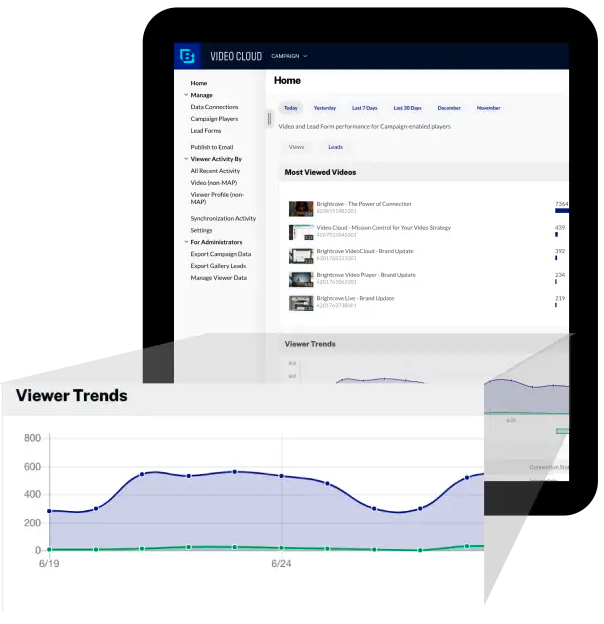
Screenshot of Go beyond tracking plays and impressions and fuel your programs with video engagement data that signals who is getting the most value from your content.Screenshot of Deliver interactive video on-demand and live experiences - chat, polls, click to purchase, sentiment, quizzes, branching journeys, and more - that increase engagement, provide more data on your audiences, and turn viewers from passive observers to active participants.Screenshot of Deliver live and on-demand video experiences that are easy to create and manage from a single platform. Orchestrate rich, beautiful experiences that promote your brand and your content and keep audiences engaged with interactive elements.Screenshot of Start to think of your video content as your greatest asset for connecting with every audience on any device, whether it's web, mobile, or connected TVs. Reach all your audiences, including customers, prospects, partners, teams, anyone and everyone!Screenshot of Understand audience engagement to inform content strategies and audience preferences to ensure you’re delivering the best streaming video experiences possible.