Brevo, formerly known as Sendinblue, is the leading customer relationship management (CRM) suite designed to fully cultivate long-term customer relationships and to empower businesses to expand in a fast changing digital world. With Brevo, businesses have a unified view of the customer journey in one easy-to-use platform thanks to intuitive and scalable marketing and CRM tools such as Email, SMS, WhatsApp, Chat, Marketing Automation, Meetings, and much more.
$0
per month
Twilio Zipwhip (discontinued)
Score8.1 out of 10
N/A
Zipwhip, a texting-for-businesses application for two-way text between a company and its customers, was acquired by Twilio, and discontinued.
$19
per month
Pricing
Brevo
Twilio Zipwhip (discontinued)
Editions & Modules
Free
$0
per month
Lite
$25
per month
Premium
$65
per month
Enterprise
Contact sales team
Starter
$19.00
per month
Unlimited
$49.00
per month
Premium
$99.00
per month
Commercial
Contact sales team
Offerings
Pricing Offerings
Brevo
Twilio Zipwhip (discontinued)
Free Trial
Yes
No
Free/Freemium Version
Yes
No
Premium Consulting/Integration Services
No
No
Entry-level Setup Fee
No setup fee
No setup fee
Additional Details
SendinBlue pricing is based on the number of email messages sent, rather than the number of contacts you keep in your account. Try SendinBlue with a free account and send up to 9,000 emails per month (300 emails per day). As your business grows, you can upgrade to a plan that meets your needs without breaking the bank! Send up to 40,000 emails per month for just $7.37 -- or send even more emails at great prices.
I wanted to pull a publication from MailChimp and park it elsewhere. Brevo was a bit of a pain to set up, but after I invested the onboarding time, it's been a cost-effective way to produce this newsletter. I would encourage someone to build in the time with both templates and editor. After that, using Brevo is as easy as using other services.
A de minimis incentive was given to thank the reviewer for their time. The incentive was not used to bias or drive a particular response, nor was the incentive contingent on a positive endorsement. More Info
Zipwhip is well suited for many scenarios. Not only do we save money and time with integrations with other programs we have, but we can follow up with a client regarding a trip, should we need further information. A client makes an online reservation and we receive a notification. While we have most of the trip details, the number portion for the drop-off location is missing, so we can reach out directly to the client via Zipwhip and request this information. All aspects of the booking can be done online and with texting and without emails or calls, which is often what many clients who book online prefer. Zipwhip has improved its images/ photos which is fantastic as we use this to send vehicle images to clients, which helps secure bookings. Our employees also use it to send us images of receipts, vehicle engine warning lights that may come on, and other issues (such as a client who may have left a mess in a vehicle). We're also able to send clients documents too, which is great. Obviously, if we have a client with an issue or who is upset, texting is not the best platform on which to address their issues, but it helps us to assess the situation/ issue and gather information before we call the client in person.
A de minimis incentive was given to thank the reviewer for their time. The incentive was not used to bias or drive a particular response, nor was the incentive contingent on a positive endorsement. More Info
A de minimis incentive was given to thank the reviewer for their time. The incentive was not used to bias or drive a particular response, nor was the incentive contingent on a positive endorsement. More Info
A de minimis incentive was given to thank the reviewer for their time. The incentive was not used to bias or drive a particular response, nor was the incentive contingent on a positive endorsement. More Info
not easy to move/duplicate sections. much easier to just drag and drop. still working this out.
don't like the logo or text included with the newsletter sign up form. have now upgraded, but think this should not be included for lower pricing plans
not getting issues completely answered by support team. currently have an issue with email sign up not working on mobile. have been told it is not working, but not given any suggestions on how to fix this.
have had unusual issue come up with a link. On 2 separate occasions, with 2 separate newsletters that went out, and 2 different images/articles/links, the link was wrong. Even though we checked it, previewed it and sent test email before we sent out these newsletters and these links were correct. It is the section at the bottom of our current newsletter. On both these occasions, when the customer has forwarded the email they received to us, the link was was to an old link - and it was the same old link on both occasions. We have asked for this to be looked into and are waiting on reply. We are going to try to delete this section this week and re-create. It is not a good look for us.
We have another issue with how our newsletter is previewing in Outlook. The images and the text are not lining up - not on every section, but on 2 sections out of the 5 sections. Also, the Read Full Article text in the button is not showing properly. Again, not a professional look for us which we are not happy with.
A de minimis incentive was given to thank the reviewer for their time. The incentive was not used to bias or drive a particular response, nor was the incentive contingent on a positive endorsement. More Info
A de minimis incentive was given to thank the reviewer for their time. The incentive was not used to bias or drive a particular response, nor was the incentive contingent on a positive endorsement. More Info
A de minimis incentive was given to thank the reviewer for their time. The incentive was not used to bias or drive a particular response, nor was the incentive contingent on a positive endorsement. TR verified that a representative sample of customers was invited. More Info
Very user-friendly. I don't know how to code, but the program allows me to create visually appealing things with numerous options. Fairly intuitive. I have used it for a few years and have been happy. Works well for what we need.
A de minimis incentive was given to thank the reviewer for their time. The incentive was not used to bias or drive a particular response, nor was the incentive contingent on a positive endorsement. More Info
It was very easy for users to use, straight forward, and user friendly. The desktop app is very basic but easy to reply to an incoming text, but the user had to know to allow Chrome notifications to see new incoming text via the web browser, which is how they mainly used it.
A de minimis incentive was given to thank the reviewer for their time. The incentive was not used to bias or drive a particular response, nor was the incentive contingent on a positive endorsement. More Info
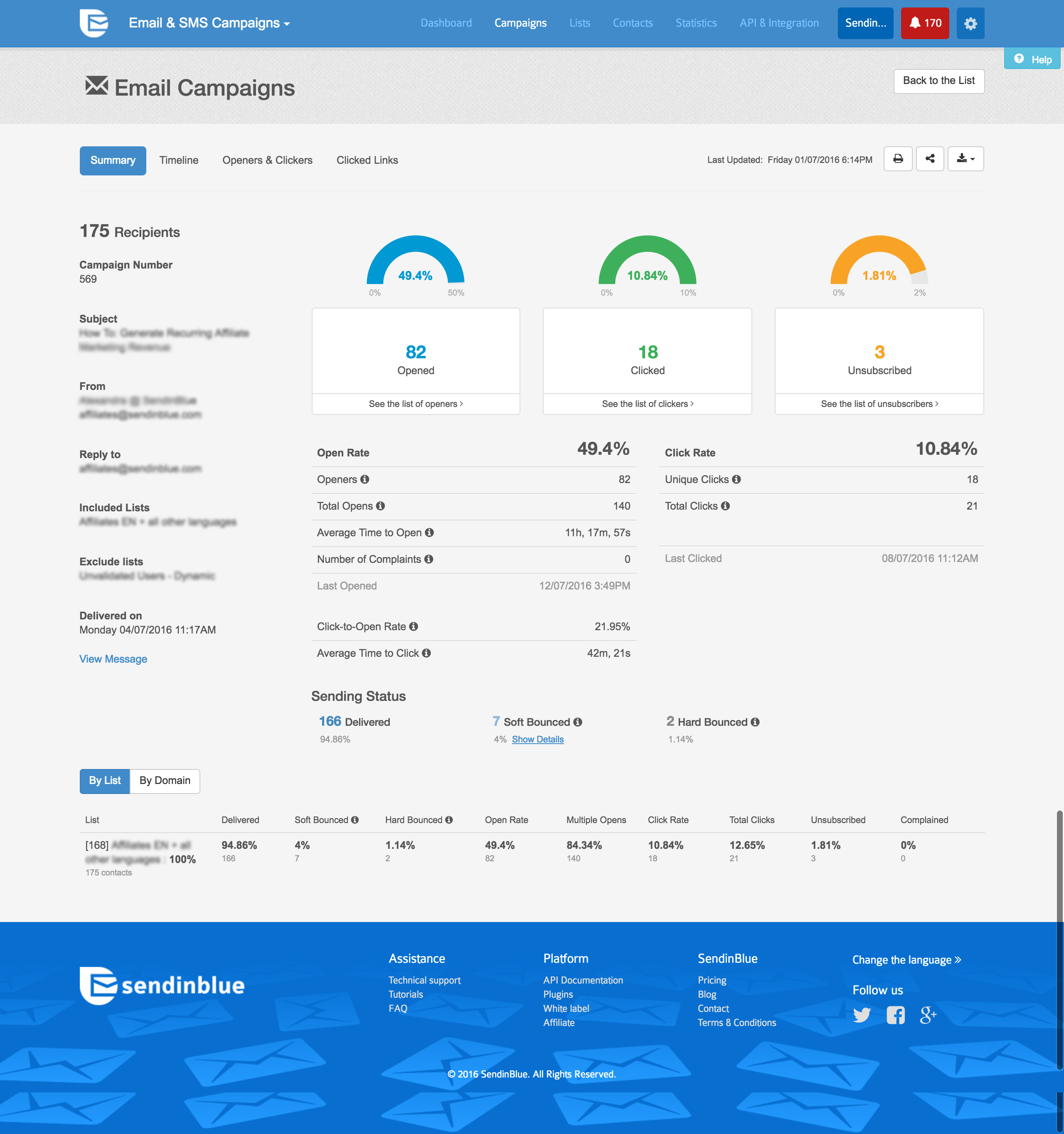
Everything loads very quickly, it saves as you go along so you're unlikely to loose work if your computer fails. Reports are there immediately too so you're able to act quickly on customer engagement.
These people helped me identify errors when setting up DKIM and were more than helpful in trying to diagnose low open rates with a few campaigns identifying where improvement can be made and how to more effectively manage contact lists. The support is excellent.
A de minimis incentive was given to thank the reviewer for their time. The incentive was not used to bias or drive a particular response, nor was the incentive contingent on a positive endorsement. More Info
Swift response time, multiple people have been willing to help with any issue, really anything you could be looking for from a service standpoint, they offer.
A de minimis incentive was given to thank the reviewer for their time. The incentive was not used to bias or drive a particular response, nor was the incentive contingent on a positive endorsement. More Info
A de minimis incentive was given to thank the reviewer for their time. The incentive was not used to bias or drive a particular response, nor was the incentive contingent on a positive endorsement. TR verified that a representative sample of customers was invited. More Info
I selected Sendinblue because my users and customers don't speak and read English, so the french version of an email solution was the best way to answer them. Since 2017, I always recommended Sendinblue to my customers and partners, even if they use another solution, I convert them and never go back again.
A de minimis incentive was given to thank the reviewer for their time. The incentive was not used to bias or drive a particular response, nor was the incentive contingent on a positive endorsement. More Info
Zipwhip is just a little bit more user-friendly than AliveChat because it allows you to text people on more scale. AliveChat has a great website chat function, but its texting platform is a little more clunky than Zipwhip. Zipwhip is a little more expensive but definitely the better product.
A de minimis incentive was given to thank the reviewer for their time. The incentive was not used to bias or drive a particular response, nor was the incentive contingent on a positive endorsement. More Info
A de minimis incentive was given to thank the reviewer for their time. The incentive was not used to bias or drive a particular response, nor was the incentive contingent on a positive endorsement. More Info