
Brevo vs. JangoMail
Brevo vs. JangoMail
| Product | Rating | Most Used By | Product Summary | Starting Price |
|---|---|---|---|---|
 Brevo | N/A | Brevo, formerly known as Sendinblue, is the leading customer relationship management (CRM) suite designed to fully cultivate long-term customer relationships and to empower businesses to expand in a fast changing digital world. With Brevo, businesses have a unified view of the customer journey in one easy-to-use platform thanks to intuitive and scalable marketing and CRM tools such as Email, SMS, WhatsApp, Chat, Marketing Automation, Meetings, and much more. | $0 per month | |
 JangoMail | N/A | JangoMail is an email marketing platform. Companies use JangoMail to send marketing emails, transactional emails, and person-to-person emails. JangoMail offers a feature-rich application, 24/7 support, inbox delivery, integration with most CRM's, reporting and a low price guarantee. | $25 per month |
| Brevo | JangoMail | |||||||||||||||
|---|---|---|---|---|---|---|---|---|---|---|---|---|---|---|---|---|
| Editions & Modules |
|
| ||||||||||||||
| Offerings |
| |||||||||||||||
| Entry-level Setup Fee | No setup fee | No setup fee | ||||||||||||||
| Additional Details | SendinBlue pricing is based on the number of email messages sent, rather than the number of contacts you keep in your account. Try SendinBlue with a free account and send up to 9,000 emails per month (300 emails per day). As your business grows, you can upgrade to a plan that meets your needs without breaking the bank! Send up to 40,000 emails per month for just $7.37 -- or send even more emails at great prices. | — | ||||||||||||||
| More Pricing Information | ||||||||||||||||
| Brevo | JangoMail |
|---|
| Brevo | JangoMail | ||||||||||||||||||||||||||||||
|---|---|---|---|---|---|---|---|---|---|---|---|---|---|---|---|---|---|---|---|---|---|---|---|---|---|---|---|---|---|---|---|
| Email & Online Marketing |
| ||||||||||||||||||||||||||||||
| Reporting & Analytics |
| ||||||||||||||||||||||||||||||
| Pre-Send Testing |
|
| Brevo | JangoMail | |
|---|---|---|
| Small Businesses |  VerticalResponse Score 10.0 out of 10 | VerticalResponse Score 10.0 out of 10 |
| Medium-sized Companies | VerticalResponse Score 10.0 out of 10 | VerticalResponse Score 10.0 out of 10 |
| Enterprises |  Emma by Marigold Score 9.4 out of 10 | Emma by Marigold Score 9.4 out of 10 |
| All Alternatives | View all alternatives | View all alternatives |
| Brevo | JangoMail | |
|---|---|---|
| Likelihood to Recommend | 9.0 (218 ratings) | 7.5 (5 ratings) |
| Likelihood to Renew | 10.0 (10 ratings) | 8.2 (2 ratings) |
| Usability | 8.3 (15 ratings) | - (0 ratings) |
| Availability | 9.1 (1 ratings) | - (0 ratings) |
| Performance | 9.1 (1 ratings) | - (0 ratings) |
| Support Rating | 10.0 (13 ratings) | - (0 ratings) |
| Implementation Rating | 9.1 (2 ratings) | - (0 ratings) |
| Product Scalability | 9.1 (1 ratings) | - (0 ratings) |
| Brevo | JangoMail | |
|---|---|---|
| Likelihood to Recommend |  Brevo (Sendinblue, Inc)
|  JangoMail
 Duc Minh Nguyen President |
| Pros | Brevo (Sendinblue, Inc)
 Maxime Zelis Infographiste | JangoMail
 Susan Zaney Director of Product Marketing |
| Cons | Brevo (Sendinblue, Inc)
| JangoMail
 Emily Caudle Call A Graphic Artist, owner |
| Likelihood to Renew | Brevo (Sendinblue, Inc)
 Cameron Andrews Owner | JangoMail
 Mayuresh Hajirnis Web Site Intern |
| Usability | Brevo (Sendinblue, Inc)
| JangoMail No answers on this topic |
| Reliability and Availability | Brevo (Sendinblue, Inc)
 Nathaniel Bradley Website Manager | JangoMail No answers on this topic |
| Performance | Brevo (Sendinblue, Inc)
Nathaniel Bradley Website Manager | JangoMail No answers on this topic |
| Support Rating | Brevo (Sendinblue, Inc)
 Justin Germino Owner of Dragon Blogger Technology | JangoMail No answers on this topic |
| Implementation Rating | Brevo (Sendinblue, Inc)
 Kenny Williamson Systems Administrator | JangoMail No answers on this topic |
| Alternatives Considered | Brevo (Sendinblue, Inc)
 Régis Minot Fondateur | JangoMail
|
| Scalability | Brevo (Sendinblue, Inc)
Nathaniel Bradley Website Manager | JangoMail No answers on this topic |
| Return on Investment | Brevo (Sendinblue, Inc)
| JangoMail
Duc Minh Nguyen President |
| ScreenShots | Brevo Screenshots  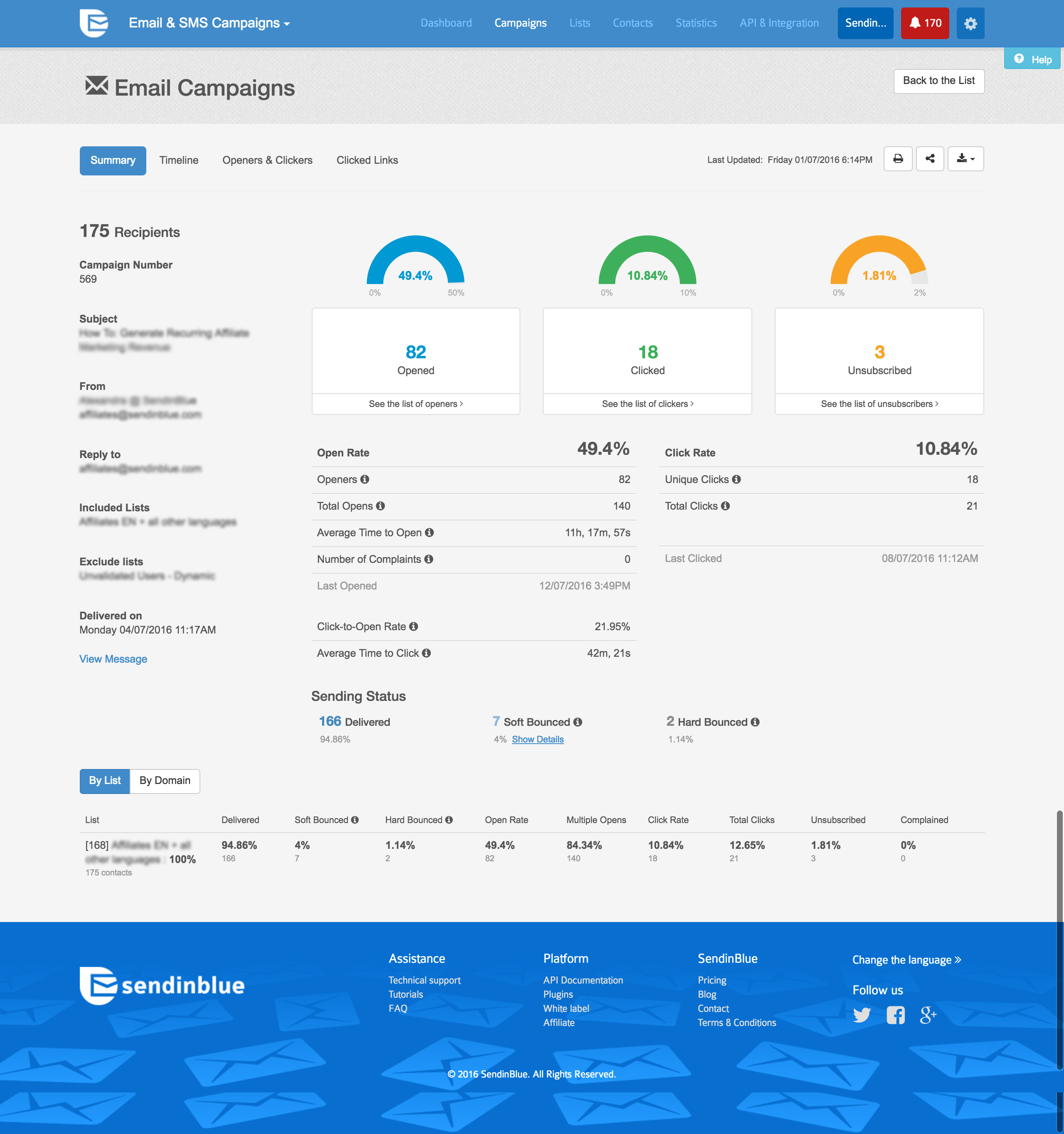  |
