
bramble vs. Navisworks
| Product | Rating | Most Used By | Product Summary | Starting Price |
|---|---|---|---|---|
 bramble | N/A | N/A | bramble is a cloud based, solver agnostic CFD platform with customised data management. Designed to maximise the value of simulation for its customers, it has streamlined the pre- and post simulation process, increasing productivity, allowing engineers to be hyper productive. bramble offers: Simulation cost-effectiveness - no license or subscription fees, simulations are pay as you go. Productivity - with compressed design cycles, including automated CFD… | $0.01 per core-hour |
 Navisworks | Score9.5 out of 10 | N/A | Autodesk's Navisworks is a 3D model and construction project review and coordination software allowing the user to combine design and construction data into a single model, and identify and resolve clash and interference problems before construction. | $135 per month |
| bramble | Navisworks | |||||||||||||||
|---|---|---|---|---|---|---|---|---|---|---|---|---|---|---|---|---|
| Editions & Modules | No answers on this topic |
| ||||||||||||||
| Offerings |
| |||||||||||||||
| Entry-level Setup Fee | Optional | No setup fee | ||||||||||||||
| Additional Details | Public Cloud - bramble servers offer access to over 3000+cores of CDF optimised HPC for £0.0575 per core-hour Hybrid Cloud - bramble servers but not bramble's 3000+ cores. After choosing an HPC bramble will link up to it for the cost of the HPC plus £0.0106 per core-hour Private Cloud - bramble running on on an organization's own network, requiring no internet connection, so all data is kept in-house. For the cost of HPC plus £0.0106 per core-hour | — | ||||||||||||||
| More Pricing Information | ||||||||||||||||
| bramble | Navisworks | |
|---|---|---|
| Considered Both Products | No answer on this topic | No answer on this topic |
| Key User Insights | ||
| Would buy again | ||
No answers on this topic | 100% Would buy again 16 Answers | |
| Delivers good value for the price | ||
No answers on this topic | 100% Delivers good value for the price 14 Answers | |
| Happy with the feature set | ||
No answers on this topic | 94% Happy with the feature set 15 Answers | |
| Lived up to sales and marketing promises | ||
No answers on this topic | 100% Lived up to sales and marketing promises 12 Answers | |
| Implementation went as expected | ||
No answers on this topic | 100% Implementation went as expected 13 Answers | |
| bramble | Navisworks | |
|---|---|---|
| Small Businesses | No answers on this topic |  Autodesk Maya Score9.2 out of 10 |
| Medium-sized Companies | No answers on this topic |  Blender Score9.3 out of 10 |
| Enterprises | No answers on this topic | No answers on this topic |
| All Alternatives | View all alternatives | View all alternatives |
| bramble | Navisworks | |
|---|---|---|
| Likelihood to Recommend | - | 10.0 |
| Usability | - | 10.0 |
| Support Rating | - | 7.4 |
| bramble | Navisworks | |
|---|---|---|
| Likelihood to Recommend | No answers on this topic |
|
| Pros | No answers on this topic |
|
| Cons | No answers on this topic |
|
| Usability | No answers on this topic |
|
| Support Rating | No answers on this topic |
|
| Alternatives Considered | No answers on this topic |
|
| Return on Investment | No answers on this topic |
|
| ScreenShots | bramble Screenshots 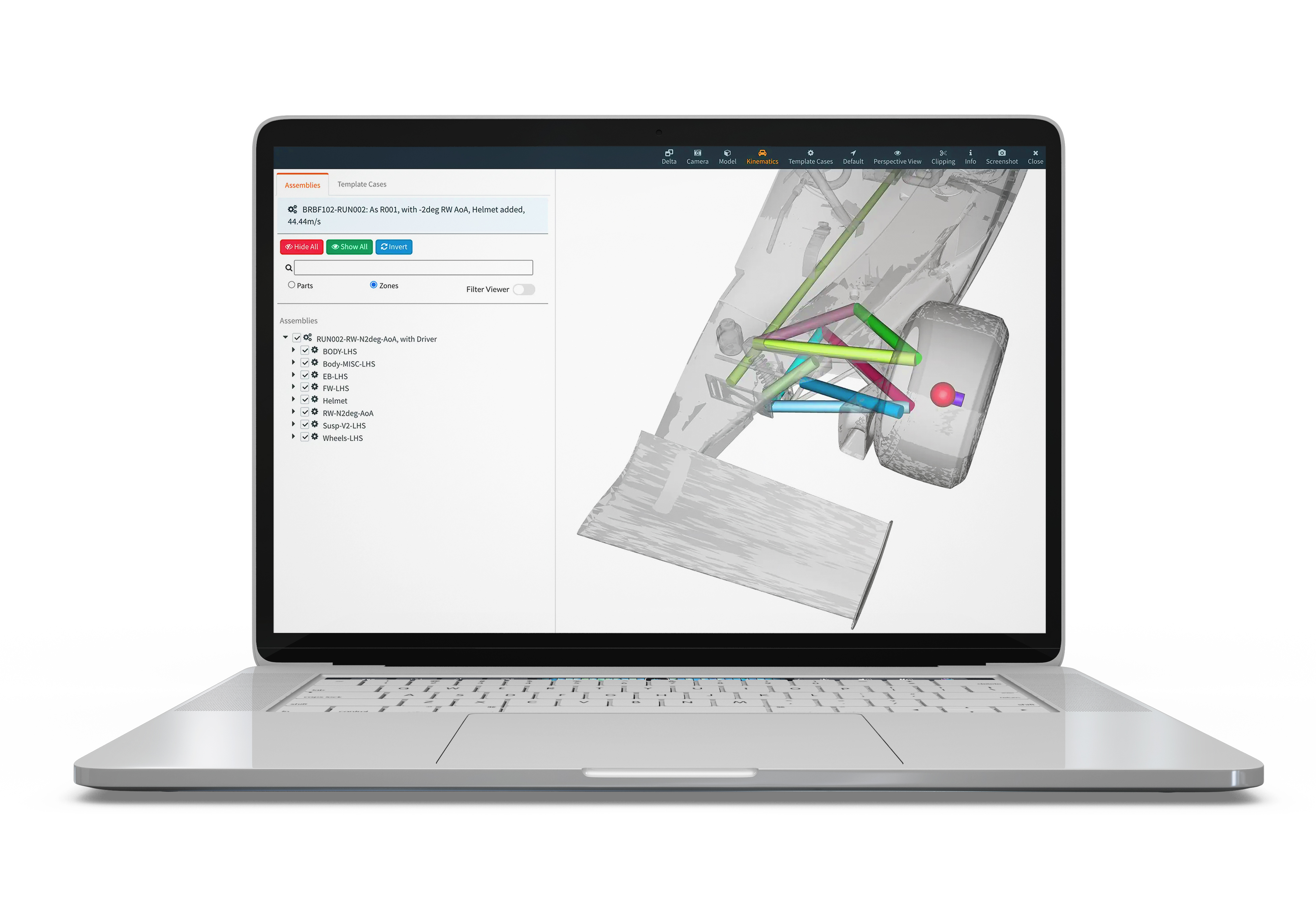   |



