Braintree, a Paypal service and subsidiary, is a billing platform which stores credit card data directly from the merchant’s systems on secure servers, and it allows for cards to be recharged or refunded . Braintree also supports international payments. Pricing is 2.9% plus a 30c transaction fee.
N/A
Salesforce Revenue Cloud
Score 8.8 out of 10
Mid-Size Companies (51-1,000 employees)
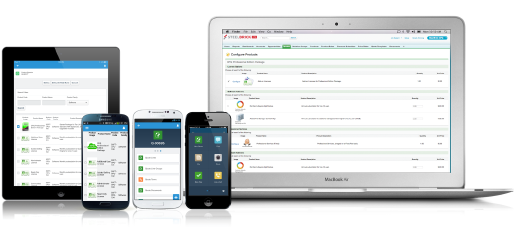
Salesforce Revenue Cloud (formerly Salesforce CPQ or SteelBrick) is built and delivered on the Salesforce Platform and Salesforce1 Mobile App which enables users to create accurate sales quotes quickly and submit error-free orders on the fly from any device.
$30
Per User per Month
Pricing
Braintree, a PayPal service
Salesforce Revenue Cloud
Editions & Modules
Standard Pricing
2.9% +$0.30
per transaction
Custom Pricing
Contact for quote
Basic
$30
Per User per Month
Professional
$50
Per User per Month
Enterprise
$75
Per User per Month
Offerings
Pricing Offerings
Braintree, a PayPal service
Salesforce Revenue Cloud
Free Trial
No
Yes
Free/Freemium Version
No
No
Premium Consulting/Integration Services
No
No
Entry-level Setup Fee
No setup fee
Optional
Additional Details
—
—
More Pricing Information
Community Pulse
Braintree, a PayPal service
Salesforce Revenue Cloud
Features
Braintree, a PayPal service
Salesforce Revenue Cloud
CPQ
Comparison of CPQ features of Product A and Product B
Braintree is a good payment processor if you are looking to accept multiple payment methods across multiple geographies and localizations. It is also a good place to keep a single source of truth for customer payments and keeping payment methods on file. If you are only in one geography or would be fine with accepting only a single payment type, Braintree is not a good choice.
CPQ is great if you can devote the time to it to make it perfect for your sales team. It requires a lot of time and energy to build it out and customize, but once that's done it is one of the most powerful tools you will have. Having an expert in CPQ is really helpful as well.
Salesforce CPQ is great for being able to quickly and easily build product bundles in an intuitive and visually appealing way.
The product catalog and ability to easily add fields to product records makes setting up products really simple and adds a lot of value to reporting within Salesforce.
Basic product and configuration rules are very easy to understand and set up.
Not all companies support the use of Braintree. I wish there was more back-end support on some of the sites we wanted to use. This is more about the sites we want to use and less about Braintree, but it's worth mentioning.
Our Salesforce is very messy, which tells me it's not super easy to clean up.
I always have a really hard time removing a contacts from an account - it seems like you can't simply remove the relationship so we have lots of people named DO NOT CONTACT or things of that nature.
Sometimes when saving it doesn't seem like things actually save.
As a product, functionality has been fine for us. In our experience, some issues during On Boarding but because we had a dedicated Account Manager assigned to us, these issues were dealt with. Now we are a customer, it feels like they have stopped caring about us or aren't interested in working with us to resolve any issues we have.
Their support is a joke. There's nothing "supportive" about them. Every time I call in with an issue no one has an answer or even a recommendation. I am put on hold and no one ever comes back. It's time to find another processor.
There have been some issues with multi-year pricing of certain products and services which we have been assured will be resolved but I guess are still underway, the support team apart from this has not been needed much and in the rare scenarios, it has been needed the resolutions of conflicts has been prompt and quick, so the overall support would have my high regards for being so helpful and customer-oriented so as to assure good performance of their toolset and customer satisfaction.
Paypal's Business plan has a monthly charge in addition to the per transaction charges if you'd like to use recurring billing. Braintree gives you recurring billing options without the monthly charge and automatically sends a transaction receipt to the client each month. Once it is set up it is completely hands off which saves a lot of time.
Bank of America merchant products. They charge extra for setups that include manually entered credit cards. They also have high start up costs that would take a while to pay for themselves due since we don't process enough transactions to make it worthwhile.
This has better product capabilities like Manage Order, Mobile, pricing module, select product offers service channel. What I like best is the integration with Salesforce, the ability to create and connect opportunities and there is a lot of flexibility in this tool. It has a very user-friendly platform & navigation across pages is the best Also I like how fast I can create quotes. I also like how detailed you can get with reporting. Any possible metric we can think of can be tracked, measured, and integrated.
The competitive rates we are receiving with Braintree through their program for BigCommerce enterprise customers have saved us quite a bit in sales costs.
Braintree's fraud detection is likely set to very high as when we switched to Braintree we only received 1 fraudulent transaction in 2 years which is a huge relief.
Prompt disbursements have granted us faster ROI than other payment processors.
Easy access to reporting on closed-won, closed-lost, and open quotes.
Accuracy in data referenced in a quote - it's typically accurate as it is pulled directly from opportunity, looking up to associated subscription start/end dates, etc..
We lose valuable time in creating quotes ourselves. Quotes were requested and created through sales ops previously, sales did not have access to the excel templates used to generate quotes.