BrainStorm's on-demand platform QuickHelp is adapted to each company and individual user and is engineered to turn education into learning experiences.
N/A
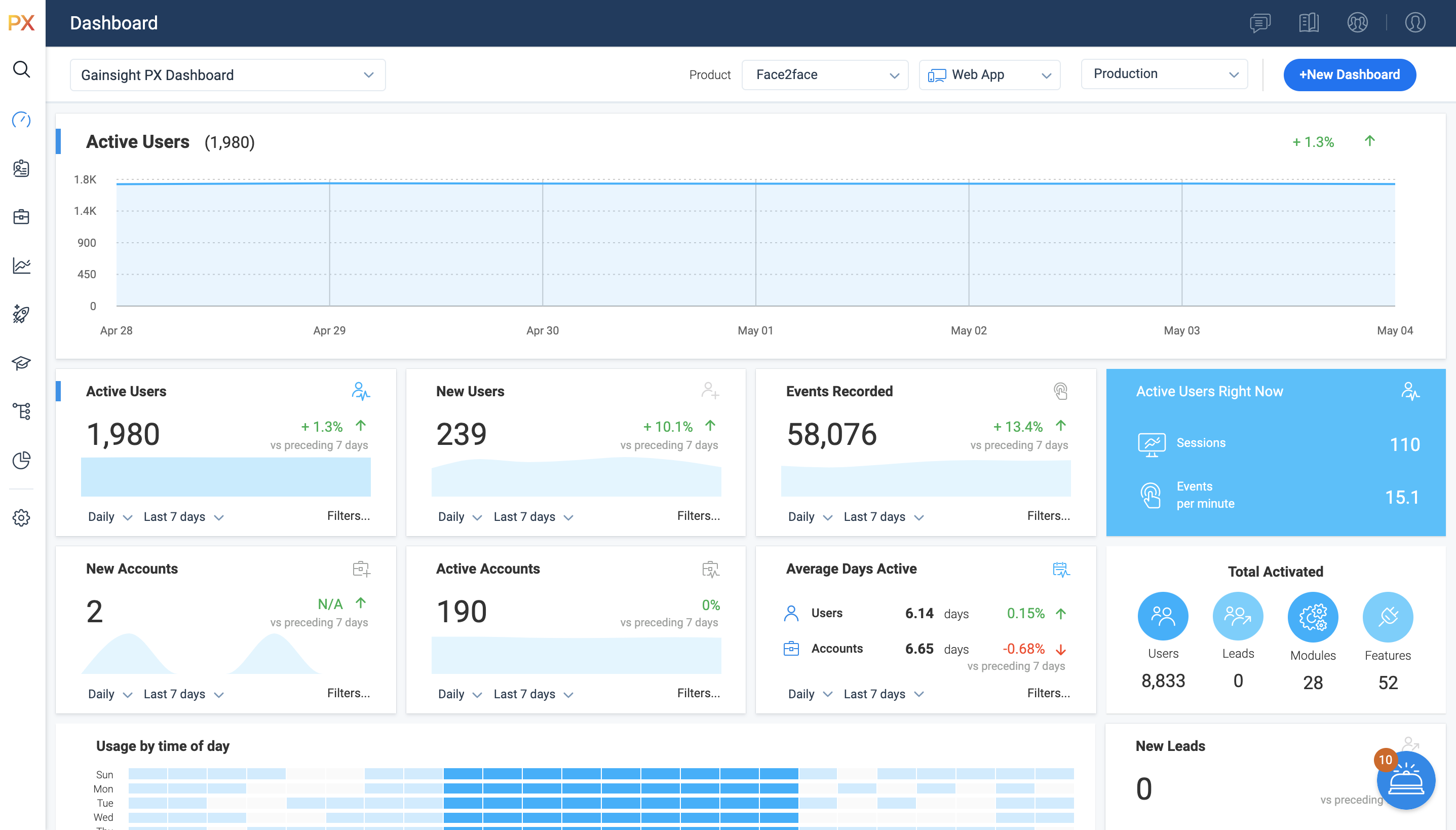
Gainsight PX
Score 7.9 out of 10
N/A
For SaaS products, Gainsight's product experience software enables companies to track every step of their user's journey and fully understand how they're interacting with a product over time.
Using the Brainstorm platform, we are able to provide employees with quick and instant training on pretty much everything Microsoft 365. The video training is perfect for the workforce: it's timely, precise, and very thorough. If we were to hire trainers to build and deliver all specific MS product training, it would not be cost-effective. The value of Brainstorm shines through from the aspects of productivity training. What is not much talked about is the time and cost savings associated with self-education. Users of the platform can uncover product use tips and tricks without contacting the company's help center or bothering to ask another co-worker for help. The Brainstorm platform provides courses that greatly improve the user's MS product line experience.
It’s a robust tool that allows you to easily map and track key features and actions within your products. It also allows for in app communications to help guide the user through the path you want them to follow. The ability to connect with Gainsight CS also allows you to leverage that data to drive actions for the account team, incorporate it in health scoring, and use it to trigger digital programs. You do need a well thought out strategy for management of the platform, the data and how you will use it.
Mapping your product is easier with PX than with Google Analytics (mapping your product makes usage data appear as hits on mapped URLs, buttons, etc)
PX is good at showing simple messaging popups to customers.
PX Badge functionality—a persistent hover- and click-enabled popup launcher, positioned on select pages and attached to select elements—works well as a self-serve resource for users. It can be unobtrusive yet right there when needed.
PX modal content is fully editable HTML with plenty of flexibility.
Audience filters are really powerful. You can target users by many built-in and dev-configurable attributes, like device-type (which helped me work with mobile web users), browser, account, parts of the application visited/used in the last day, and many more.
It is a good product, but like with every product, there is room for improvement or even just things I, as a user, would prefer, such as the ability to click on a company and have it go to Salesforce instead of Insight. It can also be difficult to find certain reports.
I have not had to contact support frequently but when I have I used the chat and my questions were answered immediately. I've also used their knowledge center, help documentation and training videos which are all very thorough. The support we've received from our Customer Success Manager has been helpful as well.
Brainstorm is just a better enterprise training system compared to other MS-365 training applications on the market. BrainStorm QuickHelp includes reliability and ease of use already built into the system which is very user-friendly. Speaking of the training tools, they are formatted in a huge variety of deliverable media that the end user will feel comfortable with: PDF, video, live event, group learning forums, et. Learners can forge their own path and set up their own learning schedule on their own time. These customized paths can be perfectly tailored for each user's needs. Honestly, Brainstorm Quickhelp just makes it easy.
I have used and evaluated a few similar products to Gainsight PX, including Appcues, WalkMe, and Pendo. I found that Gainsight PX was the most comprehensive and user-friendly platform, offering features such as customizable onboarding flows, product usage tracking, and automated customer success workflows.
Customer Sentiment. Customers have been excited when we can show them data around usage and where we can improve.
Deciding to remove features. We have used PX to identify features that have little to no usage which allows us to get rid of unnecessary process and maintenance.
Identifying areas of improvement. We are able to find areas of our product that we need to focus on improving where previously we would have missed or had a tough time justifying spending time and resources.