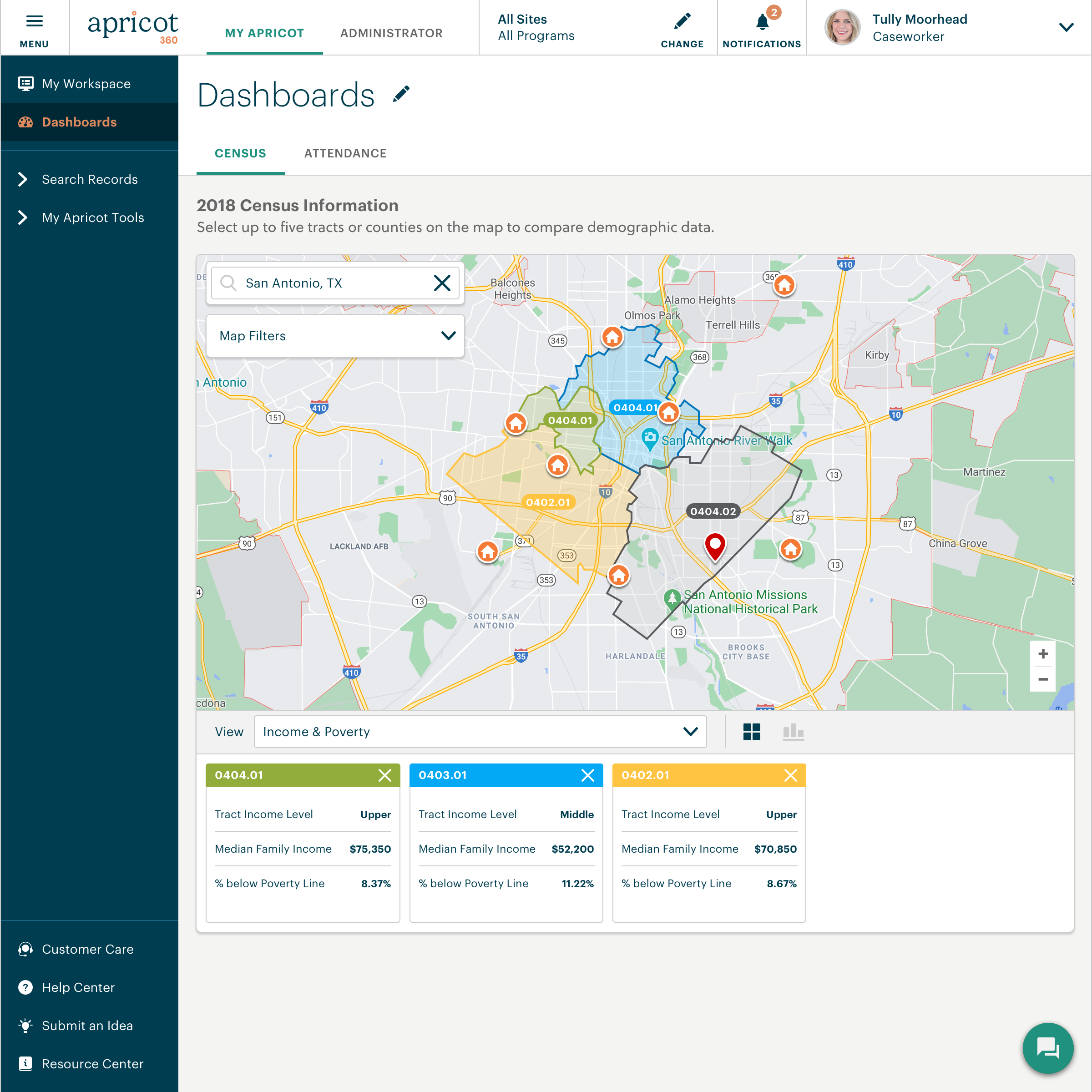
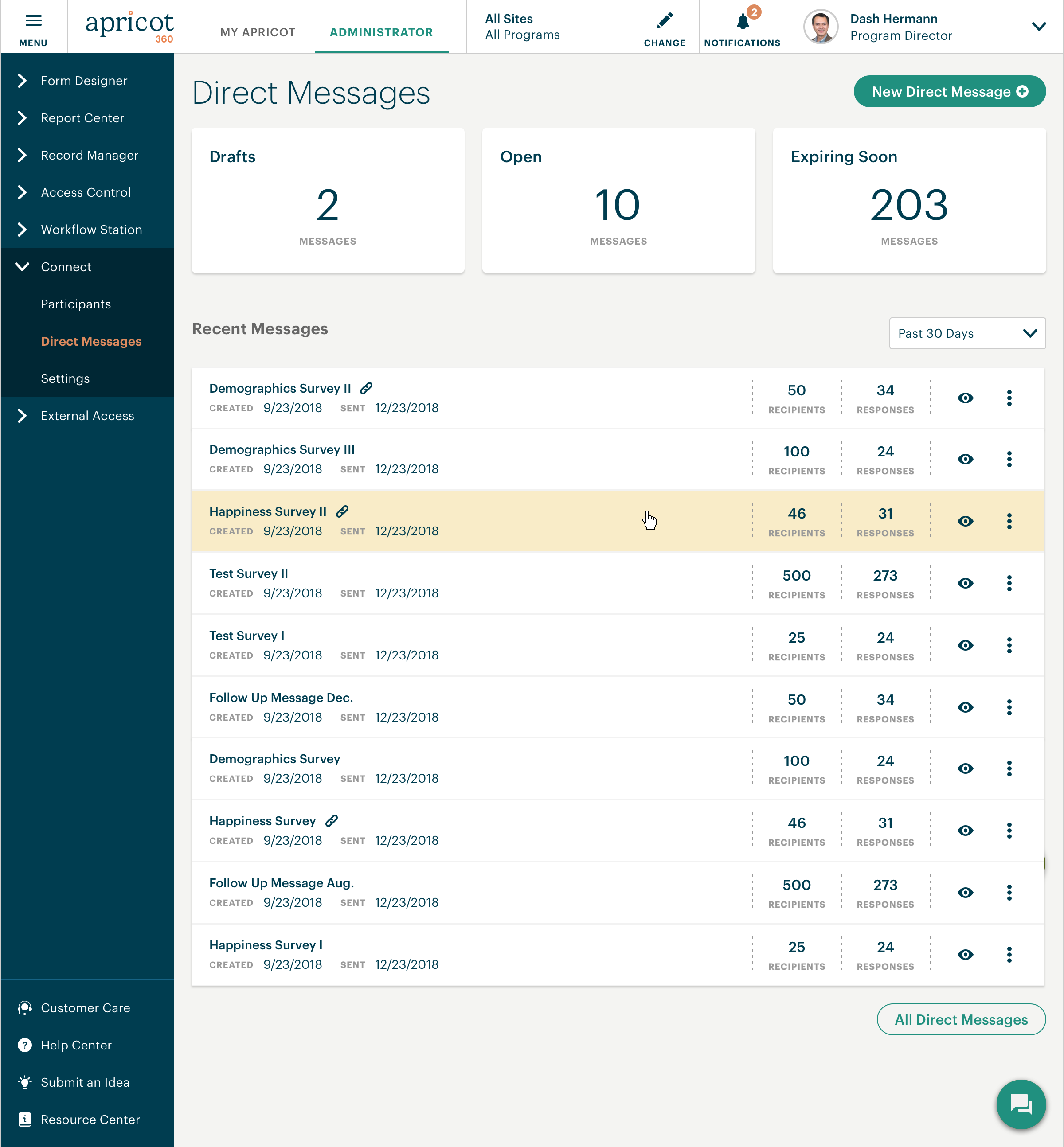
Bonterra Apricot is a cloud-based solution for nonprofits of all sizes. It's designed to bring data to the forefront in order to bolster a nonprofit organization’s impact. Apricot helps organizations to save time and resources because the tool makes managing data more efficient, so that users increase the time spent delivering the mission. Apricot offers configurable forms and fields so organizations can customize their experience to their clients and mission. It allows…
N/A
Kissflow
Score 6.8 out of 10
Enterprise companies (1,001+ employees)
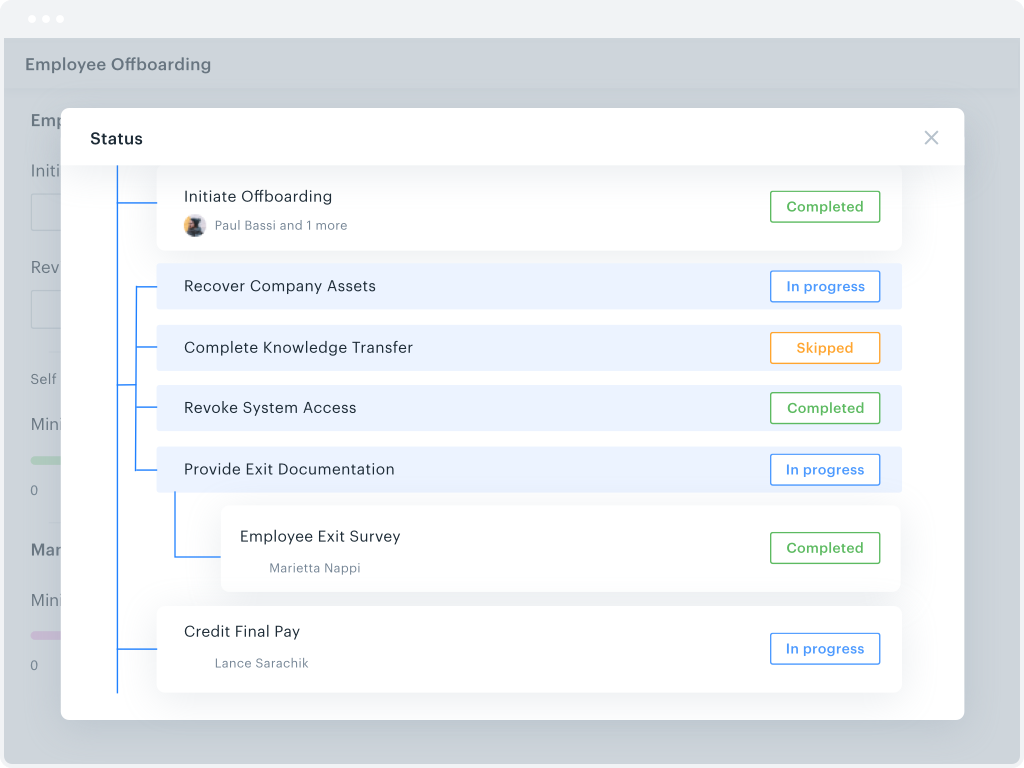
Kissflow is a low-code platform for custom application development tailored to business operations. Kissflow empowers process owners and IT developers to automate and build processes and applications for internal business operations.
$1,500
per month
Pricing
Bonterra Apricot
Kissflow
Editions & Modules
No answers on this topic
Small Business
$1500
per month
Offerings
Pricing Offerings
Bonterra Apricot
Kissflow
Free Trial
Yes
Yes
Free/Freemium Version
No
No
Premium Consulting/Integration Services
No
No
Entry-level Setup Fee
Required
No setup fee
Additional Details
Pricing for Bonterra Case Management is driven by individual usage and needs of the nonprofit.
Organizations aren't one-size fits all, so neither is Bonterra's pricing.
For my purposes of tracking participant case notes and data, Apricot functions well. The layout is sleek and organized, and the platform is user friendly making for an easy adjustment period for new staff. We are able to track important deadlines on the home page so the user doesn't need to take time out of their day to see what needs to be prioritized, they can just jump into the work
KiSSFLOW is well suited for any information heavy paperwork that multiple people approve and have access to complete work. It is less suited for processes that require a lot of back and forth with a form initiator. The workflows like to be very linear without much back tracking. It can do that but it prefers to be forward linear.
I appreciate the automatic email notifications when it is your turn to complete a task. This keeps everyone on track.
I appreciate being able to "reassign" a task as well--leaving flexibility for some folks to cover for others when needed.
I appreciate the personal check-ins from our rep, asking how things are going. That makes me feel like someone is paying attention and wants me to be happy with the product.
There are several things in the "suggestion" area that have been there for a while. For instance, to be able to see the client's age instead of just the birthdate. Many people want this, but I don't understand why it can't be done for us.
Luckily, whenever an issue arises, it's not there for long, as you have a fairly quick turnaround for resolving them.
Being able to view notes and other information sources with just a drop-down, instead of opening the entire note, would be preferred.
There are times when the system is just slow or doesn't work at all and it takes a little extra time for it to be resolved. This causes some stress.
Learning. If you are coming from a 100% paper process and have employees who know nothing more, then there is definitely a learning curve. You will need to bring someone in to help you train employees on the core concept of the change (the "Why are we doing this" questions). KiSSFLOW does have support, but this is more getting down to the details in your own work environment.
Visual learners will love it, but not non-visual. If you are an accountant, and your brain works like an accountant, then this program will be difficult to learn. It is very visual, and I have seen more success with visual learners than any others.
Bugs. A few years ago, there were a lot of bugs. There are not that many anymore. This is to be expected with any program, so if you are training an impatient staff who doesn't do well with error messages, you will want to be sure to pad the training sessions. I have not seen error messages in a long time; however, the nature of the beast is that you won't see one until you actually find one...
I went to the Summit a few weeks ago to learn about the future expansion and vision of Social Solutions. I already been with Apricot for 5 years and researched other products I still come back to Apricot and where it can grow with us.
Without any formal IT education, I was able to utilize their articles and videos to teach myself how to configure and customize the software to our organization (although I do recommend their Apricot Admin training to polish your skills). The majority of users are able to adapt immediately with minimal training.Staff that have challenges with technology in general do adapt to using the system once you can create buy in and engagement (although it does take time and training)
The system has room to grow as it's limited by not being able to edit POs after they've been approved. The system is great for registrations and syncing to other systems while including the attachments. The reporting from Kissflow is also easy to setup to link to other platforms such as Looker
This is a difficult question to answer because when I hear the word "support" I think of this in multiple levels. The customer service on the front end, with my account manager is pretty good. There was a time for about a year and a half where I didn't even want to get to know this persons name because they wouldn't be there there long enough for me to get to know them. For the past 8-9 months we've had the same account manager, and this is helpful as a way to grow our trust in Apricot social solutions as well as the account manager understanding the needs of our organization. The technical support is also fine. The issues we most have problems with is how the technical support is calculated and the lack of roll-over of technical support time. If our account has 1 hour of technical support per month, but we don't need any technical support for 4 months, it would be great to have the ability to use those 4 hours (as time allows per the IT calendar) when we need them, even if it falls within one month. We've also had instances of working with IT persons who didn't seem to care at all about our issues, and seemed eager to put our call behind them and get onto the next without much thought as to why we were calling them in the first place. We've also had instances where the IT person didn't seem to really be listening to what it is we needed, and was heck bent on what they THOUGHT we needed rather than listening to what we actually did need. While we also have had experiences of working with IT persons who were absolutely great at working through issues. They were patient and understanding and would explain why a solution (c)would or (c)would not work. We even worked through those options in real time if they were unsure whether a data solution would work or not. That was great because we felt heard.
I haven't encountered a need for support with KiSSFLOW. It's not a perfect platform, but it's functional, dependable, and reasonably intuitive. I can't fault a support team just because their product works!
There need to be specialists who know how to best work with an organization developing a new program, not just transferring existing forms to a digital format.
I have used RealTime is a different role and purpose, but I always thought it was hard to navigate and just confusing as a whole. I do not use Apricot for IEP's, which is what RealTime was used for in my previous role. However, I do like the way that Apricot functions and think it is just more user friendly
KiSSFLOW wants you to be able to increase productivity, make it possible to "manage the chaos" (their own words) and simply make things better. It is exactly what it sounds like. For a visual learner, KiSSFLOW is perfect. It really does make good on its promise to help you manage the chaos, and it makes it easy for your employees to understand how your business works. More specifically, I recommended this program for a small school that had never automated anything. They knew nothing about the process. Bringing in KiSSFLOW allowed them to not only refine their process, but it gave awareness to other employees and ensure that they could work as a team, knowing the intricacies of how each department works (so, the Director would understand the many steps of Admissions before taking over after enrollment -- they would know what each family experienced).
Somewhat expensive compared to other cheap (or free) task management alternatives. ROI depends on your specific needs and the size of your organization.
ROI can be ambiguous since KiSSFLOW is primarily for internal company use. A simple email thread could accomplish many of the same things, but with less efficiency.