Bonita is an open-source business process and workflow management platform created by the French National Institute for Research in Computer Science. It is available as a free community edition or as a commercial subscription product.
N/A
ProcessMaker
Score9 out of 10
N/A
ProcessMaker is a process automation platform that helps organizations optimize and scale their business operations. By combining workflow automation, AI-driven decision-making, and advanced analytics, ProcessMaker empowers businesses to streamline complex processes, improve efficiency, and enhance customer experiences.
N/A
Pricing
Bonita Platform
ProcessMaker
Editions & Modules
No answers on this topic
No answers on this topic
Offerings
Pricing Offerings
Bonita Platform
ProcessMaker
Free Trial
No
Yes
Free/Freemium Version
Yes
No
Premium Consulting/Integration Services
Yes
Yes
Entry-level Setup Fee
No setup fee
No setup fee
Additional Details
—
—
More Pricing Information
Community Pulse
Bonita Platform
ProcessMaker
Considered Both Products
Bonitasoft
Verified User
Chose Bonita Platform
Bonita BPM does have some nice visual tools. The annual maintenance is not so high and we particularly liked the visual tool to create business rules. Bonitasoft’s color-coded tools make life a bit simpler and more memorable for beginners or non-coder people. We really like …
A de minimis incentive was given to thank the reviewer for their time. The incentive was not used to bias or drive a particular response, nor was the incentive contingent on a positive endorsement. TR verified that a representative sample of customers was invited. More Info
A de minimis incentive was given to thank the reviewer for their time. The incentive was not used to bias or drive a particular response, nor was the incentive contingent on a positive endorsement. TR verified that a representative sample of customers was invited. More Info
Well suited for low code/no code applications centered around approval flows. It has built-in task management for users to see their pending actions, comments, statuses, etc. It has a very nice design for process flows. Less appropriate may be for generic type applications with complex screens and logic within those screens that need a lot of data to process.
A de minimis incentive was given to thank the reviewer for their time. The incentive was not used to bias or drive a particular response, nor was the incentive contingent on a positive endorsement. More Info
The task mining component is well suited for processes where there are a lot of steps performed in a variety of systems, particularly by a single individual on a team. It also requires a robust activity ID to be able to track an activity. It is not well suited when trying to track a process where the content is in an email.
A de minimis incentive was given to thank the reviewer for their time. The incentive was not used to bias or drive a particular response, nor was the incentive contingent on a positive endorsement. More Info
Bonita seems particularly suited for processes requiring a great deal of human interaction. Its user model allows you to control access to business processes in a fine-grained way. This allows for business processes to move smoothly between users and services as the process advances.
The definition and usage of custom forms from the latest version of Bonita seems particularly powerful. It allows for a thorough customization of the look-and-feel and does not require complex developments.
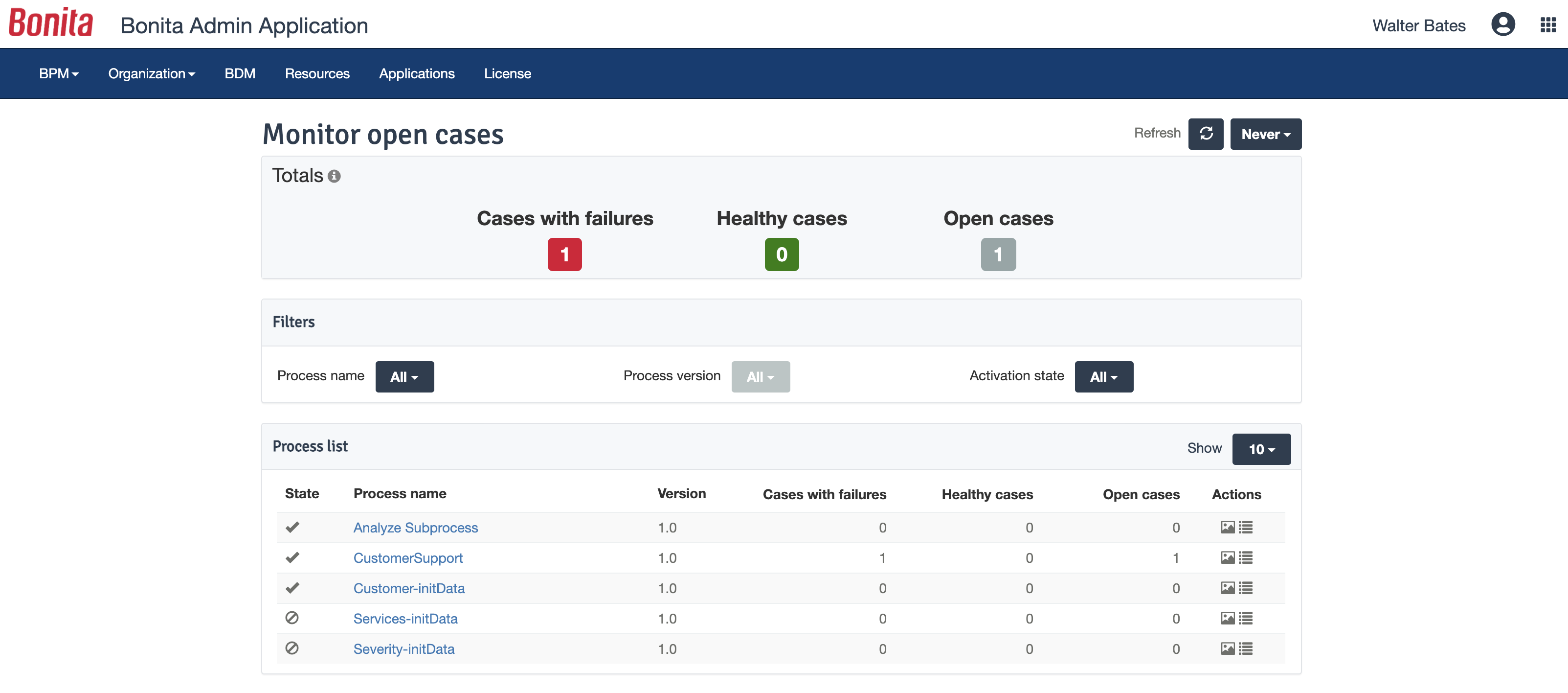
The web interface and administration section have greatly improved in the latest versions. Installation and configuration of processes has become more flexible and more structured. The administration section gives a good view on failed processes, allowing to analyse problems in an efficient way.
A de minimis incentive was given to thank the reviewer for their time. The incentive was not used to bias or drive a particular response, nor was the incentive contingent on a positive endorsement. TR verified that a representative sample of customers was invited. More Info
User interface. It is clean and easy to understand. You won't get overwhelmed the second you log in.
The workflow maker. With a drag and drop interface, you can easily visualize and implement what you want on the screen. Out of all the programs we tested, this one had the easiest process maker and designer.
Ease of understanding. My biggest recommendation would be that this program is easy to access for anyone. There are complications (see negatives) but this program can be implemented quickly and efficiently, and nearly anyone can learn to use it. You will not feel like you are in the dark with it.
A de minimis incentive was given to thank the reviewer for their time. The incentive was not used to bias or drive a particular response, nor was the incentive contingent on a positive endorsement. More Info
There is a learning curve beyond the boot camps that needs to be addressed with more structured curriculum.
The full stack technologies are industry standard, but these [are] challenging to learn and could use a learning path and orientation. There's probably opportunity for third-parties here to help with learning and adoption.
A de minimis incentive was given to thank the reviewer for their time. The incentive was not used to bias or drive a particular response, nor was the incentive contingent on a positive endorsement. More Info
Complications when you get to the more advanced pieces. When trialing, I found that the more advanced a process got, the more complicated it got for me in coding. When you begin using the more advanced features, you will find that you need to have a basic knowledge of coding - otherwise you won't go any further. This was my sole issue. Unfortunately, it was one that would have brought the school to a grinding halt if they were to ever get more complicated than they were.
A de minimis incentive was given to thank the reviewer for their time. The incentive was not used to bias or drive a particular response, nor was the incentive contingent on a positive endorsement. More Info
A de minimis incentive was given to thank the reviewer for their time. The incentive was not used to bias or drive a particular response, nor was the incentive contingent on a positive endorsement. TR verified that a representative sample of customers was invited. More Info
Bonita Platform has allowed us to develop GUI relatively fast using its UI Designer while being able to seamlessly integrate our business logic in Java in a BPMN2 process diagram. It gives a nice productivity boost but still requires programming know-how to be able to deliver the final solution to your business problems.
A de minimis incentive was given to thank the reviewer for their time. The incentive was not used to bias or drive a particular response, nor was the incentive contingent on a positive endorsement. More Info
I gave this overall rating for ProcessMaker due to its overall flexibility, design and ease of use for most. Examples of this from us include it being an excellent and trustworthy tool for automating processes, the abilities and capabilities for real-time process tracking and the web-based accessibility and implementation which allows for easy access and management of the tool.
A de minimis incentive was given to thank the reviewer for their time. The incentive was not used to bias or drive a particular response, nor was the incentive contingent on a positive endorsement. More Info
Engine itself is efficient enough for most cases I dealt with. It can also be extended by clustering. I have done performance tests with JMeter and only managed to induce the crash of... JMeter. If there are efficiency issues they usually concern bad design/implementation of created apps or bottlenecks in integrated systems. Although I have met two cases with efficiency loss.
1. Java 7 related PermGen saturation caused by big number of installed apps (there is no jar dependency reusal between apps option).
2. Big number of waiting event handlers in processes stresses the database.
A de minimis incentive was given to thank the reviewer for their time. The incentive was not used to bias or drive a particular response, nor was the incentive contingent on a positive endorsement. TR verified that a representative sample of customers was invited. More Info
A de minimis incentive was given to thank the reviewer for their time. The incentive was not used to bias or drive a particular response, nor was the incentive contingent on a positive endorsement. More Info
A de minimis incentive was given to thank the reviewer for their time. The incentive was not used to bias or drive a particular response, nor was the incentive contingent on a positive endorsement. TR verified that a representative sample of customers was invited. More Info
A de minimis incentive was given to thank the reviewer for their time. The incentive was not used to bias or drive a particular response, nor was the incentive contingent on a positive endorsement. More Info
Before making the decision to get ProcessMaker, we assessed different and best options in the market, which are also quite competitive. KiSSFLOW, Blueworks Live, and Bizagi, being the most relevant and ADONIS, to mention the ones we consider the most relevant and capable of meeting our needs. In the end, we went for ProcessMaker because of mainly three things as described before: 1. Real-time process status tracking. 2. Metrics and dashboards. 3. Ease of use for constructing diagrams.
Respect of BPMN standard over the long term. Good enhancements by Bonitasoft for new use cases, for example the introduction of a real form editor even if it has been technically difficult to manage. Once done though, we have far greater possibility of human interaction.
A de minimis incentive was given to thank the reviewer for their time. The incentive was not used to bias or drive a particular response, nor was the incentive contingent on a positive endorsement. TR verified that a representative sample of customers was invited. More Info
The capability is robust and quite industry agnostic. It would benefit significantly with some out of the box models - e.g. procure to pay on SAP and similar. They could also develop industry specific examples which could kickstart the implementation for organizations.
A de minimis incentive was given to thank the reviewer for their time. The incentive was not used to bias or drive a particular response, nor was the incentive contingent on a positive endorsement. More Info
A de minimis incentive was given to thank the reviewer for their time. The incentive was not used to bias or drive a particular response, nor was the incentive contingent on a positive endorsement. More Info
I'm using Communication edition to introduce BPMN in my organization. I can build the first process in a short time, make my boss more confident with my job.
But, with ProcessMaker, we need more time to design code to handle the process, and without PHP/Javascript Programmer, it seems hard to work with more and more processes online.
However, IE Browser is not well supported, somewhat let the user confuse.
A de minimis incentive was given to thank the reviewer for their time. The incentive was not used to bias or drive a particular response, nor was the incentive contingent on a positive endorsement. More Info