Bonita is an open-source business process and workflow management platform created by the French National Institute for Research in Computer Science. It is available as a free community edition or as a commercial subscription product.
N/A
Flokzu Cloud BPM
Score 9.9 out of 10
N/A
Flokzu is a cloud-based, agile business process management tool. It provides a low-code environment for supporting various tasks from bug reporting and lead development to customer support and incident analysis.
$15
Per User - 1,000 Process instances per month - 10 Gb storage - 5 Public Forms - Unlimited Databases - 10 Custom Reports
Pricing
Bonita Platform
Flokzu Cloud BPM
Editions & Modules
No answers on this topic
Standard
$15.00
Per User - 1,000 Process instances per month - 10 Gb storage - 5 Public Forms - Unlimited Databases - 10 Custom Reports
Premium
$21.00
Per User - Unlimited Process instances - Unlimited storage - Unlimited Public Forms - Unlimited Databases - Unlimited Custom Reports
Starter
$50.00
Unlimited Users - 50 Process instances per month - 1 Gb storage - 1 Public Form - 5 Databases - 1 Custom Report
Offerings
Pricing Offerings
Bonita Platform
Flokzu Cloud BPM
Free Trial
No
Yes
Free/Freemium Version
Yes
No
Premium Consulting/Integration Services
No
No
Entry-level Setup Fee
No setup fee
No setup fee
Additional Details
—
We offer Special pricing for educational institutions & nonprofit organizations. To apply, please get in touch with us.
We also work with large organizations and offer a volume discount for teams of 50+ people. Contact us for a quote.
More Pricing Information
Community Pulse
Bonita Platform
Flokzu Cloud BPM
Features
Bonita Platform
Flokzu Cloud BPM
Reporting & Analytics
Comparison of Reporting & Analytics features of Product A and Product B
Bonita Platform
6.4
Ratings
24% below category average
Flokzu Cloud BPM
9.9
Ratings
19% above category average
Dashboards
6.00 Ratings
9.90 Ratings
Standard reports
5.50 Ratings
9.90 Ratings
Custom reports
7.70 Ratings
9.90 Ratings
Process Engine
Comparison of Process Engine features of Product A and Product B
Bonita Platform
7.7
Ratings
8% below category average
Flokzu Cloud BPM
9.4
Ratings
12% above category average
Process designer
9.00 Ratings
9.90 Ratings
Process simulation
6.90 Ratings
8.60 Ratings
Business rules engine
8.20 Ratings
8.90 Ratings
SOA support
6.40 Ratings
9.90 Ratings
Process player
6.70 Ratings
8.20 Ratings
Support for modeling languages
9.00 Ratings
10.00 Ratings
Form builder
8.10 Ratings
9.90 Ratings
Model execution
6.90 Ratings
9.90 Ratings
Collaboration
Comparison of Collaboration features of Product A and Product B
Bonita Platform
5.9
Ratings
35% below category average
Flokzu Cloud BPM
10.0
Ratings
17% above category average
Social collaboration tools
5.90 Ratings
10.00 Ratings
Content Management Capabilties
Comparison of Content Management Capabilties features of Product A and Product B
Well suited for low code/no code applications centered around approval flows. It has built-in task management for users to see their pending actions, comments, statuses, etc. It has a very nice design for process flows. Less appropriate may be for generic type applications with complex screens and logic within those screens that need a lot of data to process.
Efficient and fast prototyping: a process can be modeled and tried out quickly and with low investment.
Full stack prototyping for development and implementation allows the process to be developed and implemented as an application from the prototype. It's not just drawings and wire frames that are tossed over the wall to developers.
Data modeling is integral from the beginning of the prototype which is appropriate for the stakeholders in the beginning.
There is only one business data model. Even if deploying new processes does not require stopping the platform, the BDM update requires it.
During the platform evolution often new bugs were introduced so it was risky to deploy the platform in the low minor version. For example, there were memory leaks from 7.2.0 to 7.2.3.
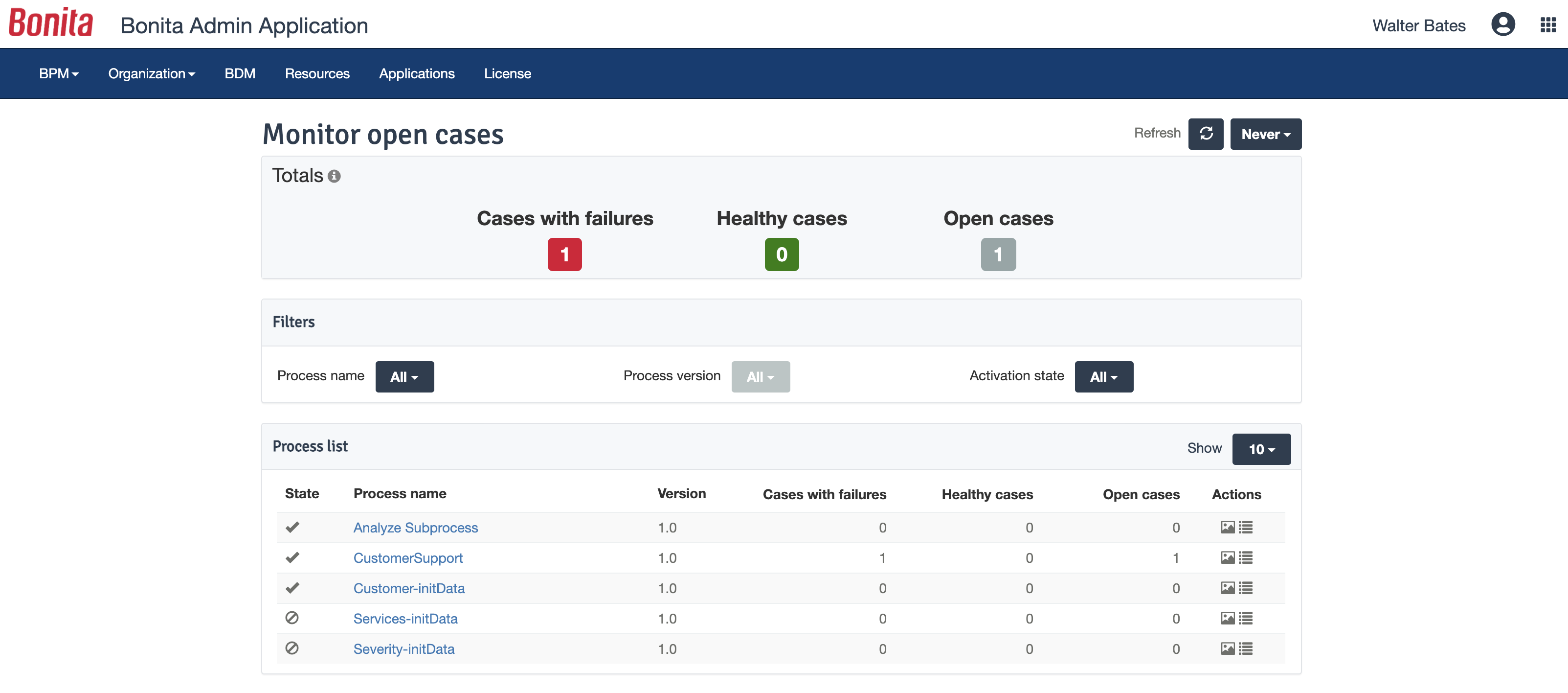
The administrator portal could be improved. It is hard to look at subprocess data, for example and it is sometimes better to investigate with SQL queries. I don't like new (7.3) task list either.
Bonita Platform has allowed us to develop GUI relatively fast using its UI Designer while being able to seamlessly integrate our business logic in Java in a BPMN2 process diagram. It gives a nice productivity boost but still requires programming know-how to be able to deliver the final solution to your business problems.
Engine itself is efficient enough for most cases I dealt with. It can also be extended by clustering. I have done performance tests with JMeter and only managed to induce the crash of... JMeter. If there are efficiency issues they usually concern bad design/implementation of created apps or bottlenecks in integrated systems. Although I have met two cases with efficiency loss.
1. Java 7 related PermGen saturation caused by big number of installed apps (there is no jar dependency reusal between apps option).
2. Big number of waiting event handlers in processes stresses the database.
Respect of BPMN standard over the long term. Good enhancements by Bonitasoft for new use cases, for example the introduction of a real form editor even if it has been technically difficult to manage. Once done though, we have far greater possibility of human interaction.
We've had serious problems with 'automated' processes in earlier versions of Bonita (via Talend), especially with connectors. In Bonita 7 we replaced these with REST calls, hoping for better performance.
Overall, using Bonita has not had a positive impact on our development efficiency. Moving from Talend (using Bonita 5) to Bonita 7 has improved this somewhat. Still, it remains a pain to integrate Bonita in the development and delivery process.
Migrating from Bonita 7.0 to 7.1 has proven to be a difficult undertaking, mainly on the database level. This has cost us a lot of time and better support would be welcomed.