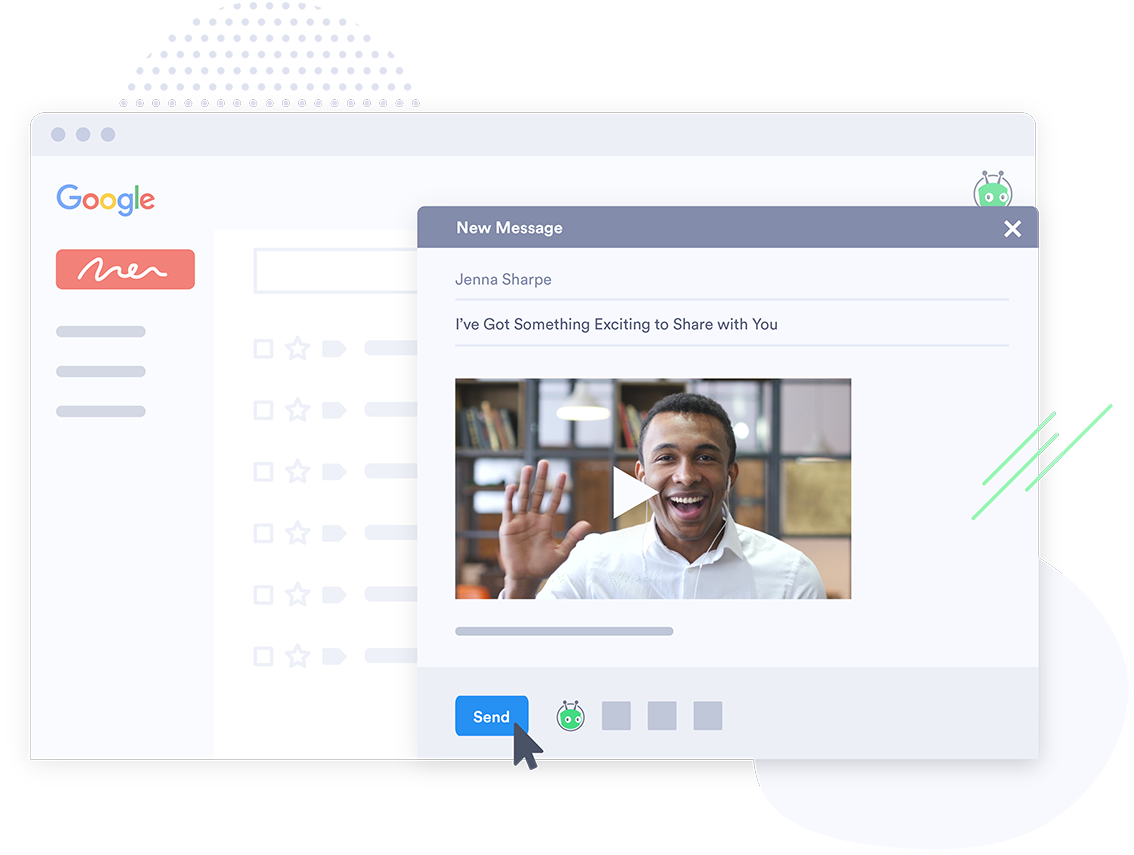
BombBomb in Colorado Springs offers a video messaging and marketing platform to accelerate and personalize sales processes. The video, which integrates with Gmail, Salesforce, and Outlook, provides open tracking and video response capabilities, reminder and notifications, reusable text for sales emails, and content library custom branded content for integration with emails.
$38
per month
Vidyard
Score9.7 out of 10
N/A
Vidyard is an enterprise video platform built to turn viewers into customers with in-depth insights and robust integrations with different customer relationship management (CRM) and marketing automation platforms.
Technical Recruiter in Information Technology at KJ Technical (Staffing & Recruiting, 1-10 employees)
Chose BombBomb
I primarily compared BombBomb vs these platforms. I ultimately decided to go with a very stripped down version of Yesware as it's tracking provided a few aspects BombBomb did not, but BombBomb's platform was the best versus the other main providers. I think it cost a little bit …
A de minimis incentive was given to thank the reviewer for their time. The incentive was not used to bias or drive a particular response, nor was the incentive contingent on a positive endorsement. More Info
Verified User
Chose BombBomb
I think a lot of these are similar in many ways. BombBomb stood out because of the moving GIF feature among other things, but the overall idea of using video to cut through the clutter is where the value prop has been for our business so far. Other options have better video …
A de minimis incentive was given to thank the reviewer for their time. The incentive was not used to bias or drive a particular response, nor was the incentive contingent on a positive endorsement. More Info
Sr Manager of Opportunity Generation in Sales at Hite Digital (Marketing & Advertising, 51-200 employees)
Chose Vidyard
Loom is up to par, and I can't say much about that. BombBomb woefully underperformed. It was good and it worked, but it was slower and trickier to get it working and recording videos.
A de minimis incentive was given to thank the reviewer for their time. The incentive was not used to bias or drive a particular response, nor was the incentive contingent on a positive endorsement. More Info
Owner in Professional Services at Aperto (Accounting, 1-10 employees)
Chose Vidyard
First of all, Vidyard is generally easier to use. I found BombBomb to be more customizable, but that came with a cost of time. Plus Vidyard is more economical.
A de minimis incentive was given to thank the reviewer for their time. The incentive was not used to bias or drive a particular response, nor was the incentive contingent on a positive endorsement. More Info
Designated Broker in Sales at Home & Away Realty (Real Estate, 1-10 employees)
Chose Vidyard
I think this is better than BombBomb. There's no cost to Vidyard so that's a distinct advantage right there. You also don't have a limitation on the number of clients you can email. You can also use Vidyard beyond email. You can create a link which you can share to Linkedin or …
A de minimis incentive was given to thank the reviewer for their time. The incentive was not used to bias or drive a particular response, nor was the incentive contingent on a positive endorsement. TR verified that a representative sample of customers was invited. More Info
CEO (Chief Executive Officer) in Corporate at Sales Intersection, LLC (Marketing & Advertising, 1-10 employees)
Chose Vidyard
Honestly, I chose Vidyard because my influencer contacts in my network recommended it and it was at the time at least integrated with LinkedIn. I really hope you can somehow continue the integration with LinkedIn as that was very helpful and a big factor in me deciding to use …
A de minimis incentive was given to thank the reviewer for their time. The incentive was not used to bias or drive a particular response, nor was the incentive contingent on a positive endorsement. More Info
A de minimis incentive was given to thank the reviewer for their time. The incentive was not used to bias or drive a particular response, nor was the incentive contingent on a positive endorsement. More Info
A de minimis incentive was given to thank the reviewer for their time. The incentive was not used to bias or drive a particular response, nor was the incentive contingent on a positive endorsement. More Info
Verified User
Chose Vidyard
We chose Vidyard because of better integration and support, and more widely supported by integrated platforms.
A de minimis incentive was given to thank the reviewer for their time. The incentive was not used to bias or drive a particular response, nor was the incentive contingent on a positive endorsement. More Info
A de minimis incentive was given to thank the reviewer for their time. The incentive was not used to bias or drive a particular response, nor was the incentive contingent on a positive endorsement. More Info
BombBomb and Vidyard are both video marketing software options that allow marketers to create personalized, interactive video content. BombBomb is most popular with small businesses, while Vidyard is used most often by mid-sized organizations.
Features
Though BombBomb and Vidyard both include essential video marketing features, such as custom branding and annotations, they also have a few standout gestures that set them apart from each other.
Vidyard provides detailed analytics for published videos, including real-time video data that helps to track engagement across multiple videos and provides insights on user behavior, geography, and device. Additionally, Vidyard provides hosting that includes a video hub users can visit to see all the videos a business has published. Reviewers also speak highly of Vidyard customer service for its fast response time and frequent progress updates. Lastly, Vidyard integrates with many Google applications, such as Gmail, and has a Google Chrome extension for creating videos on the fly.
BombBomb provides marketing features such as live notifications when videos are clicked so that businesses can better predict who they should follow up with. Additionally, BombBomb allows for scheduled email campaigns, so users can set up when they want their videos to go out, and then let the tool take care of the rest. Lastly, BombBomb provides integrations with all popular email services and provides a simple to use interface for new users.
Limitations
Though BombBomb and Vidyard both have powerful Video Marketing Capabilities, they also have a few limitations that are important to consider.
Vidyard provides good features for branding videos but is limited when it comes to video editing, so businesses looking for a single app to use for editing may need to consider other options. Additionally, while Vidyards front-end is simple to use for the end-user, new users may struggle with the interface for uploading videos and performing analytics. Lastly, the hosting pages that Vidyard provides have limited customization options, so many users may prefer to embed Vidyard content on their own sites.
BombBomb provides a Google Chrome extension, but some users find it cumbersome to use, to the point that they prefer to just use the application without the extension. Additionally, BombBomb has few native integrations, with most being handled by Zapier, this could be a problem if an integration your business would like isn’t supported.
Pricing
Vidyard offers a free pricing tier for users that only need 5 videos at a time. This package is using for users that want to try out Vidyard before committing to a more expensive package. The Pro package costs $15.00 per month and includes unlimited video uploads, though only 20 can be embedded at once. The Starter package costs $150.00 per month and includes video analytics, social media syncing, and a more customizable video player. The Plus package costs $850.00 per month and includes A/B testing for thumbnails, SEO features, and advanced analytics. Vidyard also offers custom pricing for enterprises that have unique needs not included in the other packages.
BombBomb starts at $29.99 per month and includes simple video emailing features. The Plus package, billed at $588.00 per year includes user tracking features, as well as 3500 contacts with unlimited video emails. The Plus with Prompt package costs $2000.00 per year with a $500.00 setup fee and is built with additional features targeted at the Real Estate Market.
Features
BombBomb
Vidyard
Video Marketing
Comparison of Video Marketing features of BombBomb and Vidyard
Feature
BombBomb
-
Ratings
Vidyard
6.1
49 Ratings
20% below category average
Lead generation
00 Ratings
7.938 Ratings
Video personalization
00 Ratings
9.045 Ratings
eCommerce
00 Ratings
2.82 Ratings
Support for advertisements
00 Ratings
5.51 Ratings
Video SEO
00 Ratings
6.331 Ratings
Integration to Marketing Automation
00 Ratings
5.337 Ratings
Video Platform Integrations
Comparison of Video Platform Integrations features of BombBomb and Vidyard
Feature
BombBomb
-
Ratings
Vidyard
5.1
36 Ratings
19% below category average
Integration to Salesforce.com
00 Ratings
2.921 Ratings
Integration to Marketo
00 Ratings
5.011 Ratings
Integration to HubSpot
00 Ratings
5.121 Ratings
Integration to Eloqua
00 Ratings
7.31 Ratings
Video Security
Comparison of Video Security features of BombBomb and Vidyard
Feature
BombBomb
-
Ratings
Vidyard
8.3
47 Ratings
7% below category average
Video access controls
00 Ratings
8.437 Ratings
User management
00 Ratings
6.141 Ratings
Video link sharing
00 Ratings
10.047 Ratings
Internal video
00 Ratings
8.439 Ratings
External video
00 Ratings
8.442 Ratings
Video Player
Comparison of Video Player features of BombBomb and Vidyard
Feature
BombBomb
-
Ratings
Vidyard
5.9
47 Ratings
35% below category average
Player customization
00 Ratings
5.439 Ratings
Embedded videos
00 Ratings
5.742 Ratings
Video quality / Bandwidth controls
00 Ratings
4.944 Ratings
Mobile compatibility
00 Ratings
7.637 Ratings
Video Analytics
Comparison of Video Analytics features of BombBomb and Vidyard
Feature
BombBomb
-
Ratings
Vidyard
8.0
48 Ratings
2% above category average
A/B testing
00 Ratings
6.32 Ratings
Streaming quality reports
00 Ratings
9.031 Ratings
Per viewer tracking
00 Ratings
9.242 Ratings
Per video tracking
00 Ratings
9.245 Ratings
Video analytics dashboard
00 Ratings
6.145 Ratings
Video Hosting, Management & Storage
Comparison of Video Hosting, Management & Storage features of BombBomb and Vidyard
Feature
BombBomb
-
Ratings
Vidyard
6.1
37 Ratings
35% below category average
On-Demand video
00 Ratings
6.128 Ratings
Live streaming
00 Ratings
5.39 Ratings
Impact of streaming on network
00 Ratings
7.31 Ratings
Video upload & format support
00 Ratings
6.134 Ratings
Video library / File management
00 Ratings
5.63 Ratings
Video portal
00 Ratings
6.129 Ratings
Video Engagement
Comparison of Video Engagement features of BombBomb and Vidyard
BombBomb is great for direct, individually-sent emails where you want to custom the email, particularly with a video message. BombBomb is not the best mass email tool that I have seen on the market. In my experience, they penalize you when people unsubscribe, even if they NEED to be receiving your emails. We have people who unsubscribe and then miss info they need for work. That's not our fault. But, in our experience, BombBomb displays that we are not a good company to mass email because of it.
A de minimis incentive was given to thank the reviewer for their time. The incentive was not used to bias or drive a particular response, nor was the incentive contingent on a positive endorsement. More Info
Vidyard has been critical for our team in many ways. One way that we didn't realize how much we'd be using it is for training new teammates while we're all working remotely. I frequently use the chrome extension to record a video of how to do something to send to our whole team or certain teammates. There are other products that do that, but this seems to be the most efficient, easiest, and quickest. Vidyard is incredibly useful for both inbound, and outbound sales and marketing strategies. It helps us increase our open and click rate for emails and overall engagement for our customer journey.
A de minimis incentive was given to thank the reviewer for their time. The incentive was not used to bias or drive a particular response, nor was the incentive contingent on a positive endorsement. TR verified that a representative sample of customers was invited. More Info
I like BombBomb's animated GIF preview of our video content. I think it's definitely more attention-grabbing than traditional email.
BombBomb's automation tools are simple and easy to use. You can program a series of emails to go out X number days following the previous one and at a certain point in time.
BombBomb's email builder is also pretty easy to use, once you get the hang of it. (If you've used other email tools, Constant Contact, MailChimp, etc. --- this one should be a snap.)
A de minimis incentive was given to thank the reviewer for their time. The incentive was not used to bias or drive a particular response, nor was the incentive contingent on a positive endorsement. More Info
A de minimis incentive was given to thank the reviewer for their time. The incentive was not used to bias or drive a particular response, nor was the incentive contingent on a positive endorsement. More Info
A de minimis incentive was given to thank the reviewer for their time. The incentive was not used to bias or drive a particular response, nor was the incentive contingent on a positive endorsement. More Info
A de minimis incentive was given to thank the reviewer for their time. The incentive was not used to bias or drive a particular response, nor was the incentive contingent on a positive endorsement. More Info
Vidyard has truly become an essential part of our organization. It's useful for our day to day communication internally amongst departments and externally with our customers. This platform has allowed us to create knowledge base articles, training portals, webinars and communicate effectively with our customers. We receive raving feedback from customers on how helpful the videos are that they receive. We also like the ability to view metrics, insights, etc. of the videos. Always allows us to pivot accordingly based on the feedback we receive
A de minimis incentive was given to thank the reviewer for their time. The incentive was not used to bias or drive a particular response, nor was the incentive contingent on a positive endorsement. More Info
As said before, the usability is very straightforward and the customization options are good enough to get the job done. There is a mobile app to help with real-time engagement so that is useful too. They offer plenty of training and best practices to make sure you are getting the most out of BombBomb.
A de minimis incentive was given to thank the reviewer for their time. The incentive was not used to bias or drive a particular response, nor was the incentive contingent on a positive endorsement. More Info
Vidyard is super easy for new people to pick up - I've never had to spend time explaining the UI or menu, which is a testament so how easy it is. The plugin also makes it quite user-friendly. There's no need to go anywhere else - it's all on the browser.
A de minimis incentive was given to thank the reviewer for their time. The incentive was not used to bias or drive a particular response, nor was the incentive contingent on a positive endorsement. More Info
Absolutely, the unpredictable nature of technology always keeps us on our toes. However, I'm pleased to share that my experience with Vidyard has been remarkably consistent and reassuring. To date, I haven't encountered any instances of service outages. This unparalleled reliability and dependability have instilled a high level of confidence in the platform, making it a stalwart companion in our digital endeavors. While the tech landscape can be uncertain, Vidyard's track record of steadfast performance has truly set it apart.
A de minimis incentive was given to thank the reviewer for their time. The incentive was not used to bias or drive a particular response, nor was the incentive contingent on a positive endorsement. More Info
Overall it's very easy to use and the video emails stand out. Everything loads quickly and they make it easy to set up. It features CRM-like functionality to view opens, clicks, time watched, etc., but it doesn't port that info over to your existing CRM which is where some of the friction occurs. Still, it's amazing for what it does. I recommend giving it a try for our outreach.
A de minimis incentive was given to thank the reviewer for their time. The incentive was not used to bias or drive a particular response, nor was the incentive contingent on a positive endorsement. More Info
It performs very well. I have never had any bugs while recording, and none of the videos have been impaired or corrupted. I don't believe it integrates with any other software but you could contact the company to learn more. I am not sure if it is only available on Chrome.
A de minimis incentive was given to thank the reviewer for their time. The incentive was not used to bias or drive a particular response, nor was the incentive contingent on a positive endorsement. TR verified that a representative sample of customers was invited. More Info
A few times over the years I have asked for features to be added to BombBomb and I am amazed at how fast they can implement. Zapier integration is a perfect example. They implemented the connection to Zapier within 30 days of my feature request. It took a much larger company, Keller Williams Realty over 10 years to implement the same request.
A de minimis incentive was given to thank the reviewer for their time. The incentive was not used to bias or drive a particular response, nor was the incentive contingent on a positive endorsement. More Info
Customer support at Vidyard has always been good. When I first looked into the product, the salesperson took a consultative approach that allowed me to see how Vidyard would benefit our specific use case. Since coming on board, the customer service team has been quick to respond if I have any questions.
A de minimis incentive was given to thank the reviewer for their time. The incentive was not used to bias or drive a particular response, nor was the incentive contingent on a positive endorsement. More Info
The training experience proved to be tremendously valuable. Our dedicated representative exhibited an exceptional level of helpfulness and patience as she skillfully addressed all of our inquiries. Notably, she went beyond merely answering questions, providing us with a wealth of resources and sharing best practices that are pivotal for our success in utilizing the software.Her guidance transcended the boundaries of a conventional training session, empowering us with insights that extend far beyond the immediate
A de minimis incentive was given to thank the reviewer for their time. The incentive was not used to bias or drive a particular response, nor was the incentive contingent on a positive endorsement. More Info
The online training experience proved to be incredibly valuable. Our dedicated representative demonstrated exceptional patience and unwavering support in addressing our queries and requests, which greatly contributed to our learning process. Their guidance was pivotal in helping us navigate the intricacies of the training, ensuring that we absorbed the material effectively.
A de minimis incentive was given to thank the reviewer for their time. The incentive was not used to bias or drive a particular response, nor was the incentive contingent on a positive endorsement. More Info
It's pretty straightforward. The bulk of the work goes on outside of Vidyard - it's the time required to add different videos to your website - that was probably the only difficult part and had nothing to do with Vidyard.
A de minimis incentive was given to thank the reviewer for their time. The incentive was not used to bias or drive a particular response, nor was the incentive contingent on a positive endorsement. More Info
I believe my customer service director looked into a couple of other companies before deciding on BombBomb and I know the Outlook integration was a big deal. I think they really liked how easy the program is to use too.
A de minimis incentive was given to thank the reviewer for their time. The incentive was not used to bias or drive a particular response, nor was the incentive contingent on a positive endorsement. More Info
I've never evaluated another product like Vidyard. I just used screen recordings with RingCentral before, and I remember the file size being very large and having to add the video as an attachment. So this was a major improvement to be able to shoot videos and easily share with my clients.
A de minimis incentive was given to thank the reviewer for their time. The incentive was not used to bias or drive a particular response, nor was the incentive contingent on a positive endorsement. More Info
The product exhibits an exceptional degree of scalability, accommodating diverse usage scenarios across various departments within our organization. This remarkable flexibility has enabled us to harness the software's potential in ways tailored to the unique needs of each team.In particular, the impact on our communication efforts with both potential and existing customers has been truly transformative.
A de minimis incentive was given to thank the reviewer for their time. The incentive was not used to bias or drive a particular response, nor was the incentive contingent on a positive endorsement. More Info
Overall, I think BombBomb has given us a positive ROI on our email marketing efforts. I don't have numbers to support that claim, but it's more affordable and better positioned for what we needed to do than many other tools out in the marketplace. If you need to differentiate your email, the video component is a great way to go.
A de minimis incentive was given to thank the reviewer for their time. The incentive was not used to bias or drive a particular response, nor was the incentive contingent on a positive endorsement. More Info
We save hundreds of dollars a month because we don't have to send out nearly as many physical samples for customers to review. We can send them a video that shows off the product and they love it!
We have improved conversion rates as a result of using Vidyard to communicate with new leads.
Our sales reps are clearly more engaged in the sales process. Each week we discuss how Vidyard helped them win a deal.
A de minimis incentive was given to thank the reviewer for their time. The incentive was not used to bias or drive a particular response, nor was the incentive contingent on a positive endorsement. More Info