Bolste vs. Zoho Cliq

Overview
ProductRatingMost Used ByProduct SummaryStarting Price
Bolste
Score 9.1 out of 10
Enterprise companies (1,001+ employees)
Bolste™ is a complete business operating system, designed to simplify work-life and help businesses grow by streamlining communication and collaboration. The system brings together separate applications – email, chat, tasks, file-sharing, calendars, and more – into a single, simple platform. Available on the web and via iOS and Android apps, Bolste enables remote users to stay connected and productive from anywhere. The admin console shows employee activity, making it easy to…
$0
per user
Zoho Cliq
Score 9.3 out of 10
N/A
Zoho Chat is a live chat tool, from Zoho Corporation.
$18
per month up to 25 users
Pricing
BolsteZoho Cliq
Editions & Modules
Basic
$0
per user
Pro
$9.99
per month
Standard
$18
per month up to 25 users
Professional
$20
per month $2 for each additional user over 10
Enterprise
$40
per month $4 for each additional user over 10
Offerings
Pricing Offerings
BolsteZoho Cliq
Free Trial
YesYes
Free/Freemium Version
YesYes
Premium Consulting/Integration Services
NoNo
Entry-level Setup FeeNo setup feeNo setup fee
Additional DetailsBolste offers three (3) packages that meet the exact needs of any user. BASIC is a free version perfect for an army of one or for small group to try out the solution. PRO is a more robust version perfect for larger teams and SMB organizations. CORPORATE is a full-scale version perfect for enterprise solutions.10% discount for annual pricing.
More Pricing Information
Community Pulse
BolsteZoho Cliq
Features
BolsteZoho Cliq
Project Management
Comparison of Project Management features of Product A and Product B
Bolste
8.8
Ratings
13% above category average
Zoho Cliq
9.1
Ratings
17% above category average
Task Management9.10 Ratings10.00 Ratings
Gantt Charts8.20 Ratings00 Ratings
Scheduling8.20 Ratings8.00 Ratings
Workflow Automation9.10 Ratings8.00 Ratings
Mobile Access9.10 Ratings10.00 Ratings
Search9.10 Ratings9.50 Ratings
Communication
Comparison of Communication features of Product A and Product B
Bolste
8.7
Ratings
9% above category average
Zoho Cliq
7.6
Ratings
4% below category average
Chat9.10 Ratings10.00 Ratings
Notifications8.20 Ratings9.00 Ratings
Discussions8.20 Ratings10.00 Ratings
Internal knowledgebase8.20 Ratings4.00 Ratings
Integrates with GoToMeeting9.10 Ratings00 Ratings
Integrates with Gmail and Google Hangouts9.10 Ratings00 Ratings
Integrates with Outlook9.10 Ratings00 Ratings
Surveys00 Ratings5.00 Ratings
File Sharing & Management
Comparison of File Sharing & Management features of Product A and Product B
Bolste
8.9
Ratings
13% above category average
Zoho Cliq
9.0
Ratings
14% above category average
Versioning8.20 Ratings00 Ratings
Video files9.10 Ratings8.00 Ratings
Audio files9.10 Ratings8.00 Ratings
Document collaboration9.10 Ratings00 Ratings
Access control9.10 Ratings9.00 Ratings
Advanced security features8.20 Ratings10.00 Ratings
Integrates with Google Drive9.10 Ratings00 Ratings
Device sync9.10 Ratings10.00 Ratings
Best Alternatives
BolsteZoho Cliq
Small Businesses
Stackby
Stackby
Score 9.0 out of 10
Stackby
Stackby
Score 9.0 out of 10
Medium-sized Companies
Troop Messenger
Troop Messenger
Score 9.8 out of 10
Troop Messenger
Troop Messenger
Score 9.8 out of 10
Enterprises
HCL Connections
HCL Connections
Score 9.0 out of 10
HCL Connections
HCL Connections
Score 9.0 out of 10
All AlternativesView all alternativesView all alternatives
User Ratings
BolsteZoho Cliq
Likelihood to Recommend
9.1
(0 ratings)
9.0
(0 ratings)
Likelihood to Renew
-
(0 ratings)
10.0
(0 ratings)
Usability
-
(0 ratings)
10.0
(0 ratings)
Support Rating
-
(0 ratings)
10.0
(0 ratings)
User Testimonials
BolsteZoho Cliq
Likelihood to Recommend
Bolste is best suited for companies that rely on team work and e-mail communication within/between departments
Read full review
If you have a website through which your clients engage (either sales or support) your offerings, then you absolutely need a live chat tool. Having used Zoho for a while now, I can absolutely recommend it. If you have not used a chat tool before but you have an online store then you should definitely explore this option. They offer a free trial so you can test it to see what response you get but for sales related websites, this will pay for itself.
Read full review
Pros
  • Keeps everybody on the same page.
  • Easy to access/use.
Read full review
  • instant messaging so team members can quickly talk to each other
  • creating different channels for specific teams or projects, which keeps conversations organized
  • notifications that alert you about important messages, helping you stay updated
Read full review
Cons
  • There is only 7GB of storage in the Plus Pack.
Read full review
  • Zoho people notifications can be added in Cliq like birthday reminders, leave trackers
  • Cliq PC app is bit heavy, can be light weighted
Read full review
Likelihood to Renew
No answers on this topic
Cliq is essential software for our communication. Because we are an office of both in-house and remote employees we must have a unified communication platform to speak to another in real-time. Cliq offers us that platform in an easy-to-use format that allows for both 1:1 and team communication occurring all at once.
Read full review
Usability
No answers on this topic
Based on my experience with Cliq it is very cool and easy, I will give 10/10, because of their quality.
Read full review
Reliability and Availability
No answers on this topic
It's available 24X7. We have never faced any serious issues with the connectivity. Whenever we faced issues, it has been traced to a browser issue or Windows app issue or a mobile issue.
Read full review
Performance
No answers on this topic
No issues
Read full review
Support Rating
No answers on this topic
Any time that I have had an issue, and there haven't been many user support jumps right on and helps me right away.
Read full review
Online Training
No answers on this topic
Excellent support. Online training and supporting videos, and resources are more than sufficient to get started. Moreover, their support channel, especially the chat window, is very helpful and provides an instant solution to all our queries. For any complicated issue, they always get back by email with the solution and on occasions even call back.
Read full review
Implementation Rating
No answers on this topic
Implementation is very simple and easy. Create a Zoho account (free or paid), send/ receive an invite, log in, verify your credentials and get started. Admin would have created the channels for you, and you start contributing. The entire process is smooth, and you can get started within minutes. The Admin has to work at the backend, initially, and decide on the permissions for the individual and the team and set up permissions for access to other applications too. This needs to be planned out, tested and implemented.
Read full review
Alternatives Considered
No answers on this topic
Essentially the same style of platform. Aside from any "bots" (which I don't use anyways), they appear to do the same thing. But Zoho Cliq comes packed into the Zoho One platform. It's a useful component in a suite of communication tools that allows our office to work and speak to one another in an abundance of ways.
Read full review
Scalability
No answers on this topic
The system works perfectly well. At times, we have faced issues with the desktop application - it doesn't start, or takes time to start, or even logs off on its own. However, the browser as well as the mobile application work perfectly well, and we have never faced issues with them
Read full review
Return on Investment
No answers on this topic
  • Positive - Easier Comms with specific Clients. Encouraging more to use it to engage with me
  • Negative - Yet another comms channel to manage would like to have less. But see previous positive
  • Positive - Came as part of my Zoho One subscription so low cost
  • Has a wealth of options still to investigate as part of Cliq
Read full review
ScreenShots

Bolste Screenshots

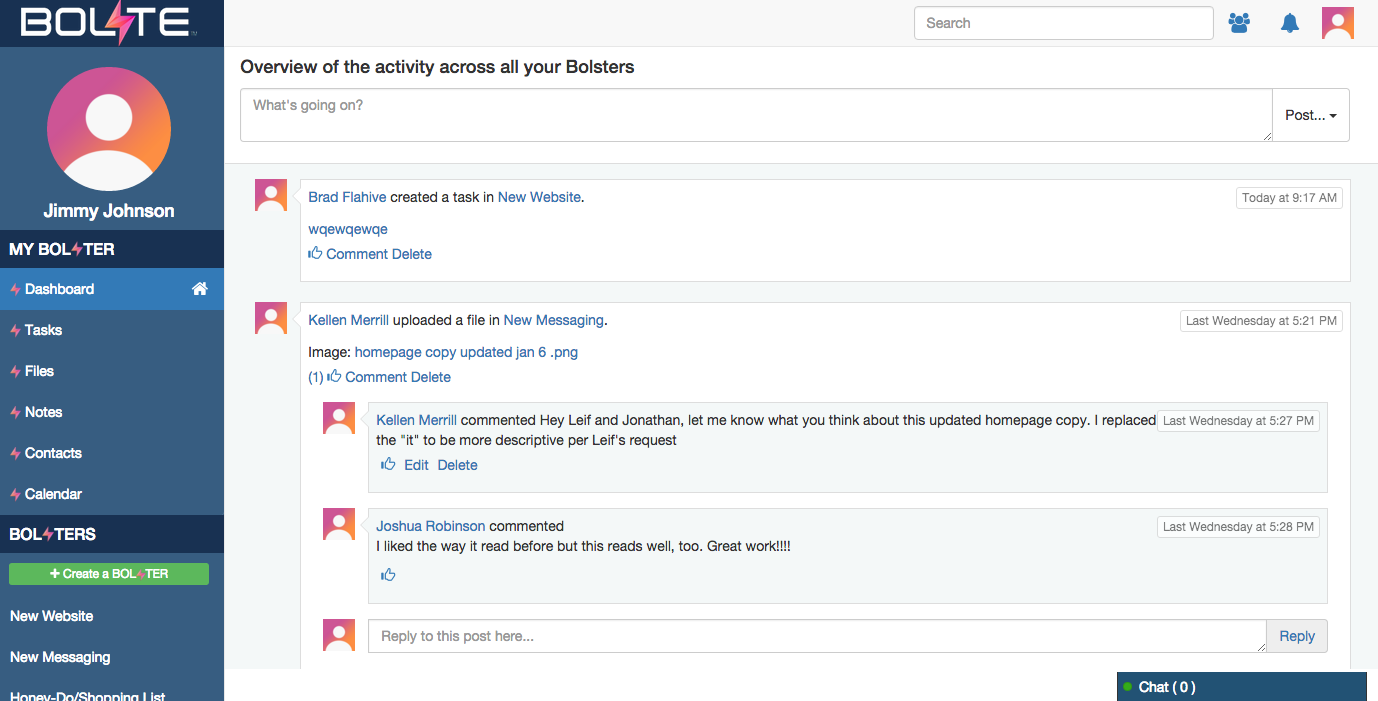
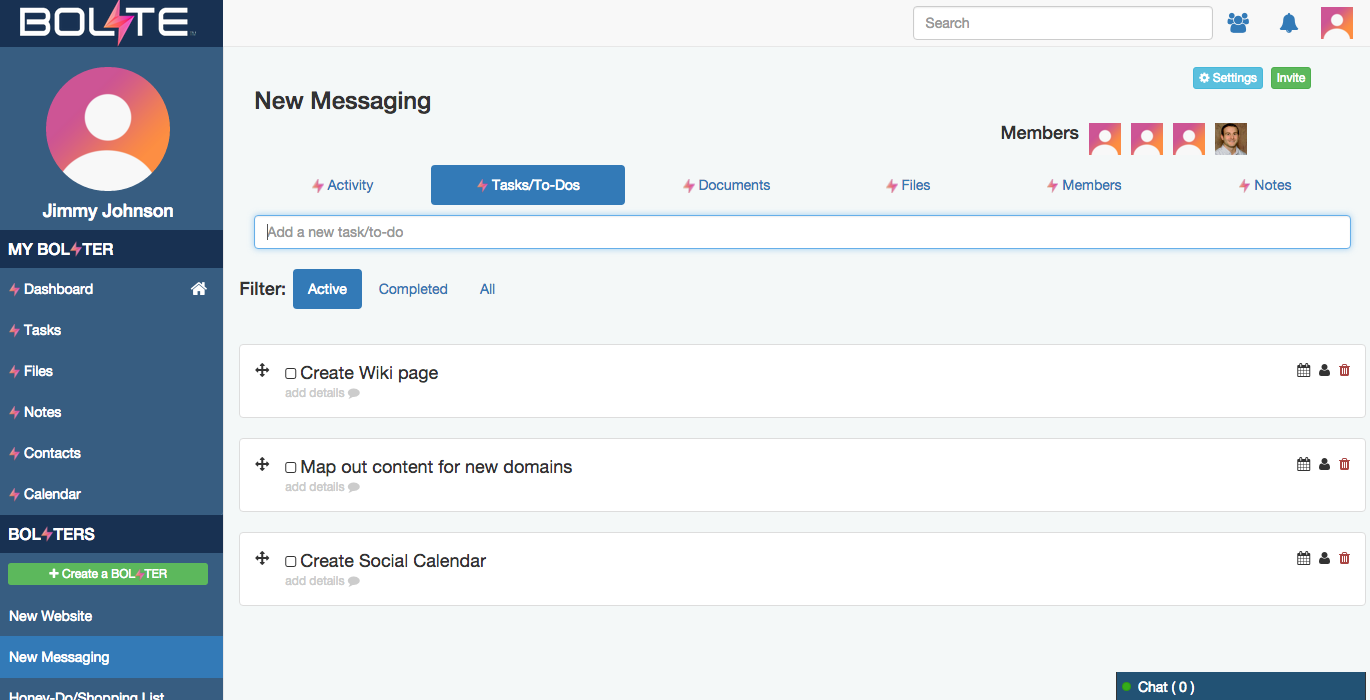
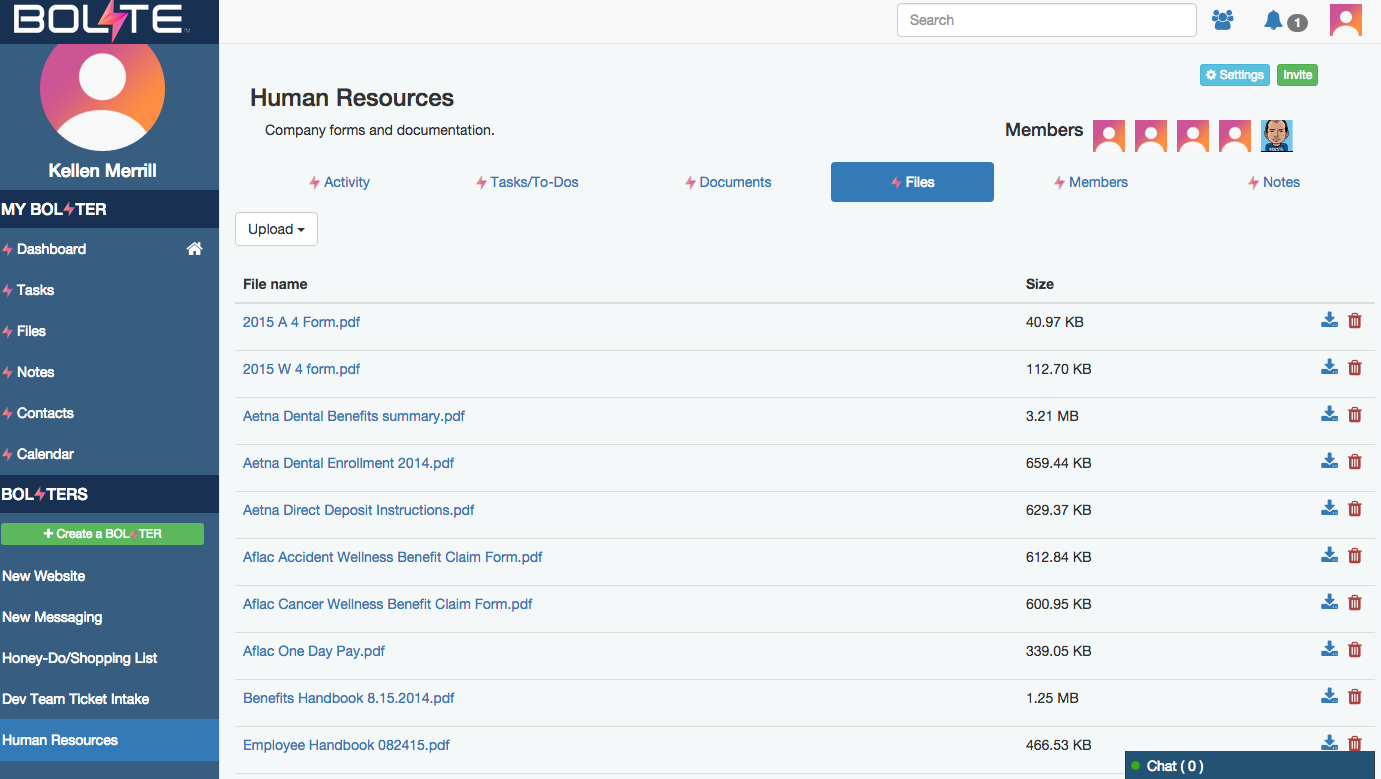
Screenshot of Activity Feed – displaying all activity across a your account, making it easy to see the latestScreenshot of Calendar – for scheduling meetings / events and tracking task due datesScreenshot of Tasks – for creating, assigning and managing tasks or "to-dos"Screenshot of Contacts – enabling you to easily connect with contacts from inside and out of your organizationScreenshot of Shared Files – allowing you to easily share and find filesScreenshot of Bolster Navigation – where you find your personal tools and files (under My Bolster), as well as your shared Bolsters for collaboration

Zoho Cliq Screenshots

Screenshot of Zoho Cliq UIScreenshot of Remote WorkScreenshot of Video CallsScreenshot of Integrations in Zoho CliqScreenshot of Zoho Cliq view across devices