BMC's Track-It! (formerly Numara Track-It!) is an IT asset management, IT help desk, and license management solution.
N/A
Lansweeper
Score 8.5 out of 10
N/A
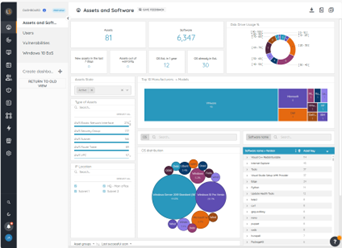
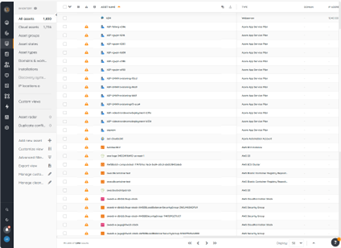
Lansweeper is an IT asset management solution that provides network discovery of all connected users, devices, and software within the IT estate. Lansweeper's device recognition capabilities provide complete visibility across the entire IT estate, in one centralized IT inventory. Lansweeper automatically and continuously discovers IT assets across infrastructure — servers, laptops, desktops, virtual & cloud machines, networks devices and IoT assets— in order to…
$2,868
per year Includes 2,000 assets
Pricing
BMC Track-It!
Lansweeper
Editions & Modules
No answers on this topic
Starter
$2868
per year Includes 2,000 assets
Pro
$5268
per year Includes 2,000 assets
Enterprise
Contact Sales
Starts at 10,000 Assets
Offerings
Pricing Offerings
BMC Track-It!
Lansweeper
Free Trial
No
Yes
Free/Freemium Version
No
Yes
Premium Consulting/Integration Services
No
No
Entry-level Setup Fee
No setup fee
No setup fee
Additional Details
—
—
More Pricing Information
Community Pulse
BMC Track-It!
Lansweeper
Features
BMC Track-It!
Lansweeper
IT Asset Management
Comparison of IT Asset Management features of Product A and Product B
From a technician's point of view, it is extremely easy to create new work orders or tickets. It's also very simple to enter in data and keep track of the state of the ticket without taking too much time to keep it updated. I would love to see a cloud instance available to be able to make it a global installation as our company grows.
Because of its slowdown as we have acquired more equipment, I think LANSweeper may be better suited for smaller environments. We have 3000+ users and over 1500 devices on our WAN. It has shown considerable performance issues as we have grown. Maybe moving it to a full blown SQL instance will make things a bit better. But as it stands, it has gotten tiresome waiting for it to update and refresh.
Lansweeper is grabbing lots of data from the machines without slowing the network and the client machines. We can easily get all the installed software data, hardware and linked hardware and all the user you can grab from the AD (computer and user).
Lansweeper can now scan Windows, Mac and Linux with an agent installed (or not if you want that the server is the one pulling the data).
The web interface is really friendly user and offers lots of possibilities to personalize your dashboard as you see fit.
Reports engine is really powerful and easy to monitor your machines and also your security issues.
Care must be taken when configuring automatic replies otherwise you can end up in an endless loop of emails if response goes to another auto-responder. This will cause tickets to automatically be generated with every reply and then it takes a while to clean up the unwanted tickets.
The support model is prohibitively expensive if you let support lapse and then need support once again. This is because they expect you to pay for all of the previous versions/years between when you last paid for support and their current version. This means that if there have been 3 versions of the software since you last had support, they expect you to pay for the 3 versions even if you did not use them. This is a primary reason why we are looking at alternative ticketing systems currently.
It would be nice to have the ability to selectively kick a user our of a ticket without having to kick them entirely out of the application.
I only gave it this rating for the fact that we did not really use their support for much of the time we used the product. The support documentation in the actual program seemed to be lacking, so finding the information via the web or the vendor's site provided more helpful, from a support standpoint. I did notice that the vendor does have a portal where you can manage support cases and also has live phone support and an email option. All of these options are good for any customer that needs good support while using the product
Lansweeper offers a variety of customer support options (including KBs for self-serve and get in touch with them via email), and most importantly, it's a matter of dialing within their allotted supporting time frames. However, I always make sure to provide the following information:
- Screenshots of the issue (if available).
- Program Files (x86)/Lansweeper/Service/Errorlog.txt, as present on your Lansweeper server.
- If it exists, the error log present in Program Files (x86)/Lansweeper/Website/App_Data.
ConnectWise was far more robust with a lot more customization, project management features, templates, and documentation. It tied into other software that we needed to do our jobs. The interface was cleaner, the software was faster, and users had an easier time. Oversight was also much better. That said, it was also far more expensive, and it was developed more for managed service providers and large companies than smaller enterprises like ours.
Lansweeper is DRAMATICALLY cheaper than KACE and provides the same level of reporting and inventory of asset data. Where KACE outshines Lansweeper, is Lansweeper has a very minimal software deployment system that requires clients to have direct access to a common file share. KACE allows you to upload files directly into it's environment, and assets can download over HTTPS those files for installation anywhere. Spiceworks was a great inventory and helpdesk system for free - but the product I feel has gone stale and not nearly as powerful as it use to be - for that reason Lansweeper appears to have taken up the charge and utilized a lot of Spiceworks was going for