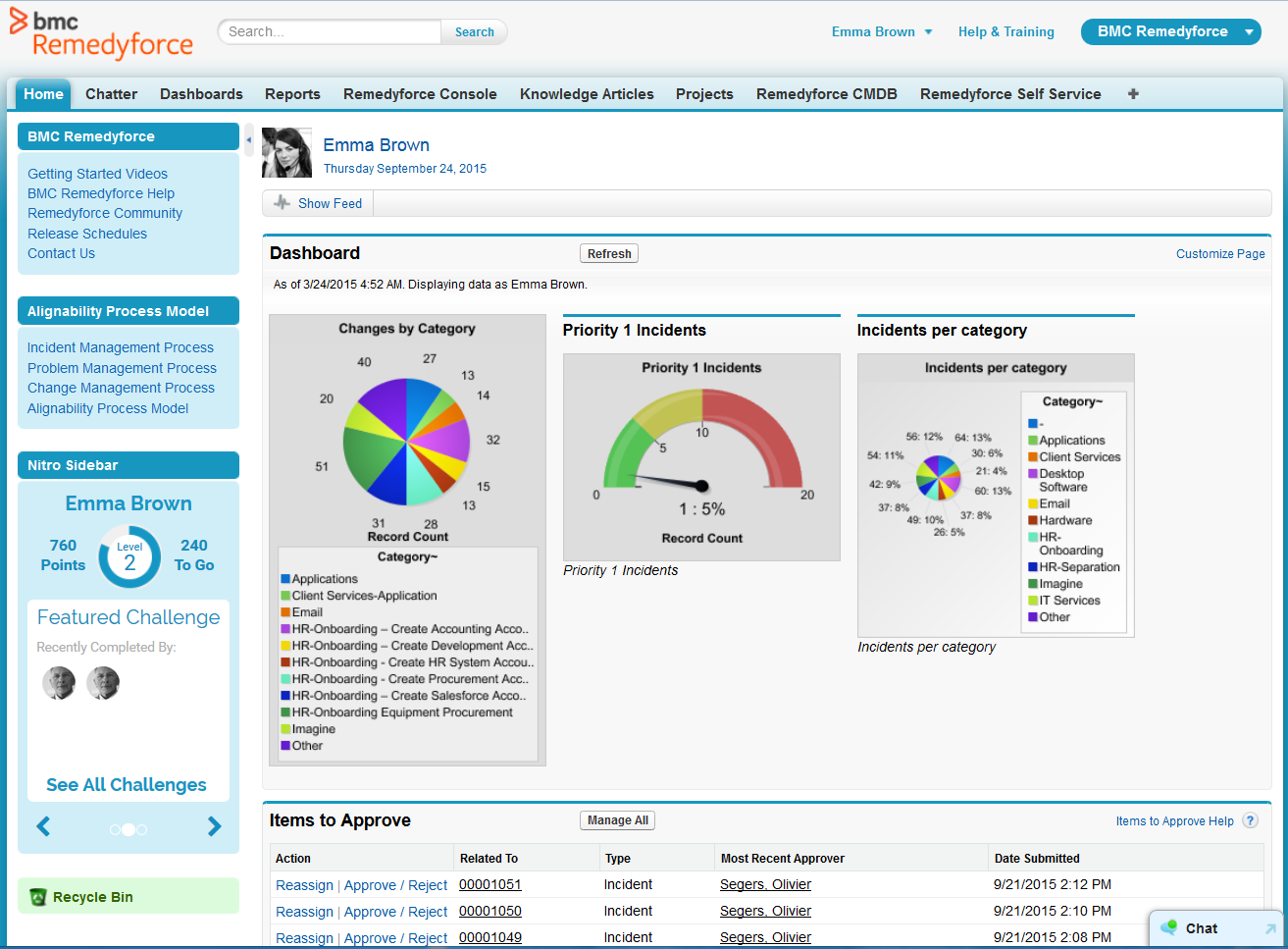
BMC Helix Remedyforce is a cloud-delivered SaaS solution for IT Helpdesk and Ticketing Management.
$67.90
per user/per month
Microsoft System Center
Score9 out of 10
N/A
Microsoft System Center Suite is a family of IT management software for network monitoring, updating and patching, endpoint protection with anti-malware, data protection and backup, ITIL- structured IT service management, remote administration and more.
It is available in two editions: standard and datacenter. Datacenter provides unlimited virtualization for high density private clouds, while standard is for lightly or non-virtualized private cloud workloads.
[BMC Helix Remedyforce] is probably best suited for an MSP who needs to keep multiple clients separated. If you were an internal IT department I think the additional features it has would be lost. When dealing with an MSP who needs to know what software and what issues have effected specific clients it is very well suited to do that.
A de minimis incentive was given to thank the reviewer for their time. The incentive was not used to bias or drive a particular response, nor was the incentive contingent on a positive endorsement. More Info
For companies with more than 10 Windows devices and needing to standardize the OS, AV, access, share resources, and install software. SCCM is the way to go. This software is unnecessary if the business is all remote users and not in an office-type setting. There are cloud offerings or none to accomplish what a business needs.
A de minimis incentive was given to thank the reviewer for their time. The incentive was not used to bias or drive a particular response, nor was the incentive contingent on a positive endorsement. More Info
An admin user is able to quickly create a request definition with all of its components from one screen. We use to have to go to the 7 or 8 different screens to create each piece of the request definition.
Ability to update multiple Incidents/Service Requests at once with the update button. This allows essentially an inline edit functionality within Remedyforce.
Change management schedule is a great feature as well to be able to see how changes align and what there expected start dates/times are.
A de minimis incentive was given to thank the reviewer for their time. The incentive was not used to bias or drive a particular response, nor was the incentive contingent on a positive endorsement. More Info
The ability to monitor/regulate the volume of tickets when you integrate with your monitoring software. We have so many items that trigger alerts, creating a ticket for each is somewhat overwhelming. Would like to be able to better control when an incident should be created.
Being able to report on Service requests and tasks together would be nice. Right now I have to do it separately as they are in different buckets, so to speak.
Remedy console is an improvement from where it started but can still be a cleaner interface for a tech to be able to work out of for their day to day work.
Needs web based storefront for requesting new software
Needs ability to manage the packaging work flow better
Sometimes is slow to download and there is no indication the entire catalog is being loaded, resulting in confused users not being able to find common software in the available list.
A de minimis incentive was given to thank the reviewer for their time. The incentive was not used to bias or drive a particular response, nor was the incentive contingent on a positive endorsement. More Info
The total amount of time spent from installation to configuration for a minimal ticketing system was 2 hours. Maintenance and customization for the application can be completed with a great amount of ease. In addition having a customer portal is an added benefit that pays for itself
A de minimis incentive was given to thank the reviewer for their time. The incentive was not used to bias or drive a particular response, nor was the incentive contingent on a positive endorsement. More Info
It is not user-friendly for the most part. With IT infrastructure, sometimes it cannot handle excess requests. Every few months, you will need an upgrade in terms of server resources to keep up with incoming alerts and requests. This does not happen all of the time, but it does happen when there are too many requests.
A de minimis incentive was given to thank the reviewer for their time. The incentive was not used to bias or drive a particular response, nor was the incentive contingent on a positive endorsement. More Info
A de minimis incentive was given to thank the reviewer for their time. The incentive was not used to bias or drive a particular response, nor was the incentive contingent on a positive endorsement. More Info
If I had to dislike something about the system it would be how much it changes once you upgrade. This could be more of a problem of mine since I get used to one way and don't like it when it changes so much. I am enjoying the newest update, but it is a mess when you are actually going through the upgrades.
A de minimis incentive was given to thank the reviewer for their time. The incentive was not used to bias or drive a particular response, nor was the incentive contingent on a positive endorsement. More Info
Learning industry best practices or gaining insight on them from either BMC or an implementation partner would have saved some headaches we faced after roll-out.
A de minimis incentive was given to thank the reviewer for their time. The incentive was not used to bias or drive a particular response, nor was the incentive contingent on a positive endorsement. More Info
I previously worked with tools like Service Manager which were difficult to configure, administer and maintain. The support options were very limited. Remedyforce has local US support, dedicated reps, and a more developed infrastructure to work from to support an organization. This runs on the Salesforce platform so worrying about server failures and unscheduled outages was no longer going to be an issue for us. Self service, knowledge base, and change control were just a few highly utilized features that helped employees support themselves and automate very manual processes.
We previously used a mix of FOG and Clonezilla to image machines. The biggest issues with these products is that changing one piece of the image required you to rebuild the entire image itself. These pieces of software also did not allow you to manage applications and Windows Updates, causing IT to have to constantly touch machines after they were imaged and update or manage them with a much more hands on approach.
A de minimis incentive was given to thank the reviewer for their time. The incentive was not used to bias or drive a particular response, nor was the incentive contingent on a positive endorsement. More Info
Remedyforce has allowed us to eliminate other solutions that provided similar features. By now using one true ITSM we have been able to save money which in higher education is always a concern.
The reports and dashboards allow for a birds-eye view of our daily operations and provide managers and executives the information they need to make important cost saving decisions.
We have been able to automate our patch management, firmware and other security concerns.
We have a standardized "image" ensuring our setup is consistent across the enterprise. This alone has saved us in time to support and time to understand how to use our desktops.
A de minimis incentive was given to thank the reviewer for their time. The incentive was not used to bias or drive a particular response, nor was the incentive contingent on a positive endorsement. More Info