BlueJeans Events (discontinued) vs. Livestorm

Overview
ProductRatingMost Used ByProduct SummaryStarting Price
BlueJeans Events (discontinued)
Score 9.8 out of 10
N/A
BlueJeans Events was a cloud-based platform that enables presenters to interact over video and stream their event to thousands of viewers, supporting all-hands meetings, webinars and large-scale events. The product was acquired by Verizon in 2020, and discontinued in 2023.
$41.67
per month
Livestorm
Score 10.0 out of 10
N/A
French company Livestorm offers their webinar platform which integrates with many other enterprise applications via Zapier and features polling, session recording and sharing, and webinar data collection and tracking.
$0
A free plan to discover Livestorm. All features included, such as unlimited webinars and instant meetings. Up to 20 minutes per webinar and up to 10 registrants per webinar.
Pricing
BlueJeans Events (discontinued)Livestorm
Editions & Modules
Events - Video Webinars 100 Attendees
$41.67
per month
Events - Video Webinars 200 Attendees
$50.00
per month
Events - Video Webinars 500 Attendees
$57.50
per month
Events - Large Scale Events (Up to 150k Attendees)
Custom Quote
Webinar Basic
$0.00
A free plan to discover Livestorm. All features included, such as unlimited webinars and instant meetings. Up to 20 minutes per webinar and up to 10 registrants per webinar.
Meet Basic
$0.00
Limited Instant and Scheduled Meetings for up to four participants
Meet Premium
$31.00
Full features for Instant and Scheduled Meetings.
Webinar Premium
$99.00
A premium experience with removed limitations to get the full benefits of Livestorm for up to 100 seats. + $99 to add 250 seats, + $209 to add 1,000 seats.
Enterprise
Contact sales
An enterprise-grade experience with premium service.
Offerings
Pricing Offerings
BlueJeans Events (discontinued)Livestorm
Free Trial
YesYes
Free/Freemium Version
NoYes
Premium Consulting/Integration Services
NoNo
Entry-level Setup FeeOptionalNo setup fee
Additional DetailsVIDEO WEBINAR / EVENT FEATURES Host an unlimited number of non-concurrent webinars 100, 200, 500 attendee plans available Maximum webinar duration is two hours Attendee registration workflow & reporting Moderator Dashboard delivers production controls in a single pane Attendee engagement - Chat, Raise Hand, Q&A with Up-Voting, & Live Polling No download, browser-based attendee experience Dolby Voice included for crystal-clear audio Widescale live streaming via Facebook Live Automated closed captioning for improved accessibility Intermission & Pause Broadcast feature Presenter prep room and attendee waiting area Online support only Live and Self Paced Training (free)
More Pricing Information
Community Pulse
BlueJeans Events (discontinued)Livestorm
Features
BlueJeans Events (discontinued)Livestorm
Reporting & Analytics
Comparison of Reporting & Analytics features of Product A and Product B
BlueJeans Events (discontinued)
7.7
Ratings
3% above category average
Livestorm
10.0
Ratings
29% above category average
Dashboards7.50 Ratings10.00 Ratings
Data exportability8.00 Ratings10.00 Ratings
Performance & Compatibility of Online Events Software
Comparison of Performance & Compatibility of Online Events Software features of Product A and Product B
BlueJeans Events (discontinued)
6.8
Ratings
16% below category average
Livestorm
9.5
Ratings
17% above category average
High quality audio8.80 Ratings9.00 Ratings
Mobile support7.50 Ratings10.00 Ratings
Online Meetings / Events
Comparison of Online Meetings / Events features of Product A and Product B
BlueJeans Events (discontinued)
8.2
Ratings
2% above category average
Livestorm
9.4
Ratings
15% above category average
Calendar integration7.70 Ratings10.00 Ratings
Record meetings / events9.70 Ratings7.50 Ratings
Slideshows6.70 Ratings10.00 Ratings
Event registration9.80 Ratings10.00 Ratings
Online Events Collaboration
Comparison of Online Events Collaboration features of Product A and Product B
BlueJeans Events (discontinued)
7.6
Ratings
9% below category average
Livestorm
10.0
Ratings
19% above category average
Audience polling8.90 Ratings10.00 Ratings
Q&A8.90 Ratings10.00 Ratings
Online Events Security
Comparison of Online Events Security features of Product A and Product B
BlueJeans Events (discontinued)
6.4
Ratings
25% below category average
Livestorm
10.0
Ratings
19% above category average
Participant roles & permissions9.40 Ratings10.00 Ratings
Confidential attendee list5.80 Ratings10.00 Ratings
Online Events Marketing
Comparison of Online Events Marketing features of Product A and Product B
BlueJeans Events (discontinued)
6.7
Ratings
14% below category average
Livestorm
10.0
Ratings
26% above category average
Branding options7.50 Ratings10.00 Ratings
Integration to Marketing Automation6.00 Ratings10.00 Ratings
Best Alternatives
BlueJeans Events (discontinued)Livestorm
Small Businesses
BigMarker
BigMarker
Score 6.0 out of 10
BigMarker
BigMarker
Score 6.0 out of 10
Medium-sized Companies
ClickMeeting
ClickMeeting
Score 7.9 out of 10
ClickMeeting
ClickMeeting
Score 7.9 out of 10
Enterprises
ON24
ON24
Score 8.8 out of 10
ON24
ON24
Score 8.8 out of 10
All AlternativesView all alternativesView all alternatives
User Ratings
BlueJeans Events (discontinued)Livestorm
Likelihood to Recommend
8.2
(0 ratings)
9.5
(0 ratings)
Likelihood to Renew
4.3
(0 ratings)
-
(0 ratings)
Usability
8.9
(0 ratings)
9.0
(0 ratings)
Availability
8.2
(0 ratings)
-
(0 ratings)
Performance
7.8
(0 ratings)
-
(0 ratings)
Support Rating
8.2
(0 ratings)
10.0
(0 ratings)
Implementation Rating
9.0
(0 ratings)
-
(0 ratings)
Configurability
7.2
(0 ratings)
-
(0 ratings)
Product Scalability
8.3
(0 ratings)
-
(0 ratings)
Vendor post-sale
8.2
(0 ratings)
-
(0 ratings)
Vendor pre-sale
7.3
(0 ratings)
-
(0 ratings)
User Testimonials
BlueJeans Events (discontinued)Livestorm
Likelihood to Recommend
BlueJeans Events is really well-suited for large attendance virtual events and meetings. It was perfect for many of the classes I've taken, as well as hosted, especially during the ongoing COVID-19 pandemic, where oftentimes in-person classes and interactions have been limited. I love how BlueJeans Events fosters meetings and interactions for large numbers of individuals, despite the fact that in-person meetings of this size have not entirely been feasible during the past year and a half.
Read full review
Livestorm is well suited to use when you need to reach a group of more than ten people. It wouldn't be a good solution if you wanted interaction from the audience in more than the form of chat.
Read full review
Pros
  • For larger meetings, BlueJeans does a great job of handling active speakers and bringing their video to the forefront while they are speaking. This goes a long way toward bringing all employees to the table in a meeting setting and makes it easy for participants to follow the flow of the meeting, especially in event format meetings with hundreds of participants.
  • BlueJeans does a good job of calendar integration making it easy to add/create single or recurring meeting invites with an associated BlueJeans meeting within the invite so all attendees are able to manage and join meetings with ease.
Read full review
  • Easy to set up landing pages. Landing pages have great design and allow users to select which session they want to attend (if it's a recurring webinar)
  • The analytics is great and allows you to export everything, even all the info they enrich with Clearbit
  • The webinar room is super intuitive and I always feel like I have full control
Read full review
Cons
  • Many people don't yet prefer BlueJeans in our company due to the lack of breakout rooms, PPT uploads, and the requirement to upload videos to play them.
  • Using the SSO login doesn't give me the control of manually provisioning accounts. I have to call their customer support line if there is an issue with SAML provisioning.
  • The service charges for events in customer hours watched. This racked up a large bill as the company scaled.
Read full review
  • Getting a webinar started is not super intuitive.
  • The ability to switch which screen you're sharing without stopping the screen share.
  • No longer hosting the recorded webinars.
Read full review
Likelihood to Renew
BlueJeans Events are certainly useful for inviting a large group of individuals to attend and witness an event, but the platform can be non-intuitive to use, especially on the presenter's side. There are frequently some technical difficulties, and it's often necessary to have one or many moderators monitoring the event during its progress for ease of use. Additionally, the BlueJeans Events are a somewhat passive form of presenting, which is not ideal for the use cases within the organization.
Read full review
No answers on this topic
Usability
Joining meetings it is easy, setting up an account is also easy. It may be a bit confusing for participants that don't know the platform, as it is not straightforward to understand that joining a meeting is completely free. I am always the host and I find it easy to organize and chair meetings.
Read full review
This platform is very user friendly. I had zero training and I was able to successfully create events, customize company emails, export data, navigate feature set, and enable integrations, etc... I had to do a little bit of research into how their on-demand events worked logistically but that took about 10 minutes
Read full review
Reliability and Availability
BJ Events is Available always when we need it. There was no situation that we encountered an error or an outage. How are you doing this? :)
Read full review
No answers on this topic
Performance
I think that BlueJeans Events is 7/10 because it's pretty efficient. The audio and video quality is pretty great. I've only had a few connectivity issues but otherwise, it's performed fine. The features are also impressive; I am a huge fan of being able to record my calls so that I can refer back to them whenever necessary.
Read full review
No answers on this topic
Support Rating
I really like site bluejeans.com and how simple it is.You can find there instructions, tips and how to create event or secure it! Of course FAQ is always useful and that's what you can find there too! Of course there is contact to support team which I remember was great and professional. Support Team really cares about their customers and don't forget about them. It feels like you can always count on them and reach out with any kind of question(s) which I think is very important.
Read full review
I haven't used it recently, so I couldn't definitively say
Read full review
Implementation Rating
Important to gather all infroamtion from client and ensure all basis are acknowledged before actually doing the installation of equipment
Read full review
No answers on this topic
Alternatives Considered
Zoom is not good for presentations where a lot of people are attending. You end up having people unmute themselves and make noise while the speaker is talking. It can be very distracting. BlueJeans Events ensures that all attendees who are not required to speak are off camera and do not have the ability to speak. This allows for a smoother presentation with little to no interruptions.
Read full review
No answers on this topic
Scalability
We've been using BJ Events with big event and it worked as good as smaller one. All meetings were international and it didn't seem like it at all, I mean the quality was great. Maybe time delay was noticeable sometimes (sound to video) but it might also be caused by poor quality of internet connection.
Read full review
No answers on this topic
Return on Investment
  • There has certainly been significant cost savings on travel, particularly for internal communications. We have also found that BlueJeans has been better than other client systems like Webex. For example, we regularly switch to using BlueJeans over customer systems (Webex, Skype for Business).
  • Certainly meetings are shorter and more productive, specifically our daily standup meetings with remote users.
Read full review
  • Extend our reach with potential clients.
  • Platform to demonstrate our capabilities.
  • Grow our leads.
Read full review
ScreenShots

BlueJeans Events (discontinued) Screenshots

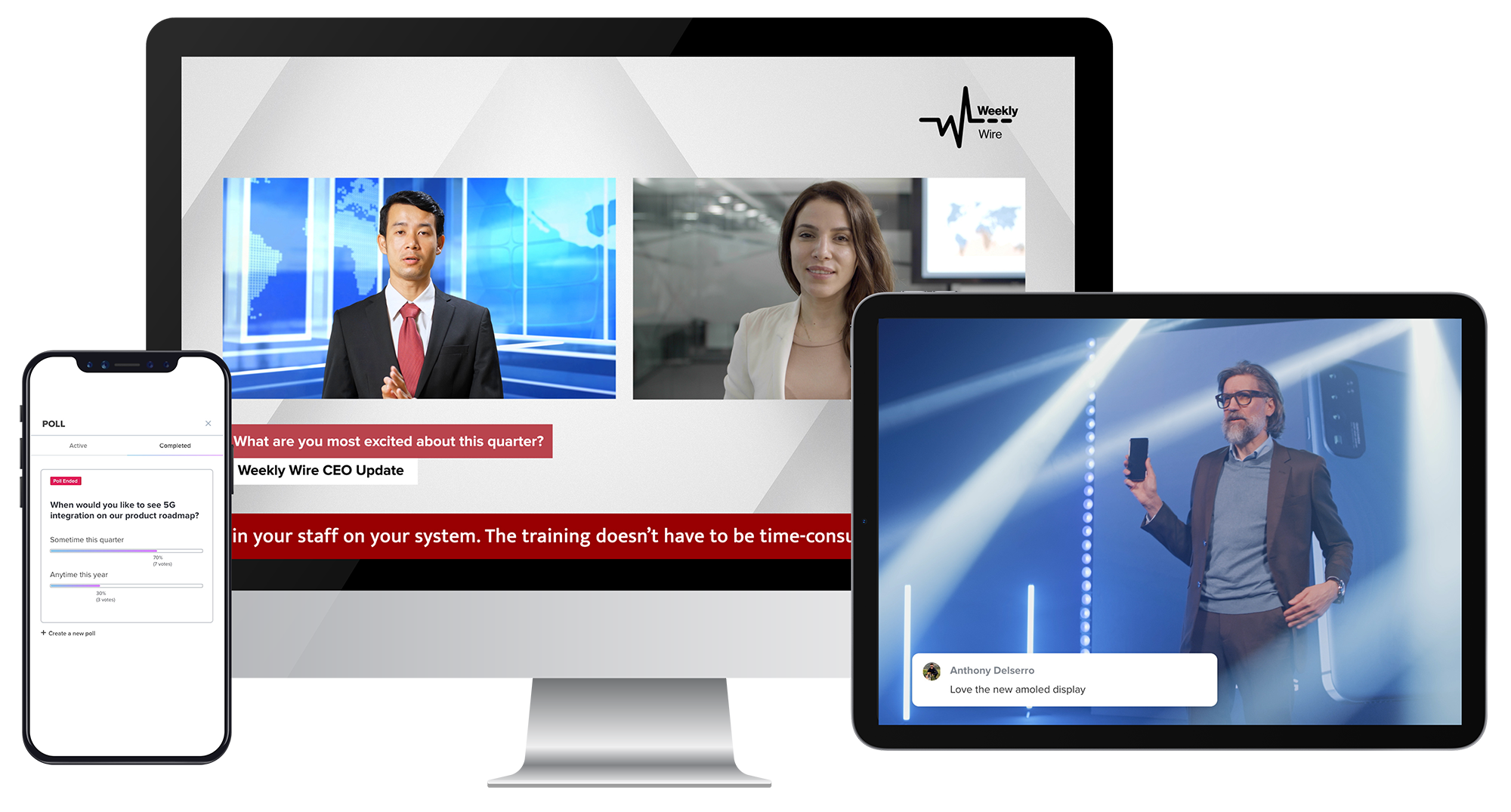
Screenshot of This is the event interface as it appears to event moderators.Screenshot of The presenter interface allows up to 150 on-camera speakers to host events.Screenshot of Join from any video-enabled room, computer, or mobile device. Access events on browsers without downloading an app.

Livestorm Screenshots

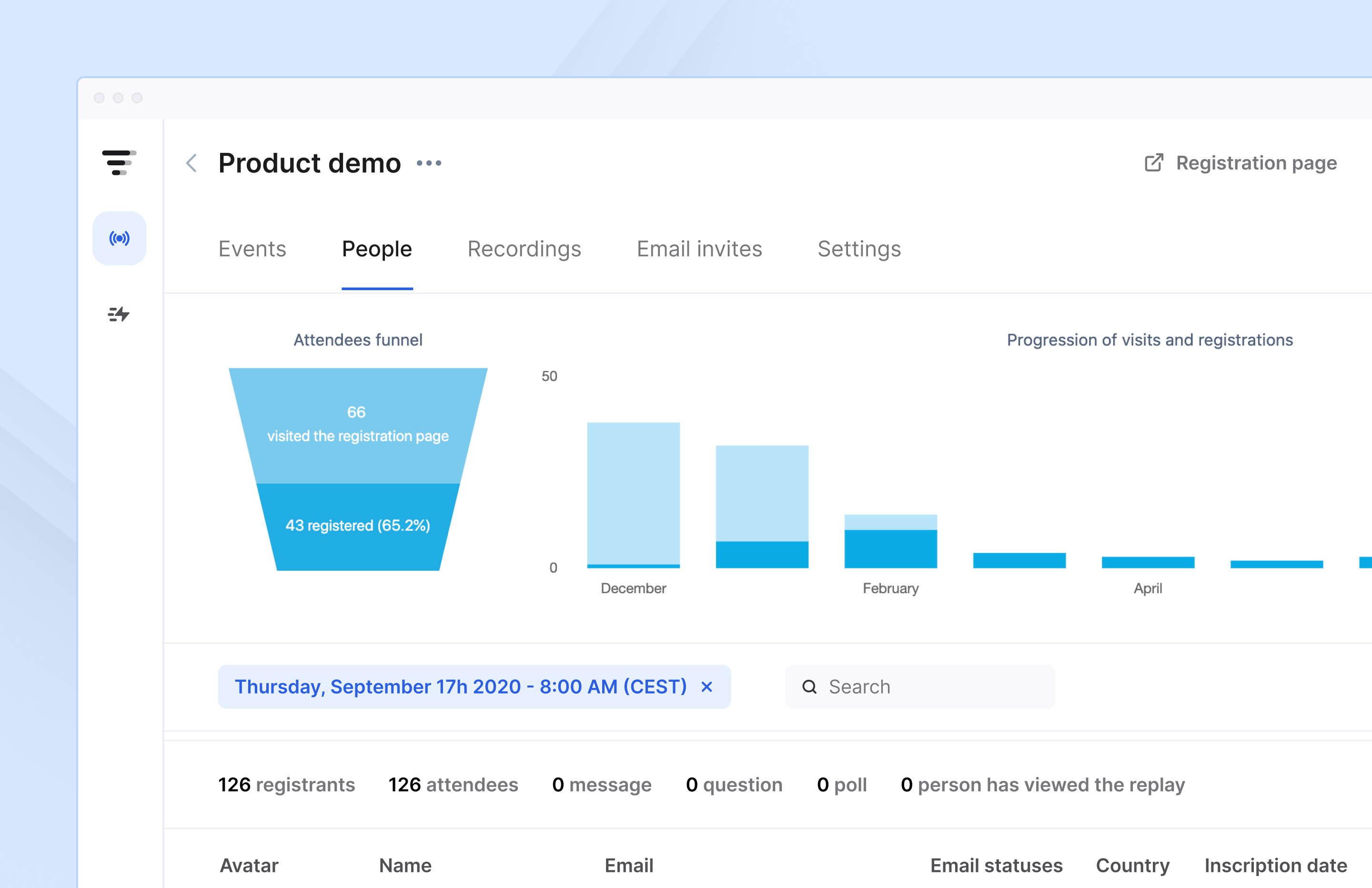
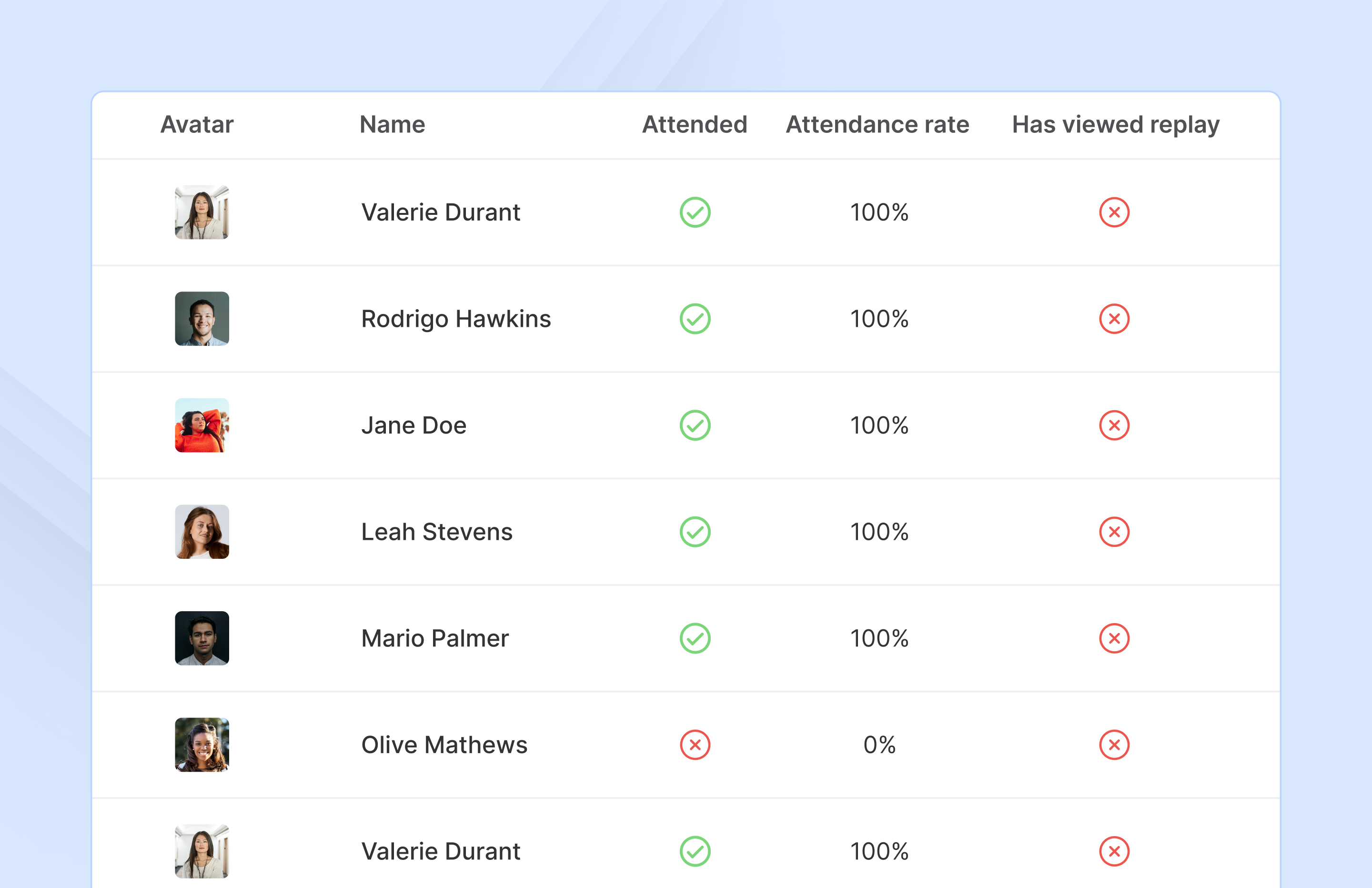
Screenshot of Access complete analytics in a built-in dashboard.Screenshot of Learn more about attendees with detailed participation reports.Screenshot of Engage with your audience in real-time with questions, chats, and polls.