Bitrix24 vs. BlueCamroo Complete

Overview
ProductRatingMost Used ByProduct SummaryStarting Price
Bitrix24
Score 7.2 out of 10
N/A
Bitrix24 is a local-hosted or cloud-based social intranet and project management platform that also contains core HR (HRMS) and CRM features. Bitrix24 also provides time management services and employee self-service.
$61
per month up to 5 users
BlueCamroo Complete
Score 9.0 out of 10
N/A
BlueCamroo is an online customer relationship management (CRM) solution built around sales pipline, task and project management, client support, and online collaboration.
$41
Per User / Month
Pricing
Bitrix24BlueCamroo Complete
Editions & Modules
Basic
$61
per month up to 5 users
Standard
$124
per month up to 50 users
Professional
$249
per month up to 100 users
Enterprise 250
$399.00
per month 250 Users
Enterprise
$499
per month up to 250 Users
Enterprise 500
$639.00
per month 500 Users
Enterprise 1000
$799.00
per month 1000 Users
Annual
$41
Per User / Month
Month-to-Month
$49
Per User / Month
Offerings
Pricing Offerings
Bitrix24BlueCamroo Complete
Free Trial
YesYes
Free/Freemium Version
NoYes
Premium Consulting/Integration Services
NoNo
Entry-level Setup FeeNo setup feeOptional
Additional DetailsPrice per month when paying for 1 year.
More Pricing Information
Community Pulse
Bitrix24BlueCamroo Complete
Features
Bitrix24BlueCamroo Complete
Project Management
Comparison of Project Management features of Product A and Product B
Bitrix24
8.8
Ratings
13% above category average
BlueCamroo Complete
-
Ratings
Task Management8.00 Ratings00 Ratings
Gantt Charts8.00 Ratings00 Ratings
Scheduling10.00 Ratings00 Ratings
Workflow Automation8.90 Ratings00 Ratings
Mobile Access9.90 Ratings00 Ratings
Search8.00 Ratings00 Ratings
Visual planning tools9.00 Ratings00 Ratings
Communication
Comparison of Communication features of Product A and Product B
Bitrix24
8.6
Ratings
8% above category average
BlueCamroo Complete
-
Ratings
Chat9.00 Ratings00 Ratings
Notifications10.00 Ratings00 Ratings
Discussions8.00 Ratings00 Ratings
Surveys8.80 Ratings00 Ratings
Internal knowledgebase8.00 Ratings00 Ratings
Integrates with GoToMeeting8.30 Ratings00 Ratings
Integrates with Gmail and Google Hangouts9.00 Ratings00 Ratings
Integrates with Outlook8.00 Ratings00 Ratings
File Sharing & Management
Comparison of File Sharing & Management features of Product A and Product B
Bitrix24
8.1
Ratings
3% above category average
BlueCamroo Complete
-
Ratings
Versioning8.00 Ratings00 Ratings
Video files6.50 Ratings00 Ratings
Audio files6.60 Ratings00 Ratings
Document collaboration8.00 Ratings00 Ratings
Access control10.00 Ratings00 Ratings
Advanced security features9.00 Ratings00 Ratings
Integrates with Google Drive7.00 Ratings00 Ratings
Device sync9.90 Ratings00 Ratings
User Ratings
Bitrix24BlueCamroo Complete
Likelihood to Recommend
9.0
(0 ratings)
-
(0 ratings)
Likelihood to Renew
10.0
(0 ratings)
-
(0 ratings)
Usability
8.0
(0 ratings)
-
(0 ratings)
Availability
10.0
(0 ratings)
-
(0 ratings)
Performance
9.0
(0 ratings)
-
(0 ratings)
Support Rating
9.7
(0 ratings)
-
(0 ratings)
Online Training
9.0
(0 ratings)
-
(0 ratings)
Product Scalability
9.0
(0 ratings)
-
(0 ratings)
User Testimonials
Bitrix24BlueCamroo Complete
Likelihood to Recommend
Bitrix24 is highly beneficial for teams that are geographically dispersed or working remotely. Its real-time communication tools, including instant messaging and video conferencing, enable seamless collaboration regardless of physical location. The centralized document management feature ensures that team members can easily access and collaborate on shared documents from anywhere, facilitating efficient teamwork in a remote or distributed environment.
Read full review
No answers on this topic
Pros
  • Huge opportunities for customization, integration with other services. Easy search for solutions to setup questions.
  • The ability to write letters directly from the system with the help of a binding for working mail.
  • The presence of an application for Android. This helps to get access anywhere.
Read full review
No answers on this topic
Cons
  • Malfunctions
  • System impediments of leads
  • Technical support is not competent
  • No sync with mobile app
  • Confusing interface takes time to sort out
  • For the sales department, the system is badly sharpened - managers do not need to enter information in 2-3 clicks
Read full review
No answers on this topic
Likelihood to Renew
It has become the central nervous system of the business and has constantly proven to be of value. We are not just renewing but might even upgrade to advanced Bitrix24 plans and will be adding more user licenses in the next 3 months. Bitrix24 has a sharper learning curve initially. However once it is surpassed, it opens doors to a range of creative deployment strategies
Read full review
No answers on this topic
Usability
This application is a complete scam and way over priced for what you are getting. They are filled full of false advertising and false statements regarding integrations. They claim to integrate with quickbooks and they DO NOT. This software accomplished nothing but making our day to day lives more difficult and wasted months of our time attempting to build out.
Read full review
No answers on this topic
Reliability and Availability
I can't recall any instance of unplanned outages over the past 1 year of use. Likewise for application errors. However note that, advanced users will have a learning curve
Read full review
No answers on this topic
Performance
Technical performance is 10/10 so far. Cannot comment about integrations since we currently haven't tested those
Read full review
No answers on this topic
Support Rating
It comes with a lot of features for managing customers relation for making a dynamic marketing strategy. Sharing and attaching any type of file makes our work much easier for our portfolio. I personally don’t like its customer service that needs to be vigilant and should know the way they should treat their clients
Read full review
No answers on this topic
Online Training
Overall the training was very comprehensive. The trainer did provider necessary additional reading materials as well. However the general approach at Bitrix24 is to divert users to self-help documentation and videos. It is recommended that atleast 1-2 personnel in the organization be "Bitrix24 experts" so that lower phases of training requirements are covered internally itself. Also the best part about Bitrix24 is that not all users need to go very deep while using it. We have multiple counsellors who started using it on day 2 without any major hiccups
Read full review
No answers on this topic
Alternatives Considered
The plethora of features and also the beta ones like CRM Analytics, Sales center, and Online Store. I forgot you can also build an online store too. For the value, ease of use, features, this is one of the best to use. It's a time saver from changing from one app to another, just use one. It is a one-stop CRM. If you are a startup you can begin with this and then slowly get on a paying option. The free offers a lot too. This platform can grow with your business and help save time too.
Read full review
No answers on this topic
Scalability
The scalability and reliability is almost 9.5/10 to be honest. We istarted with Bitrix24 for just 2 functions and now have expanded its usage to 2 more. In terms of users, every full-time employee (FTE) now uses Bitrix24 without fail. We are also working on giving limited/partial access to external service providers
Read full review
No answers on this topic
Return on Investment
  • With Bitrix, we have been able to create projects from the start within the software. We have been able to access our workflow, chat notes, documents, etc- all from one place.
  • The reporting feature is a favorite. It is very easy to create your own reports, download them and share them with others within your team. Depending on the division that you're reporting for, you can tailor Bitrix's reports to support your needs.
  • The biggest negative has been the limited functionality of the mobile app. It would be nice to be able to do everything from mobile app, vs limited functionality. This would include creating all tasks, projects, making edits, etc. While capabilities are there, they are not as full as on the desktop version.
Read full review
No answers on this topic
ScreenShots

Bitrix24 Screenshots

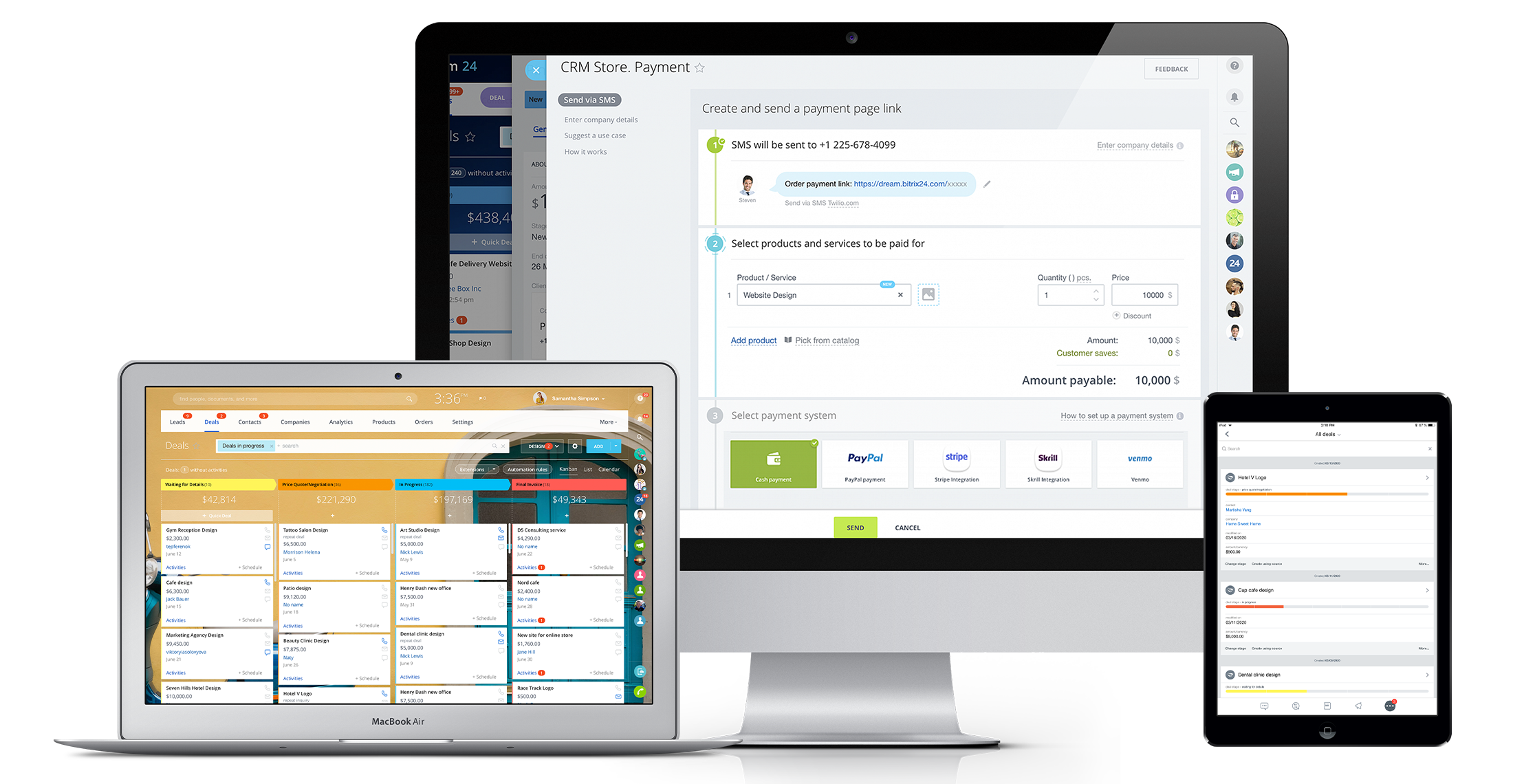
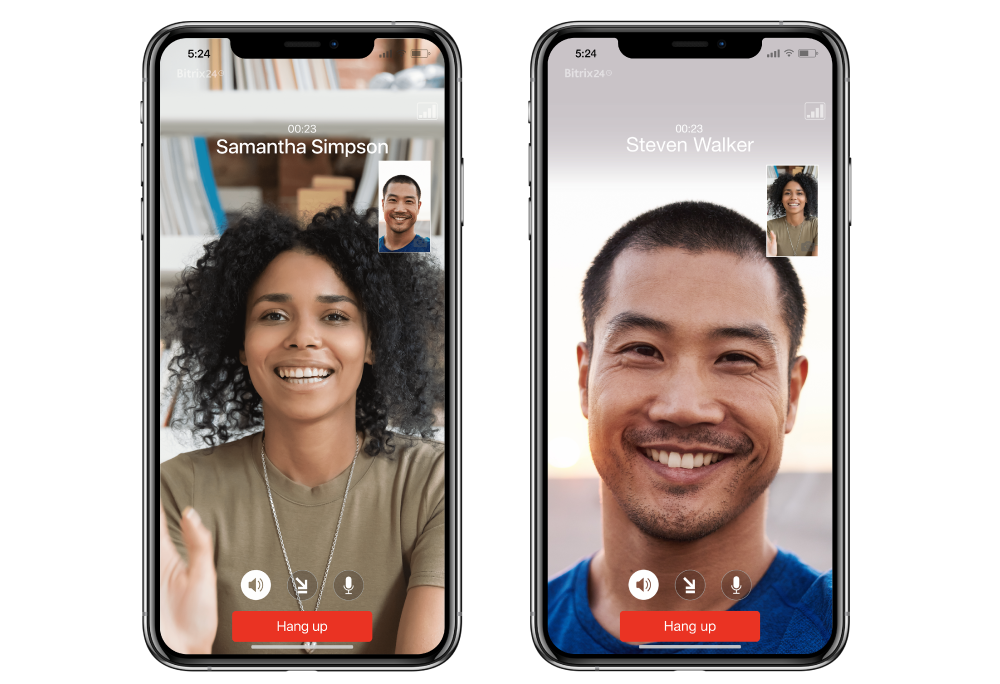
Screenshot of Bitrix24 Video Call.Screenshot of Bitrix24 Unlimited CRM.Screenshot of Bitrix24 Tasks.Screenshot of

BlueCamroo Complete Screenshots

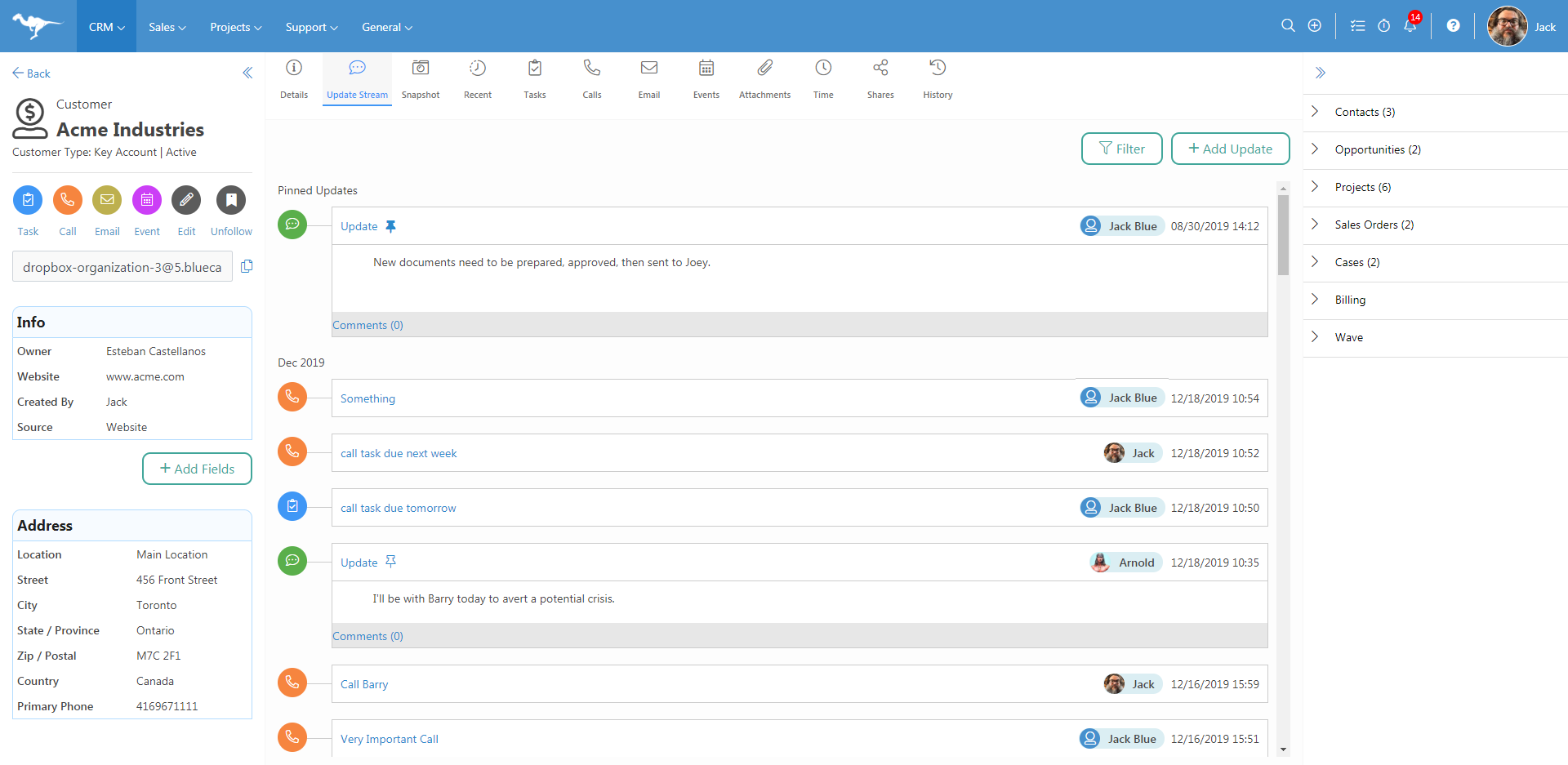
Screenshot of Keep track of every update to a record on our Update StreamScreenshot of Get a quick Snapshot of where you are with your contactsScreenshot of Get an overview of your projects quickly and adjust as you need it with the Visual Workbench for Projects