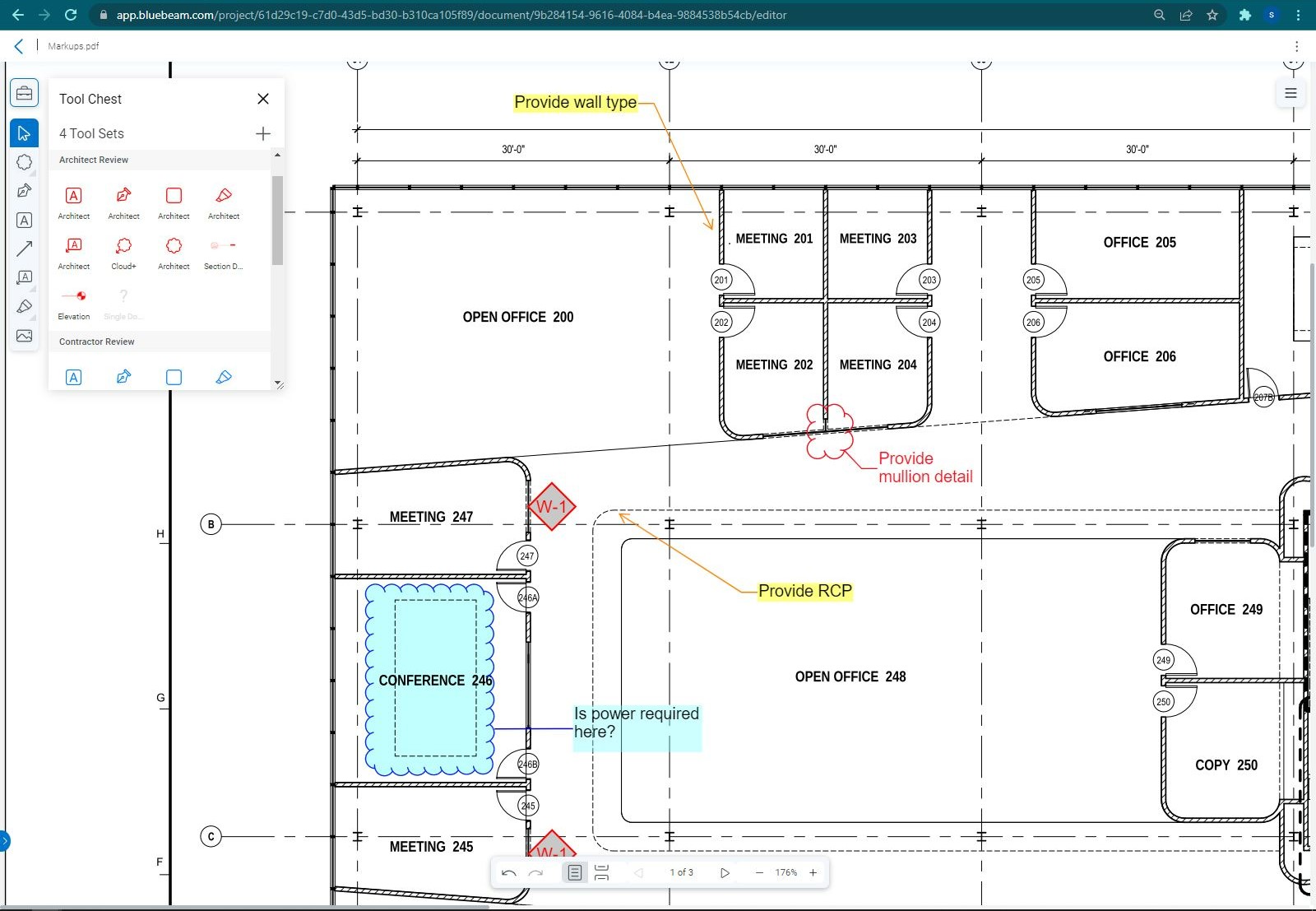
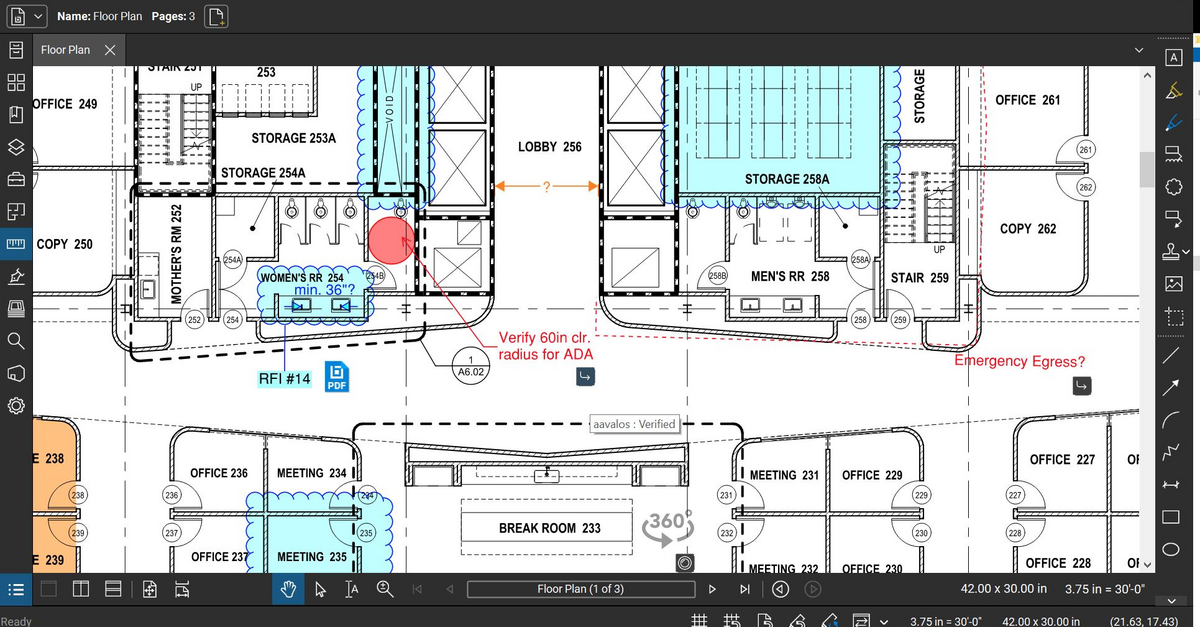
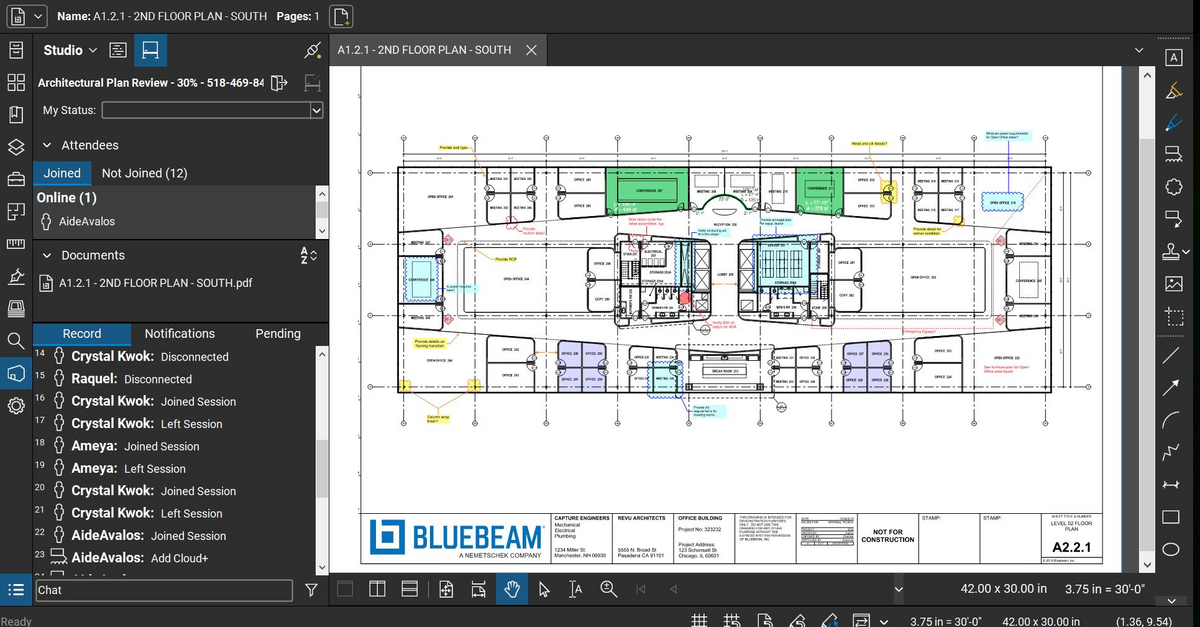
Bluebeam Revu is a PDF management, control, and editing tool. It enables collaboration and markup within shared documents across projects’ life cycles and has takeoff and bid creation capabilities.
$349
per seat
zeroheight
Score 8.6 out of 10
N/A
zeroheight helps teams create, manage and maintain their design systems. Using zeroheight, designers, engineers, and product teams can collaborate and build design systems that can be easily shared across teams.
$49
month
Pricing
Bluebeam
zeroheight
Editions & Modules
Revu Standard
$349
per seat
Revu CAD
$449
per seat
Revu eXtreme
$599
per seat
Starter
$49
month
Enterprise
Custom Pricing
Offerings
Pricing Offerings
Bluebeam
zeroheight
Free Trial
Yes
No
Free/Freemium Version
No
Yes
Premium Consulting/Integration Services
No
No
Entry-level Setup Fee
No setup fee
Optional
Additional Details
—
—
More Pricing Information
Community Pulse
Bluebeam
zeroheight
Features
Bluebeam
zeroheight
Reporting & Analytics
Comparison of Reporting & Analytics features of Product A and Product B
Bluebeam
8.7
Ratings
13% above category average
zeroheight
-
Ratings
Standard reports
9.00 Ratings
00 Ratings
Custom reports
8.00 Ratings
00 Ratings
Data exportability
9.00 Ratings
00 Ratings
Construction Project & Field Management
Comparison of Construction Project & Field Management features of Product A and Product B
Bluebeam
8.9
Ratings
16% above category average
zeroheight
-
Ratings
Plan distribution & viewing
8.90 Ratings
00 Ratings
Plan markups & sharing
9.20 Ratings
00 Ratings
Issue tracking & punchlists
8.50 Ratings
00 Ratings
Photo documentation
8.70 Ratings
00 Ratings
Jobsite reports
9.00 Ratings
00 Ratings
Document sharing
9.30 Ratings
00 Ratings
RFI tools
9.00 Ratings
00 Ratings
Collaboration & approvals
9.00 Ratings
00 Ratings
As-built drawings
8.90 Ratings
00 Ratings
Mobile app
7.90 Ratings
00 Ratings
Submittal design and management
8.90 Ratings
00 Ratings
Checklists
9.50 Ratings
00 Ratings
Change orders
9.00 Ratings
00 Ratings
Estimating
Comparison of Estimating features of Product A and Product B
As stated before, the mobile application is a great companion to the desktop version. Either one works great in viewing, editing and saving documents. While the measurement tool is handy to have, we have found the precision to be lacking when measuring scaled drawings (construction design drawings). While it is a good rough place to start for measurements, we wouldn't recommend relying on the precision of the measurements taken on something with a very large scale.
For creating and maintaining a component library, it is a fantastic tool that creates an interface between Developers, UX Engineers and Designers. It is easy to get both general information about a component, but also incredibly detailed information when looking at the component on a pixel-level, where information on paddings, margins, colors, fonts etc. can be easily accessed.
If you have several tabs open and you try to drag one out for a side by side view then you do not have all the modification options and you have to combine them back together.
There is a lag time when hitting the print option.
There is also a lag time when opening files, sometimes I think the window is frozen.
I wish the basic version also had basic file editing, as in editing a document as Adobe does.
when opening a component image (which opens a new page where the detailed information like paddings and colors are shown), the zoom can only be done by buttons, I'd prefer to be able to use my mouse scroll and for vertical / horizontal scrolling to do ctrl+scroll or ctrl+shift+scroll or something like that
Bluebeam is a powerful PDF viewer and mark-up tool. We are more familiar with it than Adobe Acrobat Pro or other viewers, and it has more features geared towards construction document managers than Acrobat Pro does.
I'm constantly finding that Bluebeam Revu does more than I knew it could. And when I find something that it can't do, I've found that Bluebeam truly listens to its user base and will work to incorporate any good suggestion when feasible.
Its hard for me to give a rating on this one as we rarely have to use the support feature for Bluebeam. However, when we have used it, they have been ultra supportive in helping us get exactly what we needed. I know another engineer was trying to figure out a feature and the rep gave a detailed tutorial on how to complete the task
Bluebeam is a diverse program with many functions and tools, whereas competitive programs only specialize in one or few tasks. Although there are many tools within the program, users can still quickly learn how to use the program to best fit their needs. There is always a help tab for any assistance needed.
I have used and still use Sketch and Zeplin too, but they serve other purposes for us. Sketch is used to design the components themselves and they are then exported to Zeroheight where they are showcased and enriched with textual information. Zeplin is used to design application pages, and again the components are exported to Zeplin from Sketch. But Zeroheight is mainly used for the development of the components themselves as well as a documentation for our design guideline in general. It is also used by us for design tokens and patterns, as well as other information on the design guideline, so if someone wants to understand the "why" of a design decision, the explanation can be usually found in Zeroheight too.
A major positive aspect is being able to take your computer home without taking the entire set of paper drawings. They have made it so easy to navigate a set of drawings that I can work at home using only the digital drawings.
Collaboration with owners and architects has been a great feature. Setting up a Bluebeam studio and having everyone get in and mark things up, then having the architect be able to go in and see what markups have been added, has made the constructability review process much much better.
Even when not working on drawings, Bluebeam is a very good tool for working with standard PDF documents. The markup tools are very easy to use.
The negative aspect is the takeoff function because some people would like estimators to use the Bluebeam takeoff because it would make their job easier down the road; however, the actual act of doing a full scale takeoff in Bluebeam would require much more time.
increased quality, as less misunderstandings or communication problems occur
increased speed of development, as it is a single source of truth for us. The developer can rely on the information in Zeroheight being correct so that he doesn't have to iterate his code again and again.