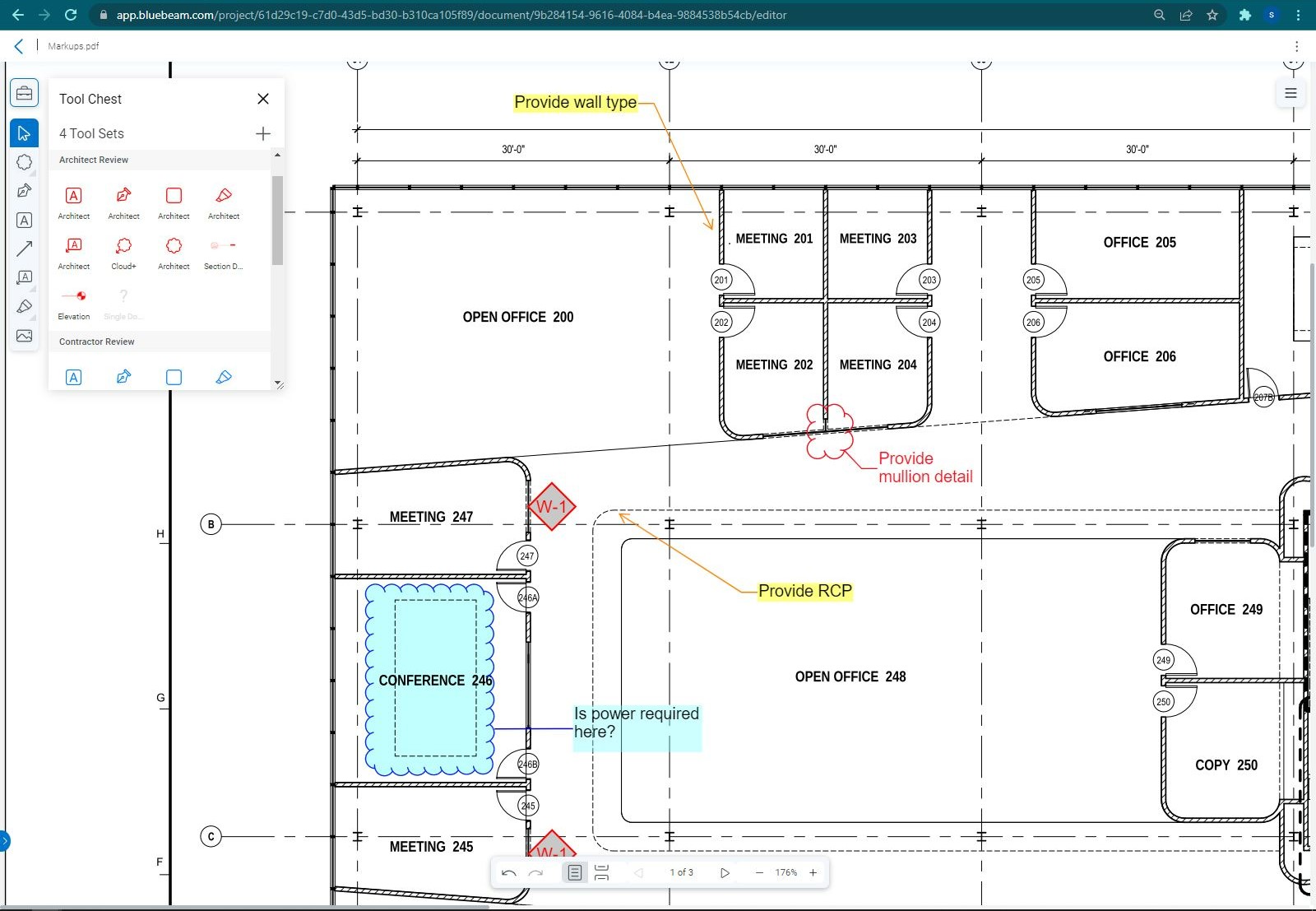
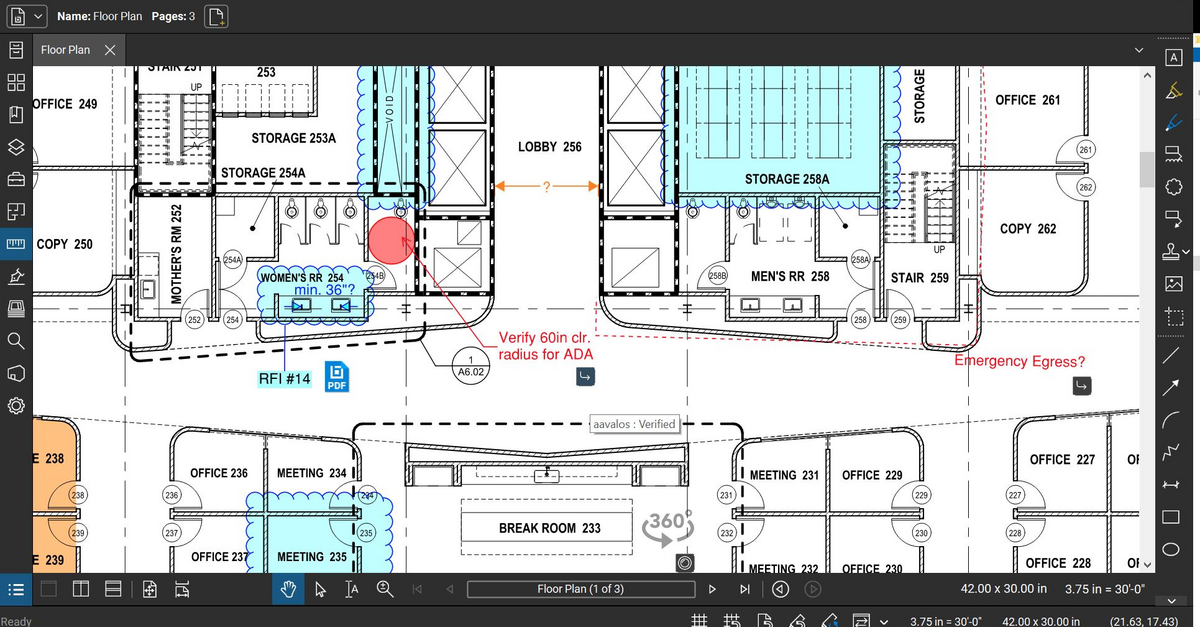
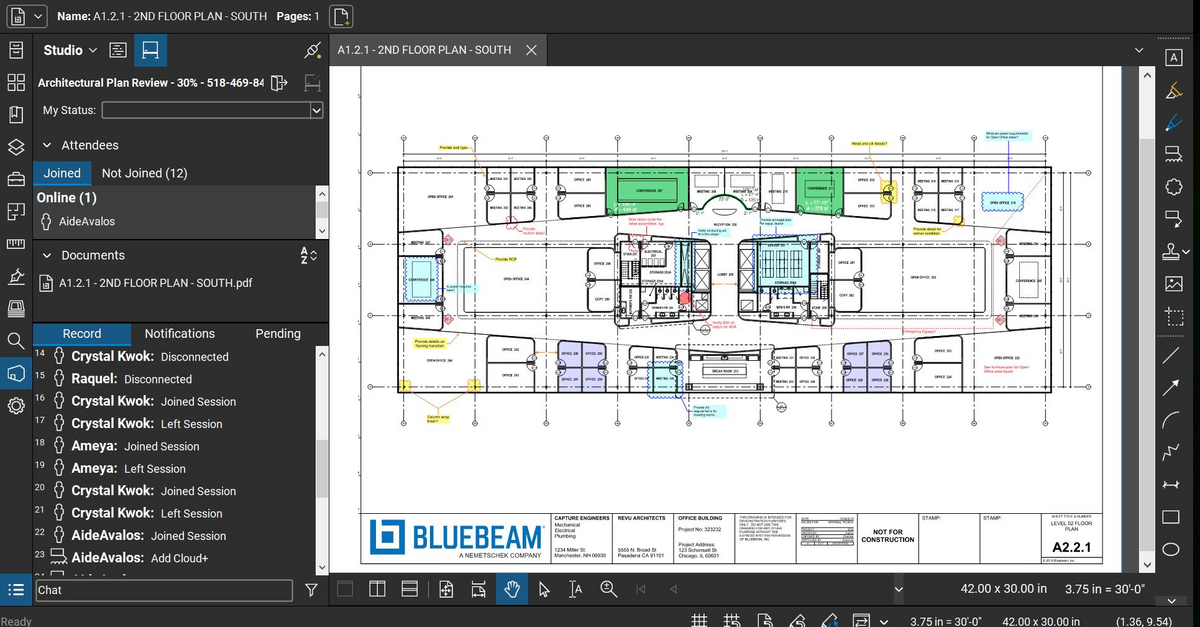
Bluebeam Revu is a PDF management, control, and editing tool. It enables collaboration and markup within shared documents across projects’ life cycles and has takeoff and bid creation capabilities.
$240
per year per user
QuoteSoft
Score9 out of 10
N/A
Acquired by ConstructConnect from Quote Software, QuoteSoft is a construction and estimation software for mechanical, piping, plumbing, HVAC and ductwork.
The program is great for editing construction drawings, stamping/approving official documents and overlaying revised documents to see design changes. You can use it as an estimating takeoff tool, estimating database, document control, cloud document storage, the list goes on! Bluebeam poses many applications for the user to utilize for the desired needs. There may be some other software that has one specific function that can perform the specific task better, but Bluebeam is a holistic program with many tools for use.
A de minimis incentive was given to thank the reviewer for their time. The incentive was not used to bias or drive a particular response, nor was the incentive contingent on a positive endorsement. More Info
Quotesoft again is very well suited to any estimating department. I recommend a large screen monitor, but it's far more convenient than the old quick pen table or other methods. It's been great for jobs post mortem as well, we'll go back over as builds and make sure we captured and adjust estimates or change orders. It's also great for illustrating changes, and having all be very accurate.
A de minimis incentive was given to thank the reviewer for their time. The incentive was not used to bias or drive a particular response, nor was the incentive contingent on a positive endorsement. More Info
Once you set Bluebeam Revu as your default PDF handler, it launches immediately when clicking a PDF to open. The speed with which it opens documents is impressive.
Creating PDF's out of other documents, such as Word, Excel, JPG's, etc. is simple.
Digitally signing documents is a simple, secure process. You can keep your signature password-protected, yet still access it quickly.
The Bluebeam Revu mobile application ( I use the iOS version on an iPad Pro), is awesome. Not only does it handle PDF's like you would expect it to, it allows for effortless digital signing of documents on the fly. Nice to be able to quickly sign a document and email right back out from the tablet no matter where I am.
A de minimis incentive was given to thank the reviewer for their time. The incentive was not used to bias or drive a particular response, nor was the incentive contingent on a positive endorsement. More Info
Once you're over the learning curve, it's fantastic at getting accurate material takeoff. Because one is working off the real PDF prints of the project, it's very easy to get a good material list and takeoff.
Excellent for giving options of transitions and allowing the user to account for the actual 3rd dimension of the project by being able to click and add the sections needed to transition between floors.
The speed in which the user is able to takeoff is so much faster than traditional methods, and more accurate and easier to use than the other options on the market. Prints out great reports showing materials and hours, and lets you color code the systems while estimating so you know you aren't duplicating efforts.
Very flexible as far as how it adjusts for your desired estimate. You can identify per floor, side of the building, system, etc.
Allows for fast on the fly adjustments of sizes, materials and types of transitions with ductwork.
A de minimis incentive was given to thank the reviewer for their time. The incentive was not used to bias or drive a particular response, nor was the incentive contingent on a positive endorsement. More Info
If you have several tabs open and you try to drag one out for a side by side view then you do not have all the modification options and you have to combine them back together.
There is a lag time when hitting the print option.
There is also a lag time when opening files, sometimes I think the window is frozen.
I wish the basic version also had basic file editing, as in editing a document as Adobe does.
A de minimis incentive was given to thank the reviewer for their time. The incentive was not used to bias or drive a particular response, nor was the incentive contingent on a positive endorsement. More Info
I'd prefer an 'all in one' as opposed to modules. I believe it's offered in that fashion but it was a touch more expensive. I was able to negotiate a footage takeoff tool for piping, to make it easier and more economical to our specific use, which is 95% dry side hvac estimating.
Would be great if it could be preloaded with Smacna or MCA factors for labor, and also would be great if there was a faster way to update material costs. You do need to stay on top of your material factors and make adjustments per the price of steel and other consumables. The industry has been stable lately, but if for some reason you were lax in updating labor and material factors, you could be off on the estimate. That's true of ANY software or even standard old school estimating approach.
It does require a dongle and a per seat license. The one drawback I don't care for, in a small company with tight cash flow, I do have estimators sharing the seat and scheduling takeoff around each other. Pretty standard though.
A de minimis incentive was given to thank the reviewer for their time. The incentive was not used to bias or drive a particular response, nor was the incentive contingent on a positive endorsement. More Info
Bluebeam is a powerful PDF viewer and mark-up tool. We are more familiar with it than Adobe Acrobat Pro or other viewers, and it has more features geared towards construction document managers than Acrobat Pro does.
A de minimis incentive was given to thank the reviewer for their time. The incentive was not used to bias or drive a particular response, nor was the incentive contingent on a positive endorsement. More Info
I'm constantly finding that Bluebeam Revu does more than I knew it could. And when I find something that it can't do, I've found that Bluebeam truly listens to its user base and will work to incorporate any good suggestion when feasible.
A de minimis incentive was given to thank the reviewer for their time. The incentive was not used to bias or drive a particular response, nor was the incentive contingent on a positive endorsement. More Info
Its hard for me to give a rating on this one as we rarely have to use the support feature for Bluebeam. However, when we have used it, they have been ultra supportive in helping us get exactly what we needed. I know another engineer was trying to figure out a feature and the rep gave a detailed tutorial on how to complete the task
A de minimis incentive was given to thank the reviewer for their time. The incentive was not used to bias or drive a particular response, nor was the incentive contingent on a positive endorsement. More Info
We feel there is not another program out there that would compare to Bluebeam at this current time. Some of the other programs out there do not include studio or the overlaying process which is one of our main uses. The ease of hyperlinking makes this product stand out the most.
A de minimis incentive was given to thank the reviewer for their time. The incentive was not used to bias or drive a particular response, nor was the incentive contingent on a positive endorsement. More Info
We were looking at this, as well as quick pen, and other industry standard programs like Wendes. QuoteSoft was far more versatile, user friendly and has proven to be the right choice. No specific equipment outside of a bigger monitor, ease of use, and tech support as well as the online training aspect was fantastic. Felt well supported while we rolled it out.
A de minimis incentive was given to thank the reviewer for their time. The incentive was not used to bias or drive a particular response, nor was the incentive contingent on a positive endorsement. More Info
A major positive aspect is being able to take your computer home without taking the entire set of paper drawings. They have made it so easy to navigate a set of drawings that I can work at home using only the digital drawings.
Collaboration with owners and architects has been a great feature. Setting up a Bluebeam studio and having everyone get in and mark things up, then having the architect be able to go in and see what markups have been added, has made the constructability review process much much better.
Even when not working on drawings, Bluebeam is a very good tool for working with standard PDF documents. The markup tools are very easy to use.
The negative aspect is the takeoff function because some people would like estimators to use the Bluebeam takeoff because it would make their job easier down the road; however, the actual act of doing a full scale takeoff in Bluebeam would require much more time.
A de minimis incentive was given to thank the reviewer for their time. The incentive was not used to bias or drive a particular response, nor was the incentive contingent on a positive endorsement. More Info
First positive impact is time saved. We're able with our small team to estimate..ACCURATELY far more projects, thus winning more projects.
Accuracy once we had our factors programmed is fantastic. It's tightened up our material and labor hours and made us more competitive
Definitely has had a great return on investment. Helping to land more projects out of the sheer amount of available time to bid more, as well as being more confident in material costs.
A de minimis incentive was given to thank the reviewer for their time. The incentive was not used to bias or drive a particular response, nor was the incentive contingent on a positive endorsement. More Info