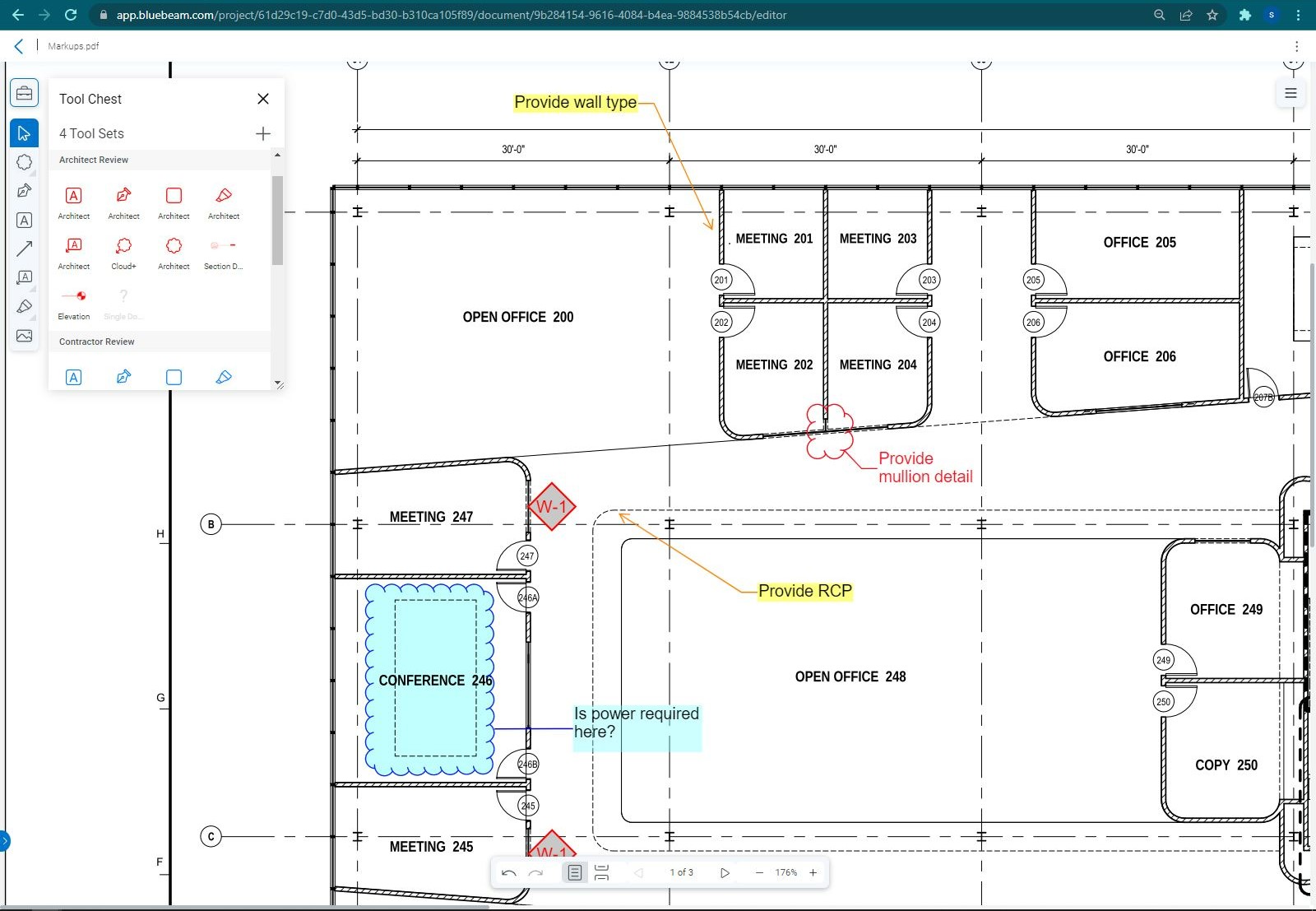
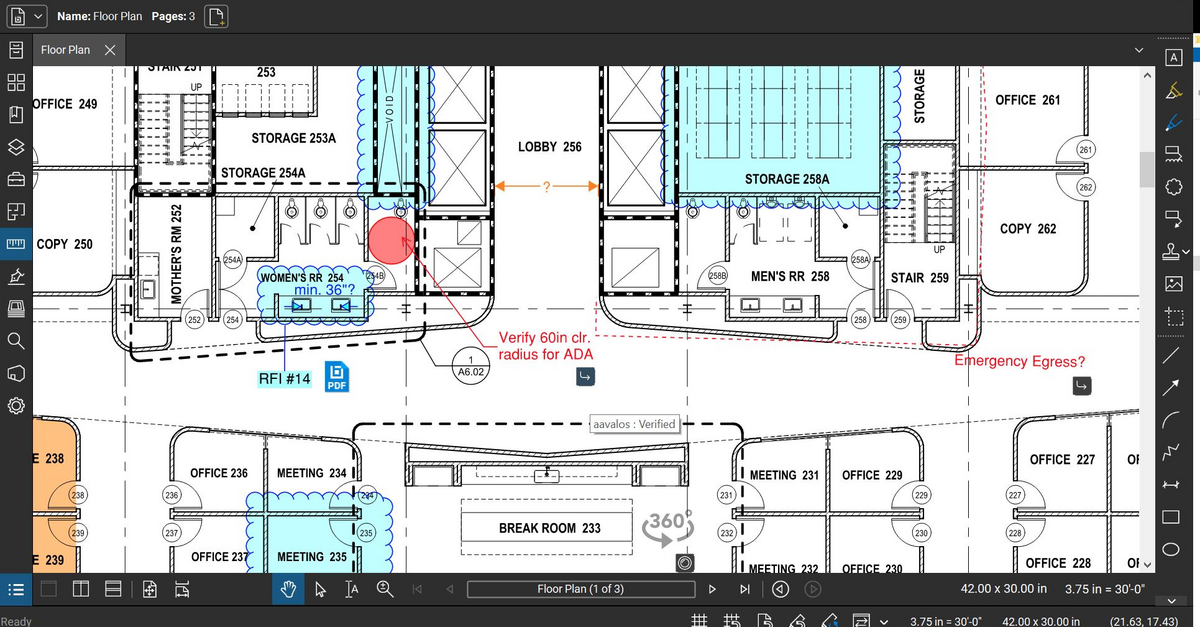
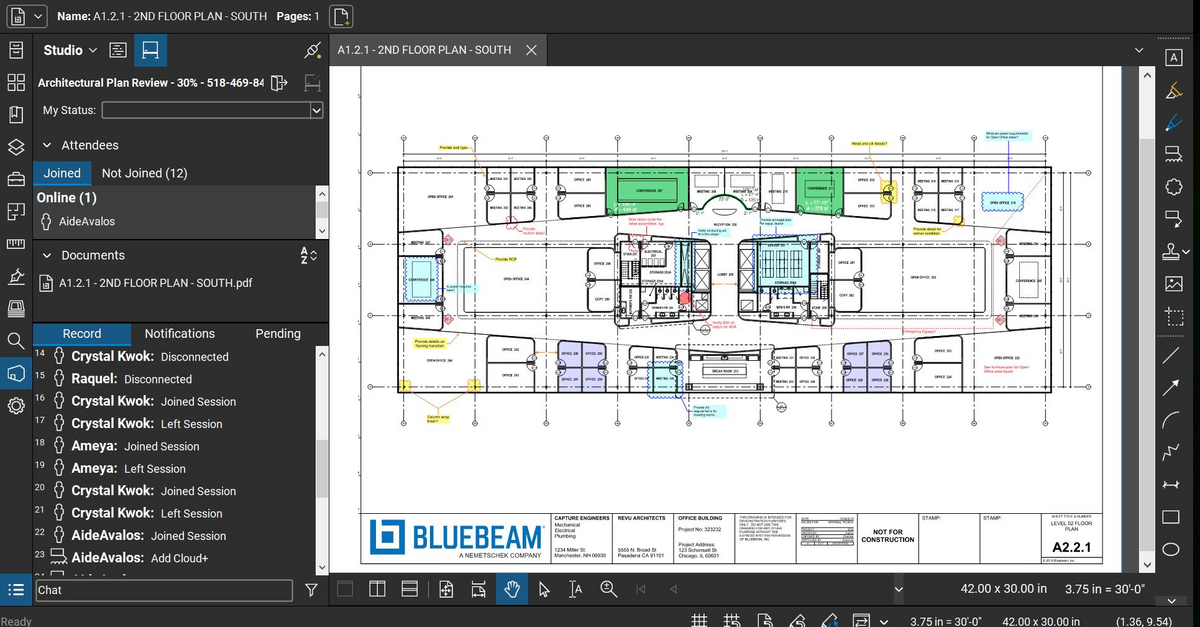
Bluebeam Revu is a PDF management, control, and editing tool. It enables collaboration and markup within shared documents across projects’ life cycles and has takeoff and bid creation capabilities.
$240
per year per user
iTWO costX
Score9 out of 10
N/A
CostX is a construction and estimation software offering from Exactal Technologies Pty Ltd.
N/A
Pricing
Bluebeam
iTWO costX
Editions & Modules
Revu Standard
$349
per seat
Revu CAD
$449
per seat
Revu eXtreme
$599
per seat
No answers on this topic
Offerings
Pricing Offerings
Bluebeam
iTWO costX
Free Trial
Yes
No
Free/Freemium Version
No
No
Premium Consulting/Integration Services
Yes
Yes
Entry-level Setup Fee
No setup fee
No setup fee
Additional Details
—
Pricing is determined by a number of factors. For example, would you want to use BIM or just 2D? Do you need estimating spreadsheets and report generation? Would you want to buy 100 copies or just one? If you send in a sales enquiry to sales.int@rib-software.com, we’ll be able to send you through a quote that will meet your requirements.
The program is great for editing construction drawings, stamping/approving official documents and overlaying revised documents to see design changes. You can use it as an estimating takeoff tool, estimating database, document control, cloud document storage, the list goes on! Bluebeam poses many applications for the user to utilize for the desired needs. There may be some other software that has one specific function that can perform the specific task better, but Bluebeam is a holistic program with many tools for use.
A de minimis incentive was given to thank the reviewer for their time. The incentive was not used to bias or drive a particular response, nor was the incentive contingent on a positive endorsement. More Info
Easy to use, one-stop for all construction-related tasks. The best thing is the split-screen, during the Bill of Quantity verification users can see for what part of the design Bill of Quantity is generated. Auto-updating of Design is another good feature.
A de minimis incentive was given to thank the reviewer for their time. The incentive was not used to bias or drive a particular response, nor was the incentive contingent on a positive endorsement. More Info
Once you set Bluebeam Revu as your default PDF handler, it launches immediately when clicking a PDF to open. The speed with which it opens documents is impressive.
Creating PDF's out of other documents, such as Word, Excel, JPG's, etc. is simple.
Digitally signing documents is a simple, secure process. You can keep your signature password-protected, yet still access it quickly.
The Bluebeam Revu mobile application ( I use the iOS version on an iPad Pro), is awesome. Not only does it handle PDF's like you would expect it to, it allows for effortless digital signing of documents on the fly. Nice to be able to quickly sign a document and email right back out from the tablet no matter where I am.
A de minimis incentive was given to thank the reviewer for their time. The incentive was not used to bias or drive a particular response, nor was the incentive contingent on a positive endorsement. More Info
Allows multiple users to work on the same estimate at once. This is huge!! Not only can we team up on a project that has a quick deadline but we can also simultaneously collaborate on database updates.
Performs your takeoff on CAD drawings or vector PDFs. Your typical takeoff software does takeoff on an unintelligent PDF. I say unintelligent because the process you go through is simply to trace the boundaries of your shape. This is time-consuming and can lead to mistakes. With CostX your cursor will stick to the line lines and takeoff the exact measurement. This has cut our takeoff time by 75%. The best part is that this is done in the same software as your estimating software. There are a few software's that have takeoff and estimating in one but CostX is the only one the provides CAD smart takeoff.
CostX is a lot like Excel. You have the flexibility to set up your workbooks the way your project team thinks. For example, ours is set up to evaluate labor in two ways; productivity (man-hours per widget) or crew hours (3 guys for two days for a given activity).
Reports are very flexible and the report writers is much easier than Crystal reports.
If you subscribe to the full version of CostX this provides the most powerful feature of them all......Auto-Revisioning. This function will compare two sets of drawings, identify the changes on a color coded drawing, ask for you to approve the changes and then update your estimate and takeoff. You can even use this to produce custom print outs for RFI's show your design team what changed.
Your estimating workbooks are live-linked to your takeoff. As you make adjustments to your takeoff your estimate updates accordingly. The workbook has color coded text to hep your team understand whats behind your estimate; Black = manually input, Blue = rates linked to database, and Green = quantity linked to take-off.
Full integrated subcontractor comparison. We use to do this in excel to compare multiple bidders across every division.
This is also color coded for a streamlined review process; green = quote, blue = estimate, purple = plug, and orange = other.
Built in error checking notifies you if you forgot to normalize an item on your subcontractor comparison.
In the near future the software will be available online allowing you to use remotely.
A de minimis incentive was given to thank the reviewer for their time. The incentive was not used to bias or drive a particular response, nor was the incentive contingent on a positive endorsement. More Info
If you have several tabs open and you try to drag one out for a side by side view then you do not have all the modification options and you have to combine them back together.
There is a lag time when hitting the print option.
There is also a lag time when opening files, sometimes I think the window is frozen.
I wish the basic version also had basic file editing, as in editing a document as Adobe does.
A de minimis incentive was given to thank the reviewer for their time. The incentive was not used to bias or drive a particular response, nor was the incentive contingent on a positive endorsement. More Info
A de minimis incentive was given to thank the reviewer for their time. The incentive was not used to bias or drive a particular response, nor was the incentive contingent on a positive endorsement. More Info
Bluebeam is a powerful PDF viewer and mark-up tool. We are more familiar with it than Adobe Acrobat Pro or other viewers, and it has more features geared towards construction document managers than Acrobat Pro does.
A de minimis incentive was given to thank the reviewer for their time. The incentive was not used to bias or drive a particular response, nor was the incentive contingent on a positive endorsement. More Info
I'm constantly finding that Bluebeam Revu does more than I knew it could. And when I find something that it can't do, I've found that Bluebeam truly listens to its user base and will work to incorporate any good suggestion when feasible.
A de minimis incentive was given to thank the reviewer for their time. The incentive was not used to bias or drive a particular response, nor was the incentive contingent on a positive endorsement. More Info
Its hard for me to give a rating on this one as we rarely have to use the support feature for Bluebeam. However, when we have used it, they have been ultra supportive in helping us get exactly what we needed. I know another engineer was trying to figure out a feature and the rep gave a detailed tutorial on how to complete the task
A de minimis incentive was given to thank the reviewer for their time. The incentive was not used to bias or drive a particular response, nor was the incentive contingent on a positive endorsement. More Info
We feel there is not another program out there that would compare to Bluebeam at this current time. Some of the other programs out there do not include studio or the overlaying process which is one of our main uses. The ease of hyperlinking makes this product stand out the most.
A de minimis incentive was given to thank the reviewer for their time. The incentive was not used to bias or drive a particular response, nor was the incentive contingent on a positive endorsement. More Info
A de minimis incentive was given to thank the reviewer for their time. The incentive was not used to bias or drive a particular response, nor was the incentive contingent on a positive endorsement. More Info
A major positive aspect is being able to take your computer home without taking the entire set of paper drawings. They have made it so easy to navigate a set of drawings that I can work at home using only the digital drawings.
Collaboration with owners and architects has been a great feature. Setting up a Bluebeam studio and having everyone get in and mark things up, then having the architect be able to go in and see what markups have been added, has made the constructability review process much much better.
Even when not working on drawings, Bluebeam is a very good tool for working with standard PDF documents. The markup tools are very easy to use.
The negative aspect is the takeoff function because some people would like estimators to use the Bluebeam takeoff because it would make their job easier down the road; however, the actual act of doing a full scale takeoff in Bluebeam would require much more time.
A de minimis incentive was given to thank the reviewer for their time. The incentive was not used to bias or drive a particular response, nor was the incentive contingent on a positive endorsement. More Info
Easy to Collaborate Between the Team members. Saves a lot of work
Integrate with multiple types of data drawing which saves efforts in converting the design.
Bill of Quantity export can be done based on the Design section and can share with contractors for Quotes. Instead of just downloading the whole report and then editing for the required pack.
A de minimis incentive was given to thank the reviewer for their time. The incentive was not used to bias or drive a particular response, nor was the incentive contingent on a positive endorsement. More Info