Bloomfire vs. Bolste

Overview
ProductRatingMost Used ByProduct SummaryStarting Price
Bloomfire
Score 8.4 out of 10
Enterprise companies (1,001+ employees)
Bloomfire provides knowledge engagement, aiming to deliver an experience that connects teams and individuals with the information they need to excel at their jobs. Their cloud-based knowledge engagement platform aims to give people one centralized, searchable place to engage with shared knowledge and grow their organization's collective intelligence.
$25
per month
Bolste
Score 9.1 out of 10
Enterprise companies (1,001+ employees)
Bolste™ is a complete business operating system, designed to simplify work-life and help businesses grow by streamlining communication and collaboration. The system brings together separate applications – email, chat, tasks, file-sharing, calendars, and more – into a single, simple platform. Available on the web and via iOS and Android apps, Bolste enables remote users to stay connected and productive from anywhere. The admin console shows employee activity, making it easy to…
$0
per user
Pricing
BloomfireBolste
Editions & Modules
Basic
$25.00
per month
Basic
$0
per user
Pro
$9.99
per month
Offerings
Pricing Offerings
BloomfireBolste
Free Trial
NoYes
Free/Freemium Version
NoYes
Premium Consulting/Integration Services
NoNo
Entry-level Setup Fee$25 No setup fee
Additional DetailsBolste offers three (3) packages that meet the exact needs of any user. BASIC is a free version perfect for an army of one or for small group to try out the solution. PRO is a more robust version perfect for larger teams and SMB organizations. CORPORATE is a full-scale version perfect for enterprise solutions.
More Pricing Information
Community Pulse
BloomfireBolste
Features
BloomfireBolste
Project Management
Comparison of Project Management features of Product A and Product B
Bloomfire
-
Ratings
Bolste
8.8
Ratings
13% above category average
Task Management00 Ratings9.10 Ratings
Gantt Charts00 Ratings8.20 Ratings
Scheduling00 Ratings8.20 Ratings
Workflow Automation00 Ratings9.10 Ratings
Mobile Access00 Ratings9.10 Ratings
Search00 Ratings9.10 Ratings
Communication
Comparison of Communication features of Product A and Product B
Bloomfire
-
Ratings
Bolste
8.7
Ratings
9% above category average
Chat00 Ratings9.10 Ratings
Notifications00 Ratings8.20 Ratings
Discussions00 Ratings8.20 Ratings
Internal knowledgebase00 Ratings8.20 Ratings
Integrates with GoToMeeting00 Ratings9.10 Ratings
Integrates with Gmail and Google Hangouts00 Ratings9.10 Ratings
Integrates with Outlook00 Ratings9.10 Ratings
File Sharing & Management
Comparison of File Sharing & Management features of Product A and Product B
Bloomfire
-
Ratings
Bolste
8.9
Ratings
13% above category average
Versioning00 Ratings8.20 Ratings
Video files00 Ratings9.10 Ratings
Audio files00 Ratings9.10 Ratings
Document collaboration00 Ratings9.10 Ratings
Access control00 Ratings9.10 Ratings
Advanced security features00 Ratings8.20 Ratings
Integrates with Google Drive00 Ratings9.10 Ratings
Device sync00 Ratings9.10 Ratings
Best Alternatives
BloomfireBolste
Small Businesses
Front
Front
Score 7.2 out of 10
Stackby
Stackby
Score 9.0 out of 10
Medium-sized Companies
Guru
Guru
Score 9.5 out of 10
Troop Messenger
Troop Messenger
Score 9.8 out of 10
Enterprises
Guru
Guru
Score 9.5 out of 10
HCL Connections
HCL Connections
Score 9.0 out of 10
All AlternativesView all alternativesView all alternatives
User Ratings
BloomfireBolste
Likelihood to Recommend
9.2
(0 ratings)
9.1
(0 ratings)
Likelihood to Renew
8.0
(0 ratings)
-
(0 ratings)
Usability
9.0
(0 ratings)
-
(0 ratings)
Support Rating
9.0
(0 ratings)
-
(0 ratings)
User Testimonials
BloomfireBolste
Likelihood to Recommend
I think Bloomfire is most appropriate in a medium to large business entity since onboarding can be difficult without an organized tool to prioritize job functions. It would be most well suited for positions that incorporate data analytics/reporting and consist of regular deliverables. So for example: if an accountant wants to learn how to compile a cash flow statement but also has to turn it into a client-facing presentation, there are resources specific to internal accounting and then separate resources (also in the accounting vertical) for data visualizations and client reporting.
Read full review
Bolste is best suited for companies that rely on team work and e-mail communication within/between departments
Read full review
Pros
  • Quickly reach out to whatever employee segment you want to reach by posting a topic and it will send a notification to everyone in that group with a link to the posting.
  • Bloomfire saves all of the previous posts so in your free time you can go to the site, and explore the various range of topics others have posted. The information on there will only be as good as the person posting it, but it will be people within your company and industry posting it. So it will always be helpful.
  • Bloomfire is a place to be noticed by your peers. Have a great topic you want to express, my company allows all to post there as long as we keep it professional. So you can share your ideas or experiences in a safe and productive manner. But we do have some fun on there too!
Read full review
  • Keeps everybody on the same page.
  • Easy to access/use.
Read full review
Cons
  • Providing more videos about the differences between the dental plans.
  • Providing more videos about the differences between the carriers in regards to med supp or med adv.
  • Providing more videos about processes and functions that we at AWL have to do on a daily basis.
Read full review
  • There is only 7GB of storage in the Plus Pack.
Read full review
Likelihood to Renew
I am with a different employer now days where training is not part of my job description. If I ever found myself doing E-Learning again, Bloomfire would be the first interface I would recommend.
Read full review
No answers on this topic
Usability
Bloomfire is an easy-to-use platform for posting information and asking questions of my peers. It also has a user-friendly search capability. Yet like any other CMS, the secret to success rests in such items as the ability to use metadata to tag content or posts, and Bloomfire provides a wide range of options to make posting content and subsequently searching for it.
Read full review
No answers on this topic
Support Rating
I have not needed to pose questions to the support team yet, as it is a very simple piece of software to use, however, its help documents and the bot ready to answer questions let me know I am in good hands. The help center could load a little quicker, but that's my only complaint.
Read full review
No answers on this topic
Alternatives Considered
- Easier to use - Easier to upload new information - Easier to search - Easier to share Bloomfire search-ability means much less work trying to organize and categorize documents. That means easier upload, which means more information gets stored there and used.
Read full review
No answers on this topic
Return on Investment
  • Feedback from users in being able to perform transactions for members has greatly improved.
  • There has been an increase in engagement of material presented in posts by learners in training classes.
  • Reps and agents say they feel confident they can easily locate information if ever there is a need on the front line.
Read full review
No answers on this topic
ScreenShots

Bloomfire Screenshots

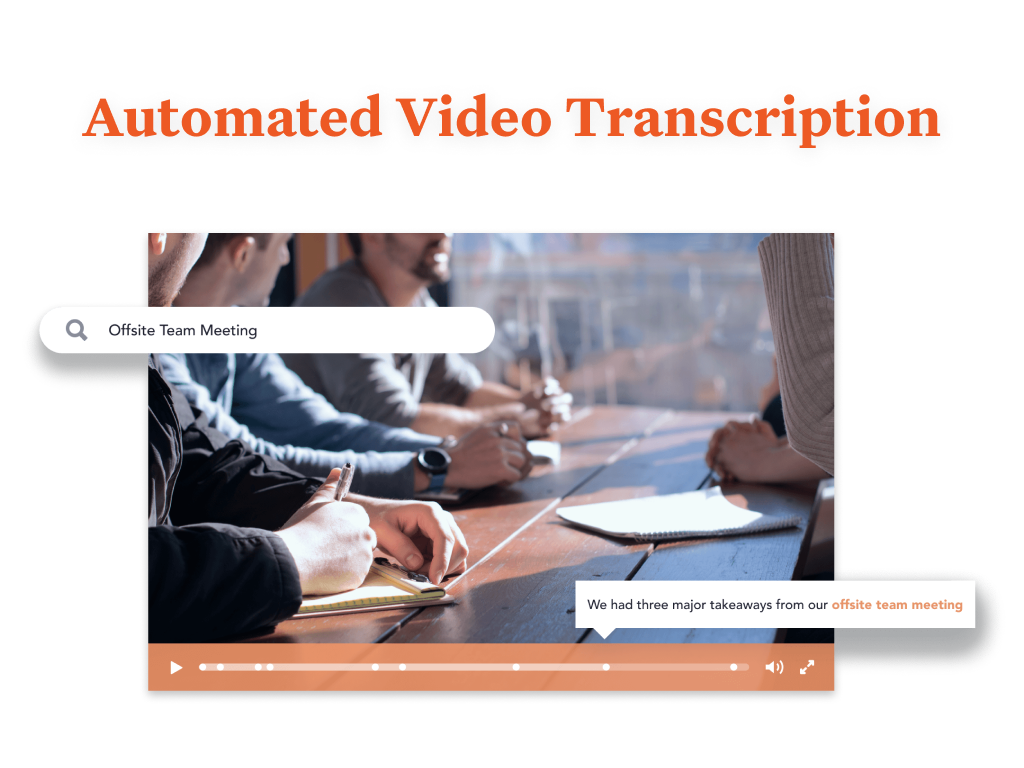
Screenshot of You are provided with a variety of options to brand your Bloomfire community, such as customizing its colors, displaying your organization’s logo, and building a custom Promo Bar. This creates an aesthetic that truly reflects your company’s culture.Screenshot of Bloomfire features an AI-powered search that makes sharing and searching for information a lot easier. It deep indexes every word in each piece of content, regardless of whether it’s a PDF, slide deck, video, or any other file type. The platform also creates tags for your content automatically. And if a video is uploaded, Bloomfire automatically transcribes it, making the spoken words searchable and allowing users to jump to the exact part of a video where certain keywords appear.

All of those features result in an easy and smart searching experience. There’s no need to navigate through folders or guess file names. All you need to do is perform a search like you would with Google. When searching, you can further narrow down your results based on categories such as author and content type.Screenshot of Bloomfire's AI enables you to search and find the video you are looking for based on its audio contents.Screenshot of Use Bloomfire while you work seamlessly across your favorite apps.

Bolste Screenshots

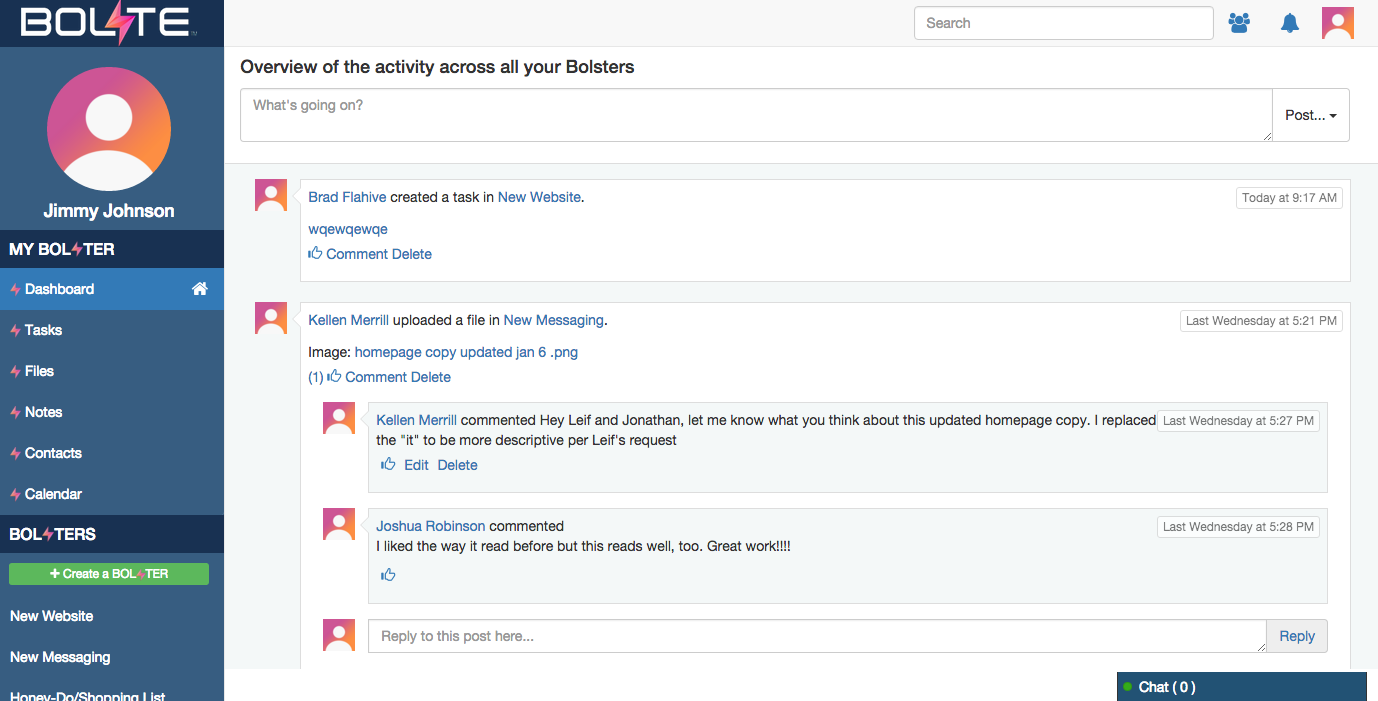
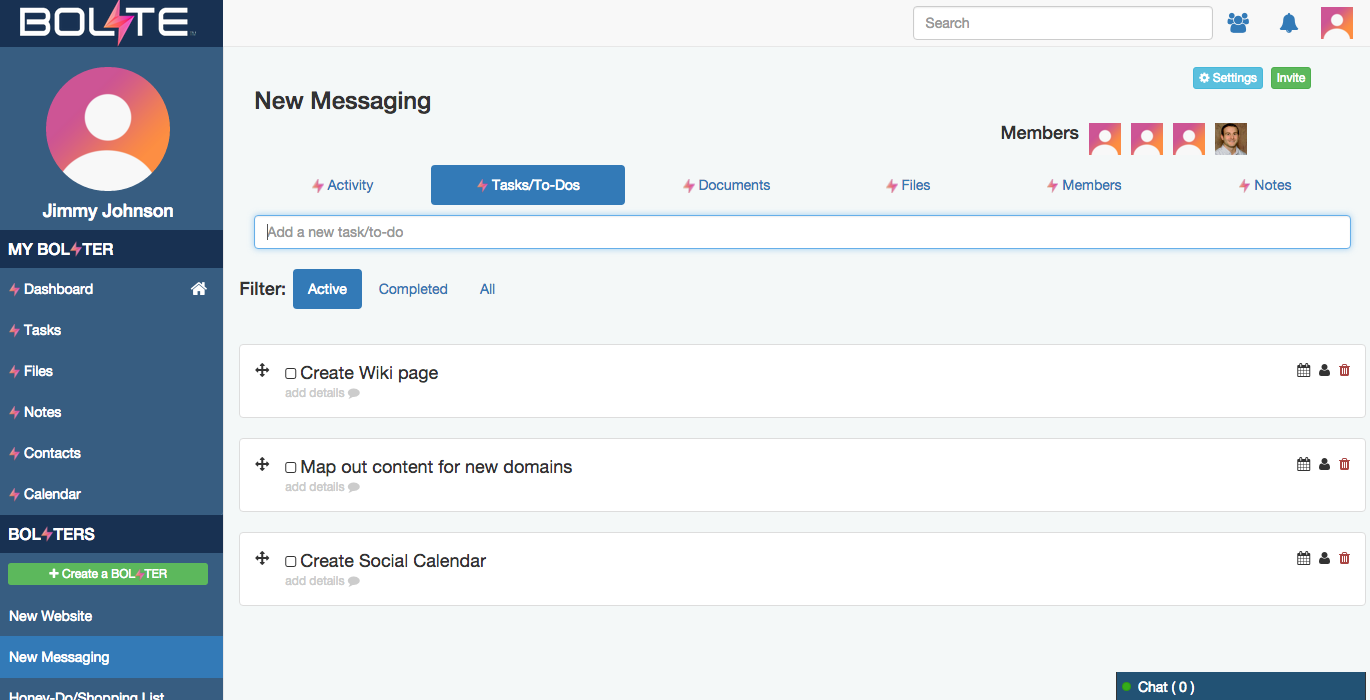
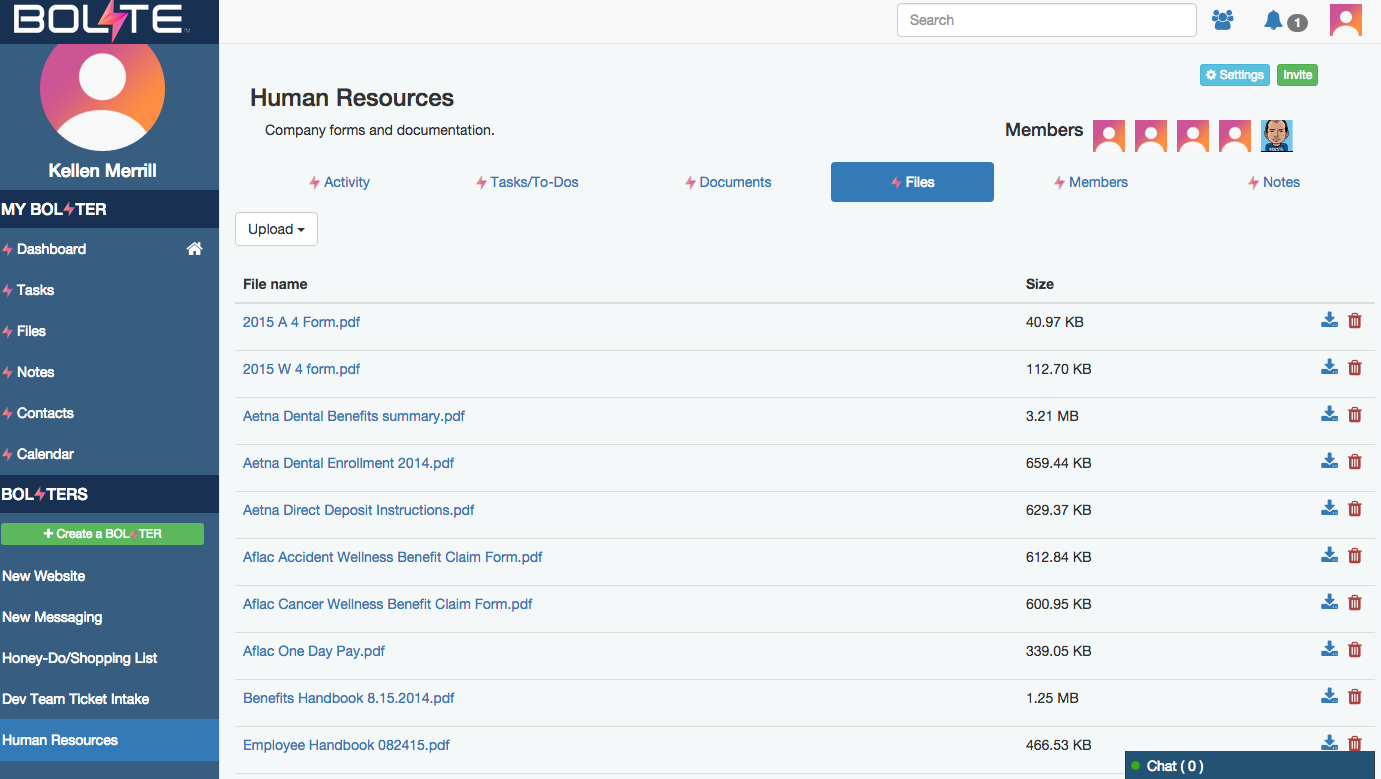
Screenshot of Activity Feed – displaying all activity across a your account, making it easy to see the latestScreenshot of Calendar – for scheduling meetings / events and tracking task due datesScreenshot of Tasks – for creating, assigning and managing tasks or "to-dos"Screenshot of Contacts – enabling you to easily connect with contacts from inside and out of your organizationScreenshot of Shared Files – allowing you to easily share and find filesScreenshot of Bolster Navigation – where you find your personal tools and files (under My Bolster), as well as your shared Bolsters for collaboration