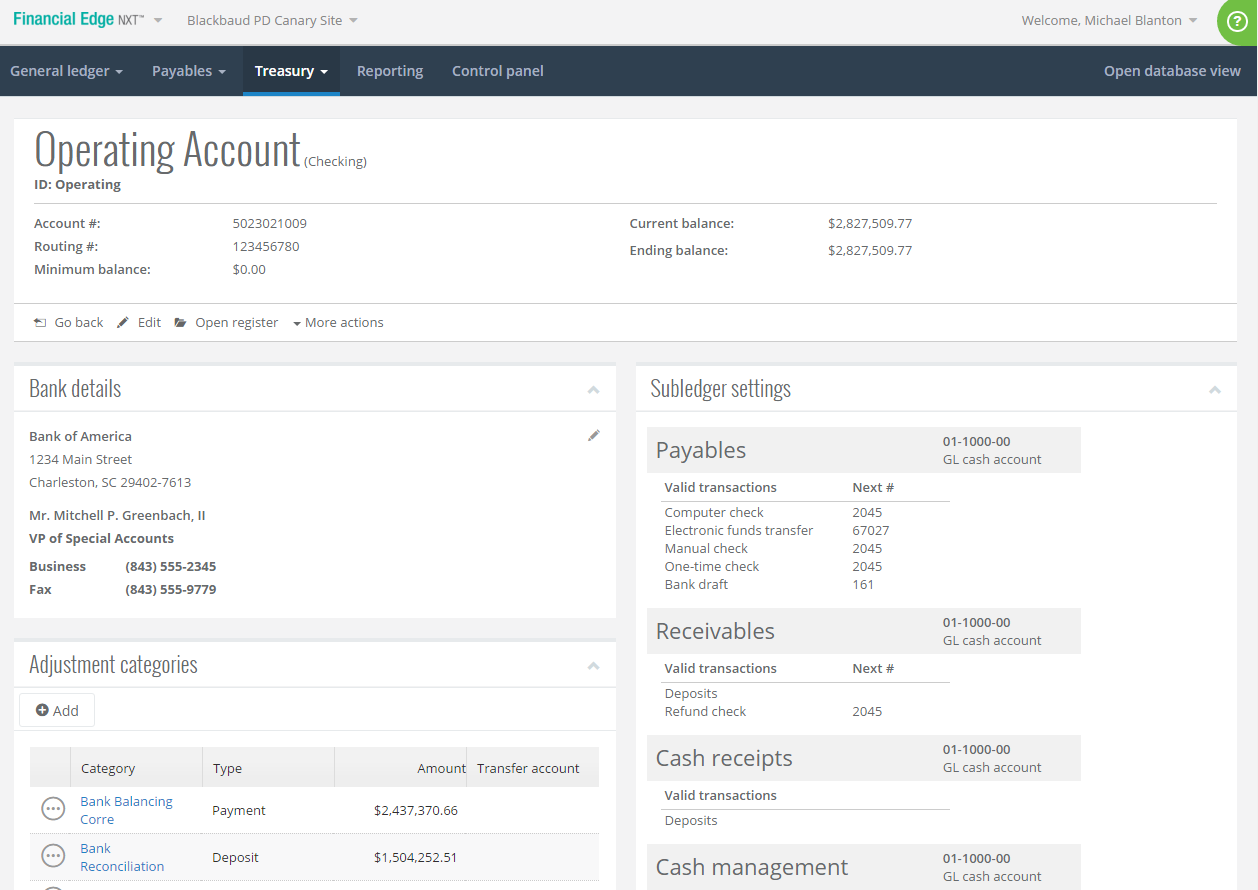
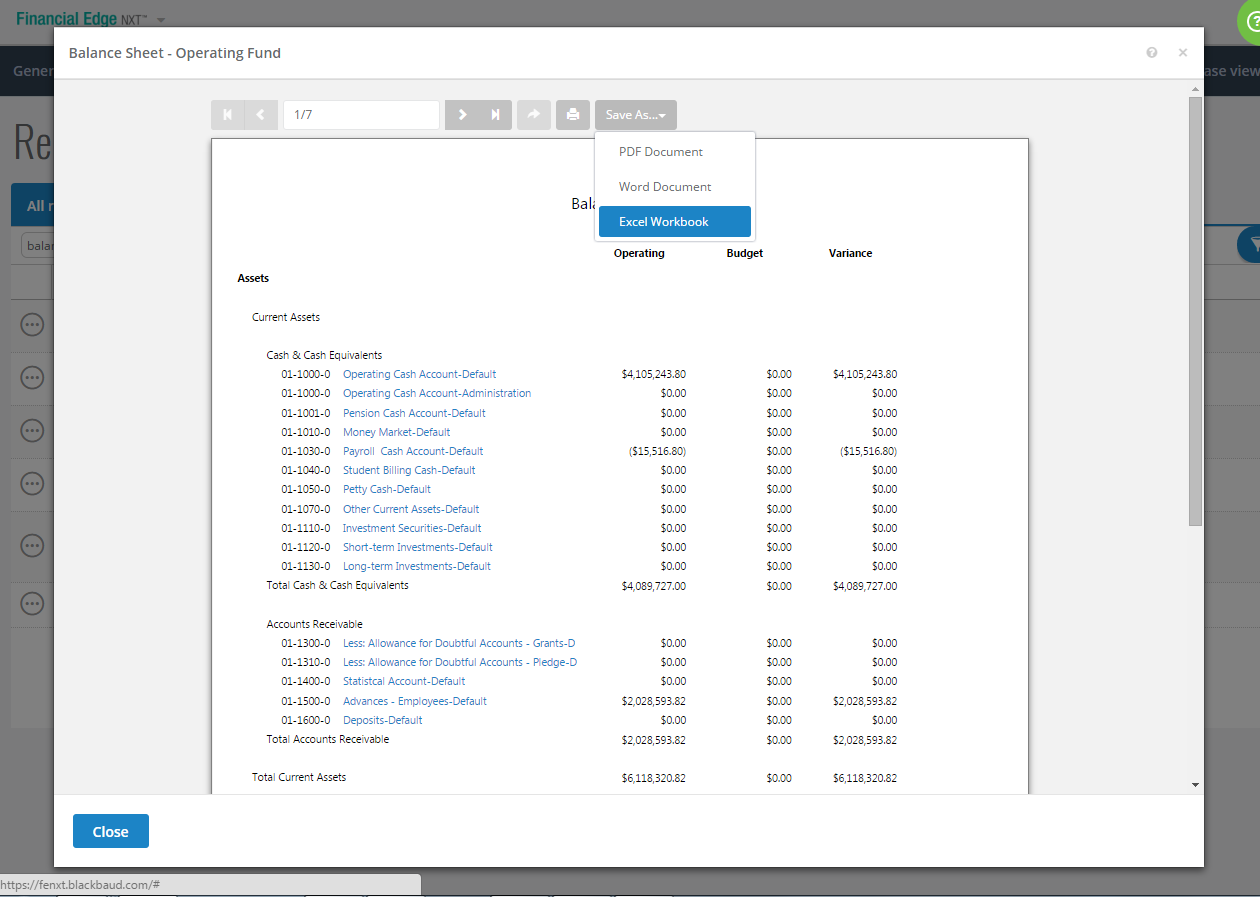
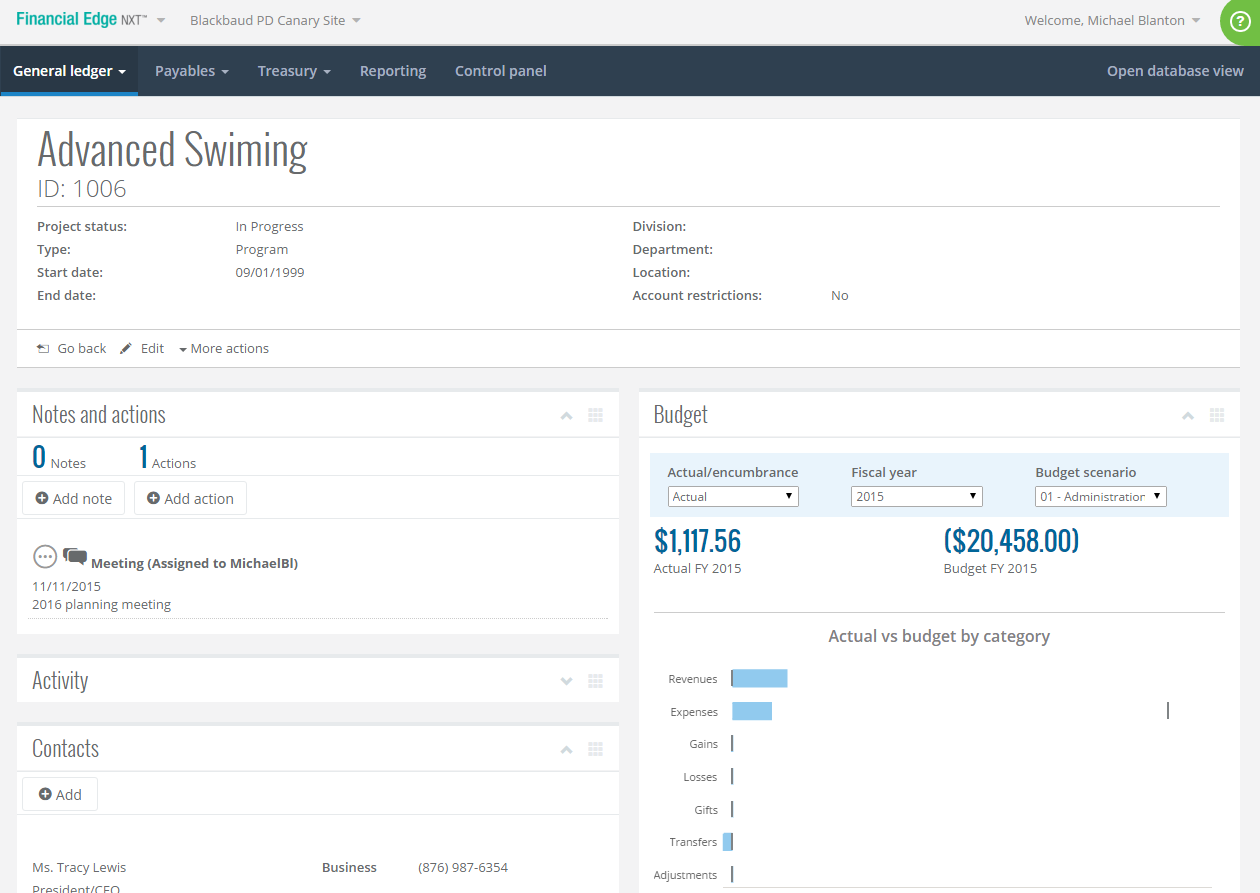
Financial Edge NXT is a cloud accounting solution tailored for nonprofits that provides a general ledger, projects, grants, endowments, accounts payable and receivable, fixed assets, banking, and more. It offers real-time reporting, with one-click drill-down functionality and export capability.
N/A
QuickBooks Online
Score8.3 out of 10
N/A
QuickBooks Online is a SaaS version of the QuickBooks product. It contains all of the features found in the local version. Higher-priced plans include greater automation, payment management, inventory and time tracking, and analytics features.
$38
per month
Pricing
Blackbaud Financial Edge NXT
QuickBooks Online
Editions & Modules
No answers on this topic
Simple Start
$38
per month
Essentials
$75
per month
Plus
$115
per month
Advanced
$275
per month
Offerings
Pricing Offerings
Blackbaud Financial Edge NXT
QuickBooks Online
Free Trial
No
Yes
Free/Freemium Version
No
No
Premium Consulting/Integration Services
Yes
Yes
Entry-level Setup Fee
Required
No setup fee
Additional Details
Blackbaud is currently offering the first six months of Financial Edge NXT free for new customers. Limited conditions apply.
—
More Pricing Information
Community Pulse
Blackbaud Financial Edge NXT
QuickBooks Online
Considered Both Products
Blackbaud
Verified User
Chose Blackbaud Financial Edge NXT
Blackbaud Financial Edge NXT has better security and features allowing for internal controls than QuickBooks Online.
A de minimis incentive was given to thank the reviewer for their time. The incentive was not used to bias or drive a particular response, nor was the incentive contingent on a positive endorsement. TR verified that a representative sample of customers was invited. More Info
Verified User
Chose Blackbaud Financial Edge NXT
For non-profit specific accounting use cases, Blackbaud Financial Edge NXT provides a robust, yet very user friendly interface that supports all operational accounting, reporting, and regulatory needs. When coupled with other Blackbaud products (Tuition Management, Raiser's …
A de minimis incentive was given to thank the reviewer for their time. The incentive was not used to bias or drive a particular response, nor was the incentive contingent on a positive endorsement. More Info
Senior Accountant in Finance and Accounting at The Weld Trust (Philanthropy, 11-50 employees)
Chose Blackbaud Financial Edge NXT
Blackbaud Financial Edge NXT is clearly designed for the non-profit industry organizations, and it shows! The features would not necessarily be a great asset to some for-profit businesses given the design and focus on grant/fund reporting, but for non-profits it hits the "ball …
A de minimis incentive was given to thank the reviewer for their time. The incentive was not used to bias or drive a particular response, nor was the incentive contingent on a positive endorsement. TR verified that a representative sample of customers was invited. More Info
Verified User
Chose Blackbaud Financial Edge NXT
Sage wasn’t updated at the time. It is now and would be my lead choice. Quick books isn’t as sophisticated with restricted fund accounting.
A de minimis incentive was given to thank the reviewer for their time. The incentive was not used to bias or drive a particular response, nor was the incentive contingent on a positive endorsement. TR verified that a representative sample of customers was invited. More Info
A de minimis incentive was given to thank the reviewer for their time. The incentive was not used to bias or drive a particular response, nor was the incentive contingent on a positive endorsement. TR verified that a representative sample of customers was invited. More Info
A de minimis incentive was given to thank the reviewer for their time. The incentive was not used to bias or drive a particular response, nor was the incentive contingent on a positive endorsement. TR verified that a representative sample of customers was invited. More Info
Verified User
Chose Blackbaud Financial Edge NXT
Similar to other products in overall services and capabilities. As user-friendly as other programs, in most cases.
A de minimis incentive was given to thank the reviewer for their time. The incentive was not used to bias or drive a particular response, nor was the incentive contingent on a positive endorsement. TR verified that a representative sample of customers was invited. More Info
A de minimis incentive was given to thank the reviewer for their time. The incentive was not used to bias or drive a particular response, nor was the incentive contingent on a positive endorsement. TR verified that a representative sample of customers was invited. More Info
Verified User
Chose Blackbaud Financial Edge NXT
Just does not have the functionality or the capabilities we need
A de minimis incentive was given to thank the reviewer for their time. The incentive was not used to bias or drive a particular response, nor was the incentive contingent on a positive endorsement. TR verified that a representative sample of customers was invited. More Info
A de minimis incentive was given to thank the reviewer for their time. The incentive was not used to bias or drive a particular response, nor was the incentive contingent on a positive endorsement. TR verified that a representative sample of customers was invited. More Info
A de minimis incentive was given to thank the reviewer for their time. The incentive was not used to bias or drive a particular response, nor was the incentive contingent on a positive endorsement. TR verified that a representative sample of customers was invited. More Info
Verified User
Chose Blackbaud Financial Edge NXT
NXT is created for the specific unique needs of the nonprofit industry. Quickbooks is usable but doesn't have the functionality and reliability of NXT. It has been many years since I used Quickbooks, so maybe it has improved, but I don't know of another accounting program that …
A de minimis incentive was given to thank the reviewer for their time. The incentive was not used to bias or drive a particular response, nor was the incentive contingent on a positive endorsement. TR verified that a representative sample of customers was invited. More Info
Verified User
Chose Blackbaud Financial Edge NXT
Blackbaud more securely accommodates "closing" periods and makes it impossible to make changes to prior periods without Journal entries. The built-in approval process for AP.
A de minimis incentive was given to thank the reviewer for their time. The incentive was not used to bias or drive a particular response, nor was the incentive contingent on a positive endorsement. TR verified that a representative sample of customers was invited. More Info
A de minimis incentive was given to thank the reviewer for their time. The incentive was not used to bias or drive a particular response, nor was the incentive contingent on a positive endorsement. TR verified that a representative sample of customers was invited. More Info
US Operations in Finance and Accounting at Self-Help International (Civic & Social Organization, 1-10 employees)
Chose Blackbaud Financial Edge NXT
FENXT was our first choice when we switched from QB Desktop. QB no longer met our needs because its ability to accommodate fund accounting is very limited, as is its budgeting module. We use QBO for a subsidiary, but it has the same top-level limitations. We evaluated Sage, …
A de minimis incentive was given to thank the reviewer for their time. The incentive was not used to bias or drive a particular response, nor was the incentive contingent on a positive endorsement. More Info
Senior Project Accountant in Finance and Accounting at Water.org (Non-Profit Organization Management, 51-200 employees)
Chose Blackbaud Financial Edge NXT
More flexibility when it comes to number or tracking options (project, dept, etc). QuickBooks is a good solution for small organizations but we had outgrown it (but still use if for our offices overseas).
A de minimis incentive was given to thank the reviewer for their time. The incentive was not used to bias or drive a particular response, nor was the incentive contingent on a positive endorsement. More Info
A de minimis incentive was given to thank the reviewer for their time. The incentive was not used to bias or drive a particular response, nor was the incentive contingent on a positive endorsement. More Info
Verified User
Chose Blackbaud Financial Edge NXT
I believe the Project aspect is great, but QuickBooks is more user friendly in terms of learning.
A de minimis incentive was given to thank the reviewer for their time. The incentive was not used to bias or drive a particular response, nor was the incentive contingent on a positive endorsement. More Info
Intuit
Verified User
Chose QuickBooks Online
User friendly for smaller communities. The cost seems to be reasonable for smaller communities. Support is helpful, and trainings provided online are helpful.
A de minimis incentive was given to thank the reviewer for their time. The incentive was not used to bias or drive a particular response, nor was the incentive contingent on a positive endorsement. More Info
The look of the reports and the platform is great. It's easy to lookup vendors and find some information. I wish the flow to navigate around the system was more intuitive. We tend to do more going back and forth to move to another vendor. It must be an easier solution. But that's the learning curve piece we need.
A de minimis incentive was given to thank the reviewer for their time. The incentive was not used to bias or drive a particular response, nor was the incentive contingent on a positive endorsement. TR verified that a representative sample of customers was invited. More Info
I appreciate the ability to auto-generate invoices for recurring transactions, which saves time, as well as the option to set up auto-generated transactions. The report option is super helpful when reviewing information, as you can click to view the details in the report without having to go back and forth.
A de minimis incentive was given to thank the reviewer for their time. The incentive was not used to bias or drive a particular response, nor was the incentive contingent on a positive endorsement. TR verified that a representative sample of customers was invited. More Info
Uploading and inputting information is easy due to a clear format and outline.
Researching and finding past information is quick and easy to navigate due to searching and filtering options as well as the ability to name the files for quick searches.
Pulling project titles and accounts - you can have a large amount of projects and accounts and are able to know them through the system without having to memorize each individual title.
Being able to export a general ledger for an account to excel while still being formatted correctly.
Having the ability to filter in what transactions are pulled in the general ledger. You are able to easily look at all the activity or only activity in a certain time frame or other specific filters.
There is always access to help from Blackbaud services for any sort of difficulty.
Learning and the ability to attend Blackbaud classes are readily and easily available so you can increase your knowledge and ability to serve well in your organizations' role.
A de minimis incentive was given to thank the reviewer for their time. The incentive was not used to bias or drive a particular response, nor was the incentive contingent on a positive endorsement. TR verified that a representative sample of customers was invited. More Info
Workflows for accounts payable invoice review are terrific.
Bill payment allows you to pay vendors online via ACH or check without having to write a physical check, which reduces admin time.
The cloud based login lends well to a remote or hybrid work environment for staff.
QuickBooks Online allows you to pre-configure vendors' general ledger expense accounts. This helps with general ledger coding accuracy and consistency.
QuickBooks Online integrates with Rippling HRIS, Coast, Capital One, JPMorgan Chase, etc., which lends well to an efficient month-end closing and reduced administrative time.
A de minimis incentive was given to thank the reviewer for their time. The incentive was not used to bias or drive a particular response, nor was the incentive contingent on a positive endorsement. TR verified that a representative sample of customers was invited. More Info
Queries is not fully set up yet and could use more functionality within the reporting structure
Recurring payments do not seem to be moving forward and we have several annuities that run quarterly
Queue appears to be going away and report scheduling is coming, however, you cannot send to users outside of your organization. We run so many monthly reports that we used to have emailed out via queue that now we have to run them manually and save them to a sharepoint site for our campus partners to access.
A little concerned with printing checks once database view goes away since the one time I tried it the printing margins were totally off.
Integration of papersave products and cash receipts.
A de minimis incentive was given to thank the reviewer for their time. The incentive was not used to bias or drive a particular response, nor was the incentive contingent on a positive endorsement. More Info
The upsells have gotten worse over time and are on every screen in the most awkward positions. I don't need a constant reminder to upgrade, especially on a very old account that's paid thousands over the years.
The interface has never been especially intuitive, but I was an old Quicken user and it was somewhat familiar. Over time, it's gotten worse, and in the last 2 years, the program seems to move things more often than I would expect.
The software constantly adds features that I don't want and want to turn off, but the interface is so difficult to use that I find myself skipping it. Imagine seeing a message that the system recognized invoices that hadn't been paid so it prepared reminder notices for you that can be sent at the click of a button. Who thinks using canned reminders that you've never seen is a good thing?
A lot of functionality seems to derive from connecting your bank accounts to QBO. I don't want Intuit to have an always-on connection to any bank accounts, even checking.
A de minimis incentive was given to thank the reviewer for their time. The incentive was not used to bias or drive a particular response, nor was the incentive contingent on a positive endorsement. TR verified that a representative sample of customers was invited. More Info
BB seems to forcing changes on customers at a faster rate. This company needs stability because it is understaffed in accounting. There isn't time to drop everything and work up workarounds or even try to judge effects. There also isn't the time to find a replacement suite unless things get really bad.
A de minimis incentive was given to thank the reviewer for their time. The incentive was not used to bias or drive a particular response, nor was the incentive contingent on a positive endorsement. TR verified that a representative sample of customers was invited. More Info
It like the product 'right out of the box' and I trust Intuit will continually improve it over the years based on my experience with their desktop products. The large providers of Apps makes customizing the entire package relatively easy and seamless for a wide variety of business types.
A de minimis incentive was given to thank the reviewer for their time. The incentive was not used to bias or drive a particular response, nor was the incentive contingent on a positive endorsement. More Info
I don't have much to compare it to but if I speak of just the reporting options; sometimes there are so many options I spend more time finding the "perfect" report when a basic report with minimal columns is needed. But I know I can always add to the report if asked.
A de minimis incentive was given to thank the reviewer for their time. The incentive was not used to bias or drive a particular response, nor was the incentive contingent on a positive endorsement. TR verified that a representative sample of customers was invited. More Info
I had very little trouble setting up the program and migrating from our old accounting system. The daily usage is also very intuitive and easy. Anytime we run into minor trouble with the program, there are always tons of help available on YouTube, so we don't even look up the online manual anymore.
A de minimis incentive was given to thank the reviewer for their time. The incentive was not used to bias or drive a particular response, nor was the incentive contingent on a positive endorsement. More Info
A de minimis incentive was given to thank the reviewer for their time. The incentive was not used to bias or drive a particular response, nor was the incentive contingent on a positive endorsement. More Info
A de minimis incentive was given to thank the reviewer for their time. The incentive was not used to bias or drive a particular response, nor was the incentive contingent on a positive endorsement. More Info
No one is perfect, but this support team is as close as it gets. They respond promptly and if the person I'm talking to doesn't have the answer they find someone that does. They also provide documentation and/or resources to support their responses to my questions. The online chat is awesome and usually all I need
A de minimis incentive was given to thank the reviewer for their time. The incentive was not used to bias or drive a particular response, nor was the incentive contingent on a positive endorsement. TR verified that a representative sample of customers was invited. More Info
In my experience, most representatives keep me on the phone for hours, literally, for a single issue and then usually cannot resolve it satisfactorily. I have 10 open cases that need resolution and, in my experience, there has been NO follow-up communication on any of them.
A de minimis incentive was given to thank the reviewer for their time. The incentive was not used to bias or drive a particular response, nor was the incentive contingent on a positive endorsement. More Info
The training is semi helpful if you have already been in the system. If you are completely new it does make it kind of hard since chart of accounts will be different among organizations. For a general idea it is helpful. One complaint on training would be that as FENXT is attempting to go fully to the web solution there were often times things that were moved or changed that even the trainer was unaware of and had to adapt on the fly.
A de minimis incentive was given to thank the reviewer for their time. The incentive was not used to bias or drive a particular response, nor was the incentive contingent on a positive endorsement. More Info
The implementation can be easy depending on how familiar you are with Blackbaud products. It is cloud based so there is not a need for IT involvement but you do need to know your business requirement.
A de minimis incentive was given to thank the reviewer for their time. The incentive was not used to bias or drive a particular response, nor was the incentive contingent on a positive endorsement. More Info
The person in charge of QB needs to be very accurate with record keeping and is recommended to stay on top of tasks. The biggest issue we have is reconciliation, and those issues occur only when too much time has occurred between reconciliations
A de minimis incentive was given to thank the reviewer for their time. The incentive was not used to bias or drive a particular response, nor was the incentive contingent on a positive endorsement. More Info
Prior to using Blackbaud Financial Edge NXT, a financial software package offered by Sage was used. Blackbaud Financial Edge NXT is much more user friendly, and integrates with the fundraising software used by the Foundation, Raiser's Edge. The integration has eliminated duplicate entry of donor information into the financial software. In addition, the add-in tools provided by Blackbaud Financial Edge NXT make journal entries a much more efficient process.
A de minimis incentive was given to thank the reviewer for their time. The incentive was not used to bias or drive a particular response, nor was the incentive contingent on a positive endorsement. TR verified that a representative sample of customers was invited. More Info
As a freelance bookkeeper, the Desktop version of QuickBooks Online doesn't allow for ease of access from any device. Having to be on a computer with the software downloaded creates additional work to gain access to all required filings etc. Also, I personally find the linking functionality on the Online version to be much more streamlined and user friendly.
As we have grown along our professional path, we have also expanded our use of QB. The scalability is easy and features seem to be waiting for you until you need them. We have increased profits by over 10x from our first year in business to the current and have yet to find a reason to look elsewhere
A de minimis incentive was given to thank the reviewer for their time. The incentive was not used to bias or drive a particular response, nor was the incentive contingent on a positive endorsement. More Info
Record accuracy has gone up with Blackbaud Financial Edge NXT. We are able to keep everything separate using both natural accounts and projects.
The AP module has increased our speed in issuing checks. We are able to easily review and see where approvals may be stuck in order to get checks out promptly.
The approval chains and easily viewed records of approvals have helped our auditors easily track processes for internal control walkthroughs.
A de minimis incentive was given to thank the reviewer for their time. The incentive was not used to bias or drive a particular response, nor was the incentive contingent on a positive endorsement. TR verified that a representative sample of customers was invited. More Info
QuickBooks has given us a useful portal by which to get an overview of our financials.
QuickBooks has given us a relatively easy way to send out invoices quickly and efficiently.
Due to the customization limitations on QuickBooks, we've had to get creative in third-party implementations to better represent our brand and to track financials.
A de minimis incentive was given to thank the reviewer for their time. The incentive was not used to bias or drive a particular response, nor was the incentive contingent on a positive endorsement. More Info