
Bitwarden vs. Logii Browser
| Product | Rating | Most Used By | Product Summary | Starting Price |
|---|---|---|---|---|
 Bitwarden | Score9.4 out of 10 | N/A | Bitwarden headquartered in Santa Barbara offers open source password management solutions for individuals, teams, and business organizations. | $48 per year per user |
 Logii Browser | N/A | N/A | Logii is a multi-login browser which helps businesses to run multiple social & ad accounts securely. It also offers anti-detection capabilities in order to streamline the marketing process. This browser aims to make it easier for people to share their accounts with their team members or colleagues without having the need to share the OTPs or passwords. | $67 one-time fee per user |
| Bitwarden | Logii Browser | |||||||||||||||
|---|---|---|---|---|---|---|---|---|---|---|---|---|---|---|---|---|
| Editions & Modules |
| No answers on this topic | ||||||||||||||
| Offerings |
| |||||||||||||||
| Entry-level Setup Fee | No setup fee | No setup fee | ||||||||||||||
| Additional Details | — | Logii Browser Elite Monthly Payment- $17 Logii Browser Elite One-Time Payment- $67 | ||||||||||||||
| More Pricing Information | ||||||||||||||||
| Bitwarden | Logii Browser | |
|---|---|---|
| Considered Both Products | No answer on this topic | No answer on this topic |
| Key User Insights | ||
| Would buy again | ||
100% Would buy again 8 Answers | No answers on this topic | |
| Delivers good value for the price | ||
100% Delivers good value for the price 8 Answers | No answers on this topic | |
| Happy with the feature set | ||
100% Happy with the feature set 8 Answers | No answers on this topic | |
| Lived up to sales and marketing promises | ||
100% Lived up to sales and marketing promises 5 Answers | No answers on this topic | |
| Implementation went as expected | ||
100% Implementation went as expected 8 Answers | No answers on this topic | |
| Bitwarden | Logii Browser | |
|---|---|---|
| Small Businesses |  RoboForm Score9.9 out of 10 |  Atlassian Crowd Score6 out of 10 |
| Medium-sized Companies |  1Password Score9.5 out of 10 | No answers on this topic |
| Enterprises |  KeePass Score8.8 out of 10 |  Imprivata Enterprise Access Management Score6.7 out of 10 |
| All Alternatives | View all alternatives | View all alternatives |
| Bitwarden | Logii Browser | |
|---|---|---|
| Likelihood to Recommend | 9.7 | - |
| Usability | 9.7 | - |
| Bitwarden | Logii Browser | |
|---|---|---|
| Likelihood to Recommend |
| No answers on this topic |
| Pros |
| No answers on this topic |
| Cons |
| No answers on this topic |
| Usability |
| No answers on this topic |
| Alternatives Considered |
| No answers on this topic |
| Return on Investment |
| No answers on this topic |
| ScreenShots | Bitwarden Screenshots      | Logii Browser Screenshots 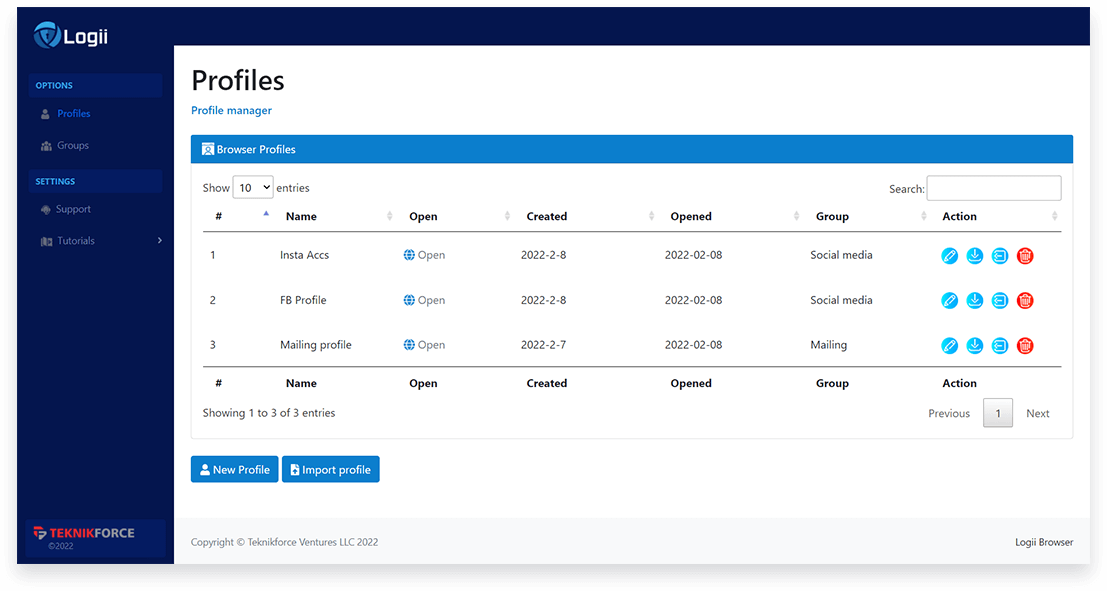    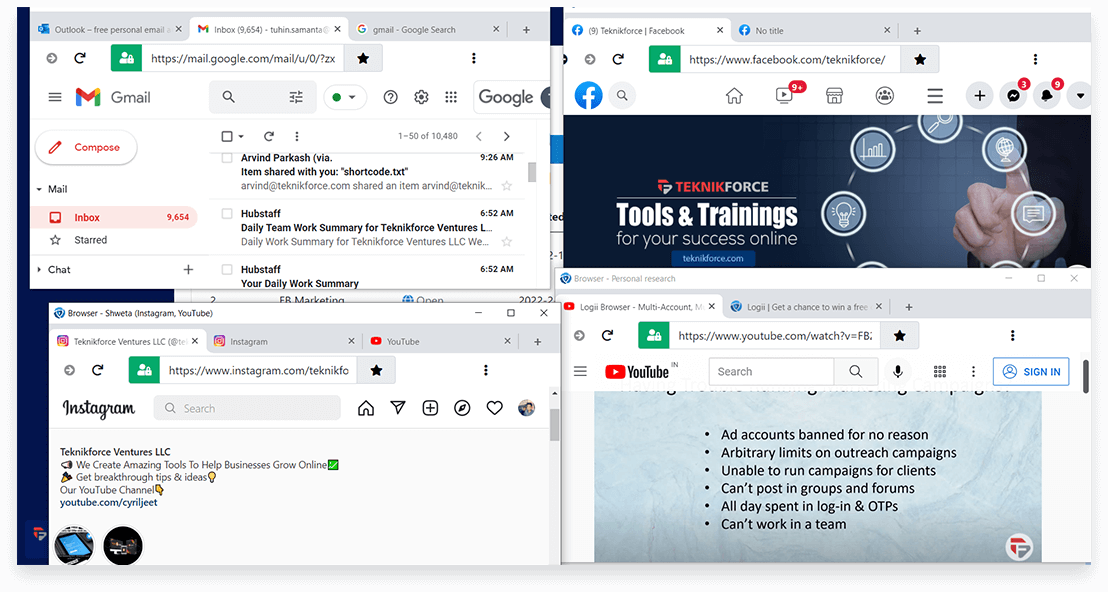 |


