BigPicture vs. Microsoft Project Server

Overview
ProductRatingMost Used ByProduct SummaryStarting Price
BigPicture
Score 0.0 out of 10
N/A
BigPicture is a Portfolio, Product, and Project Management application for Atlassian Jira. It gives managers clarity of information, helps them visualize even complex initiatives, distribute workloads and allocate resources, coordinate team's work, report on progress, and ensure perfect strategy-to-execution alignment at all levels. The system supports agile, classic, and hybrid management methodologies and allows for combining them freely at the portfolio level. BigPicture is presented by the…N/A
Microsoft Project Server
Score 7.6 out of 10
N/A
Microsoft Project Server is a project portfolio management option.N/A
Pricing
BigPictureMicrosoft Project Server
Editions & Modules
No answers on this topic
Offerings
Pricing Offerings
BigPictureMicrosoft Project Server
Free Trial
YesNo
Free/Freemium Version
NoNo
Premium Consulting/Integration Services
NoNo
Entry-level Setup FeeOptionalNo setup fee
Additional Details
More Pricing Information
Community Pulse
BigPictureMicrosoft Project Server
User Ratings
BigPictureMicrosoft Project Server
Likelihood to Recommend
-
(0 ratings)
8.0
(0 ratings)
Usability
-
(0 ratings)
10.0
(0 ratings)
Implementation Rating
-
(0 ratings)
10.0
(0 ratings)
User Testimonials
BigPictureMicrosoft Project Server
Likelihood to Recommend
No answers on this topic
You will be able to do the project management (scheduling, tasks assignment, resources allocation, cost tracking) for all your projects in one place, where the team members can contribute and keep the plans up to date. The web version does the main job right but if you find it more difficult to use you just use the standalone Microsoft Project and upload the changes back to the server.
Read full review
Pros
No answers on this topic
  • Ability to update project plans on the move in any location. Plans can even be updated offline and saved back to the server when the connection is reestablished.
  • Visibility of resource assignments across the company allows us to plan project start dates easily and effectively.
  • Being a Microsoft product, it is intuitive to administer and easy to configure to our individual requirements.
Read full review
Cons
No answers on this topic
  • Resource loading and leveling extremely complicated within the tool
  • Software makes incorrect assumptions and changes without user knowledge
  • Inconsistencies within the tool make it hard to predict & troubleshoot
Read full review
Usability
No answers on this topic
We don't have to worry about maintenance, upgrades, or compatibility issues. All the capabilities we need are there, and are easily customizable.
Read full review
Implementation Rating
No answers on this topic
Per Microsoft, Project Online provides more value long-term by reducing infrastructure cost and increase feature release cycle time
Read full review
Alternatives Considered
No answers on this topic
I have used Basecamp which I recommend for all! This is one of my top tools for not only company projects however for projects, meetings, communication outside of work. We use Basecamp for our membership organization's dental meetings in other states to communicate events, chat with participants, send donation requests and organize events on the platform. There really is no learning curve, it's super user friendly, you don't need any experience prior and it's cost effective.
Read full review
Return on Investment
No answers on this topic
  • Better project management and schedule tracking which in turn improved employee's efficiency.
  • Licensing aspect is complex. Issues with onboarding new users to system from licensing perspective.
  • Positively, financial review process can be tailor-made which may not require further customization of the tool.
Read full review
ScreenShots

BigPicture Screenshots

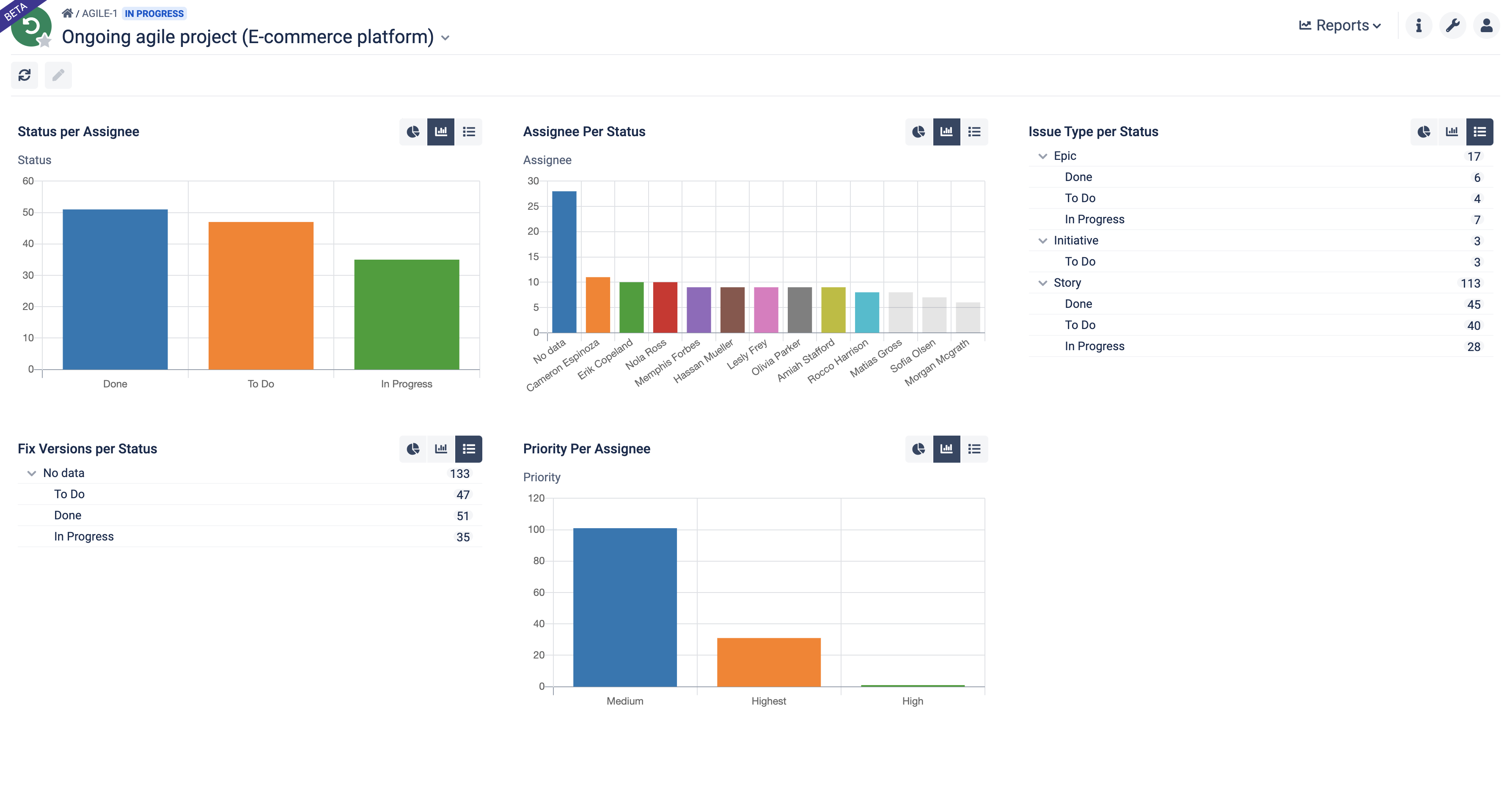
Screenshot of Build your portfolio-level command center. Visualize high-level data on initiatives in the form of a hierarchical tree, timeline, or a Kanban board.Screenshot of Craft informative timelines and roadmaps at all granularity levels. Visualize dependencies between tasks and create various What-if scenarios.Screenshot of Visualize dependencies between various tasks, teams, and resources. Bring more predictability to your agile planning, Scrum, SAFe®, or other methodologies.Screenshot of Assign tasks to individuals and teams in less than a second. Visualize over and under allocation. Automatically plan workloads in accordance with resource availability.Screenshot of Recognize the reality of your project/program/product during the planning or execution phase. Manage risks by simply drag & drop.Screenshot of Generate drillable reports and measure the health of your Iterations, Program Increments, initiatives, and the whole portfolio.