BeyondTrust Network Security Scanner, powered by Retina (Legacy)
Score7 out of 10
N/A
BeyondTrust offers vulnerability management via Network Security Scanner, powered by Retina. This technology was developed by eEye, before that company's acquisition by BeyondTrust in 2012.
N/A
Microsoft Defender for Cloud
Score8.5 out of 10
N/A
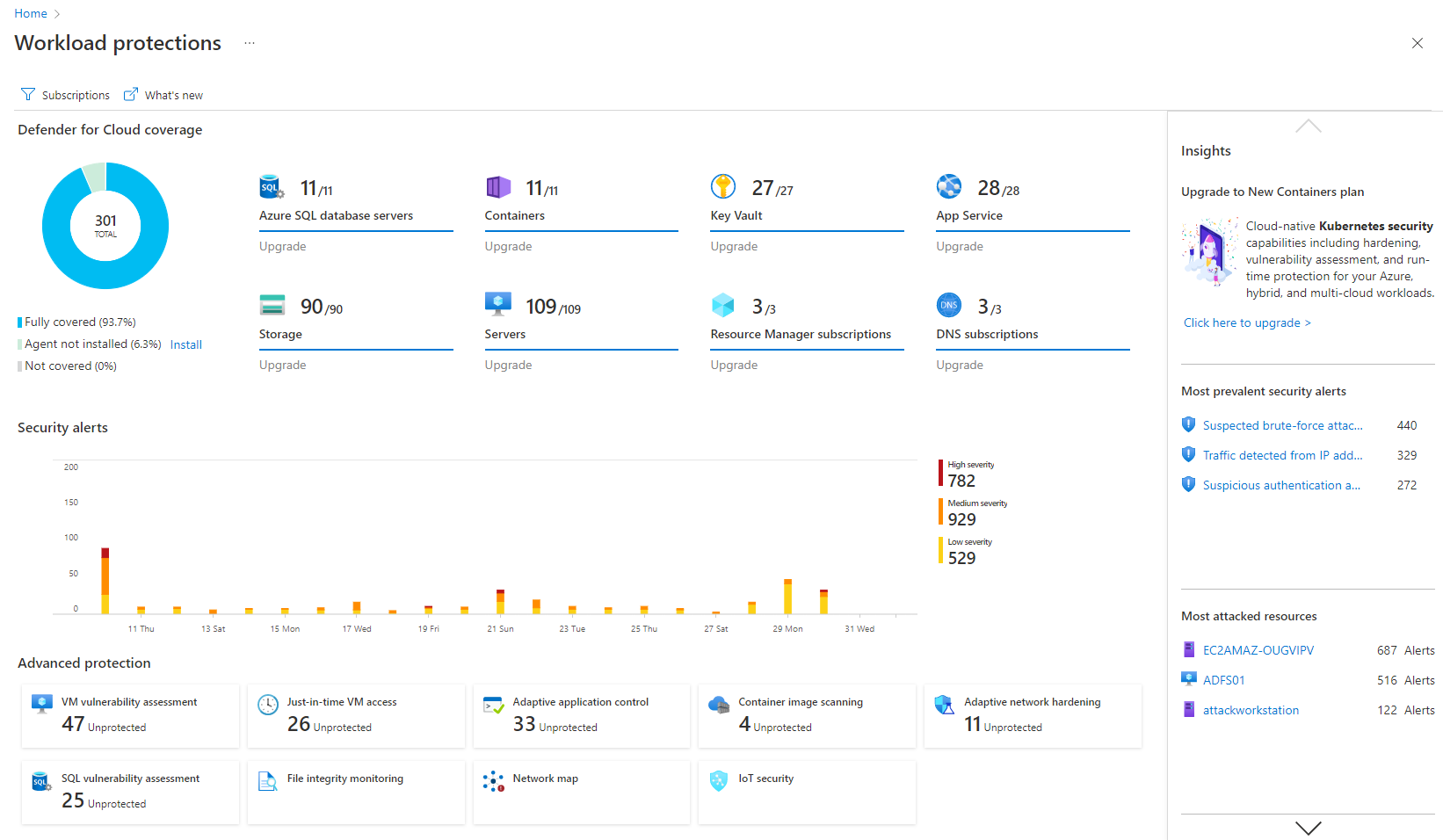
Microsoft Defender for Cloud is a Cloud Security Posture Management (CSPM) and Cloud Workload Protection Platform (CWPP) for Azure, on-premises, and multicloud (Amazon AWS and Google GCP) resources.
N/A
Pricing
BeyondTrust Network Security Scanner, powered by Retina (Legacy)
Microsoft Defender for Cloud
Editions & Modules
No answers on this topic
No answers on this topic
Offerings
Pricing Offerings
BeyondTrust Network Security Scanner, powered by Retina (Legacy)
Microsoft Defender for Cloud
Free Trial
No
Yes
Free/Freemium Version
No
No
Premium Consulting/Integration Services
No
No
Entry-level Setup Fee
No setup fee
No setup fee
Additional Details
—
—
More Pricing Information
Community Pulse
BeyondTrust Network Security Scanner, powered by Retina (Legacy)
BeyondTrust Network Security Scanner, powered by Retina (Legacy)
Microsoft Defender for Cloud
Likelihood to Recommend
BeyondTrust
Retina Network Security Scanner is well suited for any environment and infrastructure that would like to expose security deficiencies across their network as well as visualize vulnerabilities as they pertain to assets in their environment. I cannot think of any scenario that would not be appropriate for this product. Since the product carries over to pretty much all assets in your environment, I don't know off the top of y head what it wouldn't be appropriate for.
A de minimis incentive was given to thank the reviewer for their time. The incentive was not used to bias or drive a particular response, nor was the incentive contingent on a positive endorsement. More Info
Microsoft Defender for Cloud is very good at allowing users to see how their Azure environment is secure through the secure score. The recommendations are an excellent source of the controls that should be in place to ensure a secure environment. There needs to be more protection and features for data security.
A de minimis incentive was given to thank the reviewer for their time. The incentive was not used to bias or drive a particular response, nor was the incentive contingent on a positive endorsement. TR verified that a representative sample of customers was invited. More Info
Besides the fact that Retina NSS performs the fundamental task of scanning all my network devices, one of the main strengths is the speed at which it scans. Time is money and I know people tent to wear that cliché out a bit, but when you are as small as we are of a team, every minute counts.
We have utilized other network security scanners over the past 21 years and Retina NSS seems to have the smallest footprint with no evidence of scanning degrading performance of the devices scanned.
They seem to update their database frequently enough that we notice a correlation of threats to discovery.
There is a small learning curve, but overall, a seasoned IT professional can quickly get up and running in a few hours and get usable results quickly. This falls back on the speed at which Retina NSS scans. My previous network security scanners would sometimes take hours to complete a full vulnerability scan of between 250 - 400 devices, now it only takes a fraction of that time.
A de minimis incentive was given to thank the reviewer for their time. The incentive was not used to bias or drive a particular response, nor was the incentive contingent on a positive endorsement. More Info
detect and respond to security threats in the cloud environment, reducing the risk of data breaches and unauthorized access.
The product assists our organization dealing with sensitive data in achieving and maintaining compliance with data protection rules.
The product provides real-time visibility into the cloud environment, offering insights into ongoing security activities.
It guarantees that security teams can actively handle possible threats by delivering real-time monitoring and notifications, reducing the impact on business operations.
A de minimis incentive was given to thank the reviewer for their time. The incentive was not used to bias or drive a particular response, nor was the incentive contingent on a positive endorsement. More Info
A de minimis incentive was given to thank the reviewer for their time. The incentive was not used to bias or drive a particular response, nor was the incentive contingent on a positive endorsement. More Info
It is a great product that integrates nicely when running an Azure platform and even multi-cloud environment. Not looking for point-solutions but a suite that answers most requirements. It is very comfortable being able to use KQL, workbooks and automation that is native to the azure platform
Retina Network Security Scanner is the only product we have used in our enterprise. I have used a product in the past called GFI LanGuard Network Security Scanner and while it did perform the functions of vulnerability testing, etc...it just wasn't nearly as refined as Retina NSS. It was slow and was not as lightweight as Retina as far as end-user detection.
A de minimis incentive was given to thank the reviewer for their time. The incentive was not used to bias or drive a particular response, nor was the incentive contingent on a positive endorsement. More Info
Microsoft Defender for Cloud is definitely the choice with the latest market trend and attacks that are currently happening. Microsoft has been able to safe guard a lot after the recent serious attacks happening globally in the digital world. There is a trust in this software and with the latest updates and machine learning capabilities, Microsoft Defender for Cloud should be the choice.
A de minimis incentive was given to thank the reviewer for their time. The incentive was not used to bias or drive a particular response, nor was the incentive contingent on a positive endorsement. More Info
The product is extremely easy to deploy, extremely positive.
If you take full advantage of this product as I did, you will maximize your ROI quickly as we did.
We were able to visualize our vulnerabilities efficiently and effectively and maintain scheduled scans that allowed us to maintain a continuous improvement atmosphere while securing our investments.
The ability provide reporting allows our IT department to prioritize issues and remediate as required without chasing down low risk issues over high risk issues that need immediate attention.
A de minimis incentive was given to thank the reviewer for their time. The incentive was not used to bias or drive a particular response, nor was the incentive contingent on a positive endorsement. More Info
It simplifies security management and saves time. I'm not sure, but I'm very confident it saved me a couple of paychecks by centralizing the data I need to secure the cloud environment.
I also utilize the inventory overview to monitor my team's activities and verify they are following internal regulations, as well as cost overruns.
The recommendations can be utilized as a valuable instructional tool. I have the team explain why they are receiving them, why they are not following them, and what they are doing differently.
A de minimis incentive was given to thank the reviewer for their time. The incentive was not used to bias or drive a particular response, nor was the incentive contingent on a positive endorsement. More Info