Barracuda Web Security Gateway vs. Lightspeed Filter

Overview
ProductRatingMost Used ByProduct SummaryStarting Price
Barracuda Web Security Gateway
Score 8.3 out of 10
N/A
Barracuda Web Security Gateways now available in the 200 through 1000 series provide web content filtering as well as access and advanced threat protection, and are available as physical appliances, virtual appliances, or as a SaaS.N/A
Lightspeed Filter
Score 9.5 out of 10
N/A
Lightspeed Filter (formerly Relay), from Lightspeed Systems in Austin, offers insights to help understand and maximize the use of 1:1 classroom devices, keep users safe and increase the educational return on technology investments. Lightspeed Systems aims to help users make decisions to enhance technology use, report up administrators, present to your board, reassure concerned parents, empower teachers, and direct students on appropriate use. According to the vendor, Lightspeed Filter powers…N/A
Pricing
Barracuda Web Security GatewayLightspeed Filter
Editions & Modules
No answers on this topic
Offerings
Pricing Offerings
Barracuda Web Security GatewayLightspeed Filter
Free Trial
YesYes
Free/Freemium Version
NoNo
Premium Consulting/Integration Services
NoNo
Entry-level Setup FeeNo setup feeNo setup fee
Additional DetailsPriced per student device. Quote available upon request.
More Pricing Information
Community Pulse
Barracuda Web Security GatewayLightspeed Filter
Best Alternatives
Barracuda Web Security GatewayLightspeed Filter
Small Businesses

No answers on this topic

No answers on this topic

Medium-sized Companies
Quantum Firewalls and Security Gateways
Score 9.6 out of 10
Quantum Firewalls and Security Gateways
Score 9.6 out of 10
Enterprises
Quantum Firewalls and Security Gateways
Score 9.6 out of 10
Quantum Firewalls and Security Gateways
Score 9.6 out of 10
All AlternativesView all alternativesView all alternatives
User Ratings
Barracuda Web Security GatewayLightspeed Filter
Likelihood to Recommend
8.0
(0 ratings)
9.0
(0 ratings)
Usability
8.0
(0 ratings)
1.0
(0 ratings)
Support Rating
9.4
(0 ratings)
-
(0 ratings)
User Testimonials
Barracuda Web Security GatewayLightspeed Filter
Likelihood to Recommend
Barracuda Web Security Gateway is a secure solution. This solution offers advanced filtering for web content, application control, access control, network monitoring, and user authentication to control network access. It is easy to use, helps prevent access to harmful content. Therefore, I highly recommend the Barracuda Web Security Gateway to enhance your network security, secure remote administration, and approve and control application usage.
Read full review
Lightspeed Filter is software that helps us work more efficiently and quickly.This platform helps us protect our access to suspicious content, unsafe websites, etc. In addition, it is recommended to implement it because it helps reduce bandwidth consumption and improves network performance. It is very easy to use, works very well in learning environments, giving educators full control and a positive experience over students. Although it does not offer direct integrations with other LMS platforms, it is really good and affordable.
Read full review
Pros
  • It can integrate with active directory to place restrictions based on a specific user or group if required - or alternatively to allow a user/group to access more on the web if needed.
  • The application blocking features have been especially useful in our enterprise, and there is a large number of applications & web applications available to block/allow as needed.
Read full review
  • Reduces bandwidth consumption.
  • Improves network performance.
  • It is compatible with a variety of operating systems, including Windows, Mac OS, and Linux.
  • It can be implemented in both wired and wireless networks.
  • It can be installed in minutes and you can configure its settings with a few clicks.
  • Learning environments work.
Read full review
Cons
  • There are 2 different policies; authenticated and unauthenticated. Sometimes the filter does not pick up the user that is logged in. When this happens, that user could potentially access sites that would normally be blocked.
  • Sometimes blocking one thing could block something you need. We had an instance where we use remote software. We block BitTorrent but for some reason, the filter was seeing this remote software as BitTorrent traffic. I got support on the line and we were eventually able to figure out a solution.
  • We put in certain applications. One of them is supposed to be blocked but a lot of the time it doesn't get blocked.
Read full review
  • In my experience, it is not intuitive and not as flexible as GoGuardian.
  • Worst of all, in my experience, there are ridiculous glitches. When I tried to update a block list that I created, I received a message that said "You can only edit lists that you created. Ask your co-teacher to update the list." Since I am the only teacher and there is no co-teacher, this message makes no sense to me.
Read full review
Usability
There are a lot of settings you can adjust. The web log is easy to use. If a user is having issues accessing a website, you can go in and see what's being blocked and why. After that, you can make adjustments fairly easy. The GUI is easy to navigate and updating the software is a simple click of a button.
Read full review
It is unreliable and does not function as it is supposed to do so. As previously mentioned, there is a glitch when creating a block list.
Read full review
Support Rating
Barracuda support is always available, 24/7. They are always friendly, supportive, and follow-up with anything they promise. Any ticket that is opened is touched constantly by the support team until it is remedied
Read full review
No answers on this topic
Alternatives Considered
Barracuda Web Filter is superior to the built-in content filters of any firewalls (even next gen) that we have encountered. It's a misconception that the built-in filtering on a SonicWALL or WatchGuard is enough. I don't believe that Barracuda has any direct competitors in this space that it's not head and shoulders above.
Read full review
Lightspeed has a long solid reputation in the EDU market for web filtering. That being said, they have the largest database of the categorized websites at the administrator's disposal during the configuration and operation. Safety Check is AI-based and Securely uses a live in-person safety monitoring system. Securely can send local authorities to do a welfare check on students because of self-harm-related emergencies. Securly is priced a little cheaper but not too much. Linewiz will be our new system to test.
Read full review
Return on Investment
  • We had several of our divisions that we thought needed to increase their internet bandwidth, due to decreased speed and productivity. After installing the Barracuda Web Security Gateway, we realized we had some abusive behavior going on with online activity. We set some controls and the bandwidth usage decreased by at least 30%, allowing us to maintain the current bandwidth and not spending more money.
Read full review
  • The ROI we measure with the filter is in student productivity
  • It has reduced the time students have been on non-education sites by approximately 10% over our former filter because it does a better job with site categories (i.e., education games vs games).
  • The included Safety Check feature has helped us improve our response to mental health issues.
Read full review
ScreenShots

Barracuda Web Security Gateway Screenshots
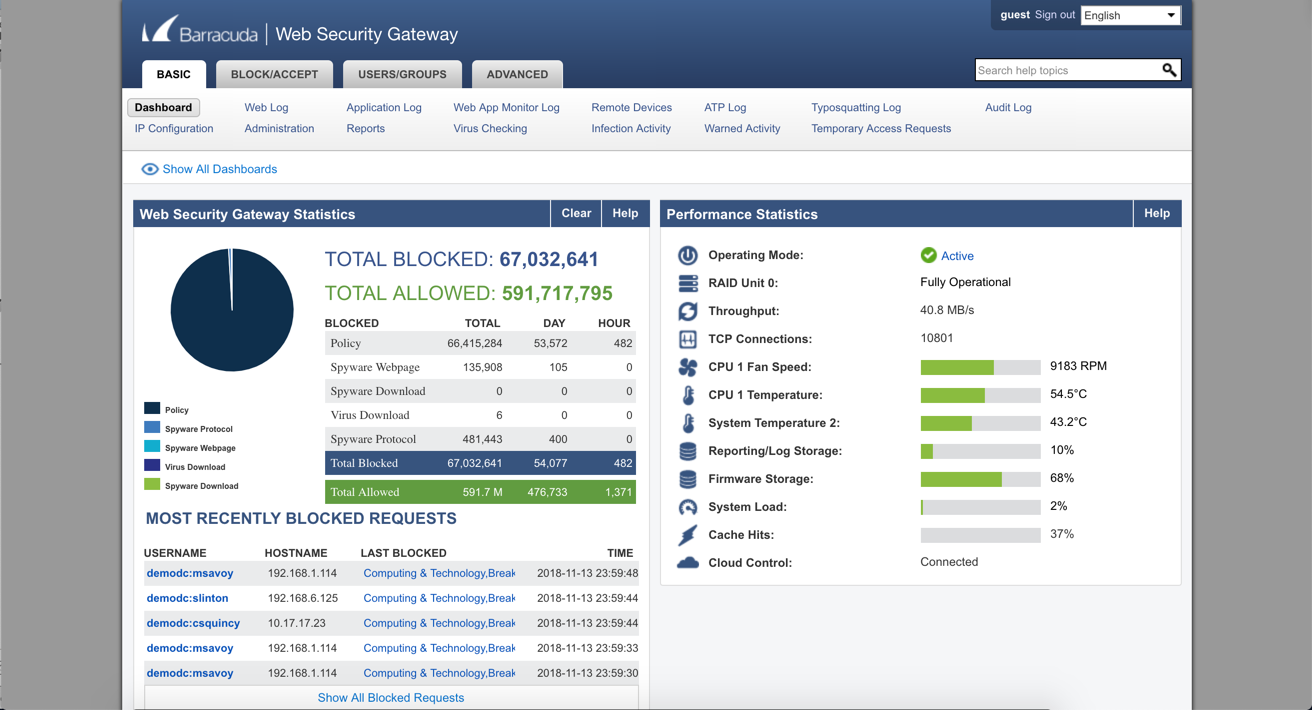
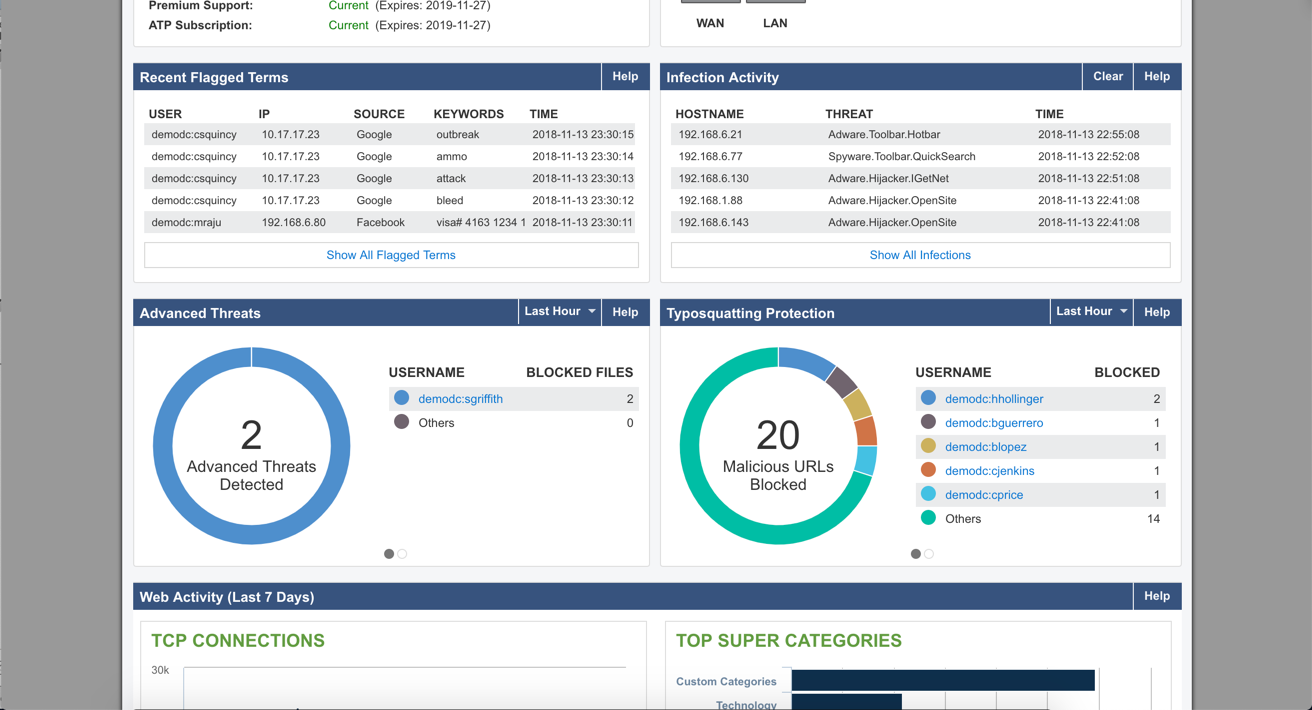
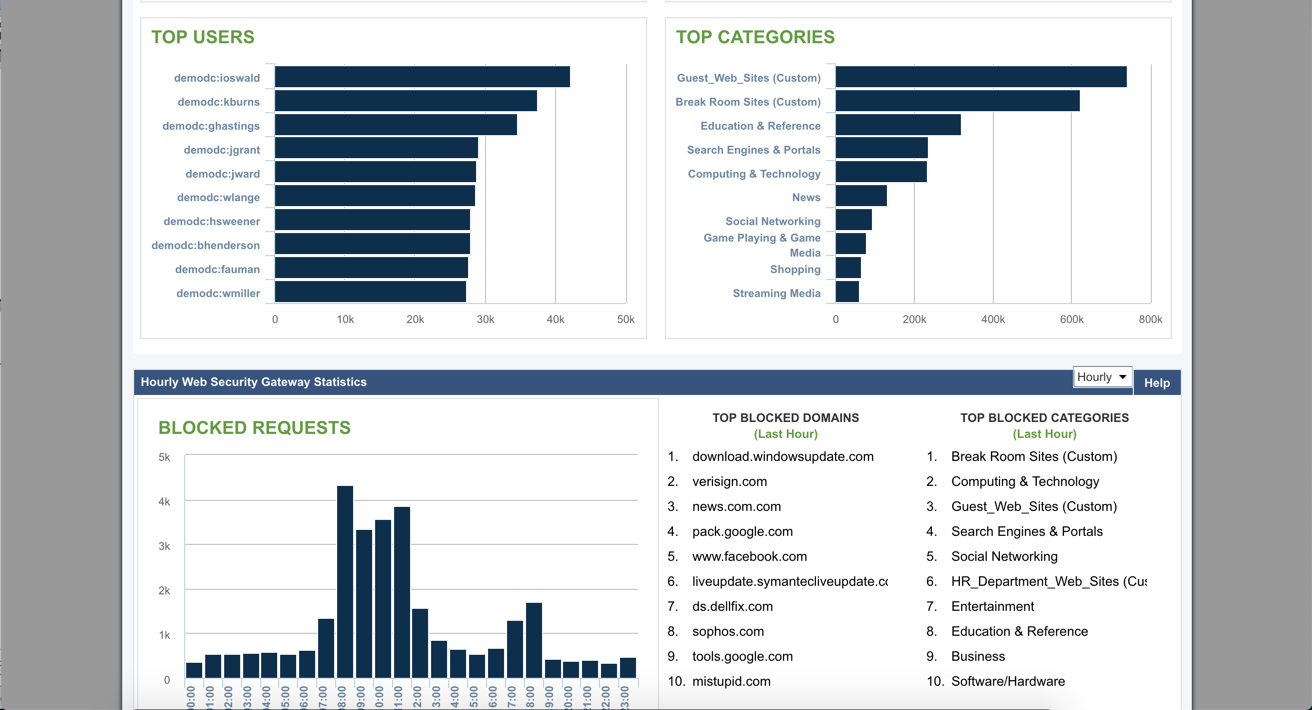
Screenshot of Screenshot of Screenshot of Screenshot of

Lightspeed Filter Screenshots

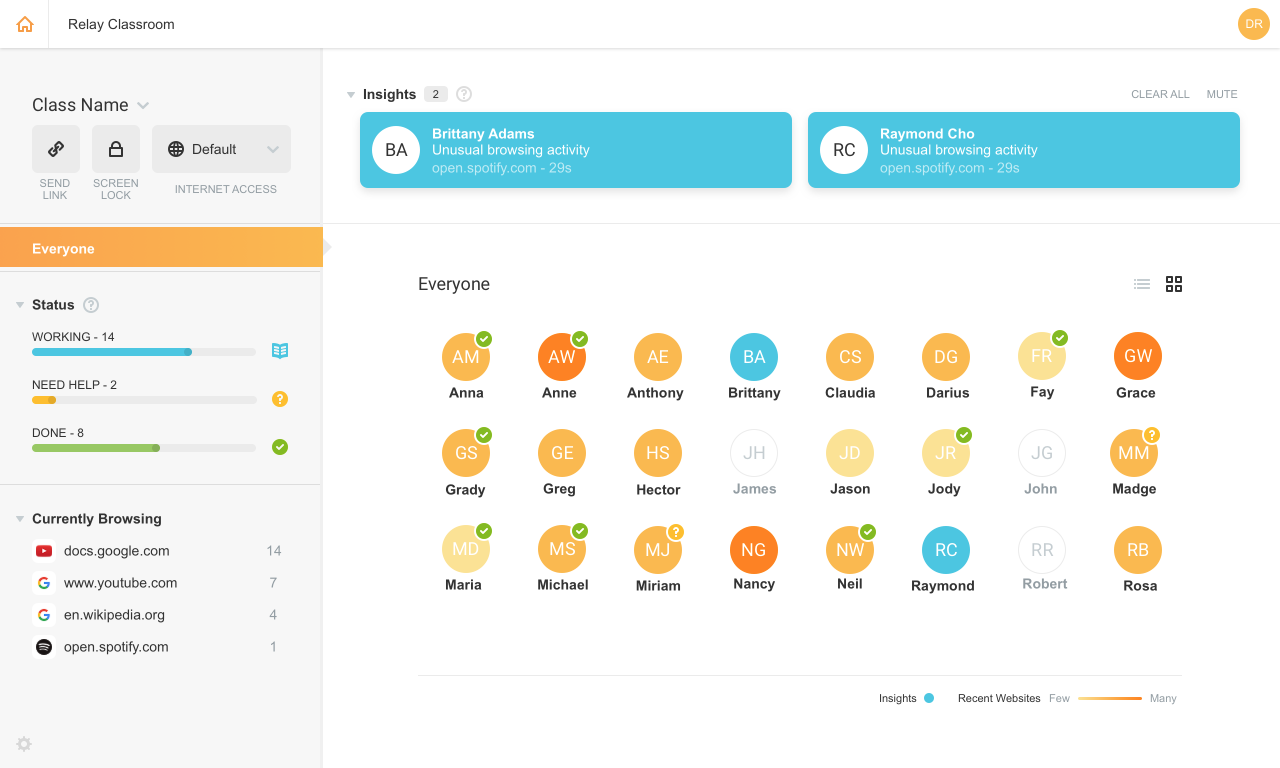
Screenshot of Relay dashboardScreenshot of Relay apps reportScreenshot of Relay blocked contentScreenshot of Sample Relay parent reportScreenshot of Screenshot of Classroom, free with Relay for a limited timeScreenshot of Screenshot of Classroom, free with Relay for a limited time