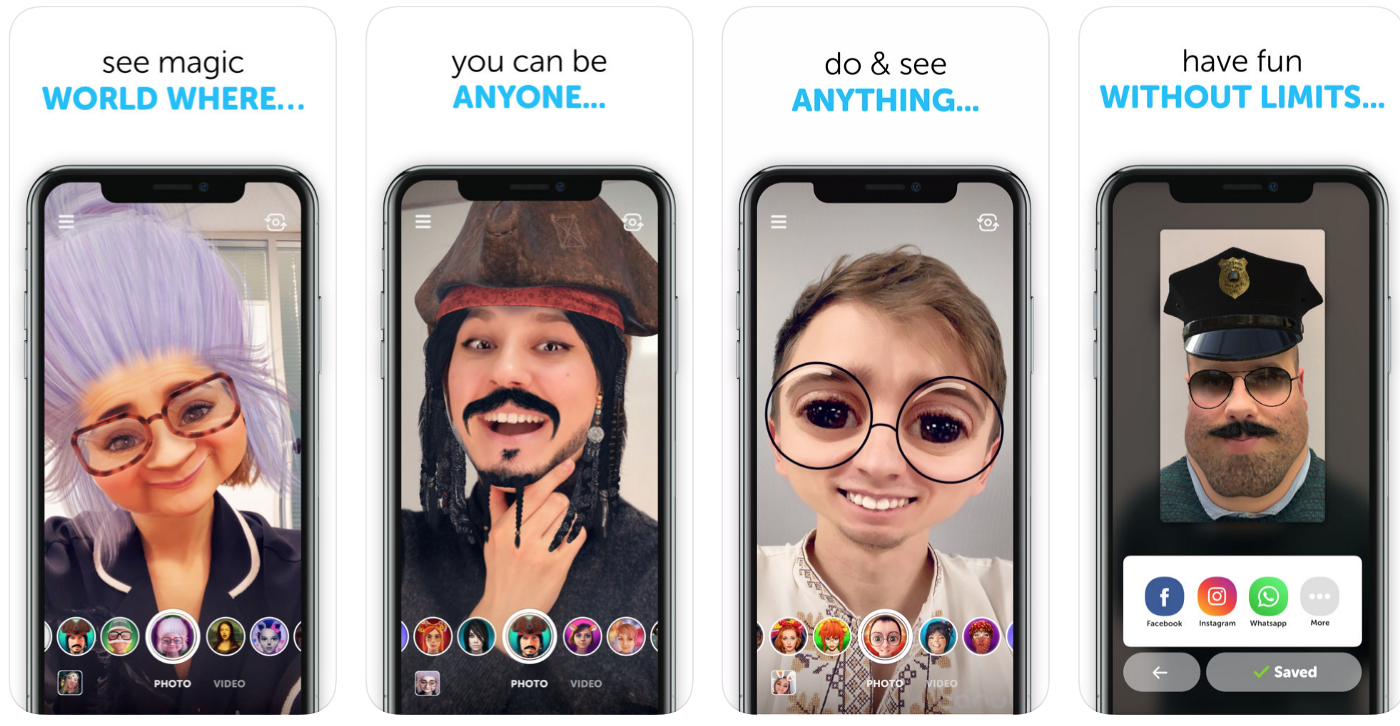
Augmented Reality SDK with 3D face tracking to bring face filters, 3D lens, AR beauty, avatars and virtual try-on apps in iOS, Android, Windows & Unity. The biggest face filter library and Effect Constructor & Viewer tools to create custom filters.
N/A
Unity
Score9.4 out of 10
N/A
Unity Technologies headquartered in San Francisco offers the Unity real-time 3D and 2D development platform.
I would recommend using this cool SDK to try out different Face Filter which also allows you to create your own interactive filters. As it provides a free trial for organizations, that one should try it once.
A de minimis incentive was given to thank the reviewer for their time. The incentive was not used to bias or drive a particular response, nor was the incentive contingent on a positive endorsement. More Info
Unity is excellent for 2D and 3D games and educational experiences. It is well-suited for VR and AR development. It is also a great platform for mobile games. It is less-suited for non-game purposes (although it can certainly be used for those as well), or educational experiences. It is also less-suited for AR experiences that are highly complex, where you will probably want to write the native code in Android Studio or Xcode, as the case may be. It is theoretically less-suited for cases where performance is a huge concern as well, although, in my experience, performance has never been a problem.
A de minimis incentive was given to thank the reviewer for their time. The incentive was not used to bias or drive a particular response, nor was the incentive contingent on a positive endorsement. More Info
A de minimis incentive was given to thank the reviewer for their time. The incentive was not used to bias or drive a particular response, nor was the incentive contingent on a positive endorsement. More Info
Unity is a multiplatform game engine. It has more than 20 options for exporting your game, ranging from desktop, mobile, console, web and, lately, VR and AR. Unity was one of the first game engines able to export games playable on internet browsers and it helped to cement the World Wide Web as a place fit for gaming.
Unity has a very smooth learning curve for beginners. It is easy to start and soon you are seeing some tangible results of your efforts. The game engine has all sorts of helpers and shortcuts to facilitate some frequent tasks in game development.
Another of Unity's advantage is the access to Assets Store from within the game engine, allowing the user to import instantly objects, scripts and textures from the store into their projects. Such easy access to these elements from inside a project greatly enhances speed production and is particularly helpful to beginners.
A de minimis incentive was given to thank the reviewer for their time. The incentive was not used to bias or drive a particular response, nor was the incentive contingent on a positive endorsement. More Info
A de minimis incentive was given to thank the reviewer for their time. The incentive was not used to bias or drive a particular response, nor was the incentive contingent on a positive endorsement. More Info
It's actually incredibly easy to use given the complex tasks you have. Once you learn the various windows it becomes second nature. Compared to something like Blender (which I would probably rate as a 2 on usability), the learning curve of Unity is a breeze! The only improvements I can think of would be to streamline some common workflows so you don't have to dig through menus to find them.
A de minimis incentive was given to thank the reviewer for their time. The incentive was not used to bias or drive a particular response, nor was the incentive contingent on a positive endorsement. More Info
I have not had to use Unity's support extensively. This is likely because there is so much documentation and so many classes available for free online. Due to this, there is little need for support. They were very responsive when I requested educational licensing. Setting it up and providing it all quickly.
A de minimis incentive was given to thank the reviewer for their time. The incentive was not used to bias or drive a particular response, nor was the incentive contingent on a positive endorsement. More Info
A de minimis incentive was given to thank the reviewer for their time. The incentive was not used to bias or drive a particular response, nor was the incentive contingent on a positive endorsement. More Info
We love utilizing unreal engines but we seem to have a better use case for the architectural visualization side of things. This has given us the ability to find better more photo-realistic assets from not only the marketplace but 3rd party sites that have a unity bases file to work off of.
A de minimis incentive was given to thank the reviewer for their time. The incentive was not used to bias or drive a particular response, nor was the incentive contingent on a positive endorsement. More Info
A de minimis incentive was given to thank the reviewer for their time. The incentive was not used to bias or drive a particular response, nor was the incentive contingent on a positive endorsement. More Info
A de minimis incentive was given to thank the reviewer for their time. The incentive was not used to bias or drive a particular response, nor was the incentive contingent on a positive endorsement. More Info