Backlsh vs. Zoho Invoice

Overview
ProductRatingMost Used ByProduct SummaryStarting Price
Backlsh
Score 10.0 out of 10
Mid-Size Companies (51-1,000 employees)
Backlsh is a time tracking and productivity management platform with features that include automatic time tracking, real-time monitoring, and detailed productivity analysis, powered by AI. With Attendance Tracking, Realtime Tracking, and Productive vs. Non-Productive Tracking, Backlsh provides insights into employee performance and workflow efficiency. This platform enhances accountability, streamlines payroll processes, and promotes a balanced work environment.
$2.99
per month per user
Zoho Invoice
Score 8.7 out of 10
N/A
Zoho Invoice is a cloud-based invoicing solution designed to help small businesses with invoicing, tracking expenses, and accepting online payments. Key features include project billing, time tracking, reporting, customizable templates, and a client portaI. Teams using Zoho Invoice can track estimates, convert them to invoices, and send reminders to clients to complete their outstanding payments. Additionally, users can create tasks, collect advance payments for projects, and keep…
$0
Per Organisation, Per Month
Pricing
BacklshZoho Invoice
Editions & Modules
Premium Plan
$2.99
per month per user
Free
$0
Per Organisation, Per Month
Offerings
Pricing Offerings
BacklshZoho Invoice
Free Trial
YesNo
Free/Freemium Version
NoYes
Premium Consulting/Integration Services
NoNo
Entry-level Setup Fee$100 one-time feeRequired
Additional DetailsZoho Invoice is a completely free product. It has no contracts, no ads, and no hidden fees
More Pricing Information
Community Pulse
BacklshZoho Invoice
Best Alternatives
BacklshZoho Invoice
Small Businesses
Dayforce Powerpay
Dayforce Powerpay
Score 9.5 out of 10
Method:CRM
Method:CRM
Score 8.5 out of 10
Medium-sized Companies
TimeClock Plus
TimeClock Plus
Score 9.5 out of 10
TimeCamp
TimeCamp
Score 8.3 out of 10
Enterprises
Zoho People
Zoho People
Score 8.4 out of 10
TimeCamp
TimeCamp
Score 8.3 out of 10
All AlternativesView all alternativesView all alternatives
User Ratings
BacklshZoho Invoice
Likelihood to Recommend
10.0
(0 ratings)
8.0
(0 ratings)
Usability
-
(0 ratings)
9.0
(0 ratings)
User Testimonials
BacklshZoho Invoice
Likelihood to Recommend
In my business it's essential to track my time, I have to keep my clients and my employees happy, and my employees need to be paid on time. Backlsh is the software that I use to track my time. I can see how long I spend on projects and bill my clients for all of my time. I can use this software to track my employees' hours and make sure I stay on budget. There are so many benefits to this software, if you need to track time, this is the tool for you.
Read full review
Zoho Invoice is well suited for any business, regardless of size, that needs to have a way to create invoices with hourly or flat rates. It's easy to create and archive projects. It also integrates into their other tools, including Zoho Projects. Zoho is great for businesses who want to accept online payments.You can use PayPal, Stripe, and a few others. Clients can also pay via ACH. It lets you know when a payment is processing AND when it clears. I believe that it would not be well suited in instances where a company creates lots of credit notes (because from the invoice screen the credit will appear to grow, but when you check active credit notes, it is the right amount) or estimates (I can't figure out how to use this feature)
Read full review
Pros
  • Help to calculate productive hours
  • Help me to bill my clients
  • Time tracking
  • Calculate how much time I spend on unproductive apps
Read full review
  • Time tracking. Zoho invoice makes it super easy to track time and hours against specific clients and specific tasks.
  • Unbilled / billed time reporting. Zoho Invoice gives a dashboard view of hours yet to be billed, which helps keep on top of invoicing so nothing is missed.
  • Reporting. Zoho Invoice offers a robust reporting module for the price point. Canned reports can be customized easily.
  • Invoice sending and tracking. Zoho Invoice makes it easy to create and send invoices. Invoices are easy to clone, which makes creating regular, repeatable invoices a snap.
Read full review
Cons
  • Backlsh need to improve their UI design
Read full review
  • Zoho Invoice can be complicated if you want to create a more advanced custom invoice or custom recurring invoice.
  • Zoho Invoice does not provide all of its functionalities on the mobile version of its platform.
  • Zoho Invoice is expensive for some small business owners especially if they don't plan on using it often.
Read full review
Usability
No answers on this topic
Ease of access of using the dashboard the buttons I mean like if it is taught in 10th I would have worked it. Simple and minimal hi give good entry to be more transparent and sharable to clients in seconds. The client also get shocked by saying it's fast.
Read full review
Alternatives Considered
No answers on this topic
Zoho Invoice streamlines bill creation and sending by personalizing invoices with logos, identities, and terms. It offers detailed payment reports, an integrated payment system, and payment summaries for tracking success. It automates invoicing and payment tasks, saving time and money for companies. Zoho Invoice integrates with Stripe Payments, enhancing settlement processes and promoting digital payment adoption.
Read full review
Return on Investment
  • Help me to save my time
Read full review
  • The biggest ROI for my business is that Zoho Invoice reduced the cost of invoicing so much, that I was able to invest that savings back into the business development allowing us to grow.
  • Zoho Invoice provides the option of giving your clients a client portal through which they have access to their own accounts and can see and print their own reports as needed. That helps to create a transparency that our clients love.
  • Zoho Invoice has been dependable. I have not had one issue with using the platform or its functions since I switched to it a few years ago.
Read full review
ScreenShots

Backlsh Screenshots

Screenshot of Realtime Tracking with Backlsh

Backlsh's Realtime Tracking feature provides insights into team activities and productivity. It monitors active tasks, application usage, and web browsing, offering a live view of how time is spent throughout the day. This feature helps managers identify bottlenecks, track project progress, and ensure efficient use of work hours. With detailed, real-time reports, businesses can make data-driven decisions to enhance overall productivity and accountabilityScreenshot of Productive and Non-Productive Tracking with Backlsh

Backlsh's Productive and Non-Productive Tracking feature categorizes and monitors employee activities, distinguishing between productive tasks and distractions. By analyzing app usage and website visits, it provides detailed reports that highlight time spent on work-related activities versus non-productive ones. This feature helps businesses identify areas for improvement, optimize workflows, and boost overall efficiency by ensuring employees focus on high-priority tasks.Screenshot of Attendance Tracking with Backlsh

Backlsh's Attendance Tracking feature offers attendance monitoring for teams of all sizes. It tracks employee check-ins and check-outs in real-time, providing reports on attendance patterns. This feature helps businesses maintain accurate records, streamline payroll processes, and ensure compliance with labor regulations. The dashboard allows managers to view and analyze attendance data, enhancing transparency and accountability within the organization.Screenshot of Locating Productive and Non-Productive Apps with Backlsh

Businesses can categorize apps and websites as productive or non-productive, tailored to specific roles and tasks. This customization allows for precise productivity tracking, ensuring that the metrics align with organizational goals. By distinguishing between productive and distracting activities, managers can better understand how time is spent, identify areas for improvement, and implement targeted strategies to enhance efficiency and focus.

Zoho Invoice Screenshots

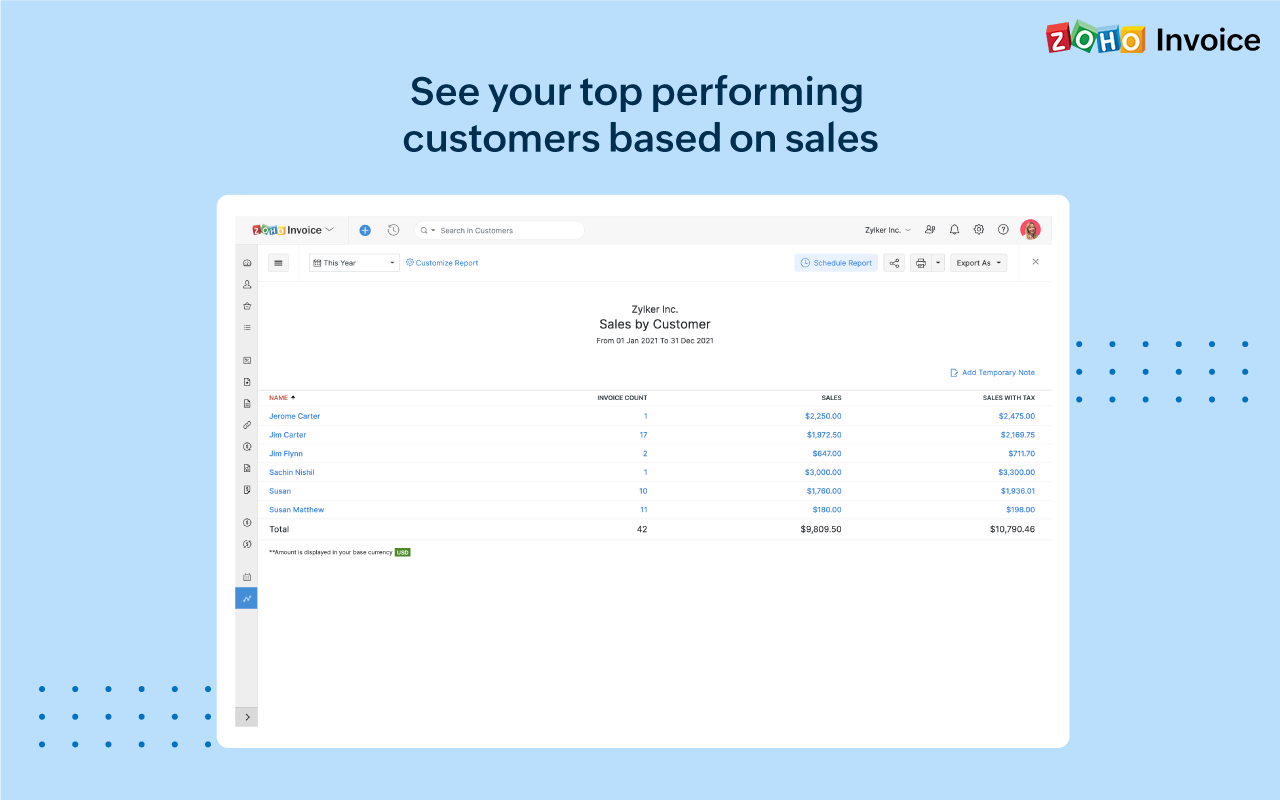
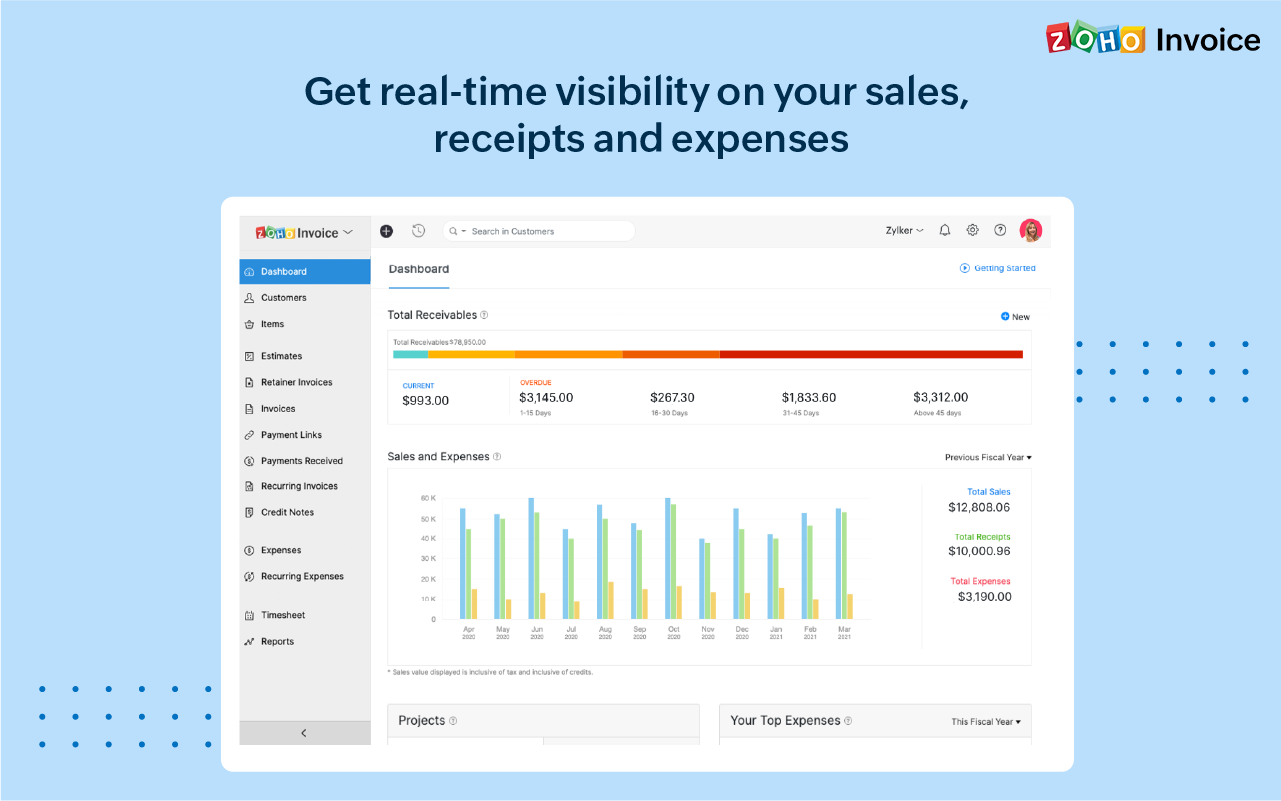
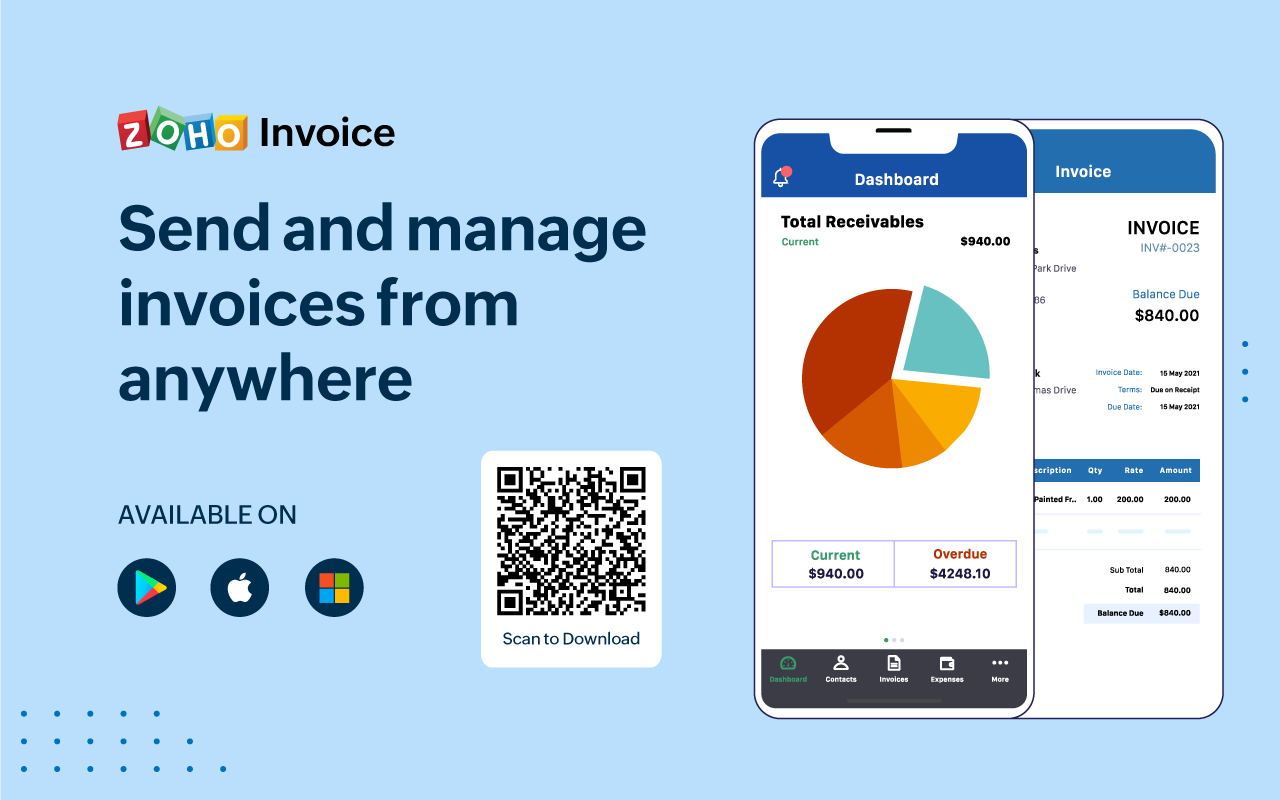
Screenshot of 100% free invoicing software designed for small business owners & freelancers.Screenshot of Customize the look and feel of your invoices to provide a consistent and professional outlook.Screenshot of Add tasks, invite users, track the time worked for each project, and bill your clients just the way you want.Screenshot of Get real-time insights into sales, receivables, expenses, and projects with a host of built-in reports.Screenshot of Get a quick snapshot of your business health and know your monthly sales, current and overdue invoices, payments collected, your top expenses, and more.Screenshot of Create and share invoices, record payments, look up customers' details or past invoice history even if you're away from your desk.