Microsoft's Azure Backup is a cloud backup service.
$5
NetApp Cloud Volumes ONTAP
Score9.1 out of 10
Enterprise companies (1,001+ employees)
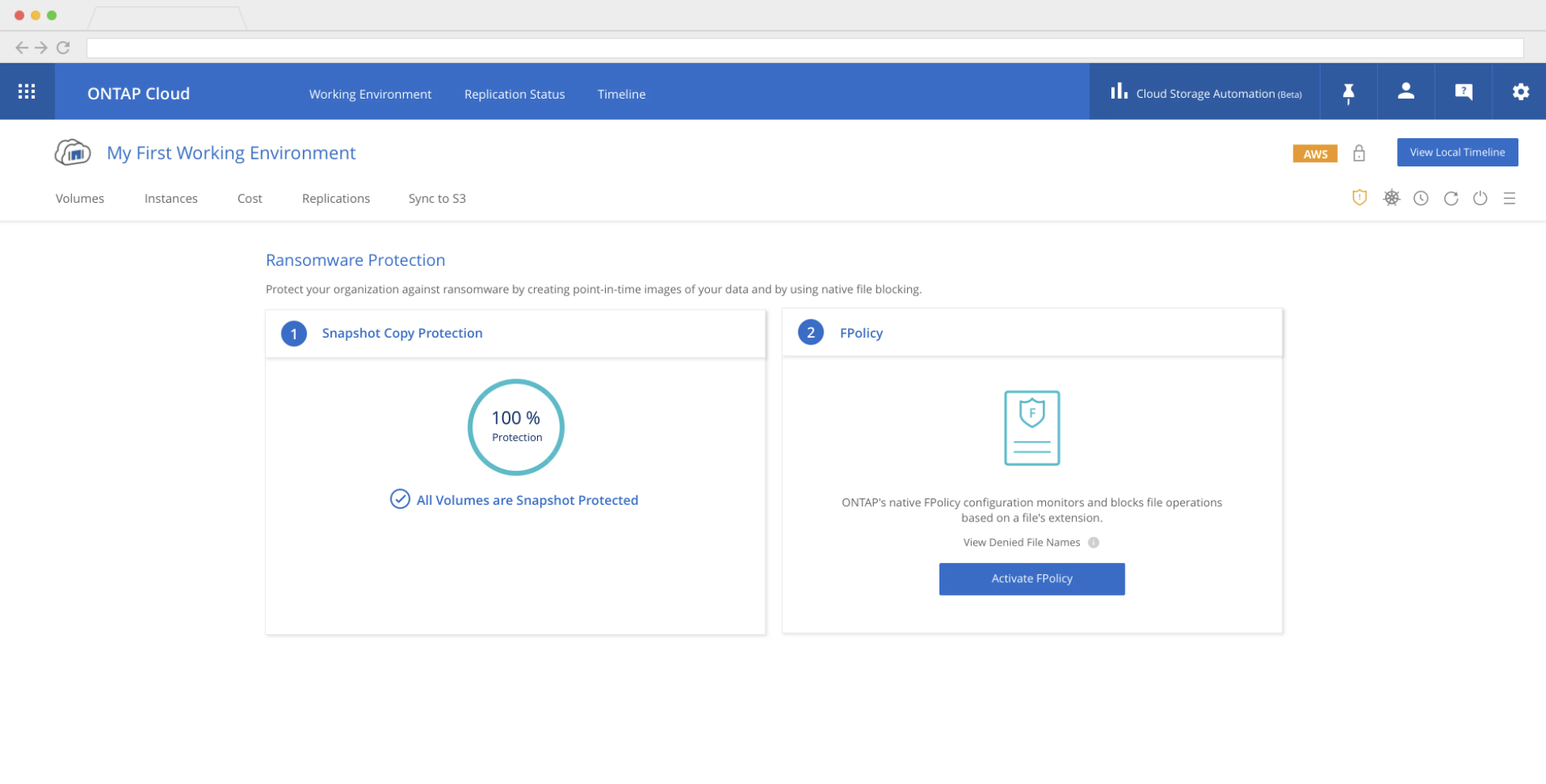
NetApp's Cloud Volumes ONTAP combines data control with enterprise-class storage features for various use cases, including file shares and block-level storage serving NAS and SAN protocols (NFS, SMB / CIFS, and iSCSI), Disaster Recovery (DR), Backup and Archive, DevOps, Databases (SQL, Oracle, NoSQL), or any other enterprise workload.
$0.64
Hourly
Pricing
Azure Backup
NetApp Cloud Volumes ONTAP
Editions & Modules
Storage in GB/Month
$0.0224 to $0.0569
per GB
Backup Instance <50GB
$5.00 + storage consumed
Backup Instance > 50 GB but < or = 500 GB
$10.00 + storage consumed
Backup Instance Instance is > 500 GB
$10 for each 500 GB increment + storage consumed
Explore
$0.64
Hourly
Standard
$1.68
Hourly
Premium
$2.71
Hourly
Bring Your Own License (BYOL)
Purchased from NetApp
Offerings
Pricing Offerings
Azure Backup
NetApp Cloud Volumes ONTAP
Free Trial
No
Yes
Free/Freemium Version
No
No
Premium Consulting/Integration Services
No
No
Entry-level Setup Fee
No setup fee
No setup fee
Additional Details
—
Visit https://cloud.netapp.com/pricing for the pricing breakdown.
Azure Backup is suitable for companies of various sizes, with varying amounts of data. The cost of the investment should be thought out carefully so that there are no bad surprises with unnecessary files going to Azure Backup. The interface is friendly and easy to configure and it does not require your company to have a backup expert. It is highly recommended for companies with smaller number of servers and better if the servers are already running in an Azure environment.
A de minimis incentive was given to thank the reviewer for their time. The incentive was not used to bias or drive a particular response, nor was the incentive contingent on a positive endorsement. More Info
NetApp Cloud Volumes ONTAP was well suited to begin our journey to cloud storage as a service. The ease and intuitiveness of the product to enable our administrators to design, configure, and deploy the storage in a hybrid cloud environment was instrumental to the success and the early adoption of the service.
A de minimis incentive was given to thank the reviewer for their time. The incentive was not used to bias or drive a particular response, nor was the incentive contingent on a positive endorsement. More Info
Azure Backup is fast! Coupled with the fact that Microsoft created Azure and Windows - these two operate phenomenally together!
Administering the backups inside of Azure is a breeze. The ability to mount, restore entire backups, or recover files, has been made very easy. You do not have to download any media to recover something, you do this all in the cloud and it gets mounted in Microsoft's systems. Making this process less than a quarter of the time you would have spent with your 'other' backup solutions.
A de minimis incentive was given to thank the reviewer for their time. The incentive was not used to bias or drive a particular response, nor was the incentive contingent on a positive endorsement. More Info
A de minimis incentive was given to thank the reviewer for their time. The incentive was not used to bias or drive a particular response, nor was the incentive contingent on a positive endorsement. More Info
Backup vaults should ask if you want to send notifications when you first set it up, there have been a couple of times when I noticed a month later that, backup job failures were not configured to send email notifications.
A de minimis incentive was given to thank the reviewer for their time. The incentive was not used to bias or drive a particular response, nor was the incentive contingent on a positive endorsement. More Info
A de minimis incentive was given to thank the reviewer for their time. The incentive was not used to bias or drive a particular response, nor was the incentive contingent on a positive endorsement. More Info
Azure backup is easy to implement, accessible by using the web portal GUI, and has the ability to restore at the file level or the complete VM. We have experienced zero issues with the backup process or performing file-level restorations. We have not restored an entire VM to date.
A de minimis incentive was given to thank the reviewer for their time. The incentive was not used to bias or drive a particular response, nor was the incentive contingent on a positive endorsement. More Info
One of the differentials of the solution is the high level of guarantee and support of the Azure Backup solution. Microsoft is a reference in a technology company with a highly trained support team and helps us with any questions or technical problems with the tool. Service is fast and efficient with trained engineers.
A de minimis incentive was given to thank the reviewer for their time. The incentive was not used to bias or drive a particular response, nor was the incentive contingent on a positive endorsement. More Info
We utilized NetApp remote Professional Services to assist in our deployment and also engaged support since the deployment for assistance regarding some networking concerns. NetApp support was surprisingly quick to reply and very proactive in resolving our concerns much quicker than other support personnel from many of our other vendors we use. No complaints about NetApp support at this time.
A de minimis incentive was given to thank the reviewer for their time. The incentive was not used to bias or drive a particular response, nor was the incentive contingent on a positive endorsement. More Info
Azure Backup works on Azure, the most famous of the cloud systems that the whole world has switched to, which is now a very large part of the Microsoft ecosystem that we have been used to using for years. Therefore, it is less tiring to use the additional service of an infrastructure that we already use, even if it is a part of it, which can be easily integrated with existing systems, which is one of the most important issues we IT professionals pay attention to. For this reason, we wanted to swim in familiar waters instead of another brand.
A de minimis incentive was given to thank the reviewer for their time. The incentive was not used to bias or drive a particular response, nor was the incentive contingent on a positive endorsement. More Info
ScienceLogic SL1 and SolarWinds Storage Resource Monitor (SRM) were the closest competitors to meeting our business objectives. Tivoli Storage Manager was not able to meet the initial requirements. There was a significant overlap of capabilities between ScienceLogic SL1, SolarWinds SRM, and NetApp Cloud Volumes ONTAP. The latter provided a more positive and cohesive experience for our administrators and executives.
A de minimis incentive was given to thank the reviewer for their time. The incentive was not used to bias or drive a particular response, nor was the incentive contingent on a positive endorsement. More Info
A de minimis incentive was given to thank the reviewer for their time. The incentive was not used to bias or drive a particular response, nor was the incentive contingent on a positive endorsement. More Info
A de minimis incentive was given to thank the reviewer for their time. The incentive was not used to bias or drive a particular response, nor was the incentive contingent on a positive endorsement. More Info