Azure API Management vs. SwaggerHub

Overview
ProductRatingMost Used ByProduct SummaryStarting Price
Azure API Management
Score 8.0 out of 10
N/A
Microsoft's Azure API Management supports creation of API.
$0.04
Lightweight and serverless version of API Management service, billed per execution
SwaggerHub
Score 8.0 out of 10
N/A
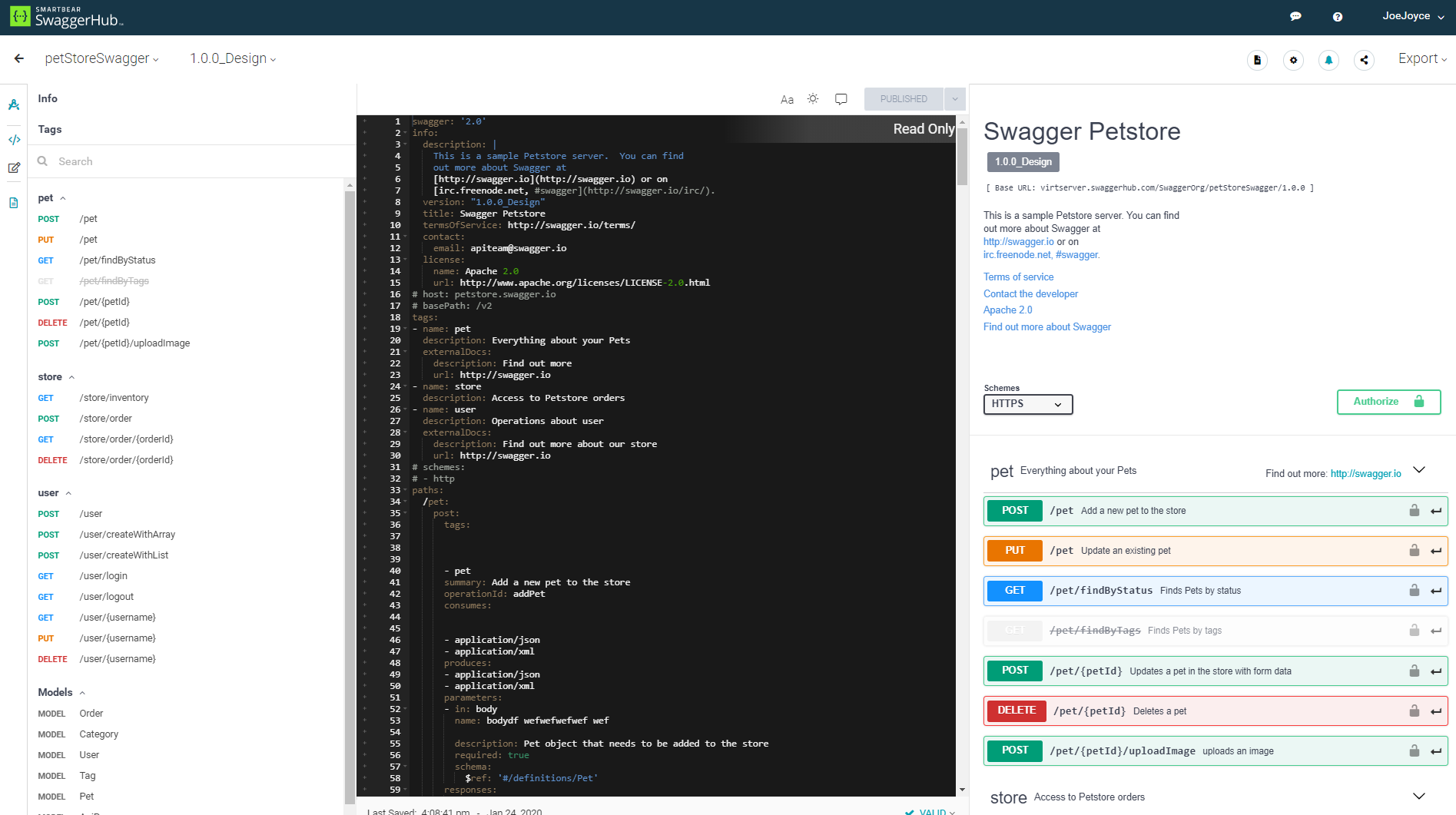
SwaggerHub is a platform for API design and documentation with OpenAPI. Whether it’s push generating an API’s design and code to source control hosts, deploying the API to API Management platforms, or triggering a Jenkins build, SwaggerHub boasts a host of integrations. Faster, Standardized API Design Design APIs in an editor that is built for efficiency without any loss in design…
$75
per month per user
Pricing
Azure API ManagementSwaggerHub
Editions & Modules
Consumption
0.042 per 10,000 calls
Lightweight and serverless version of API Management service, billed per execution
Developer
$48.04
per month Non-production use cases and evaluations
Basic
$147.17
per month Entry-level production use cases
Standard
$686.72
per month Medium-volume production use cases
Premium
$2,795.17
per month High-volume or enterprise production use cases
Isolated
TBA
per month Enterprise production use cases requiring high degree of isolation
Team 3 - Annual
$75
per month per user
Team 3 - Monthly
$90
per month per user
Team 5 - Annual
$125
per month per user
Team 5 - Monthly
$150
per month per user
Team 10 - Annual
$250
per month per user
Team 10 - Monthly
$300
per month per user
Offerings
Pricing Offerings
Azure API ManagementSwaggerHub
Free Trial
NoYes
Free/Freemium Version
NoYes
Premium Consulting/Integration Services
NoNo
Entry-level Setup FeeNo setup feeNo setup fee
Additional Details
More Pricing Information
Community Pulse
Azure API ManagementSwaggerHub
Features
Azure API ManagementSwaggerHub
API Management
Comparison of API Management features of Product A and Product B
Azure API Management
8.0
Ratings
4% below category average
SwaggerHub
8.0
Ratings
4% below category average
API access control8.90 Ratings8.70 Ratings
Rate limits and usage policies5.40 Ratings6.70 Ratings
API usage data8.90 Ratings7.30 Ratings
API user onboarding9.00 Ratings8.70 Ratings
API versioning8.90 Ratings9.90 Ratings
Usage billing and payments5.20 Ratings7.00 Ratings
API monitoring and logging9.80 Ratings7.60 Ratings
Best Alternatives
Azure API ManagementSwaggerHub
Small Businesses
NGINX
NGINX
Score 9.2 out of 10
NGINX
NGINX
Score 9.2 out of 10
Medium-sized Companies
NGINX
NGINX
Score 9.2 out of 10
NGINX
NGINX
Score 9.2 out of 10
Enterprises
NGINX
NGINX
Score 9.2 out of 10
NGINX
NGINX
Score 9.2 out of 10
All AlternativesView all alternativesView all alternatives
User Ratings
Azure API ManagementSwaggerHub
Likelihood to Recommend
8.0
(0 ratings)
8.0
(0 ratings)
Likelihood to Renew
-
(0 ratings)
6.0
(0 ratings)
User Testimonials
Azure API ManagementSwaggerHub
Likelihood to Recommend
The range of policies that enable the APIs to loosely couple it with security, rate limit, retry, etc. are good. We can easily tie authentication mechanisms to external and other internal services without having to modify the backend.
Read full review
We use SwaggerHub to design API endpoint and documentation for our microservices architecture system. It's working really great for us to be able to collaborate more easily on developing API in our team. It also can test our API endpoint which makes an integration test easier when we deploy changes to the API, especially for non-developers/QA.
Read full review
Pros
  • Management of APIs
  • Security of the API through Azure AD, AD B2C etc.
  • Providing an outer layer through APIs
Read full review
  • Treating the design as documentation ensures that we have consistent and well defined APIs
  • API consumers can export the swagger definition or code stubs to use within their development environment
  • We can iterate through multiple versions of a definition privately before making a version publicly available
Read full review
Cons
  • Cost - the upfront cost is a bit restrictive. I've been told it is because there are a few underlying VMs that are running this service. So if you're just starting out with API management, it can be an expensive proposition. Value increases as you add additional APIs. If you're using Azure B2C for the developer portal, you'll require Standard or Premium since they support AAD integration.
  • Security granularity - at time of writing, APIM doesn't support breaking out operations to products. For example, if you have an API that has a GET and a POST operation, and you want the POST operation to require a different subscription. There is a work around, but it makes management a bit messy.
  • Developer and Publisher portal - it's a little weird. Microsoft hasn't migrated all the publisher portal functionality into the "native" Azure portal. So some of it feels a little weird - especially when working with the content management side of things for the developer portal.
  • Scaling - while it's easy to scale up, the cost of APIM ramps up very quickly. Standard -> Premium is a 4x jump.
Read full review
  • Swagger Editor can be bit more user friendly by providing the means to persist different projects as part of user profiles
  • Swagger UI's testing capability or means to test APIs can be improved
  • Swagger UI clients can be added as part of Spring ecosystem
Read full review
Alternatives Considered
Azure APIM vs Amazon API Gateway:
1) Azure APIM was a complete package that included a developer portal.
2) We are very Microsoft centric - so the Microsoft product suite aligned very well with our business needs.
3) It was faster and easier to stand up Azure APIM for testing than it was for the Amazon API Gateway.
Read full review
We have had SwaggerHub for as long as I have been with the company, so I am not sure why SwaggerHub was selected compared to other similar tools
Read full review
Return on Investment
  • It’s really pay as you go, so it's not that costly to get in and try it out. There’s no expensive client to buy and manage, but you do need to stay on top of the rapidly changing Azure environment to be sure you upgrade or adjust when needed.
  • It’s not great having more than one API tool, but it’s ok to spread out your work, as you always want the right tool for the right job. For example, if you are a Salesforce-heavy organization, I’d go with Mule over Azure.
  • It was easy getting an external consultant access to the tool to build their own API for a project they were working on for us.
Read full review
  • Faster API development lifecycle.
  • Reduced discussion time when building a new vital API endpoint.
  • Complete documentation which makes the new team member onboarding process easier.
Read full review
ScreenShots

SwaggerHub Screenshots

Screenshot of Faster, Standardized API Design