AzStudio vs. Progress Telerik

Overview
ProductRatingMost Used ByProduct SummaryStarting Price
AzStudio
Score 0.0 out of 10
N/A
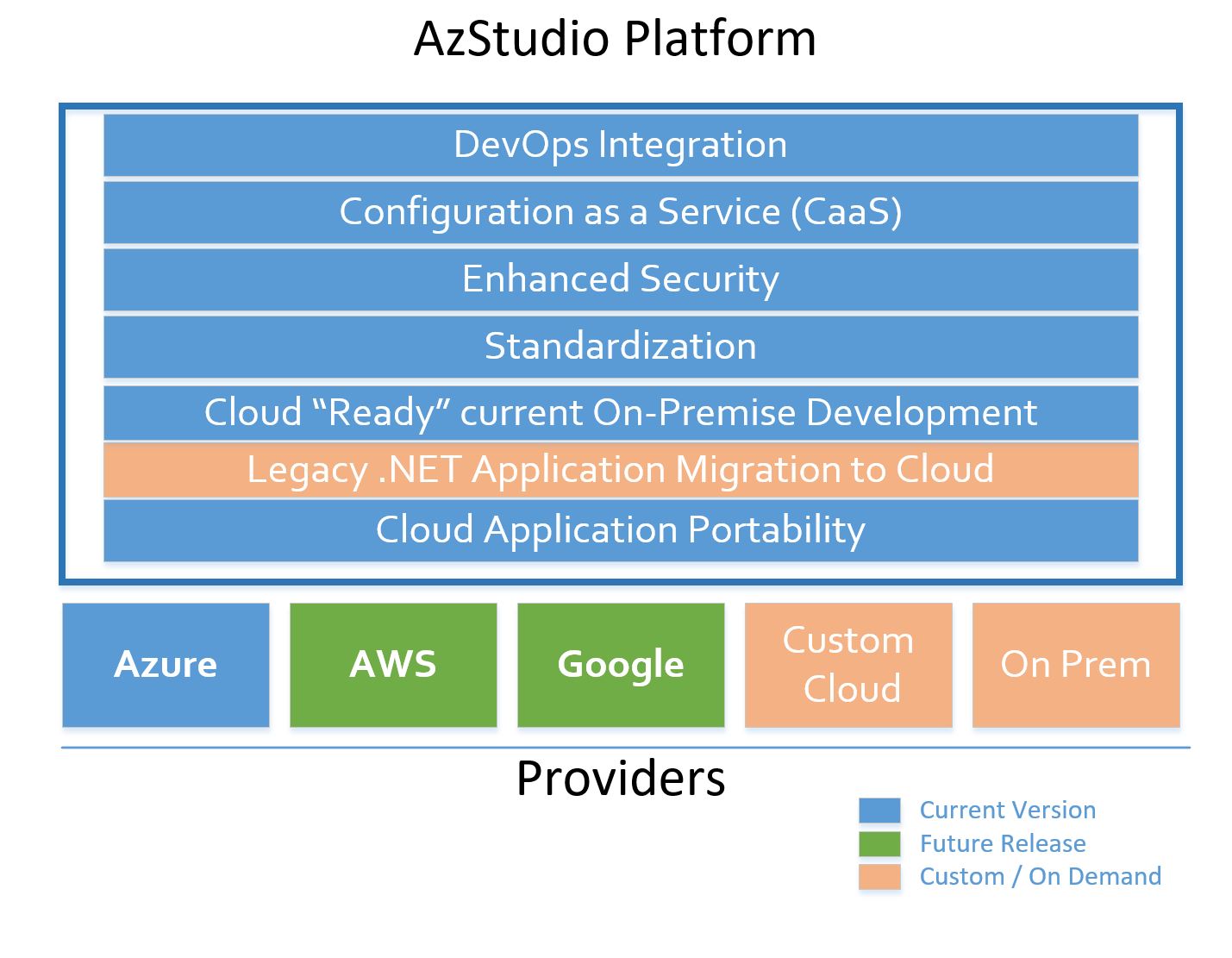
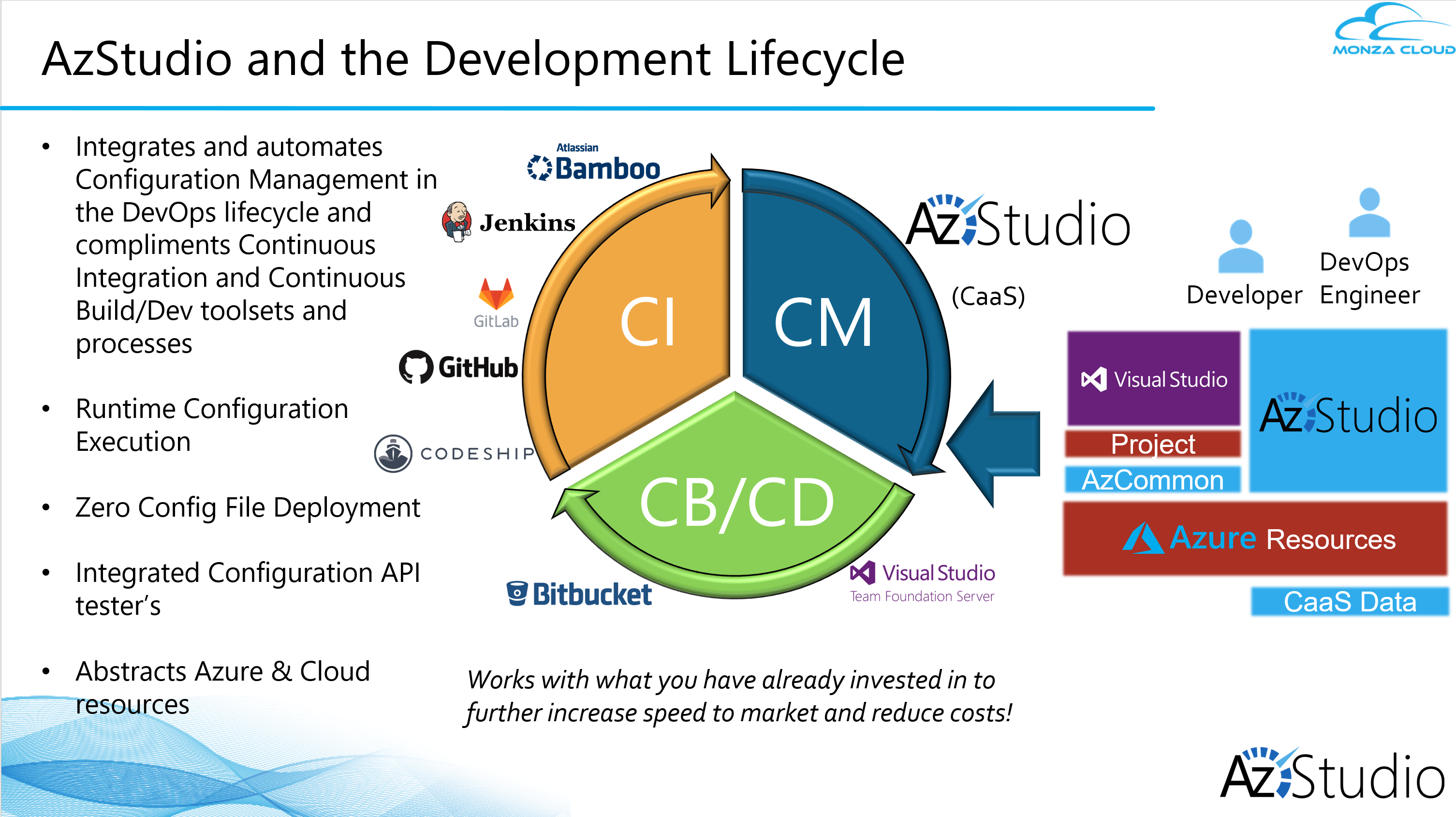
AzStudio is a unified workbench of tools, a platform, that allows developers to code faster than you thought possible. AzStudio aims to accelerate development and drastically increase your speed to market of Azure PaaS Applications. It also expedites Legacy .Net modernization to PaaS efforts and enables Multi-Cloud portability while providing standardized best-practices and enhanced security. According to the vendor, this is done by leveraging a patent-pending Configuration as a Service (CaaS)…
$300
per developer / per month
Progress Telerik
Score 10.0 out of 10
N/A
With Telerik UI libraries, Progress aims to equip .NET ninjas with a full arsenal of weapons, helping to create beautiful, modern and future-proof applications quickly and intuitively. The vendor states that with its over 1,250 UI components for all .NET platforms, as well as various themes, skins and customization options, Telerik users report cutting development time by up to 50 percent. Web
$999
per developer, royalty-free
Pricing
AzStudioProgress Telerik
Editions & Modules
AzStudio Enterprise
$300.00
per developer / per month
Individual Product Licence
$999
per developer, royalty-free
DevCraft UI
$1,299
per developer, royalty-free
DevCraft Complete
$1,499
per developer, royalty-free
DevCraft Ultimate
$2,199
per developer, royalty-free
Offerings
Pricing Offerings
AzStudioProgress Telerik
Free Trial
YesYes
Free/Freemium Version
NoNo
Premium Consulting/Integration Services
NoNo
Entry-level Setup FeeOptionalNo setup fee
Additional DetailsEnterprise – Starting at $300.00/per user(dev/QA/tester/etc.) per month (billed annually) + 18% Annual Maintenance and Support •Unlimited application capacity •Unlimited scalability •Unlimited environments •On-premises/Private/Public/Hybrid Cloud deployment options •Base customer support and maintenance services Base Customer Support services include: •Unlimited how-to email support •Online case submission via email •Self-service resources via Monza Cloud Knowledge Base •Unlimited access to online video training and tutorials
More Pricing Information
Community Pulse
AzStudioProgress Telerik
Best Alternatives
AzStudioProgress Telerik
Small Businesses
Visual Studio
Visual Studio
Score 9.1 out of 10
Syncfusion® Essential Studio®
Score 6.1 out of 10
Medium-sized Companies
Visual Studio
Visual Studio
Score 9.1 out of 10
React
React
Score 9.3 out of 10
Enterprises
Visual Studio
Visual Studio
Score 9.1 out of 10
React
React
Score 9.3 out of 10
All AlternativesView all alternativesView all alternatives
User Ratings
AzStudioProgress Telerik
Likelihood to Recommend
-
(0 ratings)
10.0
(0 ratings)
Likelihood to Renew
-
(0 ratings)
10.0
(0 ratings)
Usability
-
(0 ratings)
9.5
(0 ratings)
Support Rating
-
(0 ratings)
9.3
(0 ratings)
Implementation Rating
-
(0 ratings)
9.0
(0 ratings)
User Testimonials
AzStudioProgress Telerik
Likelihood to Recommend
No answers on this topic
Progress Telerik UI is one of the best web design and development solutions for Dot Net based applications. It has extensible support for ASP.NET Core, C#, WCF, and ASP.NET WebForms. It overall improves the design structure for the applications and provides multiple customization options to meet the requirements of clients and end-users.
Read full review
Pros
No answers on this topic
  • Telerik enables rapid application development for the demonstration of concepts.
  • It provides a good set of themes and functional additions to a UI development environment.
  • Each control is packed with valuable features.
  • The support team is responsive and very knowledgeable about making their product work in whatever situation you need.
Read full review
Cons
No answers on this topic
  • I have not worked with the App Builder but I think a GUI for dragging and dropping components to build a web page would be great.
  • In addition to the app builder there should some tools to design a responsive web application to see the results for different screen sizes.
Read full review
Likelihood to Renew
No answers on this topic
The Telerik UI has become part of our staple development tools. We can not be as productive without the feature set available to us in the Telerik UI ASP.NET AJAX control package.
Read full review
Usability
No answers on this topic
The UX of their UI is very well thought out, the micro-interactions are intuitive - thus great for your end user as less training is needed. Using the software, there [are] loads to get you going, you can download their whole demo site and see how each demo works. There is more now on github to get you started, also much on an awesome CDN that's well bedded in so your app is speedy and up to date.
Read full review
Support Rating
No answers on this topic
Progress Telerik UI customer support is pretty good. The ticketing system allows a thread of questions, answers, and attachments of code and screenshots. Response time is fairly quick and often has code snippets or pointers to online examples that could be relevant. There is a large amount of community support forums to get answers or post questions. In addition there is a forum of posted code samples for the various controls. The Progress update tool easily tells you what products have been updated and allows you to install the updates on your development system. Release notes can be displayed to see what's new.
Read full review
Implementation Rating
No answers on this topic
The controls work very well as long as they are used as intended. Built-in functionality should be used whenever possible,
Read full review
Alternatives Considered
No answers on this topic
The Telerik controls were just easier for us to use and implement. Our evaluation of control packages was over 9 years ago, so it is hard to recall the major differences. Generally, the team preferred what Telerik had to offer, particularly the fact that the bundle provided controls, not just for the ASP.NET context, but also Windows applications, and the cross-platform contexts as well.
Read full review
Return on Investment
No answers on this topic
  • Provides rapid development - it has helped me create multiple web applications in MVC and Angular within a one-month time frame.
  • Our clients were facing challenges (taking time to load applications, grid view, and generating reports ) with asp.net web applications. Using Kendo UI we have migrated the ASP.NET application to MVC within a one-month time frame. The client was very happy with the application's performance and responsive UI.
Read full review
ScreenShots

AzStudio Screenshots

Screenshot of AzStudio PlatformScreenshot of AzStudio and the DevOps lifecycleScreenshot of AzStudio Workbench

Progress Telerik Screenshots

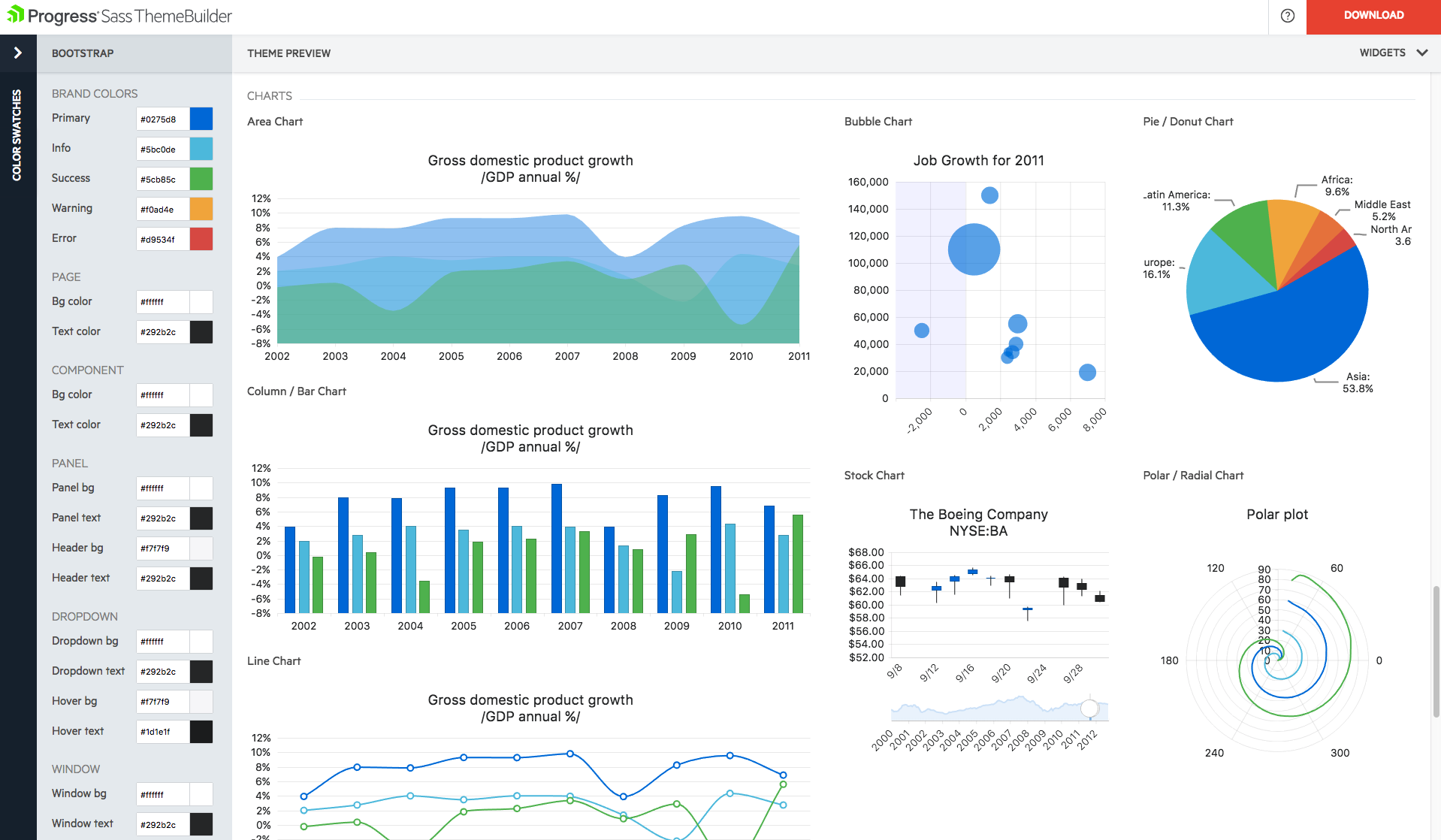
Screenshot of Easily create eye-catching and full-featured user interface for web, mobile and desktop by selecting from our rich library of components. Use advanced features like our grid component to create tables that display data in a wide range of formats from both local and remote sources.Screenshot of Create rich dashboard applications by taking advantage of the breadth of UI widgets available within the Telerik UI toolset. Easily wire up the UI controls to any backend to display any and all kind of data that you need to surface in your applications.Screenshot of Need to add reporting and analytics capabilities to your applications? Telerik Reporting is a complete, lightweight .NET embedded reporting tool for web and desktop applications. Use Telerik Reporting to create, style, view and export rich, interactive and reusable reports to attractively and beautifully present analytical and business data.Screenshot of With Telerik UI for Xamarin you can build native iOS and Android applications, with rich user experience and outstanding performance. Enjoy all the components you need to build your mobile application.Screenshot of Build modern desktop applications with Telerik UI for WinForms and Telerik UI for WPF. The most complete desktop UI suites, with rich feature set and modern look and feel.Screenshot of