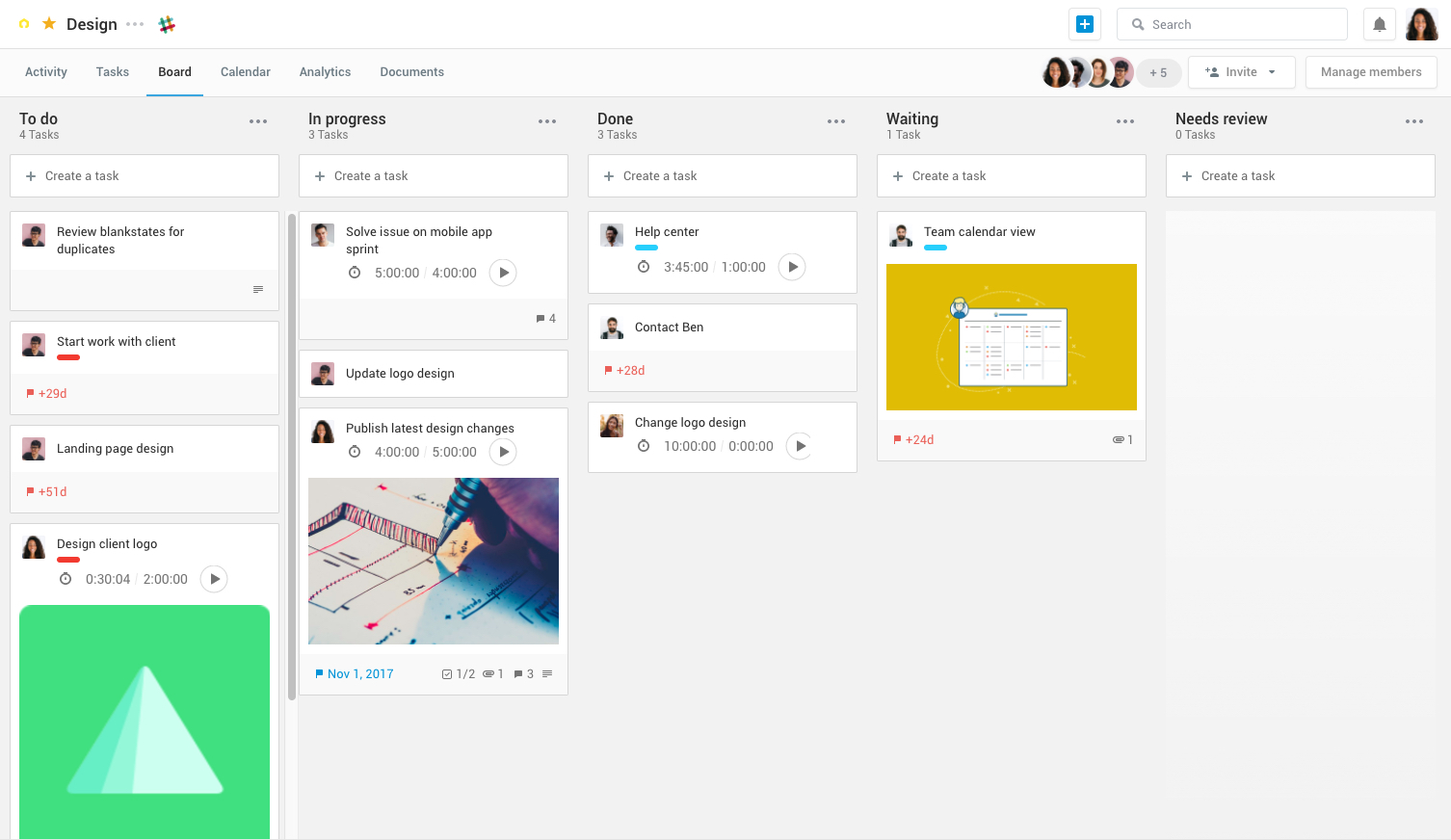
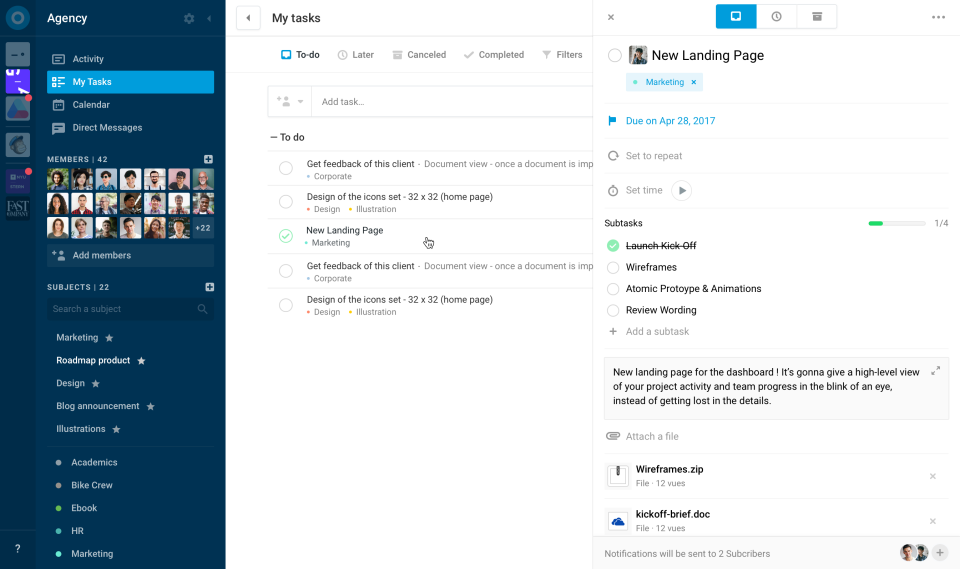
Azendoo is a work management application to help teams work more effectively by giving them the tools to communicate, plan and execute together. Azendoo is designed to make teams collaborate in a more transparent and positive way while making work more enjoyable. Conversations are held in threads shared on projects to see through every piece of information and eventually take action by creating a task based on a conversation. Tasks allow team members to see all of their work in one…
$7.50
per user
Stackby
Score 9.0 out of 10
N/A
Stackby is designed to bring together the simplicity of spreadsheets, the functionality of databases and integrations with best business APIs to let anyone build their own tools, the way they want. No coding needed. Users can build a database from scratch, import data from pre-existing sources like spreadsheets or Google Sheets, or choose from over 100 pre-built templates across multiple categories. Stackby offers over 25 unique column types like text,…
$5
per month per user
Pricing
azendoo
Stackby
Editions & Modules
Team plan
$7.50
per user
Business plan
$14.00
per user
Enterprise plan
custom pricing
per user
Personal
$6
per month per user
Economy
$10
per month per user
Business
$20
per month per user
Business Plus
$35
per month per user
Enterprise
Custom
Offerings
Pricing Offerings
azendoo
Stackby
Free Trial
Yes
Yes
Free/Freemium Version
No
Yes
Premium Consulting/Integration Services
Yes
No
Entry-level Setup Fee
$7.50 per user
No setup fee
Additional Details
Add some time tracking: +$5.00 user/month
Scheduled and accumulated time per task
20% discount for annual pricing.
More Pricing Information
Community Pulse
azendoo
Stackby
Features
azendoo
Stackby
Project Management
Comparison of Project Management features of Product A and Product B
azendoo
8.3
3 Ratings
8% above category average
Stackby
-
Ratings
Task Management
8.13 Ratings
00 Ratings
Resource Management
9.03 Ratings
00 Ratings
Scheduling
7.93 Ratings
00 Ratings
Workflow Automation
8.93 Ratings
00 Ratings
Team Collaboration
9.03 Ratings
00 Ratings
Document Management
8.03 Ratings
00 Ratings
Email integration
8.02 Ratings
00 Ratings
Mobile Access
8.03 Ratings
00 Ratings
Budget and Expense Management
8.02 Ratings
00 Ratings
Professional Services Automation
Comparison of Professional Services Automation features of Product A and Product B
I think Azendoo is suited well to small office tracking projects and tasks together. The shared projects/calendar use is helpful and can make work easier if everyone uses it in a similar manner. The ability to add things from other sources (Dropbox, Evernote, etc) does make it a useful platform because you can integrate other things into the app well. The visibility and shared spaces provide good accountability and follow up for work being done.
Based on my experience, I can provide specific scenarios where Stackby is well suited and others where it may be less appropriate: Project Management: Stackby is an excellent choice for project management scenarios. Its ability to create custom databases, track tasks, assign responsibilities, and collaborate in real-time makes it highly effective for managing and monitoring project progress. CRM and Sales: Stackby is well suited for managing customer relationships and sales processes. Its customizable database structure allows for organizing customer information, tracking leads, managing deals, and generating reports. The ability to integrate with other tools further enhances its usefulness in CRM and sales workflows. Content Planning: Stackby is a great fit for content planning scenarios. Users can create databases to manage editorial calendars, track content ideas, assign tasks to team members, and monitor content performance. Collaboration features facilitate seamless content collaboration and ensure timely publishing.
Software Updates - The azendoo interface is constantly being updated with new features which are helpful to our organization. For example, they just rolled out the ability to assign subtasks, so that we don't have to manually update the assignee on each step of a large, multi-step task.
Email Notifications - azendoo provides complete customization over the amount of notification emails you receive. Some of us prefer to be emailed with each update made within a task, whereas others prefer just a once-daily notification email.
Levels of organization - azendoo provides many tiers of structure within the platform, making it easy for us to layer levels of detail for a single project. For example, at the workspace level we can define where our teams "live" on azendoo, and at the subject level we can categorize projects for tracking purposes. With the new addition of subtasks, we now have an additional layer of organization which helps us keep track of where a task is at in its lifecycle.
Implement the same views available on desktop into the mobile app
Internal automations (like Airtable)
Ability to implement and display info as a dashboard (like Airtable)
Polish up the formatting of formulas, inputting them causes user frustration due to the formula input cursor jumping around
Better intelligence and ease of inputting data in bulk i.e have the fields automatically identify what data is being input and format appropriately (like Airtable does)
Stackby is overall pretty easy to use, especially if you're used to something like Airtable or SmartSuite. Some of the pages seem like near exact clones (though they put their own creative spin on things). I'd prefer a slighty fresher interface (like SmartSuite), but I'm willing to sacrifice that for the better price and great customer service.
azendoo is a different tool, meant for a different project type. While it's a good program on its own, Evernote ultimately had all I needed as a single employee/student is the only person within my workspaces. I did not need to network and as such, I did not find it applicable. Later down the road in a shared office, I might feel differently.
I have also tried Ora.Pm. Infinity has better graphical interface, but nowhere near as many features and the UI isn't as effective (i.e, moving around with keys). Grist has a much more technical interface and it comes from being more of a database/interactive spreadsheet vs Stackby. Grist has much more functionality in terms of formulas, but is much harder to learn to use and less other functionalities. Ora.PM is more of a test at a task management app, and doesn't compare - Stackby is much better.
azendoo's integration with Google Drive has been valuable to our organization, as we are heavy users of Drive. We've been able to seamlessly attach documents to tasks which has been very helpful from a collaboration perspective.
Training new team members - It's relatively easy to get new team members up-to-speed on what's going on in the department, as they can just log into azendoo and catch up on all of our existing projects and things coming down the pipeline.
App - azendoo's mobile app has been great for keeping up with progress on items while many of us are out of office or working away from the office. The app has a great user experience and is much easier than keeping tabs via email.