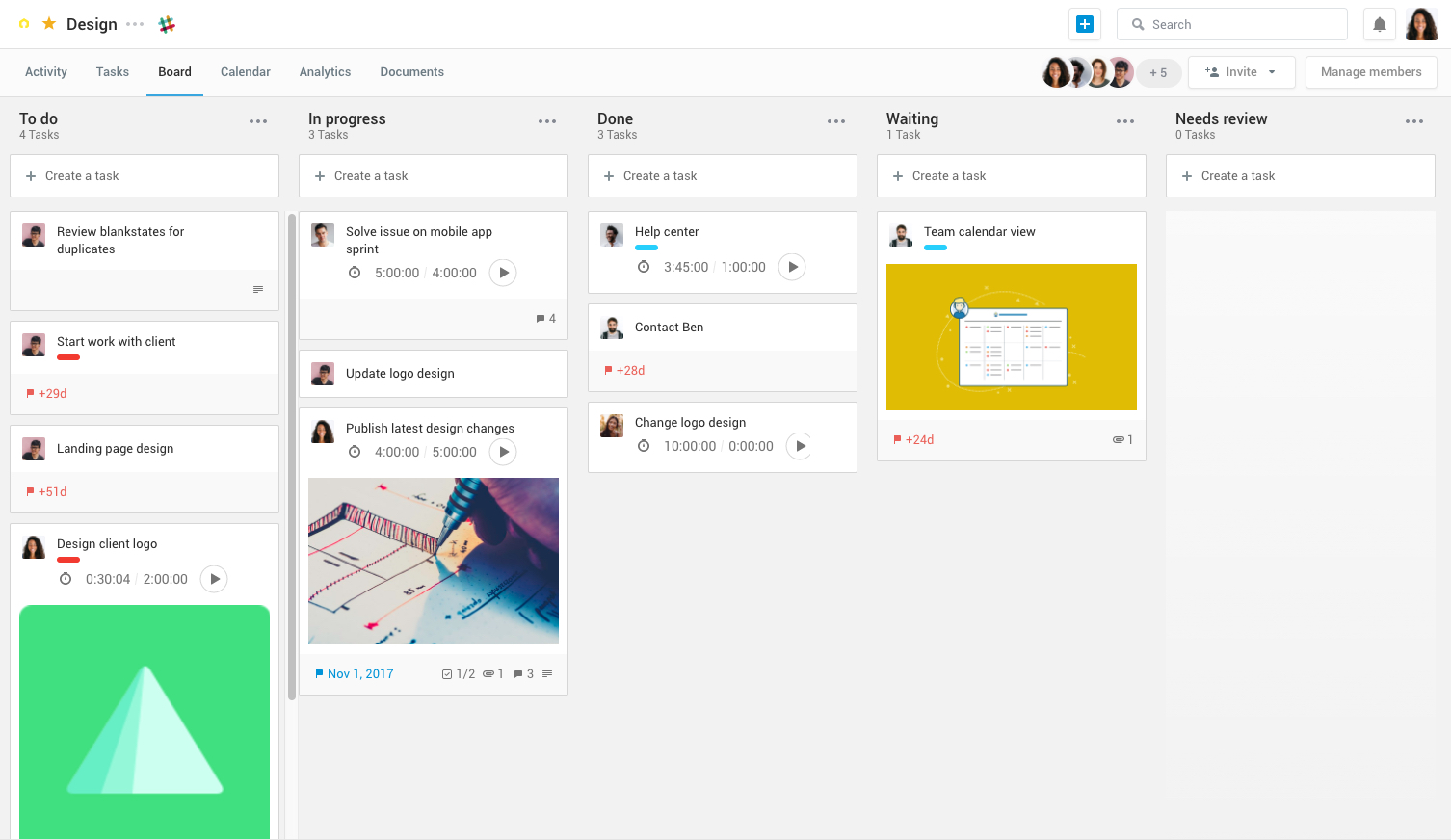
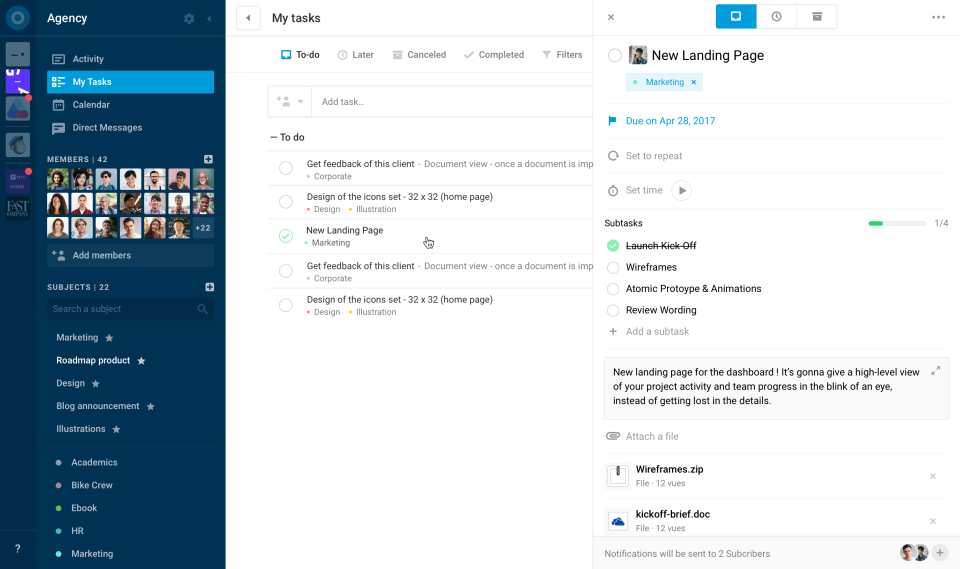
Azendoo is a work management application to help teams work more effectively by giving them the tools to communicate, plan and execute together. Azendoo is designed to make teams collaborate in a more transparent and positive way while making work more enjoyable. Conversations are held in threads shared on projects to see through every piece of information and eventually take action by creating a task based on a conversation. Tasks allow team members to see all of their work in one…
$7.50
per user
Miro
Score9.2 out of 10
N/A
Miro empowers cross-functional teams to flow from early discovery through final delivery on a shared, AI-first canvas. With the canvas as the prompt, Miro’s AI capabilities keep teams in the flow of work, and scale shifts in ways of working.
$10
per month per user
Pricing
azendoo
Miro
Editions & Modules
Team plan
$7.50
per user
Business plan
$14.00
per user
Enterprise plan
custom pricing
per user
1. Free - To discover what Miro can do. Always free
$0
2. Starter - Unlimited and private boards with essential features
$8
per month (billed annually) per user
3. Business - Scales collaboration with advanced features and security
$16
per month (billed annually) per user
4. Enterprise - For work across the entire organization, with support, security and control, to scale
contact sales
annual billing per user
Offerings
Pricing Offerings
azendoo
Miro
Free Trial
Yes
Yes
Free/Freemium Version
No
Yes
Premium Consulting/Integration Services
Yes
No
Entry-level Setup Fee
$7.50 per user
Optional
Additional Details
Add some time tracking: +$5.00 user/month
Scheduled and accumulated time per task
Monthly billing also available at $10 per month for the Starter plan, or $20 for the Business plan.
I think Azendoo is suited well to small office tracking projects and tasks together. The shared projects/calendar use is helpful and can make work easier if everyone uses it in a similar manner. The ability to add things from other sources (Dropbox, Evernote, etc) does make it a useful platform because you can integrate other things into the app well. The visibility and shared spaces provide good accountability and follow up for work being done.
A de minimis incentive was given to thank the reviewer for their time. The incentive was not used to bias or drive a particular response, nor was the incentive contingent on a positive endorsement. More Info
Miro is the ideal tool where a highly collaborative environment is needed in order to be productive. Projects or ideas that are complex and require input from many people all at once are where Miro really shines. Where Miro is not ideal is when it becomes the 'source of truth' for information. Because it is very collaborative and editable by all, it's not the right tool for maintaining comprehensive information, or 'south of truth' IE project plan commitments etc.
A de minimis incentive was given to thank the reviewer for their time. The incentive was not used to bias or drive a particular response, nor was the incentive contingent on a positive endorsement. More Info
Software Updates - The azendoo interface is constantly being updated with new features which are helpful to our organization. For example, they just rolled out the ability to assign subtasks, so that we don't have to manually update the assignee on each step of a large, multi-step task.
Email Notifications - azendoo provides complete customization over the amount of notification emails you receive. Some of us prefer to be emailed with each update made within a task, whereas others prefer just a once-daily notification email.
Levels of organization - azendoo provides many tiers of structure within the platform, making it easy for us to layer levels of detail for a single project. For example, at the workspace level we can define where our teams "live" on azendoo, and at the subject level we can categorize projects for tracking purposes. With the new addition of subtasks, we now have an additional layer of organization which helps us keep track of where a task is at in its lifecycle.
A de minimis incentive was given to thank the reviewer for their time. The incentive was not used to bias or drive a particular response, nor was the incentive contingent on a positive endorsement. More Info
A de minimis incentive was given to thank the reviewer for their time. The incentive was not used to bias or drive a particular response, nor was the incentive contingent on a positive endorsement. More Info
A de minimis incentive was given to thank the reviewer for their time. The incentive was not used to bias or drive a particular response, nor was the incentive contingent on a positive endorsement. More Info
When using the find functionality to locate an item in a Miro board, I do not like that it keeps my previous searched term. Other programs, like Excel, do this but they have it so that you can easily overwrite the previously-searched term.
It would be helpful if you could search by a particular frame, instead of the entire board. For our quarterly backlog review, we often have items that carry over, so there are duplicates on the board. Being able to search by a frame would make this easier.
Understanding who can access a board is not always clear to me.
A de minimis incentive was given to thank the reviewer for their time. The incentive was not used to bias or drive a particular response, nor was the incentive contingent on a positive endorsement. TR verified that a representative sample of customers was invited. More Info
I have advocate for the renew of Miro quite few times, however, it is not under my control as the decision is made in another team with their own budget. I would buy for my own entrepreneur projects (1-2 members) as I do know the value and work there 100%. So, I would pay out of my own pocket to get the value. However, If I wouldn't know the value it provides, it would be hard to decide with the current freemium features
A de minimis incentive was given to thank the reviewer for their time. The incentive was not used to bias or drive a particular response, nor was the incentive contingent on a positive endorsement. More Info
My rating for Miro is 10 because it has delivered excellent outcomes for my team. We can now plan in real time before taking any action, and anyone can participate in the plans we are creating to boost our company's sales. We all have good plans and strategies for the target audience, so most team members are able to create a good incentive
A de minimis incentive was given to thank the reviewer for their time. The incentive was not used to bias or drive a particular response, nor was the incentive contingent on a positive endorsement. TR verified that a representative sample of customers was invited. More Info
I only give a 9/10 because of the speed at which it loads. I have never experienced issues with Miro logging me out early, or some other technical issue causing the program to crash, or even it just loading in perpetuity without ever actually coming up (unlike other programs such as SFDC). It take a minute for all of my boards to come up after I click on it in my favorites, but besides that, it's all good.
A de minimis incentive was given to thank the reviewer for their time. The incentive was not used to bias or drive a particular response, nor was the incentive contingent on a positive endorsement. TR verified that a representative sample of customers was invited. More Info
Sometimes it gets quite slow and there is a correlation between this and the size of the board. Hence we are trying to segment the boards based on product stages or projects so that the size doesn't go big. When you go from discovery to delivery on a simple board, it will get large and difficult to load, even crash or go white screen
A de minimis incentive was given to thank the reviewer for their time. The incentive was not used to bias or drive a particular response, nor was the incentive contingent on a positive endorsement. More Info
We have never reached out to or contacted support because Miro's platform has been incredibly intuitive and user-friendly. The comprehensive resources available, such as tutorials, documentation, and community forums, have provided all the guidance we needed. The seamless integration with our existing tools and the reliability of the platform have ensured that we rarely encounter issues that require external assistance. This self-sufficiency has allowed us to focus more on our projects and collaboration without interruptions. Overall, our experience with Miro has been smooth and efficient, eliminating the need for additional support
A de minimis incentive was given to thank the reviewer for their time. The incentive was not used to bias or drive a particular response, nor was the incentive contingent on a positive endorsement. More Info
There was a series of webinars which Miro hosted with our organization that went over the basics, then progressively became more advanced with additional sections. The instructors were knowledgeable, and provided examples throughout the sessions, as well as answered peoples' questions. There was ample time and experience on the calls to cover a range of topics. The instructors were also very friendly and sociable, as well as honest. Of course Miro isn't a "God-tool" that does absolutely everything, but the instructors were aware and emphasized the strengths where Miro had them and sincerely accepted feedback.
A de minimis incentive was given to thank the reviewer for their time. The incentive was not used to bias or drive a particular response, nor was the incentive contingent on a positive endorsement. TR verified that a representative sample of customers was invited. More Info
Easy to learn, Miro has a series of videos on YouTube that effectively taught this program to my team members and me. The program is drag-and-drop and works excellently. People pick up on how to use it efficiently, and it's great for organizing ideas more freely. This product is more challenging for some older audiences who are not accustomed to using a touchpad, but for most, it was very easy to use.
A de minimis incentive was given to thank the reviewer for their time. The incentive was not used to bias or drive a particular response, nor was the incentive contingent on a positive endorsement. TR verified that a representative sample of customers was invited. More Info
azendoo is a different tool, meant for a different project type. While it's a good program on its own, Evernote ultimately had all I needed as a single employee/student is the only person within my workspaces. I did not need to network and as such, I did not find it applicable. Later down the road in a shared office, I might feel differently.
A de minimis incentive was given to thank the reviewer for their time. The incentive was not used to bias or drive a particular response, nor was the incentive contingent on a positive endorsement. More Info
We tested every product, but the biggest problem we encountered was that most of them required plugins in order to centralize all of our work. Other problems included the products' excessive price, which was higher than Miro's. Last but not least, Miro offered us an all-in-one solution.
A de minimis incentive was given to thank the reviewer for their time. The incentive was not used to bias or drive a particular response, nor was the incentive contingent on a positive endorsement. TR verified that a representative sample of customers was invited. More Info
Maybe is possible now so... Could be useful to manage in some way source code for the projects? not to edit so when we make solutions with different components in MIro, maybe each component could redirect to the source code of this component
A de minimis incentive was given to thank the reviewer for their time. The incentive was not used to bias or drive a particular response, nor was the incentive contingent on a positive endorsement. TR verified that a representative sample of customers was invited. More Info
azendoo's integration with Google Drive has been valuable to our organization, as we are heavy users of Drive. We've been able to seamlessly attach documents to tasks which has been very helpful from a collaboration perspective.
Training new team members - It's relatively easy to get new team members up-to-speed on what's going on in the department, as they can just log into azendoo and catch up on all of our existing projects and things coming down the pipeline.
App - azendoo's mobile app has been great for keeping up with progress on items while many of us are out of office or working away from the office. The app has a great user experience and is much easier than keeping tabs via email.
A de minimis incentive was given to thank the reviewer for their time. The incentive was not used to bias or drive a particular response, nor was the incentive contingent on a positive endorsement. More Info
A de minimis incentive was given to thank the reviewer for their time. The incentive was not used to bias or drive a particular response, nor was the incentive contingent on a positive endorsement. More Info