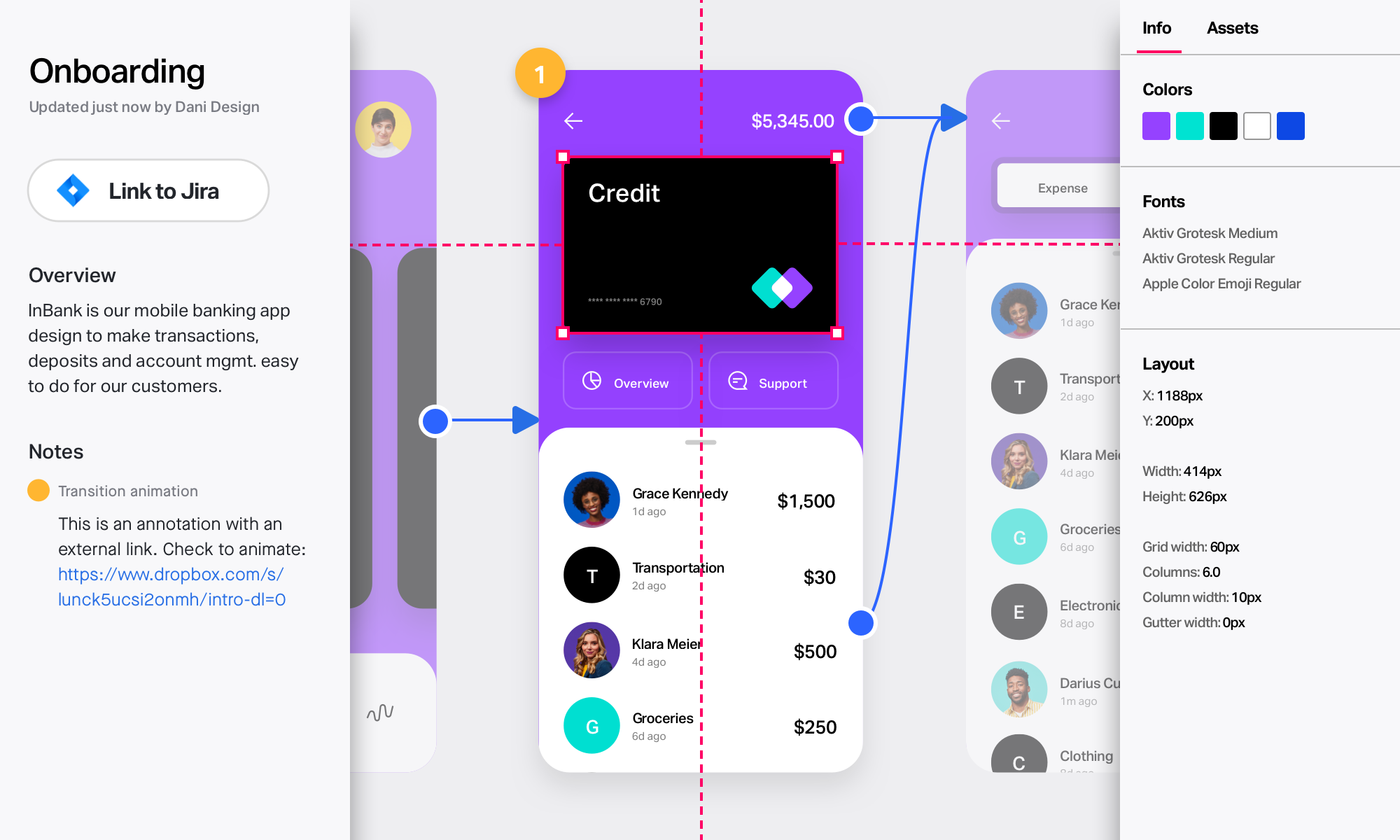
Axure RP is a software prototyping tool used by UX designers, from Axure Software Solutions in San Diego.
N/A
InVision
Score5.7 out of 10
N/A
InVision is a collaborative design and prototyping platform with features such as freehand drafting mode and interactive mockups, collaboration, idea management, user testing, and integration with Slack and other collaboration tools. According to the vendor, 1 million designers are using the free version.
$0
Pricing
Axure RP
InVision
Editions & Modules
No answers on this topic
Free
$0
Pro
$7.75
per user/per month
Enterprise
Contact Sales
Offerings
Pricing Offerings
Axure RP
InVision
Free Trial
No
No
Free/Freemium Version
No
No
Premium Consulting/Integration Services
No
No
Entry-level Setup Fee
No setup fee
No setup fee
Additional Details
—
—
More Pricing Information
Community Pulse
Axure RP
InVision
Considered Both Products
Axure Software Solutions
Verified User
Chose Axure RP
Since Axure RP is a desktop software that can work without a cloud connection, it is easy to have approved within a highly restricted corporate environment for a low cost with a small team. iRise is a solution that requires greater amounts of management, best service a group of …
A de minimis incentive was given to thank the reviewer for their time. The incentive was not used to bias or drive a particular response, nor was the incentive contingent on a positive endorsement. More Info
Verified User
Chose Axure RP
InVision and Marvel are hotspot-based applications, so you are limited to the types of interactions that you can create. You can create any interaction in Axure by building it yourself with a combination of adding cases to dynamic panels with clauses. Learning how to do a …
A de minimis incentive was given to thank the reviewer for their time. The incentive was not used to bias or drive a particular response, nor was the incentive contingent on a positive endorsement. More Info
Lead User Experience Designer in Product Management at ACGI Software (Computer Software, 51-200 employees)
Chose Axure RP
Axure's masters put in an entirely different space from any other tool I've tested. They allow a degree of systemic design that I have yet to see in another piece of software. Sketch (by Bohemian Coding) gets close with its inclusion of symbols. However, until the symbols have …
A de minimis incentive was given to thank the reviewer for their time. The incentive was not used to bias or drive a particular response, nor was the incentive contingent on a positive endorsement. More Info
Principal User Researcher in Research & Development at Focusrite Group US (Music, 501-1000 employees)
Chose Axure RP
Axure is my go-to choice because although it is more manual, I have more direct control and can create rich prototypes and interactions that other tools just can't do. With Axure I can mockup physical hardware as well as on-device screens and deep menus. You just can't do that …
A de minimis incentive was given to thank the reviewer for their time. The incentive was not used to bias or drive a particular response, nor was the incentive contingent on a positive endorsement. More Info
Verified User
Chose Axure RP
Axure stacks up pretty nicely against other tools, in terms of available functionality and support for users. It’s probably the best tool I have used to create the most realistic and complex prototypes for sales purposes. However, its interface is outdated compared to other …
A de minimis incentive was given to thank the reviewer for their time. The incentive was not used to bias or drive a particular response, nor was the incentive contingent on a positive endorsement. More Info
Verified User
Chose Axure RP
We initially based our decision on Axure's reputation as the industry standard for prototyping. It is the best as what it does for now, but this is a highly competitive field. There seems to be a new UX/UI tool coming out monthly. I think Axure will continue to be the best for …
A de minimis incentive was given to thank the reviewer for their time. The incentive was not used to bias or drive a particular response, nor was the incentive contingent on a positive endorsement. More Info
Vice President Product Marketing in Product Management at Real Magnet (Internet, 51-200 employees)
Chose Axure RP
Axure is more full features than most of its competitors. We needed the interactivity that Axure provides and that others were lacking in. We also had some individuals on the team that were familiar with Axure from their prior experience and we wanted to take advantage of that …
A de minimis incentive was given to thank the reviewer for their time. The incentive was not used to bias or drive a particular response, nor was the incentive contingent on a positive endorsement. More Info
Visual and Experience Designer at Freelance, Various Clients (Design, 1-10 employees)
Chose Axure RP
As I stated, I find myself reaching for Axure less. Though it is certainly more powerful than an other tools I've used, it is also the slowest and least simple to build out a prototype. For quick turnaround for a client, I'll always reach for one of the other programs. For a …
A de minimis incentive was given to thank the reviewer for their time. The incentive was not used to bias or drive a particular response, nor was the incentive contingent on a positive endorsement. More Info
A de minimis incentive was given to thank the reviewer for their time. The incentive was not used to bias or drive a particular response, nor was the incentive contingent on a positive endorsement. More Info
UX/UI Associate at N/A (Graphic Design, 1-10 employees)
Chose Axure RP
Despite the three being less sophisticated than Axure, I lean towards them because they make rapid prototyping genuinely rapid. I haven't had to show a clickable prototype in my absence, so I prefer showing a prototype that's more user flow oriented than "feature" heavy.
A de minimis incentive was given to thank the reviewer for their time. The incentive was not used to bias or drive a particular response, nor was the incentive contingent on a positive endorsement. More Info
Verified User
Chose Axure RP
We also use some other prototyping tools like InVision, but Axure works great on projects where you start from low-fidelity wireframes (so just boxes and dummy text), creating simple animations, testing out the concepts with users and stakeholders - then translating the same …
A de minimis incentive was given to thank the reviewer for their time. The incentive was not used to bias or drive a particular response, nor was the incentive contingent on a positive endorsement. More Info
Verified User
Chose Axure RP
Axure is king when it comes to functional prototypes. Sketch looks better visually and is an easy interface to use but is limiting because there is no option to build in interactions.
A de minimis incentive was given to thank the reviewer for their time. The incentive was not used to bias or drive a particular response, nor was the incentive contingent on a positive endorsement. More Info
Verified User
Chose Axure RP
Neither of tools around are a complete solution. Axure is the most complete tool in the market at this moment. In my perspective and daily use, the strongest feature of Axure is prototyping for mobile and tablet devices. Axshare is very helpful, but still I wish to have the …
A de minimis incentive was given to thank the reviewer for their time. The incentive was not used to bias or drive a particular response, nor was the incentive contingent on a positive endorsement. More Info
InVisionApp Inc.
Verified User
Chose InVision
Main difference is InVision's easy to use prototyping capability. When it is compared to Marvel and Axure RP, while it has less capabilities on tools it is more robust than both. I believe Figma is just a new and upgraded version of InVision where you could do everything online …
A de minimis incentive was given to thank the reviewer for their time. The incentive was not used to bias or drive a particular response, nor was the incentive contingent on a positive endorsement. More Info
Verified User
Chose InVision
InVision's design is much more polished and seamless due to its apps on mobile and web. They are very easy to learn and gather feedback compared to Sketch or Principle. Although these features are quickly coming to the other apps, InVision has an upper hand at the moment with …
A de minimis incentive was given to thank the reviewer for their time. The incentive was not used to bias or drive a particular response, nor was the incentive contingent on a positive endorsement. More Info
Verified User
Chose InVision
Compared to other tools, InVision is a very solid tool with a great reputation and prototyping functionalities to back it up. InVision was the first prototyping tool we purchased, and it’s served us really well. However, more and more design tools are now also providing …
A de minimis incentive was given to thank the reviewer for their time. The incentive was not used to bias or drive a particular response, nor was the incentive contingent on a positive endorsement. More Info
Verified User
Chose InVision
As the industry leader, XD and Figma have had some catching up to do. I think now InVision will have to innovate to hold these products off. Several are doing what made InVision famous, and in some instances do it even better. There is an insane amount of competition and …
A de minimis incentive was given to thank the reviewer for their time. The incentive was not used to bias or drive a particular response, nor was the incentive contingent on a positive endorsement. More Info
Verified User
Chose InVision
InVision is super easy to learn and deploy compared to other tools. In fact other tools are following InVision and trying to match InVision. InVision support is tremendous even for a free license, you get a full support within a few hours. Special thanks to all those support …
A de minimis incentive was given to thank the reviewer for their time. The incentive was not used to bias or drive a particular response, nor was the incentive contingent on a positive endorsement. More Info
Verified User
Chose InVision
InVision doesn't allow for an in-app design like the products mentioned above, but it's easy to upload screens.
A de minimis incentive was given to thank the reviewer for their time. The incentive was not used to bias or drive a particular response, nor was the incentive contingent on a positive endorsement. More Info
Senior Interaction Designer in Research & Development at CareerBuilder (Internet, 1001-5000 employees)
Chose InVision
For more complicated and accurate prototyping, our team relies on Proto.io and Axure. These tools give many more options for communicating ideas beyond simple mockup screen, click a button, next mockup screen. One caveat though, is that the learning curve for these tools is …
A de minimis incentive was given to thank the reviewer for their time. The incentive was not used to bias or drive a particular response, nor was the incentive contingent on a positive endorsement. More Info
Director of Product Experience in Research & Development at WuXi NextCODE (Biotechnology, 201-500 employees)
Chose InVision
We started using Marvel for rapid prototyping and the two are fairly analogous. In the end team and enterprise functionality drove the switch from one tool to the other. Another tool we had used is Axure, and for truly advanced, data driven prototyping, it's still the tool to …
A de minimis incentive was given to thank the reviewer for their time. The incentive was not used to bias or drive a particular response, nor was the incentive contingent on a positive endorsement. More Info
Axure is expensive, and there's a much bigger then you get with InVision. I also feel like the finished prototype just never looks as nice. I do still use Balsamiq on occasion, that's the best option when you want to create something quickly, to communicate a simple idea. …
A de minimis incentive was given to thank the reviewer for their time. The incentive was not used to bias or drive a particular response, nor was the incentive contingent on a positive endorsement. More Info
Verified User
Chose InVision
Axure is too expensive and often an overkill in time and effort to create a clickthrough. Flinto is nice for interactions, but often times for workflow Invision is just easier to use. Pixate has a little bit of a learning curve similar to Axure, but not as powerful.
A de minimis incentive was given to thank the reviewer for their time. The incentive was not used to bias or drive a particular response, nor was the incentive contingent on a positive endorsement. More Info
Still the best IMHO for dynamic prototyping. Sometimes you need to wireframe novel on-page widgets, such as draggable search areas (in the context of map-based search), or interactive annotations on diagrams. And sometimes real data values are necessary for test participants to give good feedback. However, this is something of a niche scenario. The majority of uxers prefer xd or Figma and find that static prototypes (screen1->click->screen2) is sufficient.
InVision is well suited for design reviews and immersing yourself in the experience of an app-to-be. As a Product Manager, it's difficult to take abstract concepts, user pain points, and business needs, and produce a vision for an app without a visual aid to communicate a vision. InVIsion offers PMs, designers, and developers the opportunity to sketch a vision, communicate about it with inline commenting, and shareable with other stakeholders.
A de minimis incentive was given to thank the reviewer for their time. The incentive was not used to bias or drive a particular response, nor was the incentive contingent on a positive endorsement. More Info
Adaptive views enable us to create truly responsive designs, even when they are very complex.
The platform’s many available templates and ability to create a library of reusable designs enables us to prototype faster and more efficiently than creating every single design from the ground up.
The company provides a lot of support options, from training videos to online forums. This is a pretty complex tool, so knowing that we can always look up or ask a question and get a quick answer has helped us immensely.
Axure’s comprehensive suite of tools to portray interactivity in prototypes has truly helped us show stakeholders and clients what an end product will look like, which has really helped us gain necessary internal and external buy-in.
A de minimis incentive was given to thank the reviewer for their time. The incentive was not used to bias or drive a particular response, nor was the incentive contingent on a positive endorsement. More Info
A de minimis incentive was given to thank the reviewer for their time. The incentive was not used to bias or drive a particular response, nor was the incentive contingent on a positive endorsement. More Info
A de minimis incentive was given to thank the reviewer for their time. The incentive was not used to bias or drive a particular response, nor was the incentive contingent on a positive endorsement. More Info
A de minimis incentive was given to thank the reviewer for their time. The incentive was not used to bias or drive a particular response, nor was the incentive contingent on a positive endorsement. TR verified that a representative sample of customers was invited. More Info
A de minimis incentive was given to thank the reviewer for their time. The incentive was not used to bias or drive a particular response, nor was the incentive contingent on a positive endorsement. More Info
Axure feels like a tool that started with a simple interface that wasn't redesigned over time. Simple tasks sometimes require clicking through multiple layers. Crucial pieces of functionality are hidden under text links, or just flatly aren't discoverable. Much of the quirks of the interface only come from having screwed up numerous times, and knowing that certain things are just difficult to accomplish.
A de minimis incentive was given to thank the reviewer for their time. The incentive was not used to bias or drive a particular response, nor was the incentive contingent on a positive endorsement. More Info
A de minimis incentive was given to thank the reviewer for their time. The incentive was not used to bias or drive a particular response, nor was the incentive contingent on a positive endorsement. More Info
I've never used the support for Axure but they do have an online community that can be helpful when you're unsure how to accomplish a specific bit of interactivity. Overall the community for Axure is a great benefit for the software. There are also a lot of shared library assets which can help reduce the time you spend on projects.
A de minimis incentive was given to thank the reviewer for their time. The incentive was not used to bias or drive a particular response, nor was the incentive contingent on a positive endorsement. More Info
I didn't need to contact InVision support, as I've never needed it. They have an intuitive UI, and most of the questions are answered in their help portal or in tutorials online. Since many people use it, there a great resources available on for example YouTube. No problems so far with InVision.
A de minimis incentive was given to thank the reviewer for their time. The incentive was not used to bias or drive a particular response, nor was the incentive contingent on a positive endorsement. More Info
I think that the online training videos cover all product features and are a great resource to point people to. The newsletter is also frequent and passes on a range of tips and techniques for users that are eager to learn more, or just want to keep themselves up to date
Since Axure RP is a desktop software that can work without a cloud connection, it is easy to have approved within a highly restricted corporate environment for a low cost with a small team. iRise is a solution that requires greater amounts of management, best service a group of designers in a corporate environment. InVision is cloud-based and, although not impossible, would require a long-term agreement to be made between the corporate and InVision. These could take years. Origami is free and desktop based and has great control of the transitions and data - but is so granular that additional time commitments may have to be made to make a prototype of this fidelity
A de minimis incentive was given to thank the reviewer for their time. The incentive was not used to bias or drive a particular response, nor was the incentive contingent on a positive endorsement. More Info
We only tested out using Adobe XD for similar uses and found it to be more challenging to fit within our processes. It didn't have as robust a set of capabilities as InVision and wasn't as easy to use enterprise wide. I recall also having issues with working with Sketch.
A de minimis incentive was given to thank the reviewer for their time. The incentive was not used to bias or drive a particular response, nor was the incentive contingent on a positive endorsement. More Info
Axure allows for us to quickly get the entire sales team trained on a specific narrative and gives them a fool proof click path for them to use in the demo.
Axure is relatively inexpensive and allows for purchasing the software without having to pay a monthly subscription (although they do have that option).
The Sketch integration has allowed for a 10 fold increase in productivity by taking designs already created in another program and quickly adding them to Axure.
A de minimis incentive was given to thank the reviewer for their time. The incentive was not used to bias or drive a particular response, nor was the incentive contingent on a positive endorsement. More Info
InVision helps our team better and more professionally portray the value and the work we do as designers, leading to more company buy-in in supporting and funding our work. In the past, we would create PowerPoints with screenshots to portray a user workflow that we would share out to stakeholders. Once we began to use this app, where stakeholders could click through and comment as though they were “real” users, stakeholders began to better understand our work, designs, and workflows. This has led to more productive conversations that, in turn, lead to more effective end products that have more consistently served our business goals in tangible ways.
InVision helps us save production time, effort, and cost, as we are able to solve design issues early in the process by having clickable prototypes to show to internal stakeholders and external users. It’s, understandably, difficult for people to provide effective feedback on screenshots. Using the clickable prototypes we created in InVision, we are able to get more effective feedback to solve user workflow issues before we spend time and money developing problematic designs (and later having to redesign them).
It’s easier to market designs to potential buyers with clickable prototypes than with screenshots. With these prototypes, we’ve been able to sell more digital products before product release dates, which has helped to secure many contracts and new business relationships that continue to this day.
A de minimis incentive was given to thank the reviewer for their time. The incentive was not used to bias or drive a particular response, nor was the incentive contingent on a positive endorsement. More Info