The vendor presents AWS Control Tower as the easiest way to set up and govern a new, secure multi-account AWS environment. With AWS Control Tower, builders can provision new AWS accounts in a few clicks, while knowing new accounts conform to company-wide policies.
N/A
Microsoft Defender for Cloud
Score8.5 out of 10
N/A
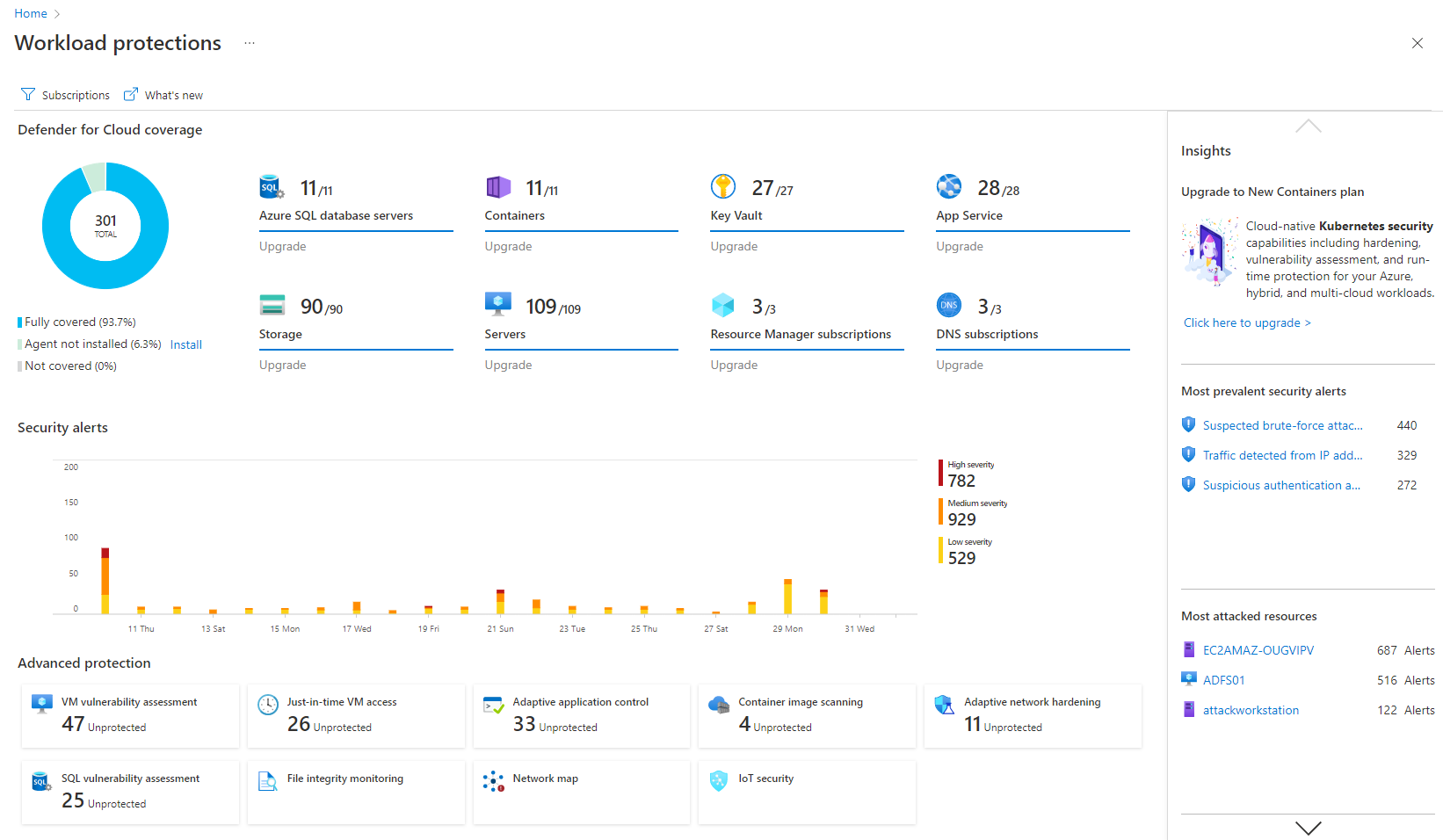
Microsoft Defender for Cloud is a Cloud Security Posture Management (CSPM) and Cloud Workload Protection Platform (CWPP) for Azure, on-premises, and multicloud (Amazon AWS and Google GCP) resources.
We were wanting to prove the concept of a low touch process for quickly spinning up boilerplate AWS environments. We were able to get started quickly and to ensure that the AWS Well-Architected Framework principles were followed - at least upfront - however, we found that for our use case and expertise level it ultimately wasn't a fit. We have the skills on our team to manage more of this on our own. My recommendation would be contingent on what skills are already available on your team: if you can "do it yourself" you might as well so that you don't pay for resources you don't need and you have finer grain control over what's created.
A de minimis incentive was given to thank the reviewer for their time. The incentive was not used to bias or drive a particular response, nor was the incentive contingent on a positive endorsement. More Info
Microsoft Defender for Cloud is very good at allowing users to see how their Azure environment is secure through the secure score. The recommendations are an excellent source of the controls that should be in place to ensure a secure environment. There needs to be more protection and features for data security.
A de minimis incentive was given to thank the reviewer for their time. The incentive was not used to bias or drive a particular response, nor was the incentive contingent on a positive endorsement. TR verified that a representative sample of customers was invited. More Info
A de minimis incentive was given to thank the reviewer for their time. The incentive was not used to bias or drive a particular response, nor was the incentive contingent on a positive endorsement. More Info
detect and respond to security threats in the cloud environment, reducing the risk of data breaches and unauthorized access.
The product assists our organization dealing with sensitive data in achieving and maintaining compliance with data protection rules.
The product provides real-time visibility into the cloud environment, offering insights into ongoing security activities.
It guarantees that security teams can actively handle possible threats by delivering real-time monitoring and notifications, reducing the impact on business operations.
A de minimis incentive was given to thank the reviewer for their time. The incentive was not used to bias or drive a particular response, nor was the incentive contingent on a positive endorsement. More Info
A de minimis incentive was given to thank the reviewer for their time. The incentive was not used to bias or drive a particular response, nor was the incentive contingent on a positive endorsement. More Info
It is a great product that integrates nicely when running an Azure platform and even multi-cloud environment. Not looking for point-solutions but a suite that answers most requirements. It is very comfortable being able to use KQL, workbooks and automation that is native to the azure platform
There is no way to easily close an AWS account whether it was created manually or via the AWS Control Tower. It takes too many steps to close it vs to provision a new AWS account
A de minimis incentive was given to thank the reviewer for their time. The incentive was not used to bias or drive a particular response, nor was the incentive contingent on a positive endorsement. More Info
Using AWS Systems Manager and other slightly lower level components has been helpful for us to manage parts of our AWS presence at a more granular level than AWS Control Tower was designed for. It's not at all an apples-to-apples comparison as they solve different use cases, but for us, the use case associated with AWS Systems Manager was a better fit for our specific needs and skillsets. We did not need everything that AWS Control Tower was doing for us.
A de minimis incentive was given to thank the reviewer for their time. The incentive was not used to bias or drive a particular response, nor was the incentive contingent on a positive endorsement. More Info
Microsoft Defender for Cloud is definitely the choice with the latest market trend and attacks that are currently happening. Microsoft has been able to safe guard a lot after the recent serious attacks happening globally in the digital world. There is a trust in this software and with the latest updates and machine learning capabilities, Microsoft Defender for Cloud should be the choice.
A de minimis incentive was given to thank the reviewer for their time. The incentive was not used to bias or drive a particular response, nor was the incentive contingent on a positive endorsement. More Info
A de minimis incentive was given to thank the reviewer for their time. The incentive was not used to bias or drive a particular response, nor was the incentive contingent on a positive endorsement. More Info
It simplifies security management and saves time. I'm not sure, but I'm very confident it saved me a couple of paychecks by centralizing the data I need to secure the cloud environment.
I also utilize the inventory overview to monitor my team's activities and verify they are following internal regulations, as well as cost overruns.
The recommendations can be utilized as a valuable instructional tool. I have the team explain why they are receiving them, why they are not following them, and what they are doing differently.
A de minimis incentive was given to thank the reviewer for their time. The incentive was not used to bias or drive a particular response, nor was the incentive contingent on a positive endorsement. More Info