AWS Cloud9 vs. Strong Workspace

Overview
ProductRatingMost Used ByProduct SummaryStarting Price
AWS Cloud9
Score 8.6 out of 10
N/A
AWS Cloud9 is a cloud-based integrated development environment (IDE) used to write, run, and debug code with just a browser. It includes a code editor, debugger, and terminal. Cloud9 comes prepackaged with essential tools for popular programming languages, including JavaScript, Python, and PHP, with no need to install files or configure a development machine to start new projects.N/A
Strong Workspace
Score 0.0 out of 10
Small Businesses (1-50 employees)
Strong Network allows the management of containers for DevOps online (as opposed to locally on developers laptop) and access them through a cloud IDE or a SSH connection (in the case of a local IDE). These containers provide management of access keys and credentials to multiple types of resources, in addition to providing data loss prevention (DLP). In addition, the solution combines the IDE with a secure chrome browser (remote browser isolation) such that any third party applications for DevOps…
$39
per month Per Workspace (equivalent to 1 linux machine)
Pricing
AWS Cloud9Strong Workspace
Editions & Modules
No answers on this topic
Starter
$39
per month Per Workspace (equivalent to 1 linux machine)
Advanced
$49
per month Per Workspace (equivalent to 1 linux machine)
Enterprise
+ 50k
per year per user
Professional
$59
per month Per Workspace (equivalent to 1 linux machine)
Offerings
Pricing Offerings
AWS Cloud9Strong Workspace
Free Trial
NoYes
Free/Freemium Version
NoNo
Premium Consulting/Integration Services
NoNo
Entry-level Setup FeeNo setup feeNo setup fee
Additional Details
More Pricing Information
Community Pulse
AWS Cloud9Strong Workspace
Best Alternatives
AWS Cloud9Strong Workspace
Small Businesses
PyCharm
PyCharm
Score 9.2 out of 10
GitHub
GitHub
Score 9.0 out of 10
Medium-sized Companies
PyCharm
PyCharm
Score 9.2 out of 10
GitHub
GitHub
Score 9.0 out of 10
Enterprises
PyCharm
PyCharm
Score 9.2 out of 10
Perforce P4
Perforce P4
Score 7.6 out of 10
All AlternativesView all alternativesView all alternatives
User Ratings
AWS Cloud9Strong Workspace
Likelihood to Recommend
9.0
(0 ratings)
-
(0 ratings)
Usability
8.0
(0 ratings)
-
(0 ratings)
Support Rating
8.0
(0 ratings)
-
(0 ratings)
User Testimonials
AWS Cloud9Strong Workspace
Likelihood to Recommend
AWS Cloud9 is great for product engineering and coding where you must take time to pair program and code in a specific isolated environment. It is entirely cloud based so there's no worry about saving and data consistency. It is all hosted on the Amazon Web Services cloud. It is less appropriate for more general workflows that don't require a specific cloud instance.
Read full review
No answers on this topic
Pros
  • Great, fast interface - There is a large list of shortcuts that make development on this IDE an experience that can sometimes even compare to something native.
  • Integrated debugging/troubleshooting - AWS Cloud9 has integrated debugging tools that are quite well-designed.
  • Lambda integrations - Cloud9 allows you to instantly run and maintain Lambda functions. It's probably the best IDE for developing on AWS Lambda.
Read full review
No answers on this topic
Cons
  • According to the project that is being executed it can become slow.
  • It does not have the basic text manipulators.
  • Shared terminals sometimes take a while to display.
Read full review
No answers on this topic
Usability
The interface for Cloud9 needs some improvement. It is simply not as powerful and intelligent as a local text editor would be and thus it lacks the capabilities of fast filling when coding. Otherwise, I think it has a fair interface that they have tried mimicking an IDE.
Read full review
No answers on this topic
Support Rating
Customer support is managed by the Cloud support team. I won't be able to comment on details, but it's fast.
Read full review
No answers on this topic
Alternatives Considered
S3 is a great service for storing unstructured data. It is cheap and us an user we don't have to care about scaling. Amazon S3 is a managed service. We use it for avery simple projects in our organization.
Read full review
No answers on this topic
Return on Investment
  • This software has been really useful for our company since thanks to the fact that you can work together with other colleagues in the same code, it is much easier to advance in the development of projects and thus be able to make your delivery in a much shorter time.
  • Because it provides all the necessary tools to develop projects, there is a great saving of time and costs.
  • It is easy to use so any user can use it and this makes it possible to streamline each project much faster and more if you do not necessarily have to be in the company to advance in them, and this is thanks to the fact that it can be used from anywhere with internet access.
Read full review
No answers on this topic
ScreenShots

Strong Workspace Screenshots

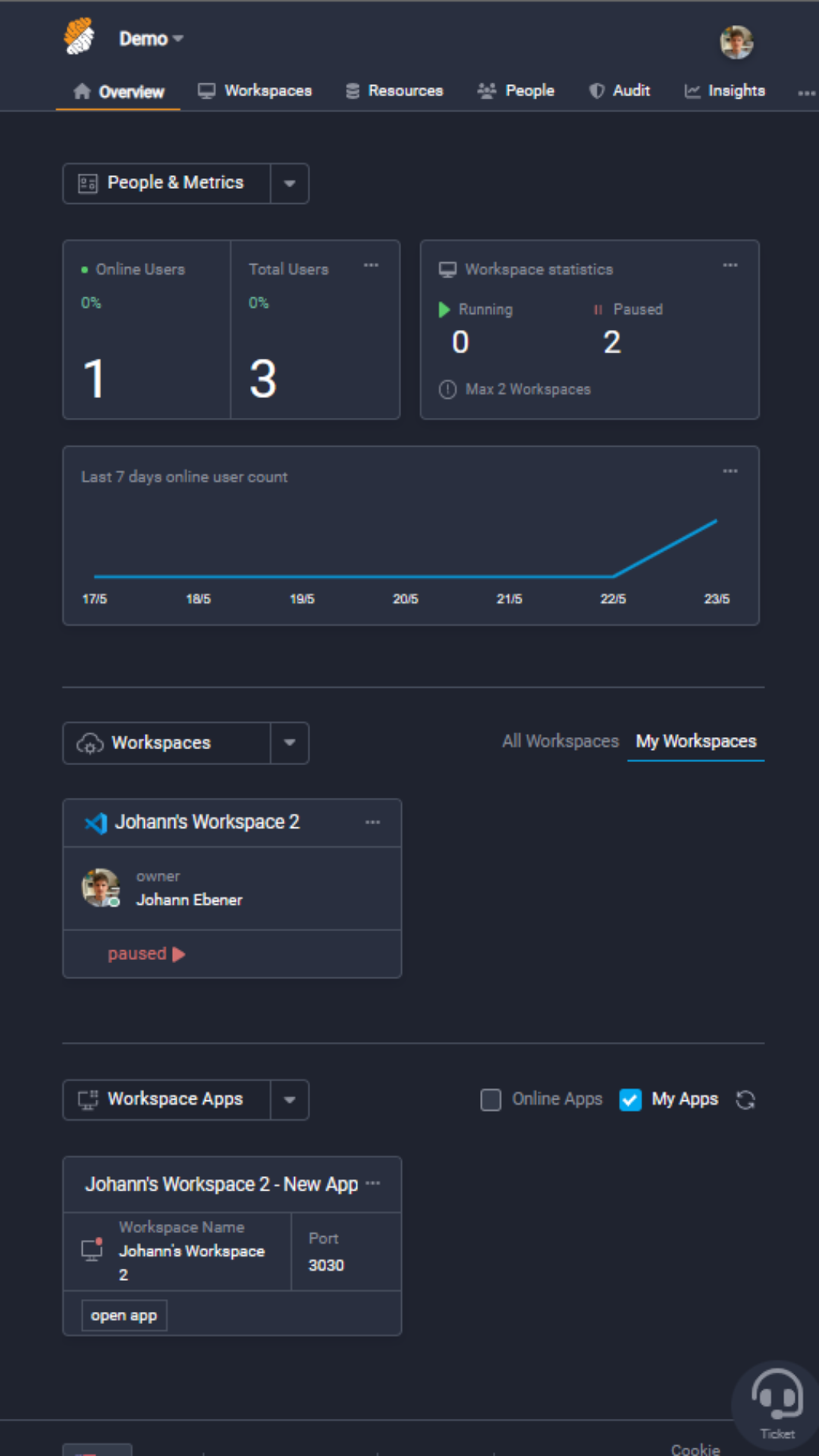
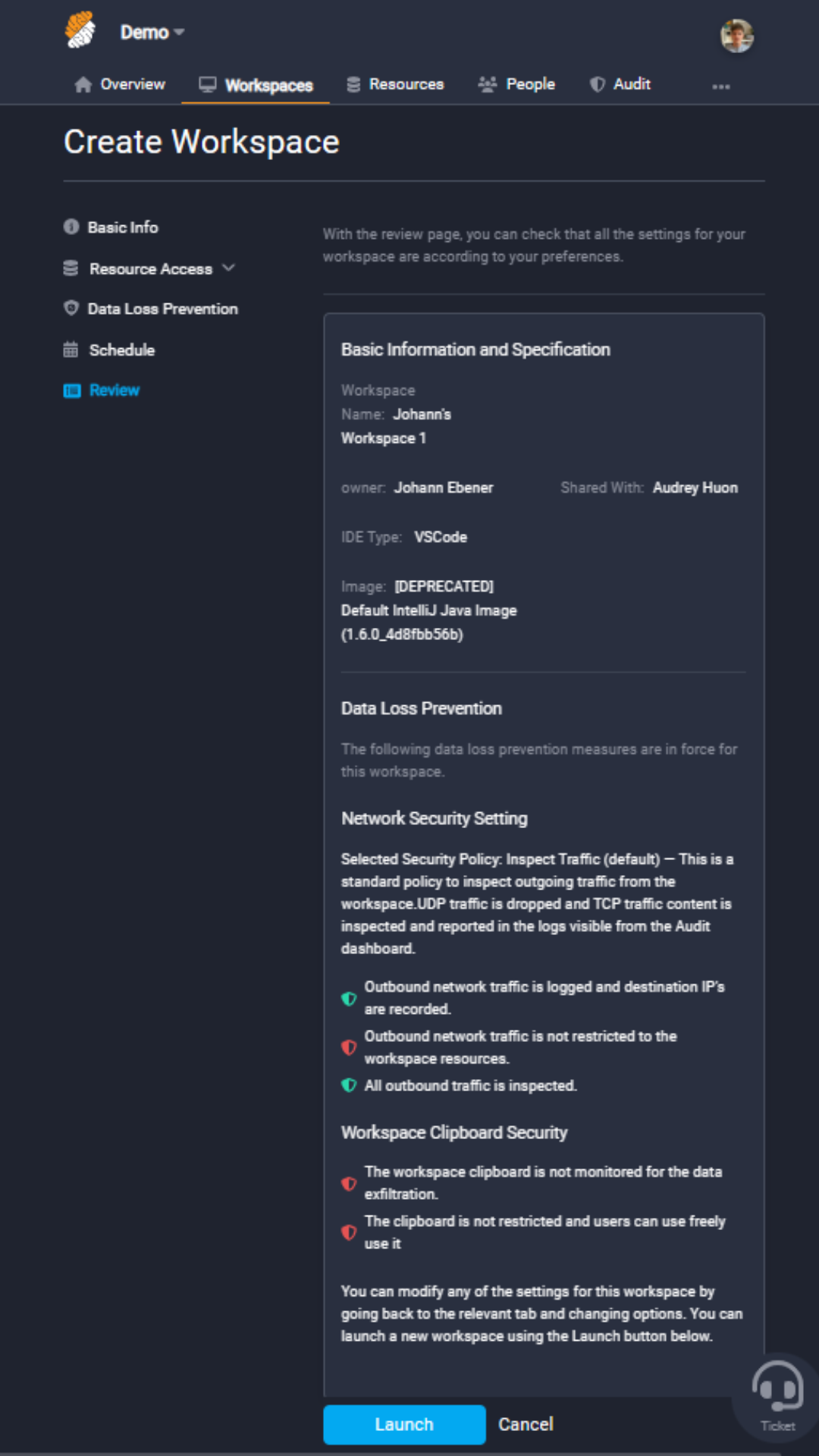
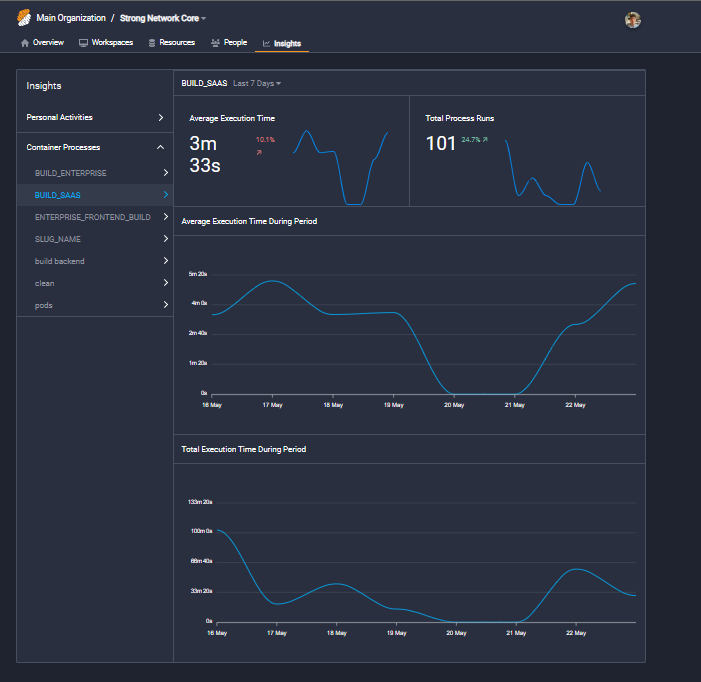
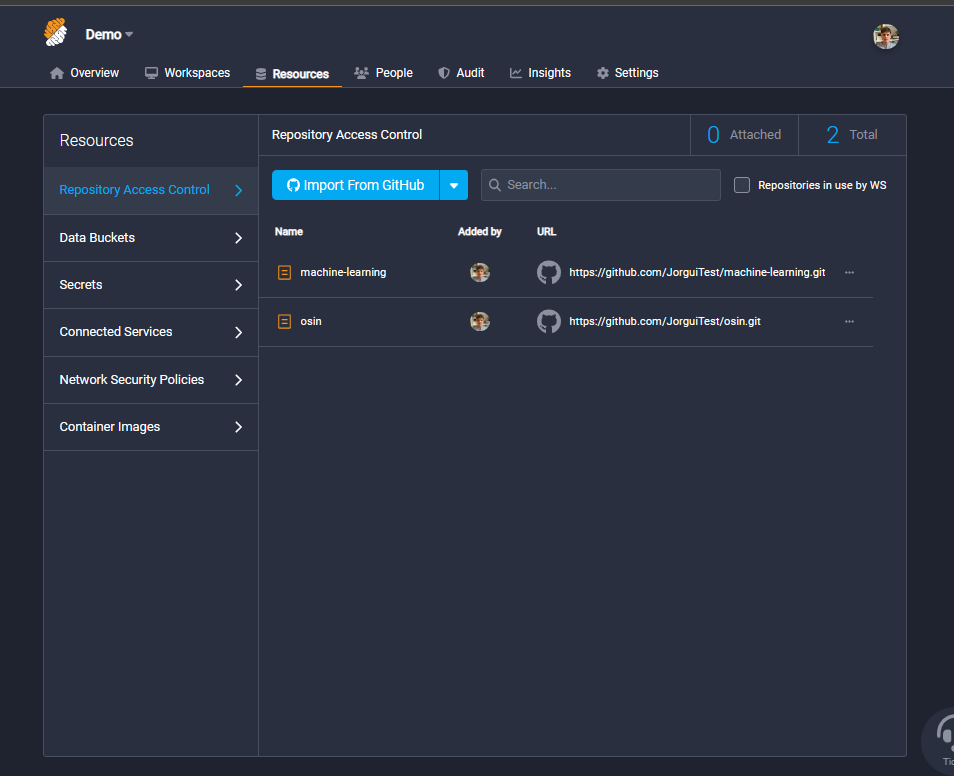
Screenshot of DashboardScreenshot of Create a workspace with container images, attach your git resources, add security policies and assign a workspace in less than 5Screenshot of As a project owner follow all logs of your development teamScreenshot of As a project owner follow your teams productivity with custom dashboardScreenshot of Import your ressources and attach them to the dedicated workspaces