AWeber is an email marketing and automation solution. It provides support for mobile-friendly HTML email newsletters, autoresponder campaigns, subscriber segmentation and management, RSS-to-email features, signup forms for websites or blogs, and more.
$15
per month Starting at
SendPulse
Score 3.5 out of 10
N/A
SendPulse is an integrated messaging platform providing user communication that includes emails, SMS, web push, SMTP, and user management.. This solution includes 15,000 free emails with up to 2,500 subscribers per month.
N/A
Pricing
AWeber
SendPulse
Editions & Modules
AWeber Lite
$15
per month Starting at
AWeber Plus
$30
per month Starting at
Done For You Email
$30
per month Starting at
Unlimited
$899
per month
No answers on this topic
Offerings
Pricing Offerings
AWeber
SendPulse
Free Trial
Yes
Yes
Free/Freemium Version
Yes
Yes
Premium Consulting/Integration Services
No
No
Entry-level Setup Fee
$79 one-time fee
No setup fee
Additional Details
AWeber offers usage-based pricing starting at $15/month. Plans scale based on the number of subscribers and features needed. Options include:
Lite Plan – Core tools like email automation, landing pages, sign-up forms, and AI Writing Assistant.
Plus Plan – Advanced features including split automation paths, behavioral triggers, analytics, A/B testing, ecommerce, and custom branding.
Done For You – A fully built email marketing system (emails, landing pages, and automations) delivered in 7 days, with 30 days of unlimited edits.
All plans include 24/7 support. 14-day free trial available.
Pricing starts from $9 a month and depends on the number of messages sent.
More Pricing Information
Community Pulse
AWeber
SendPulse
Features
AWeber
SendPulse
Email & Online Marketing
Comparison of Email & Online Marketing features of Product A and Product B
AWeber
7.7
Ratings
3% below category average
SendPulse
4.0
Ratings
66% below category average
WYSIWYG email editor
8.90 Ratings
2.00 Ratings
Dynamic content
7.00 Ratings
1.00 Ratings
Landing pages
6.00 Ratings
00 Ratings
A/B testing
8.00 Ratings
3.00 Ratings
Mobile optimization
7.00 Ratings
2.00 Ratings
Email deliverability reporting
8.00 Ratings
7.00 Ratings
List management
8.00 Ratings
6.00 Ratings
Triggered drip sequences
8.90 Ratings
7.00 Ratings
Ability to test dynamic content
00 Ratings
4.00 Ratings
Reporting & Analytics
Comparison of Reporting & Analytics features of Product A and Product B
AWeber
8.6
Ratings
11% above category average
SendPulse
4.7
Ratings
48% below category average
Dashboards
8.90 Ratings
5.00 Ratings
Standard reports
8.90 Ratings
7.00 Ratings
Custom reports
7.90 Ratings
2.00 Ratings
Pre-Send Testing
Comparison of Pre-Send Testing features of Product A and Product B
AWeber is an excellent email marketing solution for small to mid-sized businesses, especially those that are just starting with email marketing campaigns. AWeber is also good for bloggers. But it's not perfect for an affiliate marketer who wants to make a landing page on AWeber. Businesses that require advanced segmentation options may need to consider other email marketing platforms.
In my department it is very well suited. It is one of the best application for sending weekly newsletters to my clients. I use it to send important market information to my clients on a regular basis. The kind of templates it provides me I fill with adequate information for my clients. It also allows me to present that information in a very organised manner.
Aweber's email deliverability is among the best in the industry. I have used other email services and Aweber is superior in deliverability.
It is easy to setup an autoresponder sequence, a series of time delayed emails delivered over a period of time. This makes it super easy to follow up with leads and customers.
Aweber's blog broadcast features makes it easy to notify subscribers of new content on your blog. It can be setup to broadcast when ever you make a new post or summarize posts on a periodic basis.
I feel its User Interface is one of the strengths. It is very simple to operate. It is not necessary for any user to have good knowledge of newsletters design or e-mailer design to make a good and informative e-mail design on this software.
Its technical ability to send user's campaign to customer's Inbox is something which one can rely on. Its deliver-ability is almost 100 percent.
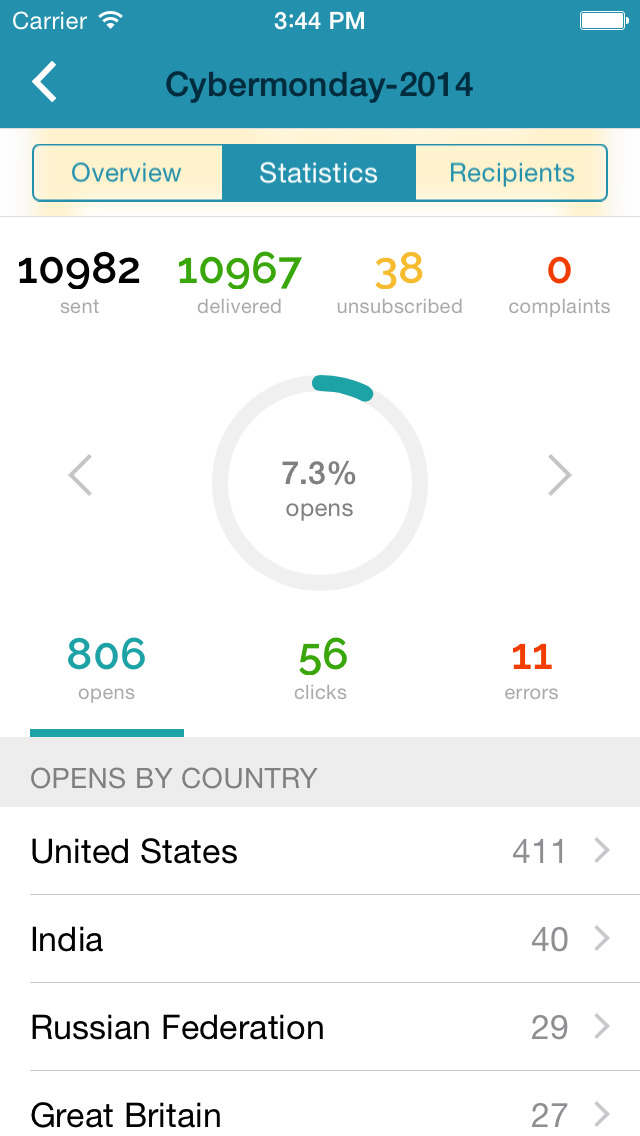
It gives detailed analysis of any campaign. And this feature is very necessary for any software to help its users to understand the outcome of that email activity. SendPulse is awesome in this feature. It gives you detailed statistics to analyse your campaign. Users can download these statistics in PDF and Excel format also.
Double opt-in requirements. While I understand the rationale for double opt-in, I wish Aweber did not require double opt-in when importing email addresses from the client's existing client database as I feel we end up losing a good number of people who are existing customers and have given the business permission to email them but who either don't notice or don't take the extra step to confirm their subscription to the Aweber list.
The user interface when designing and setting up html newsletters is not as clearcut and obvious as Constant Contact; it takes more time to get the newsletters to "look right" using Aweber's existing templates.
I wish Aweber made it easier to embed a video message simply by inserting the video link or embed code into the email body. The process it seems to require (the last time I tried) was to create a screenshot of the video or insert the video thumbnail image and then link to the video in the right column link section .. it's a 2 step process and would be nice if it were a one click process. Not a deal breaker but I just feel like it could be faster and more efficient to embed video messages in an email.
I like its Drag and Drop function to design e-mailers but it lacks in some functionalities. Foe example when I write two different contents in a same box I need a line to show separation between my contents in the same box but this feature is unavailable in SendPulse.
They should include more fonts. Every product or service needs different kind of fonts to make a right impact on customers. With limited option of fonts it restricts user's creativity.
It is good to have templates to give users some idea for designing campaigns but here SendPluse has nothing much to offer. They have very limited number of templates.
AWeber is easy and intuitive for me use. I really like the simplicity and the structure of the work flow as it saves me time. AWeber also integrates with all the other programs, systems and gateways that I use on a daily basis (WordPress, Paypal, LeadPages, Facebook and more) and if I have any questions or have trouble the AWeber customer service technicians are very helpful.
See previous answers ... the design / customization interface could be more intuitive and elegant .. for example, for me it has been difficult to easily figure out how to place pictures / images to the right, left or center of text.
I find that overall SendPulse is very intuitive to use and the support is there to help you out in case you don't find how to do what you wish to do. The drag and drop functionalities make it easy to create the newsletters you want. Every field is explained and small tutorials are included to show you how to create a new template, newsletter, etc. which makes it very easy to use.
I have always received prompt phone or live chat support that has resolved my issues on the first call in a competent, knowledgeable and friendly manner. By contrast MailChimp offers no live chat or phone support; they only offer email support and the response time for MailChimp is slow by comparison to AWeber.
Every time I contacted the support team with a question or a problem, they were very fast in replying and helping me out solve it. Usually latest within 10 minutes I would receive a first answer, and the problem would get solved on the same day.
MailChimp is a great "starter" email service, especially for consumer businesses. AWeber offers a bit more power and sophistication, especially for B2B companies, while still being easy to use and price competitive. Constant Contact had seemed to lag in features for a while though it has now largely caught up. However, it's got a more complex pricing model and is less attractive for users who send multiple messages per month to a smaller list.
For SendPulse's price point, I consider their competition to be the likes of Mailchimp, ConstantContact, etc. While SendPulse rates roughly average across the board in all areas, for businesses looking for the cheapest option (which comes with a lack of features/quality), ConstantContact beats them. For quality/features/value, I'd say Mailchimp is the best option for small businesses.
Aweber has been a great way to introduce clients to the process of online marketing and publishing. Many of them have never used the web or email to truly nurture their customer relationships. The combination of dependable features and low price make Aweber a good "toe in the water" of internet marketing.
Aweber has helped my clients raise awareness of their products and services through targeted email campaigns and regular publishing. It's a great way to deliver coupons and special offers directly to a customer's inbox.
Awber has helped me teach my clients that a collection of names and email addresses is only worthwhile if you use it to communicate what matters to your customers. Many businesses collect contact information at live events or through other means, but rarely do they actually do anything with it. By using Aweber to reach out to their customer base, they are able to see through the analytics how valuable that conversation can be.