AWeber vs. MailUp

Overview
ProductRatingMost Used ByProduct SummaryStarting Price
AWeber
Score 8.9 out of 10
N/A
AWeber is an email marketing and automation solution. It provides support for mobile-friendly HTML email newsletters, autoresponder campaigns, subscriber segmentation and management, RSS-to-email features, signup forms for websites or blogs, and more.
$15
per month Starting at
MailUp
Score 6.0 out of 10
N/A
MailUp is the eponymous email & SMS platform from the Italian company that was founded in 2002 that now has a modest but respectable presence across the western world with a diverse customer base (Yamaha, Amnesty International, Korean Air, etc.). Mailup's platform combines email marketing, with transactional email and SMS features, and offers SMTP relay and plugins for ecommerce, CRM and CMS systems. Their unusual pricing scheme is tiered just on subscribers but on volume of sends and that…N/A
Pricing
AWeberMailUp
Editions & Modules
AWeber Lite
$15
per month Starting at
AWeber Plus
$30
per month Starting at
Done For You Email
$30
per month Starting at
Unlimited
$899
per month
No answers on this topic
Offerings
Pricing Offerings
AWeberMailUp
Free Trial
YesYes
Free/Freemium Version
YesNo
Premium Consulting/Integration Services
NoNo
Entry-level Setup Fee$79 one-time feeOptional
Additional DetailsAWeber offers usage-based pricing starting at $15/month. Plans scale based on the number of subscribers and features needed. Options include: Lite Plan – Core tools like email automation, landing pages, sign-up forms, and AI Writing Assistant. Plus Plan – Advanced features including split automation paths, behavioral triggers, analytics, A/B testing, ecommerce, and custom branding. Done For You – A fully built email marketing system (emails, landing pages, and automations) delivered in 7 days, with 30 days of unlimited edits. All plans include 24/7 support. 14-day free trial available.
More Pricing Information
Community Pulse
AWeberMailUp
Features
AWeberMailUp
Email & Online Marketing
Comparison of Email & Online Marketing features of Product A and Product B
AWeber
7.7
Ratings
3% below category average
MailUp
9.5
Ratings
18% above category average
WYSIWYG email editor8.90 Ratings10.00 Ratings
Dynamic content7.00 Ratings10.00 Ratings
Landing pages6.00 Ratings00 Ratings
A/B testing8.00 Ratings00 Ratings
Mobile optimization7.00 Ratings10.00 Ratings
Email deliverability reporting8.00 Ratings00 Ratings
List management8.00 Ratings00 Ratings
Triggered drip sequences8.90 Ratings00 Ratings
Ability to test dynamic content00 Ratings8.00 Ratings
Reporting & Analytics
Comparison of Reporting & Analytics features of Product A and Product B
AWeber
8.6
Ratings
11% above category average
MailUp
-
Ratings
Dashboards8.90 Ratings00 Ratings
Standard reports8.90 Ratings00 Ratings
Custom reports7.90 Ratings00 Ratings
Pre-Send Testing
Comparison of Pre-Send Testing features of Product A and Product B
AWeber
7.6
Ratings
5% below category average
MailUp
-
Ratings
URL Validation7.70 Ratings00 Ratings
Link Tracking8.40 Ratings00 Ratings
Image Validation7.10 Ratings00 Ratings
Inbox Display7.10 Ratings00 Ratings
Spam Testing7.10 Ratings00 Ratings
Email Previews8.40 Ratings00 Ratings
Best Alternatives
AWeberMailUp
Small Businesses
Vbout
Vbout
Score 9.9 out of 10
Vbout
Vbout
Score 9.9 out of 10
Medium-sized Companies
VerticalResponse
VerticalResponse
Score 10.0 out of 10
VerticalResponse
VerticalResponse
Score 10.0 out of 10
Enterprises
Emma by Marigold
Emma by Marigold
Score 9.4 out of 10
Emma by Marigold
Emma by Marigold
Score 9.4 out of 10
All AlternativesView all alternativesView all alternatives
User Ratings
AWeberMailUp
Likelihood to Recommend
8.0
(0 ratings)
10.0
(0 ratings)
Likelihood to Renew
6.8
(0 ratings)
-
(0 ratings)
Usability
8.0
(0 ratings)
-
(0 ratings)
Support Rating
10.0
(0 ratings)
-
(0 ratings)
User Testimonials
AWeberMailUp
Likelihood to Recommend
AWeber is an excellent email marketing solution for small to mid-sized businesses, especially those that are just starting with email marketing campaigns. AWeber is also good for bloggers. But it's not perfect for an affiliate marketer who wants to make a landing page on AWeber. Businesses that require advanced segmentation options may need to consider other email marketing platforms.
Read full review
Great for marketing teams looking to quickly deploy emails without the need for HTML coding.
Read full review
Pros
  • Aweber's email deliverability is among the best in the industry. I have used other email services and Aweber is superior in deliverability.
  • It is easy to setup an autoresponder sequence, a series of time delayed emails delivered over a period of time. This makes it super easy to follow up with leads and customers.
  • Aweber's blog broadcast features makes it easy to notify subscribers of new content on your blog. It can be setup to broadcast when ever you make a new post or summarize posts on a periodic basis.
Read full review
  • Email marketing creation
  • Email design
  • HTML template creation
Read full review
Cons
  • Double opt-in requirements. While I understand the rationale for double opt-in, I wish Aweber did not require double opt-in when importing email addresses from the client's existing client database as I feel we end up losing a good number of people who are existing customers and have given the business permission to email them but who either don't notice or don't take the extra step to confirm their subscription to the Aweber list.
  • The user interface when designing and setting up html newsletters is not as clearcut and obvious as Constant Contact; it takes more time to get the newsletters to "look right" using Aweber's existing templates.
  • I wish Aweber made it easier to embed a video message simply by inserting the video link or embed code into the email body. The process it seems to require (the last time I tried) was to create a screenshot of the video or insert the video thumbnail image and then link to the video in the right column link section .. it's a 2 step process and would be nice if it were a one click process. Not a deal breaker but I just feel like it could be faster and more efficient to embed video messages in an email.
Read full review
  • Alt tag styling within the editor
Read full review
Likelihood to Renew
AWeber is easy and intuitive for me use. I really like the simplicity and the structure of the work flow as it saves me time. AWeber also integrates with all the other programs, systems and gateways that I use on a daily basis (WordPress, Paypal, LeadPages, Facebook and more) and if I have any questions or have trouble the AWeber customer service technicians are very helpful.
Read full review
No answers on this topic
Usability
See previous answers ... the design / customization interface could be more intuitive and elegant .. for example, for me it has been difficult to easily figure out how to place pictures / images to the right, left or center of text.
Read full review
No answers on this topic
Support Rating
I have always received prompt phone or live chat support that has resolved my issues on the first call in a competent, knowledgeable and friendly manner. By contrast MailChimp offers no live chat or phone support; they only offer email support and the response time for MailChimp is slow by comparison to AWeber.
Read full review
No answers on this topic
Alternatives Considered
MailChimp is a great "starter" email service, especially for consumer businesses. AWeber offers a bit more power and sophistication, especially for B2B companies, while still being easy to use and price competitive. Constant Contact had seemed to lag in features for a while though it has now largely caught up. However, it's got a more complex pricing model and is less attractive for users who send multiple messages per month to a smaller list.
Read full review
Mailup has hands down the best editor for creating responsive emails, I've tried almost everything out there and this is the best, I recommend this to colleagues all the time!
Read full review
Return on Investment
  • Aweber has been a great way to introduce clients to the process of online marketing and publishing. Many of them have never used the web or email to truly nurture their customer relationships. The combination of dependable features and low price make Aweber a good "toe in the water" of internet marketing.
  • Aweber has helped my clients raise awareness of their products and services through targeted email campaigns and regular publishing. It's a great way to deliver coupons and special offers directly to a customer's inbox.
  • Awber has helped me teach my clients that a collection of names and email addresses is only worthwhile if you use it to communicate what matters to your customers. Many businesses collect contact information at live events or through other means, but rarely do they actually do anything with it. By using Aweber to reach out to their customer base, they are able to see through the analytics how valuable that conversation can be.
Read full review
  • Faster email development
  • More team members able to contribute to the email development process
  • Better templates
Read full review
ScreenShots

AWeber Screenshots

Screenshot of an example of email sequences triggered by actions like purchases or sign-ups to nurture leads, re-engage customers, or onboarding new subscribers. Use tags and behavior-based logic to send the right message at the right time, in the subscriber’s time zone.Screenshot of AWeber's interface for building on-brand email graphics and social content. Built-in Canva access lets users create custom visuals for headers, announcements, and promotions in just a few clicks.Screenshot of where to create and send professional emails used to promote products and drive more sales. Built-in tools like content blocks, saved templates, and branded elements make it easy to stay consistent and launch campaigns faster.Screenshot of where to launch product pages, event signups, or lead capture forms in minutes. Every landing page includes built-in forms, payment collection, and automated follow-ups.Screenshot of the editor used to sell digital products directly from an email or landing page. The checkout experience can be customized with pricing and real-time purchase tracking, while automating confirmation emails and follow-ups to boost customer satisfaction.Screenshot of the editor to write emails faster using built-in AI. This offers help brainstorming content, refining text tone, or generating subject lines to improve open rates, ideal for creators and small teams looking to save time without sacrificing quality.

MailUp Screenshots

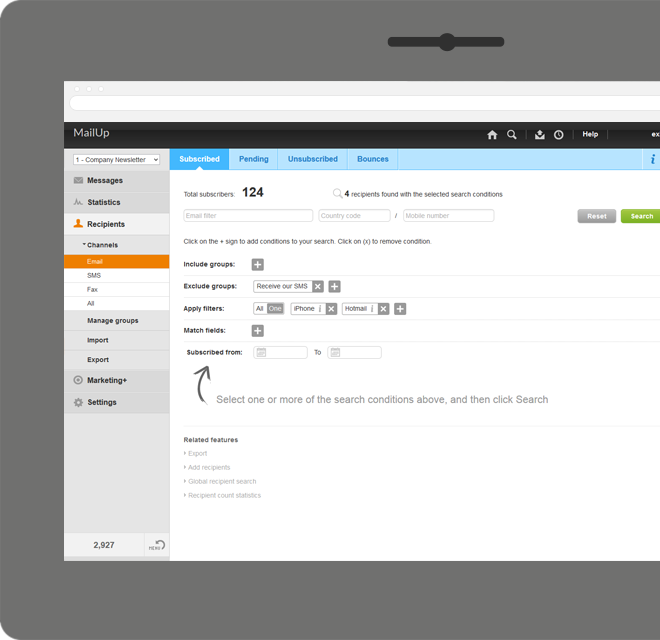
Screenshot of Manage lists. With MailUp, you can manage mailing lists, groups and sending profiles, automatically eliminating duplicate addresses and handling users who cancel their subscription. The procedure is guided, quick and safe. The utmost simplicity, with no need to install additional software. Not bad, right?Screenshot of he winning variable, with mathematical certainty
With A/B testing, discover, prior to mailing, what your recipients prefer to read, by automatically testing several versions of the same text, measuring its effectiveness on a select group. Opening results improve by up to 30% and, for each version, you have more statistical information. Mailing after mailing, you can only do better!Screenshot of Creating emails for mobile devices is easy
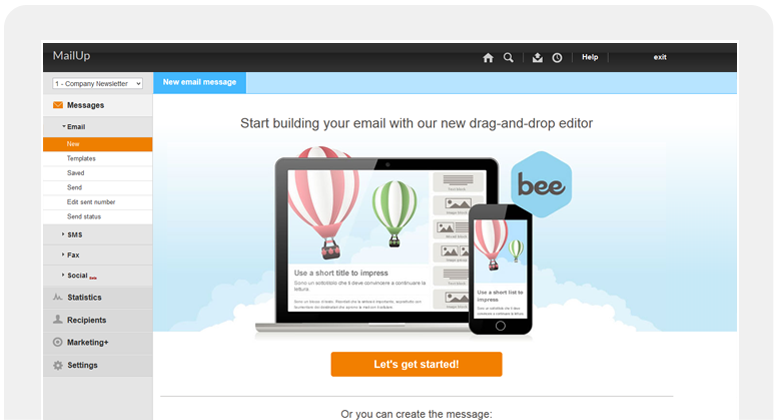
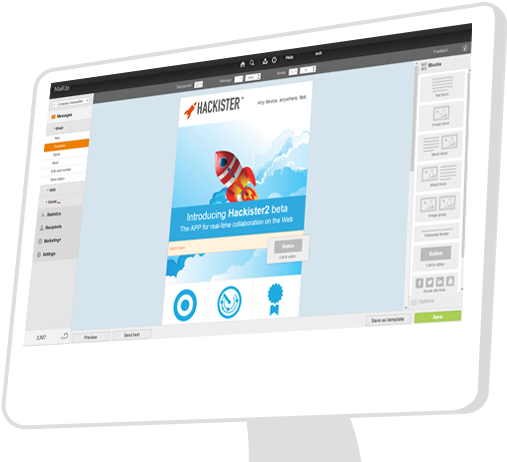
Free your creativity and create emails and newsletters that have great visual impact, optimised for mobile devices. While you concentrate on the content of your campaign, MailUp takes care of the rest with the aid of an intelligent editor and plenty of cutting-edge functions. Not bad, right?Screenshot of Countless ways to create your messages.

There's not only BEE with which create messages. You can start with HTML documents, RSS/Atom, URL or choose from hundreds of graphic models. Starting with an empty email? The convenient WYSIWYG editor helps you put your messages together with just a few clicks. It's all up to you!Screenshot of .and you can do the same with unsubscribe lists.

Automatic management of unsubscribe lists allows you to activate the UNSUBSCRIBE button directly in the email client interface. The unsubscribers list also shows a list of users who performed this action, which may be edited and exported. This function also allows you to make up random groups of users, specifying the number of subscribers. This makes it easier to manage random sampling and A/B testing.Screenshot of