Avaza vs. WorkflowMax

Overview
ProductRatingMost Used ByProduct SummaryStarting Price
Avaza
Score 8.2 out of 10
Mid-Size Companies (51-1,000 employees)
Avaza is a software suite targeted for all business sizes. It includes modules for project management and collaboration, resource scheduling, team chat, time tracking, expense management, quoting and invoicing. Depending on their business needs, companies can use as many, or as few, of the modules as they need. Avaza offers reporting functionality, and the project management module is designed with both list view and Kanban style task management, so users can choose…
$0
Unlimited Project Collaborators, 1 Admin, 1 Timesheet/ Expense User, 1 Resource Scheduling User
WorkflowMax
Score 9.2 out of 10
Small Businesses (1-50 employees)
WorkflowMax is a web-based project management solution.The platform offers end-to-end functionality standard to project management software, including time tracking, lead management, collaboration with external stakeholders, invoicing, integrations, and customizable reporting.
$20
per month
Pricing
AvazaWorkflowMax
Editions & Modules
Free Plan
$0
Unlimited Project Collaborators, 1 Admin, 1 Timesheet/ Expense User, 1 Resource Scheduling User
Startup Plan
$11.95
per month
Basic Plan
$23.95
per month
Business Plan
$47.95
per month
Standard
$20
per month
Standard
$35
per month
Premium
$70
per month
Offerings
Pricing Offerings
AvazaWorkflowMax
Free Trial
YesYes
Free/Freemium Version
YesNo
Premium Consulting/Integration Services
NoNo
Entry-level Setup FeeOptionalNo setup fee
Additional Details
More Pricing Information
Community Pulse
AvazaWorkflowMax
Features
AvazaWorkflowMax
Project Management
Comparison of Project Management features of Product A and Product B
Avaza
8.0
Ratings
4% above category average
WorkflowMax
9.3
Ratings
19% above category average
Task Management10.00 Ratings9.50 Ratings
Resource Management7.00 Ratings9.50 Ratings
Gantt Charts7.00 Ratings9.20 Ratings
Scheduling8.00 Ratings9.40 Ratings
Team Collaboration10.00 Ratings9.50 Ratings
Support for Agile Methodology7.00 Ratings8.90 Ratings
Support for Waterfall Methodology7.00 Ratings9.20 Ratings
Document Management9.00 Ratings9.20 Ratings
Email integration8.00 Ratings9.40 Ratings
Mobile Access8.00 Ratings9.20 Ratings
Timesheet Tracking7.00 Ratings9.60 Ratings
Budget and Expense Management8.00 Ratings9.40 Ratings
Workflow Automation00 Ratings9.50 Ratings
Change request and Case Management00 Ratings9.10 Ratings
Professional Services Automation
Comparison of Professional Services Automation features of Product A and Product B
Avaza
10.0
Ratings
28% above category average
WorkflowMax
9.5
Ratings
23% above category average
Quotes/estimates10.00 Ratings9.70 Ratings
Invoicing10.00 Ratings9.50 Ratings
Project & financial reporting10.00 Ratings9.70 Ratings
Integration with accounting software10.00 Ratings9.20 Ratings
Best Alternatives
AvazaWorkflowMax
Small Businesses
Stackby
Stackby
Score 9.0 out of 10
Stackby
Stackby
Score 9.0 out of 10
Medium-sized Companies
InEight
InEight
Score 8.3 out of 10
InEight
InEight
Score 8.3 out of 10
Enterprises
InEight
InEight
Score 8.3 out of 10
InEight
InEight
Score 8.3 out of 10
All AlternativesView all alternativesView all alternatives
User Ratings
AvazaWorkflowMax
Likelihood to Recommend
10.0
(0 ratings)
8.8
(0 ratings)
Likelihood to Renew
10.0
(0 ratings)
9.0
(0 ratings)
Usability
9.0
(0 ratings)
9.0
(0 ratings)
Support Rating
10.0
(0 ratings)
7.0
(0 ratings)
Implementation Rating
-
(0 ratings)
9.1
(0 ratings)
User Testimonials
AvazaWorkflowMax
Likelihood to Recommend
There are teams who work hard, and there are those who work smart. Avaza helps you be the latter--it's is a great tool for any team collaborating on several projects, especially multiple projects with a lot of simultaneously moving parts. It has just about everything you need - from team schedules to timesheets, down to the task and sub-task monitoring. The best part for me is that we can switch from List View to Kanban to Gantt charts!
Read full review
WorkflowMax is a good solution for the architecture and design profession in that it allows for multiple ways to track a project, apply time to a project, and invoice against a project. The ability to do staffing forecasting and future planning fills a need that most firms in this profession require.
Read full review
Pros
  • Helps keep track of time spent on each project
  • Helps employees break down their time spent throughout the day
  • Encourages better time management skills
Read full review
  • Great for managing teams which are not in one spot. Awesome for small or growing businesses with employees who might work from home.
  • Really good for teams to keep up with where a project is at against the time left to achieve the goal
  • Great for keeping all the information for each project in one spot.
Read full review
Cons
  • I wish sub-tasks could also have due dates
  • For really big projects, we hope there could be phases (aside from sections)
  • In the chatbox, it would be great if photo attachments could be displayed as screenshots (instead of downloading the file)
Read full review
  • Integration with inventory - there are a lot of companies out there which provide a service which includes selling items either purchased or held in stock or "kitted"
  • User permission levels need to be more flexible and ideally closely tied to Xero
  • Two way integration with Xero - ability to import invoices to specific jobs
  • Ability to save pdfs to purchase orders, invoices (like Xero)
Read full review
Likelihood to Renew
Because it has been amazing and easy to work with.
Read full review
Because we can't imagine being without it!
Read full review
Usability
Avaza is very easy to use, but the mobile app needs work.
Read full review
It's easy to use and provides me with instant online access to the management of my business whether I am at my desk or overseas
Read full review
Support Rating
They are always available and open to doing a call or a shared screen to walk through the issues.
Read full review
We have had very few issues with Max
Read full review
Implementation Rating
No answers on this topic
Decide how to breakdown your ongoing jobs - are they monthly recurring or annual broken into chunks? What are you going to give clients i.e. how will your proposals and invoices look?
Read full review
Alternatives Considered
I've used Trello before, but Avaza has way more features and is more applicable for cross-team collaboration. We selected Avaza for it's ability to not only project manage, but also for invoicing, expenses and it's ability to track time. We've gotten more accurate with estimate project hours, and therefore create more accurate proposals
Read full review
I'm not sure if it was by Ascentis or not, and it may have been an old version, but we used a program called Timekeeper. It was very outdated, difficult to use, and didn't provide easily producible reports. WorkflowMax is infinitely better to use for our business.
Read full review
Return on Investment
  • Avaza has made it easier to see how long I spend on certain types of projects and where I could be spending more time.
Read full review
  • The time the company saves by using employees efficiently on each project makes the purchase of this software worthwhile. You can clearly verify how much time the staff spends on each project, with each client, and you can compare whether it is profitable or not the hours invested, thus increasing your profits.
Read full review
ScreenShots

Avaza Screenshots

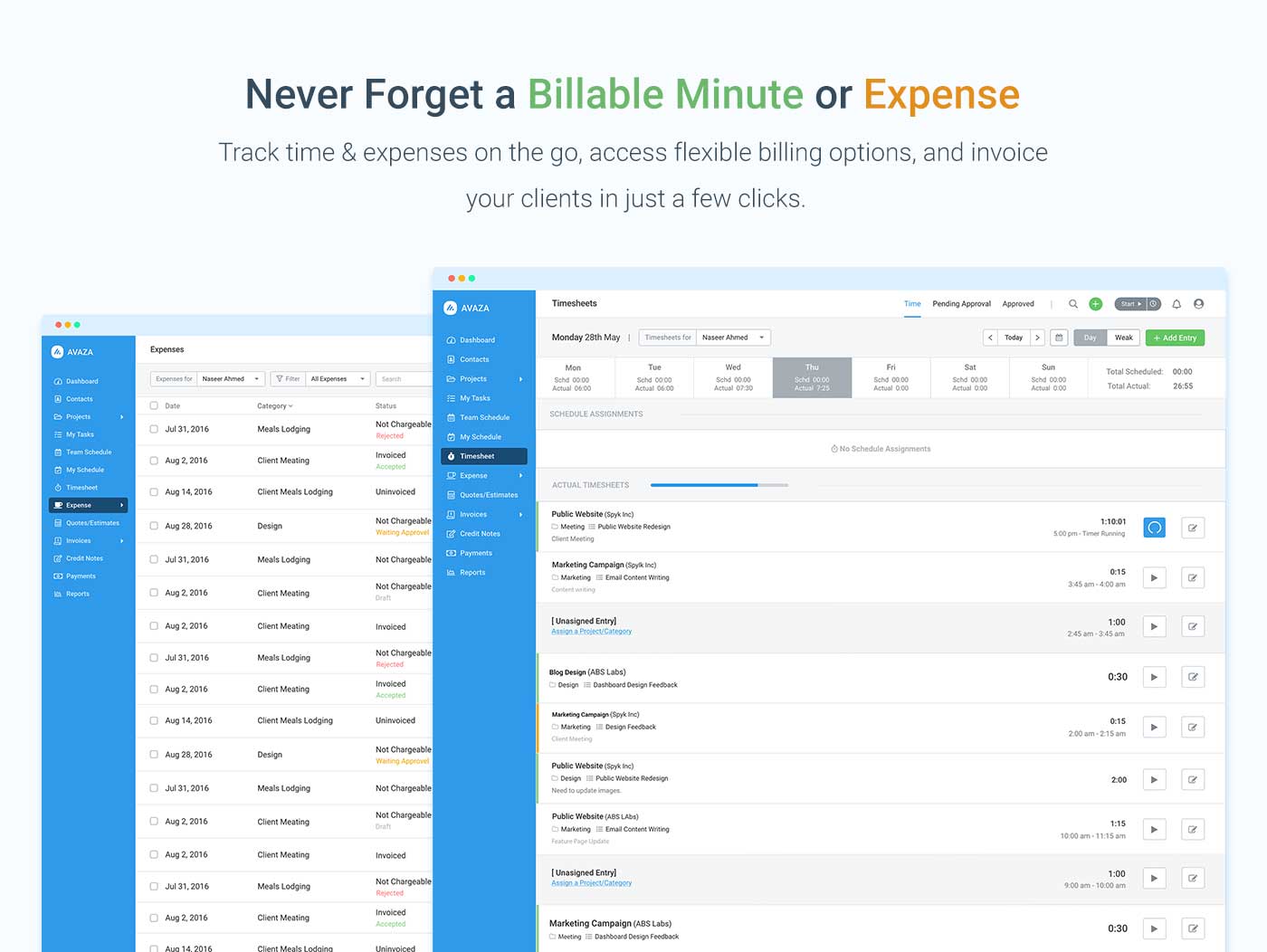
Screenshot of avaza, appearing across platformsScreenshot of visual project resource scheduling for teamsScreenshot of time and expense trackingScreenshot of team chatScreenshot of time trackingScreenshot of the expense management interface

WorkflowMax Screenshots

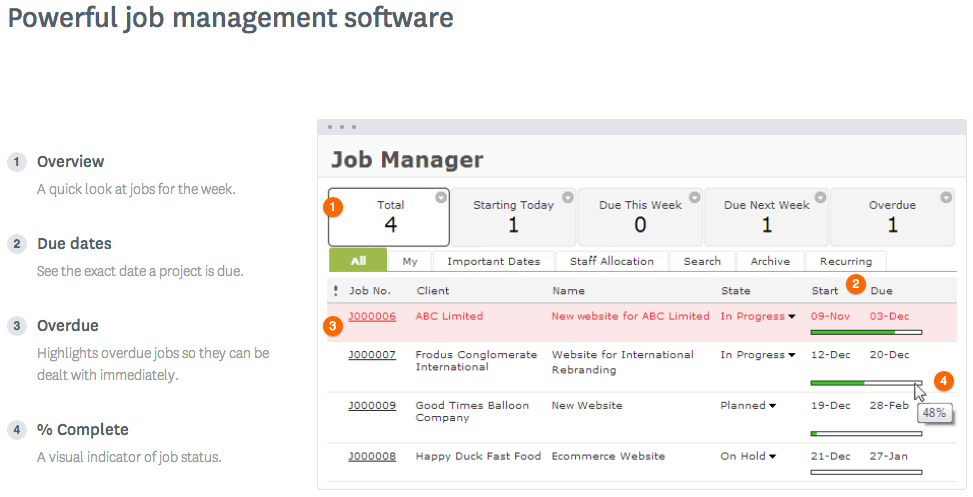
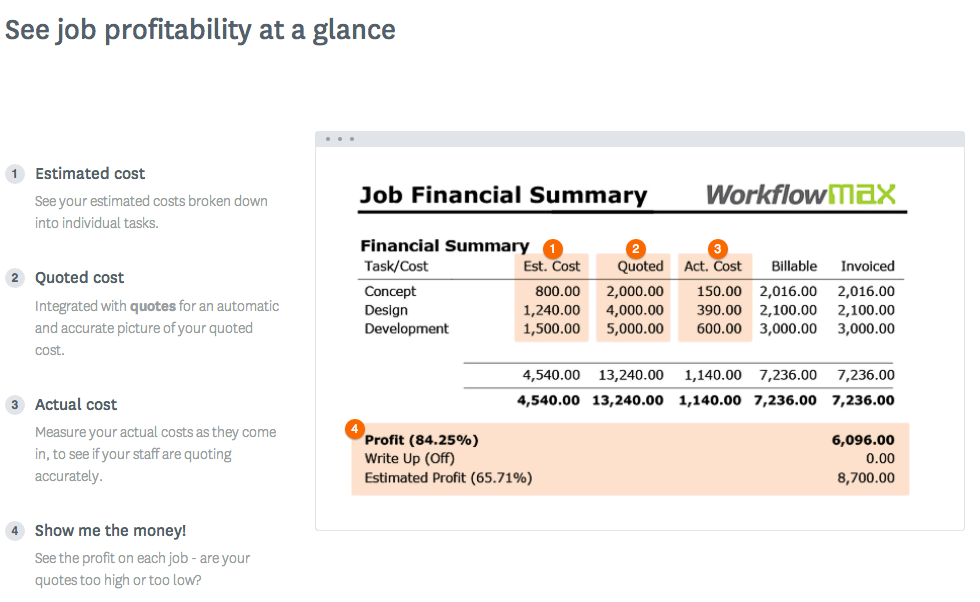
Screenshot of WorkflowMax Quoting SoftwareScreenshot of WorkflowMax CRM SoftwareScreenshot of WorkflowMax Project Management SoftwareScreenshot of WorkflowMax Mobile SiteScreenshot of Job Costing | WorkflowMaxScreenshot of Powerful Custom Reporting | WorkflowMax