Avaza vs. Unanet ERP GovCon

Overview
ProductRatingMost Used ByProduct SummaryStarting Price
Avaza
Score 8.2 out of 10
Mid-Size Companies (51-1,000 employees)
Avaza is a software suite targeted for all business sizes. It includes modules for project management and collaboration, resource scheduling, team chat, time tracking, expense management, quoting and invoicing. Depending on their business needs, companies can use as many, or as few, of the modules as they need. Avaza offers reporting functionality, and the project management module is designed with both list view and Kanban style task management, so users can choose…
$0
Unlimited Project Collaborators, 1 Admin, 1 Timesheet/ Expense User, 1 Resource Scheduling User
Unanet ERP GovCon
Score 9.1 out of 10
Mid-Size Companies (51-1,000 employees)
Unanet ERP GovCon is software for government contractors offered on-premise or in the cloud. Features include resource planning, skills management, budgeting, forecasting, time tracking, expense reporting, billing, revenue recognition, and project status and performance reporting.N/A
Pricing
AvazaUnanet ERP GovCon
Editions & Modules
Free Plan
$0
Unlimited Project Collaborators, 1 Admin, 1 Timesheet/ Expense User, 1 Resource Scheduling User
Startup Plan
$11.95
per month
Basic Plan
$23.95
per month
Business Plan
$47.95
per month
No answers on this topic
Offerings
Pricing Offerings
AvazaUnanet ERP GovCon
Free Trial
YesYes
Free/Freemium Version
YesNo
Premium Consulting/Integration Services
NoNo
Entry-level Setup FeeOptionalRequired
Additional Details
More Pricing Information
Community Pulse
AvazaUnanet ERP GovCon
Features
AvazaUnanet ERP GovCon
Project Management
Comparison of Project Management features of Product A and Product B
Avaza
8.0
Ratings
4% above category average
Unanet ERP GovCon
8.5
Ratings
11% above category average
Task Management10.00 Ratings7.30 Ratings
Resource Management7.00 Ratings7.30 Ratings
Gantt Charts7.00 Ratings8.00 Ratings
Scheduling8.00 Ratings8.20 Ratings
Team Collaboration10.00 Ratings8.40 Ratings
Support for Agile Methodology7.00 Ratings9.90 Ratings
Support for Waterfall Methodology7.00 Ratings10.00 Ratings
Document Management9.00 Ratings9.10 Ratings
Email integration8.00 Ratings8.20 Ratings
Mobile Access8.00 Ratings9.10 Ratings
Timesheet Tracking7.00 Ratings9.10 Ratings
Budget and Expense Management8.00 Ratings8.60 Ratings
Workflow Automation00 Ratings7.30 Ratings
Change request and Case Management00 Ratings9.10 Ratings
Professional Services Automation
Comparison of Professional Services Automation features of Product A and Product B
Avaza
10.0
Ratings
28% above category average
Unanet ERP GovCon
8.6
Ratings
13% above category average
Quotes/estimates10.00 Ratings8.90 Ratings
Invoicing10.00 Ratings8.20 Ratings
Project & financial reporting10.00 Ratings8.20 Ratings
Integration with accounting software10.00 Ratings9.10 Ratings
User Ratings
AvazaUnanet ERP GovCon
Likelihood to Recommend
10.0
(0 ratings)
7.7
(0 ratings)
Likelihood to Renew
10.0
(0 ratings)
-
(0 ratings)
Usability
9.0
(0 ratings)
-
(0 ratings)
Support Rating
10.0
(0 ratings)
9.1
(0 ratings)
User Testimonials
AvazaUnanet ERP GovCon
Likelihood to Recommend
There are teams who work hard, and there are those who work smart. Avaza helps you be the latter--it's is a great tool for any team collaborating on several projects, especially multiple projects with a lot of simultaneously moving parts. It has just about everything you need - from team schedules to timesheets, down to the task and sub-task monitoring. The best part for me is that we can switch from List View to Kanban to Gantt charts!
Read full review
As I said, Unanet is great for timekeeping and expense reporting. It's very easy to navigate and intuitive for my staff to use. On the other hand, reports are a challenge. The ones that are "canned" only come out as PDFs so I find I waste a lot of paper each month. Customized reports are better and come in Excel, but setting them up is not that easy. We've been working with Unanet just over a year. We went "live" effective 1/1/2017 and we're still avoiding the reporting functions even though that was one of the main reasons we purchased Unanet in the first place
Read full review
Pros
  • Helps keep track of time spent on each project
  • Helps employees break down their time spent throughout the day
  • Encourages better time management skills
Read full review
  • Near real-time visibility into project financials. As soon as the employees save their time for the day, you can get a good measure of project financial performance. Work authorizations are embedded into Unanet so unintentional overruns are virtually eliminated.
  • Nice integration with the Joint Travel Regulations. It is easy to import the latest rate tables for both CONUS and OCONUS destinations.
  • Good customer support and highly responsive. Webinars on new features are free and broadcast on a regular basis. Feedback to suggestions for new features are addressed in a very timely fashion.
  • It is easy to structure Unanet to support DCAA practices to be able to get approval for cost plus jobs.
  • With exports to .csv files, it is easy to extract data for further analysis beyond the relatively rich built-in reporting features.
Read full review
Cons
  • I wish sub-tasks could also have due dates
  • For really big projects, we hope there could be phases (aside from sections)
  • In the chatbox, it would be great if photo attachments could be displayed as screenshots (instead of downloading the file)
Read full review
  • Adding hours for subcontractors must be done via import because the hours don't update on the reporting if put in via vendor invoice.
  • Make posting dates less complex.
  • Should be easier to figure out roles needed for managers in the organization.
Read full review
Likelihood to Renew
Because it has been amazing and easy to work with.
Read full review
No answers on this topic
Usability
Avaza is very easy to use, but the mobile app needs work.
Read full review
No answers on this topic
Support Rating
They are always available and open to doing a call or a shared screen to walk through the issues.
Read full review
Every time I have reached out to customer support, they have been very helpful and resolved my issue very quickly and efficiently
Read full review
Alternatives Considered
I've used Trello before, but Avaza has way more features and is more applicable for cross-team collaboration. We selected Avaza for it's ability to not only project manage, but also for invoicing, expenses and it's ability to track time. We've gotten more accurate with estimate project hours, and therefore create more accurate proposals
Read full review
We were previously using Deltek GCS. Deltek stopped the support for this software so we were forced to change to a new product. We reviewed Costpoint, a Microsoft product and Unanet. We selected Unanet because it had all of the features we were looking for in a new software and it was very user-friendly.
Read full review
Return on Investment
  • Avaza has made it easier to see how long I spend on certain types of projects and where I could be spending more time.
Read full review
  • Unanet has had a very significant ROI on several fronts. Our payroll department spends much less time managing and processing time in general.
  • Unanet has allowed all of the project managers teams bill on a much more granular level which has saved significant time over the previous Excel based processes of gathering project level data.
  • Using Unanet companywide has also saved many hours of time that were previously spent translating data from other platforms, and consolidating data via Excel for reporting purposes. Using the same tool (Unanet) with the included reports has saved significant time and hassle which has had an enormous impact on the ROI of Unanet.
Read full review
ScreenShots

Avaza Screenshots

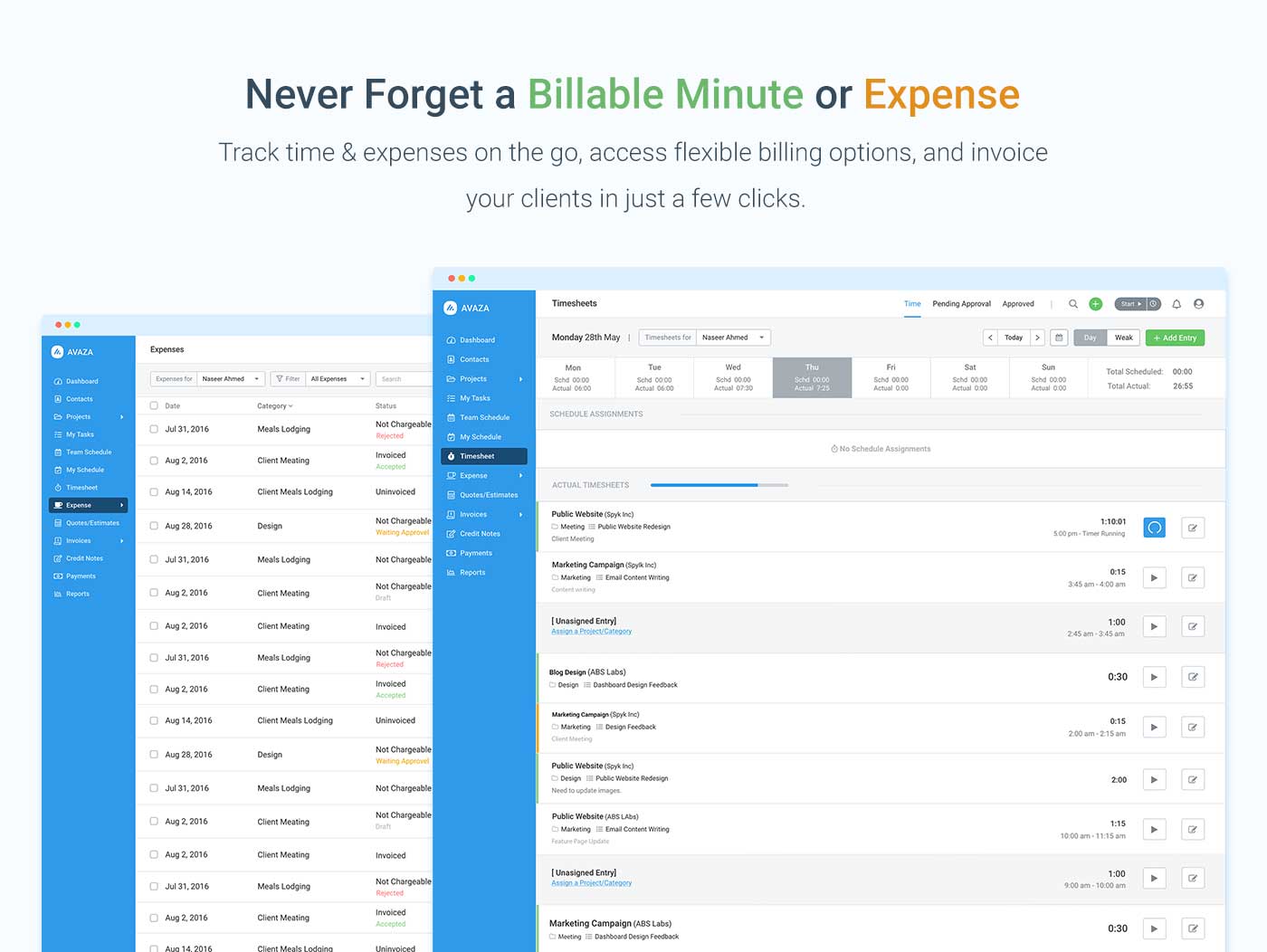
Screenshot of avaza, appearing across platformsScreenshot of visual project resource scheduling for teamsScreenshot of time and expense trackingScreenshot of team chatScreenshot of time trackingScreenshot of the expense management interface

Unanet ERP GovCon Screenshots

Screenshot of