Avaza vs. Kantata PS Cloud

Overview
ProductRatingMost Used ByProduct SummaryStarting Price
Avaza
Score 8.2 out of 10
Mid-Size Companies (51-1,000 employees)
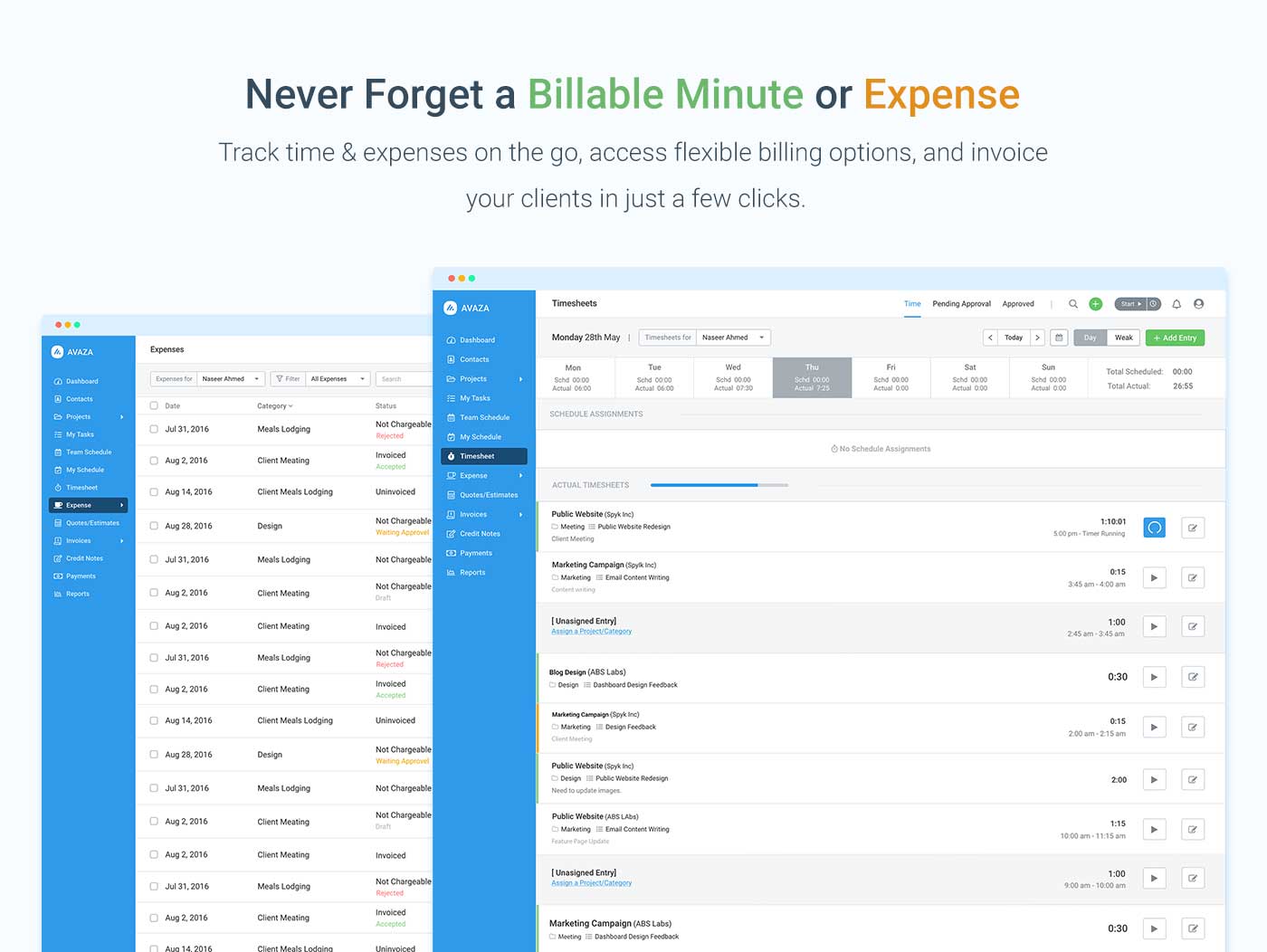
Avaza is a software suite targeted for all business sizes. It includes modules for project management and collaboration, resource scheduling, team chat, time tracking, expense management, quoting and invoicing. Depending on their business needs, companies can use as many, or as few, of the modules as they need. Avaza offers reporting functionality, and the project management module is designed with both list view and Kanban style task management, so users can choose…
$0
Unlimited Project Collaborators, 1 Admin, 1 Timesheet/ Expense User, 1 Resource Scheduling User
Kantata PS Cloud
Score 8.4 out of 10
Mid-Size Companies (51-1,000 employees)
Kantata Cloud (formerly Mavenlink + Kimble) provides project management and collaboration software for small to mid-sized professional services companies. Features include resource management, project dependencies, time and expense tracking, file sharing, versatile user permissions, private messaging, planning and reporting.N/A
Pricing
AvazaKantata PS Cloud
Editions & Modules
Free Plan
$0
Unlimited Project Collaborators, 1 Admin, 1 Timesheet/ Expense User, 1 Resource Scheduling User
Startup Plan
$11.95
per month
Basic Plan
$23.95
per month
Business Plan
$47.95
per month
Premier
Contact Sales Team
per month per seat
Enterprise
Contact Sales Team
Offerings
Pricing Offerings
AvazaKantata PS Cloud
Free Trial
YesNo
Free/Freemium Version
YesNo
Premium Consulting/Integration Services
NoNo
Entry-level Setup FeeOptionalRequired
Additional Details
More Pricing Information
Community Pulse
AvazaKantata PS Cloud
Features
AvazaKantata PS Cloud
Project Management
Comparison of Project Management features of Product A and Product B
Avaza
8.0
Ratings
4% above category average
Kantata PS Cloud
-
Ratings
Task Management10.00 Ratings00 Ratings
Resource Management7.00 Ratings00 Ratings
Gantt Charts7.00 Ratings00 Ratings
Scheduling8.00 Ratings00 Ratings
Team Collaboration10.00 Ratings00 Ratings
Support for Agile Methodology7.00 Ratings00 Ratings
Support for Waterfall Methodology7.00 Ratings00 Ratings
Document Management9.00 Ratings00 Ratings
Email integration8.00 Ratings00 Ratings
Mobile Access8.00 Ratings00 Ratings
Timesheet Tracking7.00 Ratings00 Ratings
Budget and Expense Management8.00 Ratings00 Ratings
Professional Services Automation
Comparison of Professional Services Automation features of Product A and Product B
Avaza
10.0
Ratings
28% above category average
Kantata PS Cloud
-
Ratings
Quotes/estimates10.00 Ratings00 Ratings
Invoicing10.00 Ratings00 Ratings
Project & financial reporting10.00 Ratings00 Ratings
Integration with accounting software10.00 Ratings00 Ratings
Best Alternatives
AvazaKantata PS Cloud
Small Businesses
Stackby
Stackby
Score 9.0 out of 10
Teamwork.com
Teamwork.com
Score 8.9 out of 10
Medium-sized Companies
InEight
InEight
Score 8.3 out of 10
Teamwork.com
Teamwork.com
Score 8.9 out of 10
Enterprises
InEight
InEight
Score 8.3 out of 10
Planview AdaptiveWork
Score 7.4 out of 10
All AlternativesView all alternativesView all alternatives
User Ratings
AvazaKantata PS Cloud
Likelihood to Recommend
10.0
(0 ratings)
9.1
(0 ratings)
Likelihood to Renew
10.0
(0 ratings)
9.0
(0 ratings)
Usability
9.0
(0 ratings)
8.0
(0 ratings)
Availability
-
(0 ratings)
9.0
(0 ratings)
Performance
-
(0 ratings)
7.0
(0 ratings)
Support Rating
10.0
(0 ratings)
9.0
(0 ratings)
In-Person Training
-
(0 ratings)
9.0
(0 ratings)
Online Training
-
(0 ratings)
9.0
(0 ratings)
Implementation Rating
-
(0 ratings)
9.0
(0 ratings)
Configurability
-
(0 ratings)
8.2
(0 ratings)
Ease of integration
-
(0 ratings)
8.2
(0 ratings)
Product Scalability
-
(0 ratings)
9.0
(0 ratings)
Vendor post-sale
-
(0 ratings)
9.0
(0 ratings)
Vendor pre-sale
-
(0 ratings)
9.0
(0 ratings)
User Testimonials
AvazaKantata PS Cloud
Likelihood to Recommend
There are teams who work hard, and there are those who work smart. Avaza helps you be the latter--it's is a great tool for any team collaborating on several projects, especially multiple projects with a lot of simultaneously moving parts. It has just about everything you need - from team schedules to timesheets, down to the task and sub-task monitoring. The best part for me is that we can switch from List View to Kanban to Gantt charts!
Read full review
Mavenlink is useful for planning and maximizing our resources. Improved resource visibility and control. It helps us determine who is accessible in terms of skill and competency, as well as the amount of work they are capable of handling. Mavenlink is beneficial for forecasting resource needs and reallocating resources to meet goals. Mavenlink is useful to have a control over the work minute by minute, without having to wait for answers. It's flexible to monitor how time, money and margins are managed from anywhere at any time. Mavenlink allows us to examine and act through an industry-leading
business intelligence layer that provides you with dozens of well-crafted
reports to solve pricing, profit, usage, and availability issues.
Read full review
Pros
  • Helps keep track of time spent on each project
  • Helps employees break down their time spent throughout the day
  • Encourages better time management skills
Read full review
  • It allows a lot of customization in regards for projects if you want them to be extremely detailed on tasks
  • Master planning feature gives a great overall view for me planning my projects out
  • The design looks better than Salesforce, color coding certain projects indicating for their statuses
Read full review
Cons
  • I wish sub-tasks could also have due dates
  • For really big projects, we hope there could be phases (aside from sections)
  • In the chatbox, it would be great if photo attachments could be displayed as screenshots (instead of downloading the file)
Read full review
  • The Gantt chart does not allow for baselines to be stored
  • There is no means to upload an excel task tracker and build a plan using an upload
  • The schedule does not allow for planning of holidays
  • The status report functionality needs to be improved
Read full review
Likelihood to Renew
Because it has been amazing and easy to work with.
Read full review
Although the company I currently work for does not use the product I have recommended that we do switch to Mavenlink. We will be opening some new sites internationally this year and I can see that Mavenlink would be a great product for us to use
Read full review
Usability
Avaza is very easy to use, but the mobile app needs work.
Read full review
Only the app is bad; everything else is fantastic. It has a logical user flow and I barely needed any guidance on how to use it when I first started. As with most softwares there are unseen capabilities I've needed to be shown in order to use, but for my day-to-day tasks I could have figured it out without any training
Read full review
Reliability and Availability
No answers on this topic
Mavenlink gives advance notice for system upgrades, and they're not during our business day. Mavenlink has always been available when we needed it.
Read full review
Performance
No answers on this topic
Very good integration with Google apps. Some complexity is called however in the synchronization between Google Tasks and Maven links tasks. This can sometimes lead to duplicate records in Google Tasks. It has been dissolvable that becomes cumbersome if not properly curated.
Read full review
Support Rating
They are always available and open to doing a call or a shared screen to walk through the issues.
Read full review
Kantata support is fantastic! Any issues that arise are always handled quickly and efficiently. Granted, we haven't had many issues to report. Typically, my team tends to only reach out to support if they need assistance remembering how to do something or asking about an improvement. We had Kantata build an integration when we first started using the software, and the support team worked hard to listen and improve the integration.
Read full review
In-Person Training
No answers on this topic
We prepared questions in advance, and our trainer was an expert in what Mavenlink was and wasn't able to do. We were able to have multiple people trained at once.
Read full review
Online Training
No answers on this topic
The training was very well-organized. We were able to send questions in advance so the instructor knew what to cover, and the brought up related topics to maximize the usefulness of what they were teaching us.
Read full review
Implementation Rating
No answers on this topic
Dedicate as much internal time to the implementation effort as possible, even if you're using a 3rd party or Mavenlink services. Your team knows your processes the best
Read full review
Alternatives Considered
I've used Trello before, but Avaza has way more features and is more applicable for cross-team collaboration. We selected Avaza for it's ability to not only project manage, but also for invoicing, expenses and it's ability to track time. We've gotten more accurate with estimate project hours, and therefore create more accurate proposals
Read full review
I have not had much experience with this other product, It was only for a few months during a part-time so I did not have to interact with the product on a regular basis. However, Mavenlink is much more intuitive and requires little to no training prior to using it. It is also more flexible in its ability to display project status in a variety of ways.
Read full review
Scalability
No answers on this topic
It's very easy to add users and contractors into Mavenlink. There's also an option that let's you manage access for teams in multiple locations.
Read full review
Return on Investment
  • Avaza has made it easier to see how long I spend on certain types of projects and where I could be spending more time.
Read full review
  • Manvenlink is perfect for showing expenses and income over time and across people.
  • Manvenlink is adaptable for the integration and automation of the processes of each of our projects in order to optimize resources and improve operational performance.
  • Mavenlink allows us to determine if our projects are profitable or not, as well as save significant time by automating components such as recurring tasks and having templates, among other things.
  • Manvenlink is advantageous for our operations due to its simple portfolio management of our projects: manage several projects at once and receive a complete perspective of the development of each one at a glance.
  • Manvenlink kindly provides us with robust discussion threads, access restrictions, and built-in document management, allowing us to contextualize communications.
Read full review
ScreenShots

Avaza Screenshots

Screenshot of avaza, appearing across platformsScreenshot of visual project resource scheduling for teamsScreenshot of time and expense trackingScreenshot of team chatScreenshot of time trackingScreenshot of the expense management interface

Kantata PS Cloud Screenshots

Screenshot of real-time project status tracking.Screenshot of visualizations that help track resources with confidence.Screenshot of at a glance capacity and staffing monitoring.Screenshot of financials and project margin monitoring.Screenshot of revenue tracking, to scale a business with confidence.