Avaza vs. Jetbrains Space

Overview
ProductRatingMost Used ByProduct SummaryStarting Price
Avaza
Score 8.2 out of 10
Mid-Size Companies (51-1,000 employees)
Avaza is a software suite targeted for all business sizes. It includes modules for project management and collaboration, resource scheduling, team chat, time tracking, expense management, quoting and invoicing. Depending on their business needs, companies can use as many, or as few, of the modules as they need. Avaza offers reporting functionality, and the project management module is designed with both list view and Kanban style task management, so users can choose…
$0
Unlimited Project Collaborators, 1 Admin, 1 Timesheet/ Expense User, 1 Resource Scheduling User
Jetbrains Space
Score 9.0 out of 10
N/A
JetBrains Space is a unified platform for the entire software development pipeline and team collaboration. A solution to host git repositories, review code, automate CI/CD, store and publish packages, manage issues and documents, and communicate in chats. Space removes the silos that are often inherent to organizations, helps individuals and teams be more productive, and makes software development and collaboration more enjoyable. Space integrates the complete toolchain for the…
$0
per active user/month
Pricing
AvazaJetbrains Space
Editions & Modules
Free Plan
$0
Unlimited Project Collaborators, 1 Admin, 1 Timesheet/ Expense User, 1 Resource Scheduling User
Startup Plan
$11.95
per month
Basic Plan
$23.95
per month
Business Plan
$47.95
per month
Free
$0
per active user/month
Organization EAP PLAN
$0
per active user/month
Team
$8
per active user/month
Enterprise
$99
per active user/month
Offerings
Pricing Offerings
AvazaJetbrains Space
Free Trial
YesYes
Free/Freemium Version
YesYes
Premium Consulting/Integration Services
NoNo
Entry-level Setup FeeOptionalNo setup fee
Additional DetailsJetBrains Space is available in four subscription plans, ranging from Free to Enterprise. The Free plan supports an unlimited number of users. Each plan is distinguished by its pricing, plan-based resources, product features, and support options. More information is available on the product pricing page.
More Pricing Information
Community Pulse
AvazaJetbrains Space
Features
AvazaJetbrains Space
Project Management
Comparison of Project Management features of Product A and Product B
Avaza
8.0
Ratings
4% above category average
Jetbrains Space
8.0
Ratings
4% above category average
Task Management10.00 Ratings8.00 Ratings
Resource Management7.00 Ratings00 Ratings
Gantt Charts7.00 Ratings00 Ratings
Scheduling8.00 Ratings00 Ratings
Team Collaboration10.00 Ratings00 Ratings
Support for Agile Methodology7.00 Ratings00 Ratings
Support for Waterfall Methodology7.00 Ratings00 Ratings
Document Management9.00 Ratings00 Ratings
Email integration8.00 Ratings00 Ratings
Mobile Access8.00 Ratings00 Ratings
Timesheet Tracking7.00 Ratings00 Ratings
Budget and Expense Management8.00 Ratings00 Ratings
Search00 Ratings8.00 Ratings
Professional Services Automation
Comparison of Professional Services Automation features of Product A and Product B
Avaza
10.0
Ratings
28% above category average
Jetbrains Space
-
Ratings
Quotes/estimates10.00 Ratings00 Ratings
Invoicing10.00 Ratings00 Ratings
Project & financial reporting10.00 Ratings00 Ratings
Integration with accounting software10.00 Ratings00 Ratings
Communication
Comparison of Communication features of Product A and Product B
Avaza
-
Ratings
Jetbrains Space
8.0
Ratings
1% above category average
Notifications00 Ratings8.00 Ratings
File Sharing & Management
Comparison of File Sharing & Management features of Product A and Product B
Avaza
-
Ratings
Jetbrains Space
8.0
Ratings
2% above category average
Access control00 Ratings8.00 Ratings
Advanced security features00 Ratings8.00 Ratings
Best Alternatives
AvazaJetbrains Space
Small Businesses
Stackby
Stackby
Score 9.0 out of 10
Stackby
Stackby
Score 9.0 out of 10
Medium-sized Companies
InEight
InEight
Score 8.3 out of 10
Troop Messenger
Troop Messenger
Score 9.8 out of 10
Enterprises
InEight
InEight
Score 8.3 out of 10
HCL Connections
HCL Connections
Score 9.0 out of 10
All AlternativesView all alternativesView all alternatives
User Ratings
AvazaJetbrains Space
Likelihood to Recommend
10.0
(0 ratings)
9.0
(0 ratings)
Likelihood to Renew
10.0
(0 ratings)
-
(0 ratings)
Usability
9.0
(0 ratings)
9.0
(0 ratings)
Support Rating
10.0
(0 ratings)
-
(0 ratings)
User Testimonials
AvazaJetbrains Space
Likelihood to Recommend
There are teams who work hard, and there are those who work smart. Avaza helps you be the latter--it's is a great tool for any team collaborating on several projects, especially multiple projects with a lot of simultaneously moving parts. It has just about everything you need - from team schedules to timesheets, down to the task and sub-task monitoring. The best part for me is that we can switch from List View to Kanban to Gantt charts!
Read full review
Jetbrains Space is extremely well suited to web projects, as well as application development. The management tools and CI are great for web. I think it is less good for game development. Needs more access to viewing assets, and improved git-lfs support to really work for games.
Read full review
Pros
  • Helps keep track of time spent on each project
  • Helps employees break down their time spent throughout the day
  • Encourages better time management skills
Read full review
  • Integration with other JetBrains tools
  • Managing codebases and repositories, as well as projects
  • Issue tracking
Read full review
Cons
  • I wish sub-tasks could also have due dates
  • For really big projects, we hope there could be phases (aside from sections)
  • In the chatbox, it would be great if photo attachments could be displayed as screenshots (instead of downloading the file)
Read full review
  • The move to Jetbrains SpaceCode could have been smoother
  • There are missing API endpoints in Jetbrains SpaceCode
  • The Jetbrains SpaceCode API documentation is not working as expected
Read full review
Likelihood to Renew
Because it has been amazing and easy to work with.
Read full review
No answers on this topic
Usability
Avaza is very easy to use, but the mobile app needs work.
Read full review
It has some rough edges, but overall the UI is extremely good.
Read full review
Support Rating
They are always available and open to doing a call or a shared screen to walk through the issues.
Read full review
No answers on this topic
Alternatives Considered
I've used Trello before, but Avaza has way more features and is more applicable for cross-team collaboration. We selected Avaza for it's ability to not only project manage, but also for invoicing, expenses and it's ability to track time. We've gotten more accurate with estimate project hours, and therefore create more accurate proposals
Read full review
With the other software I've tried, they solve many issues, Jetbrains Space solves them all by being a complete all-round solution for every level, from management, to support, to the developers. The other tools have some of these things, but I never felt comfortable using the whole system as a complete source of project tools, often ending up using tools from multiple vendors.
Read full review
Return on Investment
  • Avaza has made it easier to see how long I spend on certain types of projects and where I could be spending more time.
Read full review
  • I feel secure with Jetbrains Space, as a project management tool.
  • I feel secure using Jetbrains Space internally to manage my code
  • Being able to access Jetbrains Space from all my projects, regardless of language is a huge plus. Even my documentation is covered.
Read full review
ScreenShots

Avaza Screenshots

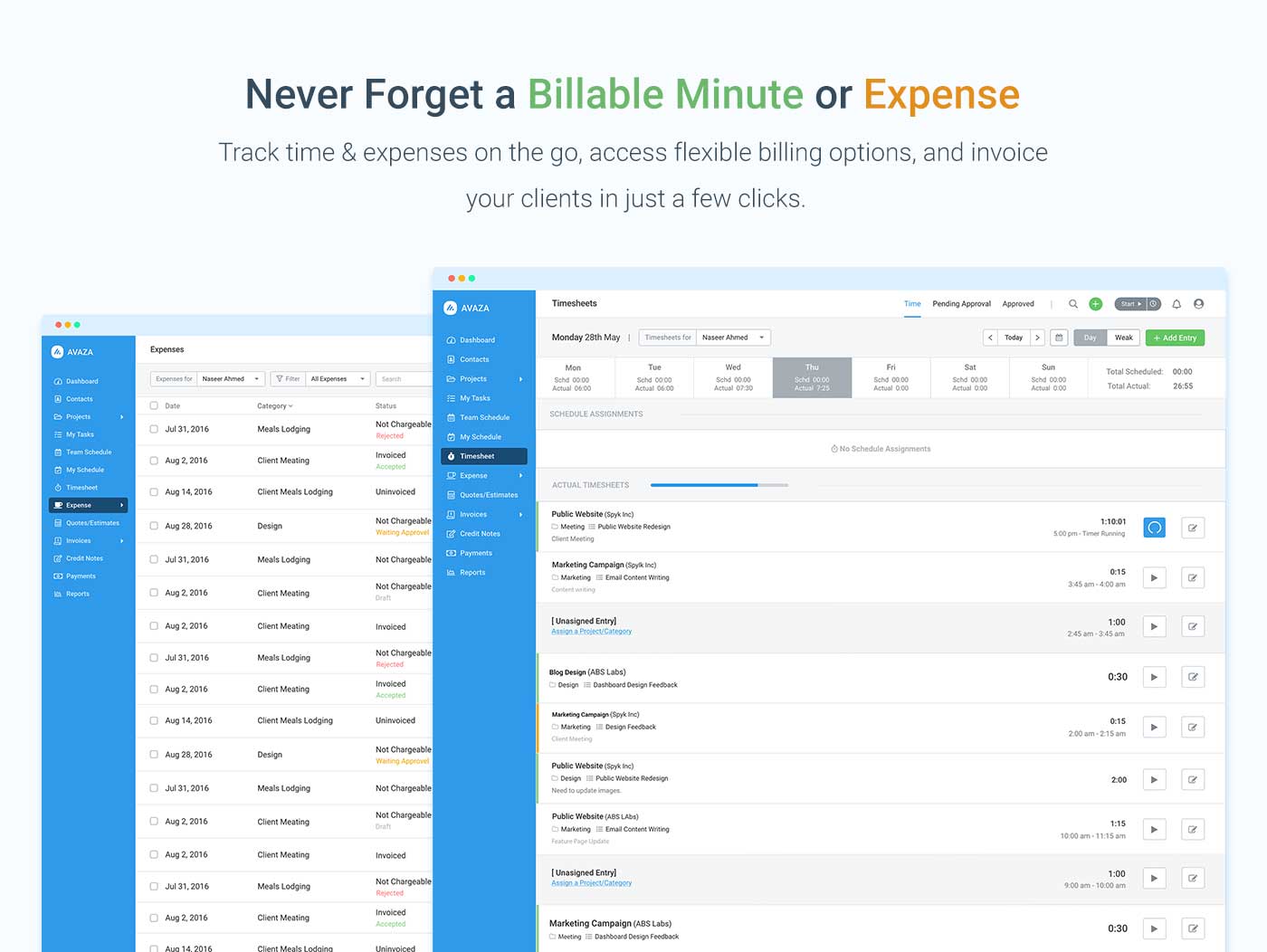
Screenshot of avaza, appearing across platformsScreenshot of visual project resource scheduling for teamsScreenshot of time and expense trackingScreenshot of team chatScreenshot of time trackingScreenshot of the expense management interface

Jetbrains Space Screenshots

Screenshot of Home for Teams: Centralized information about teams across the entire organization.Screenshot of Inside Channels: Channels can be public or private.Screenshot of Member Profile: Displays information for each colleague, including contact details, vacations, availability, and schedule.Screenshot of Issue Tracking: Includes a built-in workflow inside projects.Screenshot of Online Code Browsing: Commits and files can be browsed by change author, branch, or filename, with change history and annotations.Screenshot of Review Code in Chats: A new channel is created when code reviews are created and assigned.