Avaza vs. Google Keep

Overview
ProductRatingMost Used ByProduct SummaryStarting Price
Avaza
Score 8.2 out of 10
Mid-Size Companies (51-1,000 employees)
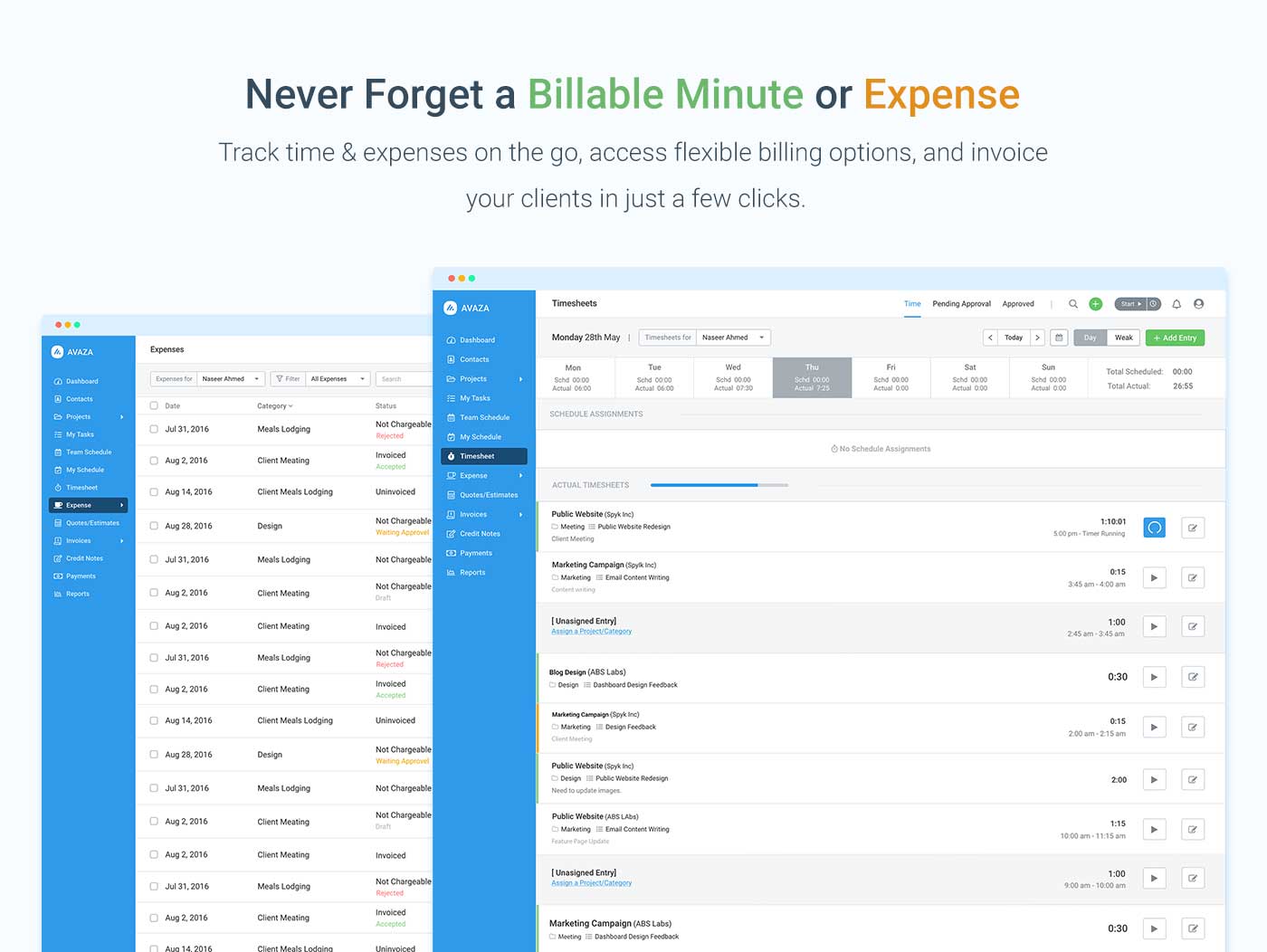
Avaza is a software suite targeted for all business sizes. It includes modules for project management and collaboration, resource scheduling, team chat, time tracking, expense management, quoting and invoicing. Depending on their business needs, companies can use as many, or as few, of the modules as they need. Avaza offers reporting functionality, and the project management module is designed with both list view and Kanban style task management, so users can choose…
$0
Unlimited Project Collaborators, 1 Admin, 1 Timesheet/ Expense User, 1 Resource Scheduling User
Google Keep
Score 9.9 out of 10
N/A
Google Keep is a note-taking app launched by Google in 2013 and available free, providing a tool to capture text, images, video, etc.N/A
Pricing
AvazaGoogle Keep
Editions & Modules
Free Plan
$0
Unlimited Project Collaborators, 1 Admin, 1 Timesheet/ Expense User, 1 Resource Scheduling User
Startup Plan
$11.95
per month
Basic Plan
$23.95
per month
Business Plan
$47.95
per month
No answers on this topic
Offerings
Pricing Offerings
AvazaGoogle Keep
Free Trial
YesNo
Free/Freemium Version
YesNo
Premium Consulting/Integration Services
NoNo
Entry-level Setup FeeOptionalNo setup fee
Additional Details
More Pricing Information
Community Pulse
AvazaGoogle Keep
Features
AvazaGoogle Keep
Project Management
Comparison of Project Management features of Product A and Product B
Avaza
8.0
Ratings
4% above category average
Google Keep
8.2
Ratings
6% above category average
Task Management10.00 Ratings9.30 Ratings
Resource Management7.00 Ratings00 Ratings
Gantt Charts7.00 Ratings00 Ratings
Scheduling8.00 Ratings5.10 Ratings
Team Collaboration10.00 Ratings00 Ratings
Support for Agile Methodology7.00 Ratings00 Ratings
Support for Waterfall Methodology7.00 Ratings00 Ratings
Document Management9.00 Ratings00 Ratings
Email integration8.00 Ratings00 Ratings
Mobile Access8.00 Ratings10.00 Ratings
Timesheet Tracking7.00 Ratings00 Ratings
Budget and Expense Management8.00 Ratings00 Ratings
Workflow Automation00 Ratings6.00 Ratings
Search00 Ratings10.00 Ratings
Visual planning tools00 Ratings8.80 Ratings
Professional Services Automation
Comparison of Professional Services Automation features of Product A and Product B
Avaza
10.0
Ratings
28% above category average
Google Keep
-
Ratings
Quotes/estimates10.00 Ratings00 Ratings
Invoicing10.00 Ratings00 Ratings
Project & financial reporting10.00 Ratings00 Ratings
Integration with accounting software10.00 Ratings00 Ratings
Communication
Comparison of Communication features of Product A and Product B
Avaza
-
Ratings
Google Keep
8.6
Ratings
8% above category average
Notifications00 Ratings7.80 Ratings
Discussions00 Ratings8.60 Ratings
Internal knowledgebase00 Ratings8.10 Ratings
Integrates with Gmail and Google Hangouts00 Ratings9.90 Ratings
File Sharing & Management
Comparison of File Sharing & Management features of Product A and Product B
Avaza
-
Ratings
Google Keep
6.9
Ratings
13% below category average
Versioning00 Ratings1.00 Ratings
Audio files00 Ratings8.40 Ratings
Document collaboration00 Ratings8.90 Ratings
Access control00 Ratings7.60 Ratings
Advanced security features00 Ratings2.70 Ratings
Integrates with Google Drive00 Ratings10.00 Ratings
Device sync00 Ratings9.90 Ratings
Best Alternatives
AvazaGoogle Keep
Small Businesses
Stackby
Stackby
Score 9.0 out of 10
Stackby
Stackby
Score 9.0 out of 10
Medium-sized Companies
InEight
InEight
Score 8.3 out of 10
Troop Messenger
Troop Messenger
Score 9.8 out of 10
Enterprises
InEight
InEight
Score 8.3 out of 10
HCL Connections
HCL Connections
Score 9.0 out of 10
All AlternativesView all alternativesView all alternatives
User Ratings
AvazaGoogle Keep
Likelihood to Recommend
10.0
(0 ratings)
10.0
(0 ratings)
Likelihood to Renew
10.0
(0 ratings)
10.0
(0 ratings)
Usability
9.0
(0 ratings)
9.0
(0 ratings)
Support Rating
10.0
(0 ratings)
7.9
(0 ratings)
User Testimonials
AvazaGoogle Keep
Likelihood to Recommend
There are teams who work hard, and there are those who work smart. Avaza helps you be the latter--it's is a great tool for any team collaborating on several projects, especially multiple projects with a lot of simultaneously moving parts. It has just about everything you need - from team schedules to timesheets, down to the task and sub-task monitoring. The best part for me is that we can switch from List View to Kanban to Gantt charts!
Read full review
Being able to add a note on the fly to a "to-do" list or add a needed item to a "grocery" list with ease. It's handy being able to access it from practically anywhere. I often find myself needing to do a task and pulling out my phone to add it to my to-do list.
Read full review
Pros
  • Helps keep track of time spent on each project
  • Helps employees break down their time spent throughout the day
  • Encourages better time management skills
Read full review
  • It's incredibly quick to load, it doesn't take long to pull up any note you have no matter how much information is in the note.
  • The ability to collaborate on a Google Keep note is also great! It allows for two or more of you to work on a project in one space.
  • I also love that I can color coordinate. I can make all my meeting notes one color, my personal notes another color and so on.
  • Enjoying the pinning feature that allows me to keep my important notes right at the top so I don't have to go searching for them when needed.
Read full review
Cons
  • I wish sub-tasks could also have due dates
  • For really big projects, we hope there could be phases (aside from sections)
  • In the chatbox, it would be great if photo attachments could be displayed as screenshots (instead of downloading the file)
Read full review
  • The iOS app sometimes gets into a state and doesn't update your notes (won't show new notes from other devices / computer), needs to be re-installed to resolve
  • Your notes take up space in your Google account's quota, though this is not very apparent at first - you have to keep an eye on what you are storing - huge pictures better not go in there
Read full review
Likelihood to Renew
Because it has been amazing and easy to work with.
Read full review
It does everything I need it to do. It is easy to organize and categorize what I need and what I want to see.
Read full review
Usability
Avaza is very easy to use, but the mobile app needs work.
Read full review
Google Keep is very easy to use. Currently, the company I work for has employees from different age brackets, and this is one of the easiest apps on G-Suite to explain. Not a lot of people use it, but it is due to personal choice since a lot of people still prefer pen and paper to keep their notes.
Read full review
Support Rating
They are always available and open to doing a call or a shared screen to walk through the issues.
Read full review
I gave this rating based on the ease of use, the simple functionality and how well it does at keeping my attention and helping me continue to use it and stay on track. The functionality mentioned before alongside the reminder functions and how it utilizes Google's powerful machine learning tech to better its software is remarkable.
Read full review
Alternatives Considered
I've used Trello before, but Avaza has way more features and is more applicable for cross-team collaboration. We selected Avaza for it's ability to not only project manage, but also for invoicing, expenses and it's ability to track time. We've gotten more accurate with estimate project hours, and therefore create more accurate proposals
Read full review
I used to use Evernote before Google Keep, it is an excellent product too but I found it too heavy. At the time (not sure about now) it always wanted to download all your notes onto your device before you can start using it. Google Keep is more a cloud product, so it's lighter on your device, it doesn't download every note you have at once. Also I tended to store a lot of heavy things in Evernote because it seemed to encourage me to do that, like large photos and documents. Google Keep encourages me to focus on text only mostly, though it will take a photo as part of the note as well. I also like Google Keep because it is a part of my Google Account and integrates with other Google products.
Read full review
Return on Investment
  • Avaza has made it easier to see how long I spend on certain types of projects and where I could be spending more time.
Read full review
  • Quick note-taking and easy access to reminders reduce time wasted on forgotten tasks, improving efficiency.
  • Digital note-taking reduces the need for notebooks, sticky notes, and printed task lists.
  • Employees sometimes need to move notes to Google Docs for better formatting, leading to extra work.
Read full review
ScreenShots

Avaza Screenshots

Screenshot of avaza, appearing across platformsScreenshot of visual project resource scheduling for teamsScreenshot of time and expense trackingScreenshot of team chatScreenshot of time trackingScreenshot of the expense management interface