Avaza vs. ExpenseNet

Overview
ProductRatingMost Used ByProduct SummaryStarting Price
Avaza
Score 8.2 out of 10
Mid-Size Companies (51-1,000 employees)
Avaza is a software suite targeted for all business sizes. It includes modules for project management and collaboration, resource scheduling, team chat, time tracking, expense management, quoting and invoicing. Depending on their business needs, companies can use as many, or as few, of the modules as they need. Avaza offers reporting functionality, and the project management module is designed with both list view and Kanban style task management, so users can choose…
$0
Unlimited Project Collaborators, 1 Admin, 1 Timesheet/ Expense User, 1 Resource Scheduling User
ExpenseNet
Score 6.0 out of 10
Enterprise companies (1,001+ employees)
InterpIX ExpenseNet 8.0 offers expense reporting for enterprises. The product is compatible with nearly all global languages and currencies, and aims to significantly reduce the time it takes to complete the expense reporting process. According to the vendor, ExpenseNet 8.0 is the next generation of expense reporting.N/A
Pricing
AvazaExpenseNet
Editions & Modules
Free Plan
$0
Unlimited Project Collaborators, 1 Admin, 1 Timesheet/ Expense User, 1 Resource Scheduling User
Startup Plan
$11.95
per month
Basic Plan
$23.95
per month
Business Plan
$47.95
per month
No answers on this topic
Offerings
Pricing Offerings
AvazaExpenseNet
Free Trial
YesNo
Free/Freemium Version
YesNo
Premium Consulting/Integration Services
NoNo
Entry-level Setup FeeOptionalRequired
Additional DetailsWe offer a complete solution for automating your Expense Reporting process for the lowest cost on the market. The BEST value in Expense Reporting.
More Pricing Information
Community Pulse
AvazaExpenseNet
Features
AvazaExpenseNet
Project Management
Comparison of Project Management features of Product A and Product B
Avaza
8.0
Ratings
4% above category average
ExpenseNet
-
Ratings
Task Management10.00 Ratings00 Ratings
Resource Management7.00 Ratings00 Ratings
Gantt Charts7.00 Ratings00 Ratings
Scheduling8.00 Ratings00 Ratings
Team Collaboration10.00 Ratings00 Ratings
Support for Agile Methodology7.00 Ratings00 Ratings
Support for Waterfall Methodology7.00 Ratings00 Ratings
Document Management9.00 Ratings00 Ratings
Email integration8.00 Ratings00 Ratings
Mobile Access8.00 Ratings00 Ratings
Timesheet Tracking7.00 Ratings00 Ratings
Budget and Expense Management8.00 Ratings00 Ratings
Professional Services Automation
Comparison of Professional Services Automation features of Product A and Product B
Avaza
10.0
Ratings
28% above category average
ExpenseNet
-
Ratings
Quotes/estimates10.00 Ratings00 Ratings
Invoicing10.00 Ratings00 Ratings
Project & financial reporting10.00 Ratings00 Ratings
Integration with accounting software10.00 Ratings00 Ratings
Best Alternatives
AvazaExpenseNet
Small Businesses
Stackby
Stackby
Score 9.0 out of 10
Dext
Dext
Score 9.8 out of 10
Medium-sized Companies
InEight
InEight
Score 8.3 out of 10
Precoro
Precoro
Score 2.8 out of 10
Enterprises
InEight
InEight
Score 8.3 out of 10
Emburse Chrome River
Score 9.2 out of 10
All AlternativesView all alternativesView all alternatives
User Ratings
AvazaExpenseNet
Likelihood to Recommend
10.0
(0 ratings)
6.0
(0 ratings)
Likelihood to Renew
10.0
(0 ratings)
-
(0 ratings)
Usability
9.0
(0 ratings)
-
(0 ratings)
Support Rating
10.0
(0 ratings)
-
(0 ratings)
User Testimonials
AvazaExpenseNet
Likelihood to Recommend
There are teams who work hard, and there are those who work smart. Avaza helps you be the latter--it's is a great tool for any team collaborating on several projects, especially multiple projects with a lot of simultaneously moving parts. It has just about everything you need - from team schedules to timesheets, down to the task and sub-task monitoring. The best part for me is that we can switch from List View to Kanban to Gantt charts!
Read full review
ExpenseNet is well suited to a large organization with many travelers or purchasing cards holders. It allows the entire expense reporting process to be done electronically. For employees who are not based on site or not based at the same site as their manager and accounting, it really streamlines the process compared to having paper or even e-mailed expense reports. The wholly electronic process also enables easier reporting and auditing. ExpenseNet would likely be less appropriate for small organizations with few travelers.
Read full review
Pros
  • Helps keep track of time spent on each project
  • Helps employees break down their time spent throughout the day
  • Encourages better time management skills
Read full review
  • Integration with expenses posted to the employee's corporate card account.
  • Feature that allows an employee to take a picture of their receipt and then send it to their ExpenseNet account via e-mail.
  • Ability to view and save a copy of the expense report with or without the receipts.
Read full review
Cons
  • I wish sub-tasks could also have due dates
  • For really big projects, we hope there could be phases (aside from sections)
  • In the chatbox, it would be great if photo attachments could be displayed as screenshots (instead of downloading the file)
Read full review
  • Overall the look and feel is dated and the navigation is clunky. Even employees who travel a lot will only go into the system once a month to do their expense report. A more user-friendly interface would take some of the chore out of it.
  • The feature to take a picture of a receipt and then e-mail it to your ExpenseNet account is great, but it does not always work, which can be frustrating to redo
  • It would be handy if just as the charges from the corporate card are imported, the statement could be as well. This would eliminate the need for the employee to go into their corporate card account to download and save the statement and then attach it in ExpenseNet.
  • It is senseless that once you add a receipt to the queue, you cannot delete it until after you have submitted the given report. Sometimes, a duplicate receipt will be loaded or a receipt will be loaded in error. To have to work around it in the queue is rather annoying.
Read full review
Likelihood to Renew
Because it has been amazing and easy to work with.
Read full review
No answers on this topic
Usability
Avaza is very easy to use, but the mobile app needs work.
Read full review
No answers on this topic
Support Rating
They are always available and open to doing a call or a shared screen to walk through the issues.
Read full review
No answers on this topic
Alternatives Considered
I've used Trello before, but Avaza has way more features and is more applicable for cross-team collaboration. We selected Avaza for it's ability to not only project manage, but also for invoicing, expenses and it's ability to track time. We've gotten more accurate with estimate project hours, and therefore create more accurate proposals
Read full review
No answers on this topic
Return on Investment
  • Avaza has made it easier to see how long I spend on certain types of projects and where I could be spending more time.
Read full review
  • Enables fully electronic expense reporting process
  • Easier reporting
  • Easier to audit / provide audit documentation
Read full review
ScreenShots

Avaza Screenshots

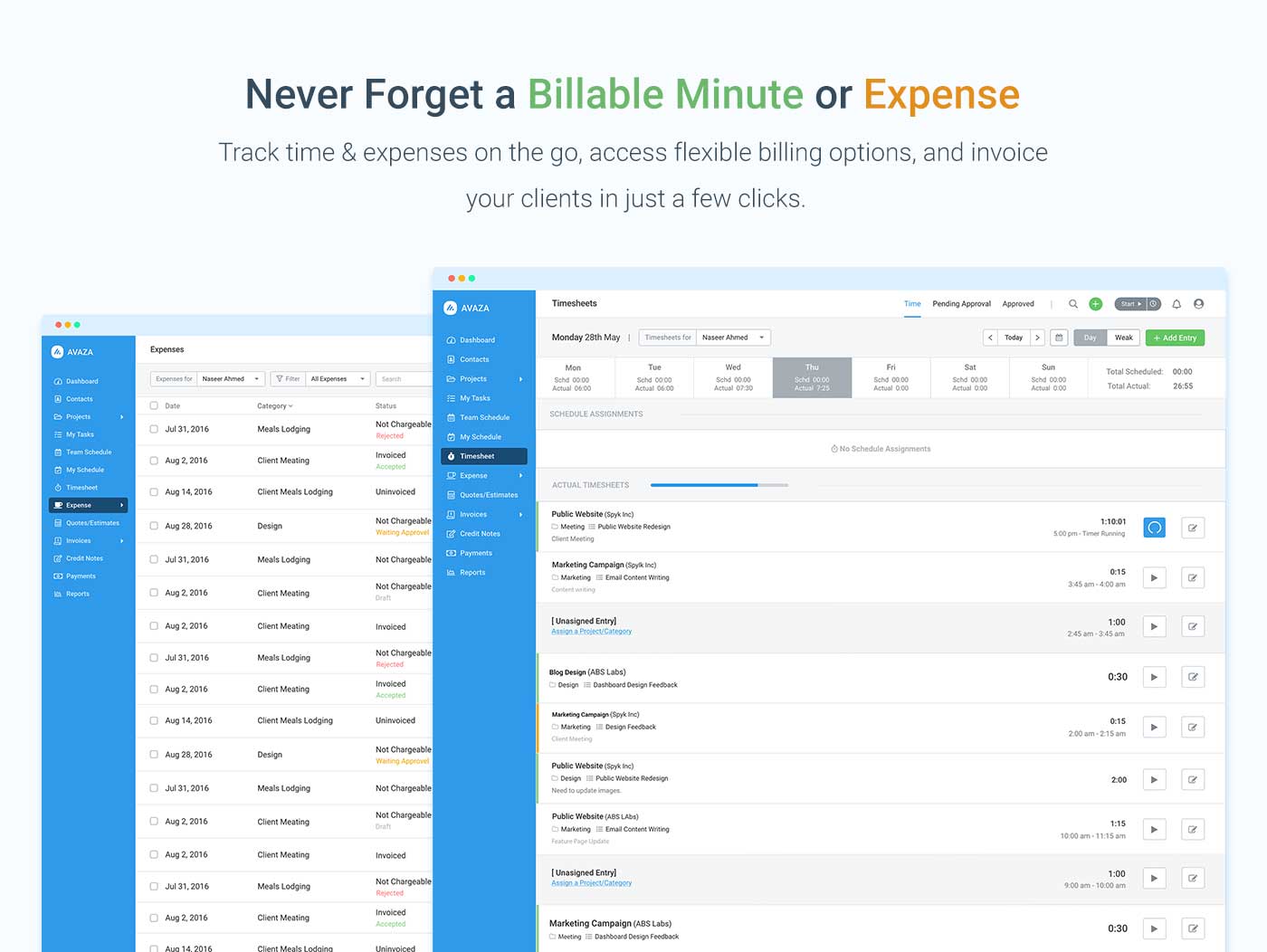
Screenshot of avaza, appearing across platformsScreenshot of visual project resource scheduling for teamsScreenshot of time and expense trackingScreenshot of team chatScreenshot of time trackingScreenshot of the expense management interface

ExpenseNet Screenshots

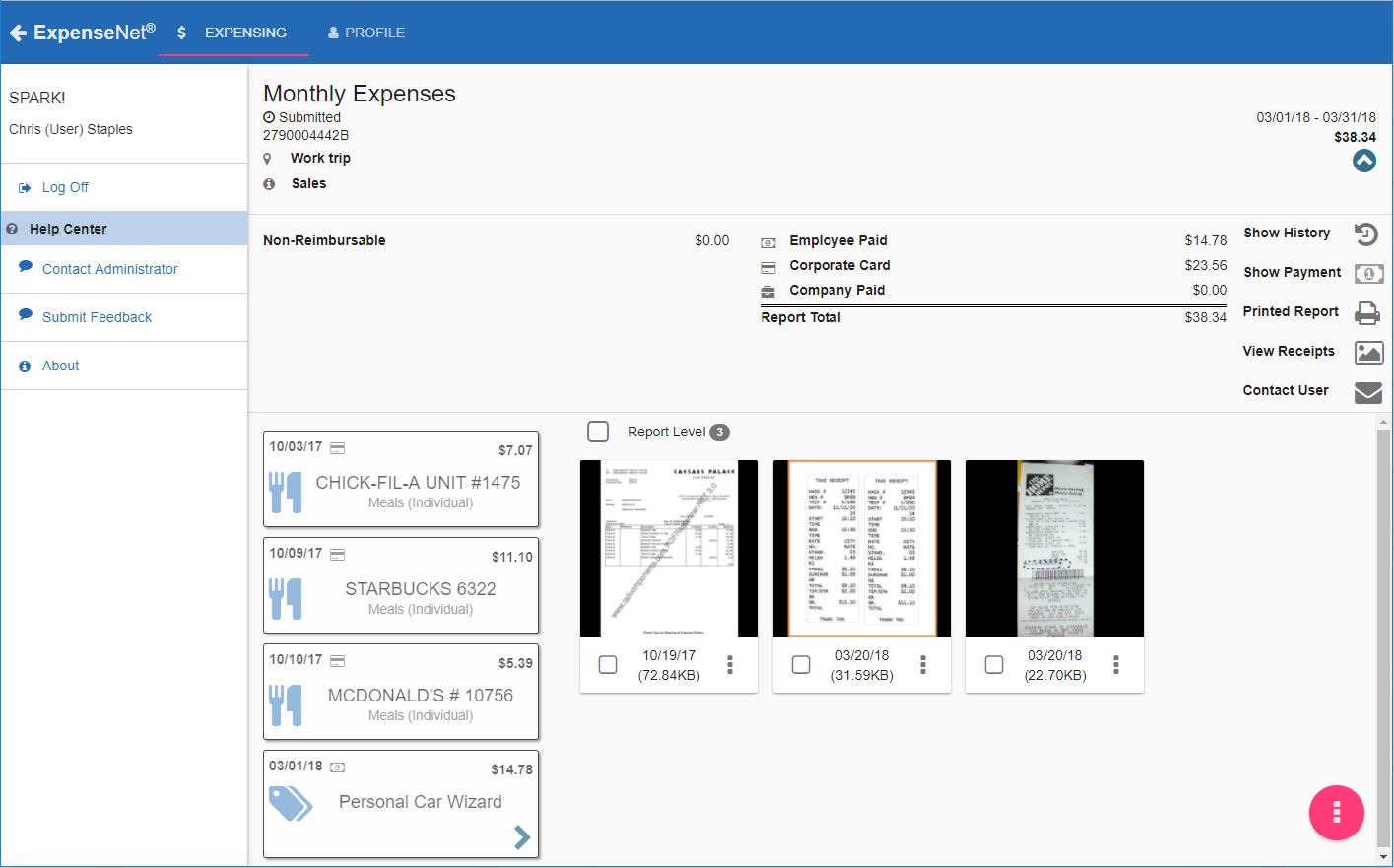
Screenshot of Mobile interfaceScreenshot of Desktop interface