Asana vs. Avaza

Overview
ProductRatingMost Used ByProduct SummaryStarting Price
Asana
Score 8.4 out of 10
N/A
Asana is a web and mobile project management app. With tasks, projects, conversations, and dashboards, Asana lets an entire team know who's doing what by when, enabling workload balancing. Users can also add integrations for GANTT charts, time tracking and more.
$13.49
per month per user
Avaza
Score 8.2 out of 10
Mid-Size Companies (51-1,000 employees)
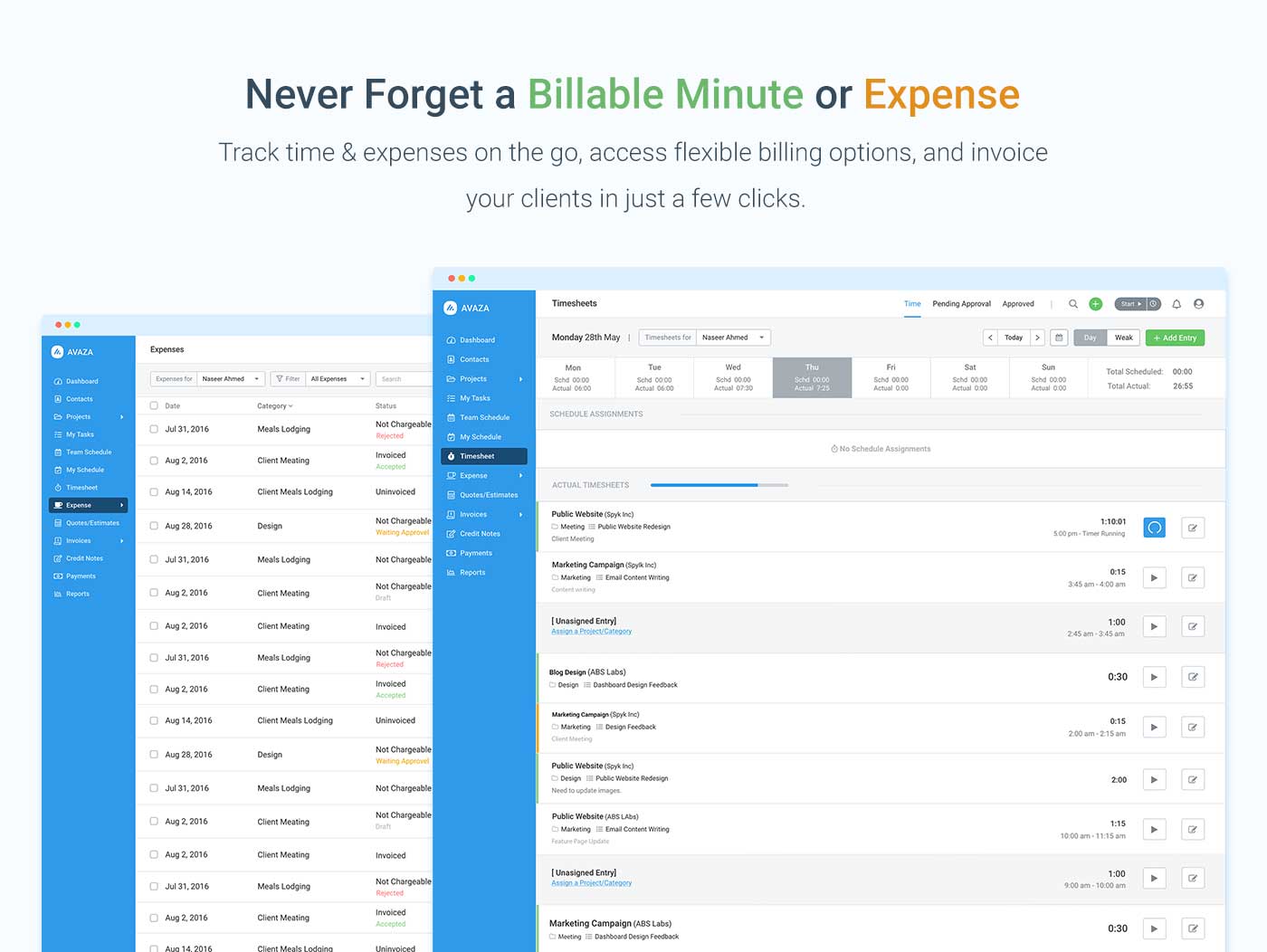
Avaza is a software suite targeted for all business sizes. It includes modules for project management and collaboration, resource scheduling, team chat, time tracking, expense management, quoting and invoicing. Depending on their business needs, companies can use as many, or as few, of the modules as they need. Avaza offers reporting functionality, and the project management module is designed with both list view and Kanban style task management, so users can choose…
$0
Unlimited Project Collaborators, 1 Admin, 1 Timesheet/ Expense User, 1 Resource Scheduling User
Pricing
AsanaAvaza
Editions & Modules
Starter
$13.49
per month per user
Advanced
$30.49
per month per user
Enterprise
Contact Sales
Personal
Free
Free Plan
$0
Unlimited Project Collaborators, 1 Admin, 1 Timesheet/ Expense User, 1 Resource Scheduling User
Startup Plan
$11.95
per month
Basic Plan
$23.95
per month
Business Plan
$47.95
per month
Offerings
Pricing Offerings
AsanaAvaza
Free Trial
YesYes
Free/Freemium Version
YesYes
Premium Consulting/Integration Services
NoNo
Entry-level Setup FeeOptionalOptional
Additional DetailsA discount is offered for annual billing.
More Pricing Information
Community Pulse
AsanaAvaza
Features
AsanaAvaza
Project Management
Comparison of Project Management features of Product A and Product B
Asana
8.2
Ratings
7% above category average
Avaza
8.0
Ratings
4% above category average
Task Management9.20 Ratings10.00 Ratings
Resource Management8.10 Ratings7.00 Ratings
Gantt Charts8.90 Ratings7.00 Ratings
Scheduling8.50 Ratings8.00 Ratings
Workflow Automation8.70 Ratings00 Ratings
Team Collaboration9.10 Ratings10.00 Ratings
Support for Agile Methodology8.50 Ratings7.00 Ratings
Support for Waterfall Methodology8.50 Ratings7.00 Ratings
Document Management7.50 Ratings9.00 Ratings
Email integration7.50 Ratings8.00 Ratings
Mobile Access8.70 Ratings8.00 Ratings
Timesheet Tracking6.10 Ratings7.00 Ratings
Change request and Case Management8.40 Ratings00 Ratings
Budget and Expense Management7.20 Ratings8.00 Ratings
Professional Services Automation
Comparison of Professional Services Automation features of Product A and Product B
Asana
6.7
Ratings
12% below category average
Avaza
10.0
Ratings
28% above category average
Project & financial reporting5.50 Ratings10.00 Ratings
Integration with accounting software7.90 Ratings10.00 Ratings
Quotes/estimates00 Ratings10.00 Ratings
Invoicing00 Ratings10.00 Ratings
Best Alternatives
AsanaAvaza
Small Businesses
Stackby
Stackby
Score 9.0 out of 10
Stackby
Stackby
Score 9.0 out of 10
Medium-sized Companies
InEight
InEight
Score 8.3 out of 10
InEight
InEight
Score 8.3 out of 10
Enterprises
InEight
InEight
Score 8.3 out of 10
InEight
InEight
Score 8.3 out of 10
All AlternativesView all alternativesView all alternatives
User Ratings
AsanaAvaza
Likelihood to Recommend
8.4
(0 ratings)
10.0
(0 ratings)
Likelihood to Renew
9.6
(0 ratings)
10.0
(0 ratings)
Usability
7.9
(0 ratings)
9.0
(0 ratings)
Availability
8.4
(0 ratings)
-
(0 ratings)
Support Rating
5.0
(0 ratings)
10.0
(0 ratings)
Product Scalability
8.2
(0 ratings)
-
(0 ratings)
User Testimonials
AsanaAvaza
Likelihood to Recommend
The usability of Asana is broad since it's available in a variety of platforms that are widely used nowadays. I think that it would be great for people who are constantly on the move and switching devices, since it has allowed me to work from my phone, too. I also think that Asana has proven itself to handle a large quantity of work
Read full review
There are teams who work hard, and there are those who work smart. Avaza helps you be the latter--it's is a great tool for any team collaborating on several projects, especially multiple projects with a lot of simultaneously moving parts. It has just about everything you need - from team schedules to timesheets, down to the task and sub-task monitoring. The best part for me is that we can switch from List View to Kanban to Gantt charts!
Read full review
Pros
  • Easy to use by any user (good UX and no installation needed)
  • Easy to create a simple project, add tasks and sub tasks.
  • Different display options, according to the project/tasks type
  • Works great using a web browser, you don't have to install the application
Read full review
  • Helps keep track of time spent on each project
  • Helps employees break down their time spent throughout the day
  • Encourages better time management skills
Read full review
Cons
  • Some users might find the user interface a bit dull and un inspired
  • We found the way to use multiple workspaces a bit confusing
  • It takes quite a bit of planning to build a well organized workspace in order not to have way too many projects and tasks all over the place
Read full review
  • I wish sub-tasks could also have due dates
  • For really big projects, we hope there could be phases (aside from sections)
  • In the chatbox, it would be great if photo attachments could be displayed as screenshots (instead of downloading the file)
Read full review
Likelihood to Renew
I just can't see us getting it off of Asana any time soon, despite the many headaches it has caused us. We have too much data in there, too much time & training invested into it, too much at stake to move. If we were just starting out today, fresh, I don't know for certain that I would absolutely go the same direction, but I *think* I still would. I just haven't seen anything better yet. Maybe if Podio's support staff hadn't treated me like a worthless nuisance to them, I might feel differently, but the fact is that their task management is simply inferior to Asana's. That can't be denied, and in fact Podio said it themselves: "Tasks are a simple function. They cannot be customized. Tasks in Podio can be used for quick to-do's for you and your team members." In our operation, however, prompt task completion is a big deal; one task can't be completed until another one is done first, and closing the gaps between those tasks is critical in meeting deadlines and servicing our customers. Asana gets us there, the others don't.
Read full review
Because it has been amazing and easy to work with.
Read full review
Usability
It is very user-friendly. Takes a new employee an hour to start figuring out how the system works. That's an important factor. You don't want to encounter the issue where employees need a week to understand how the system works. For example, JIRA, I tried using it for a week and I still don't understand the complicated layout. Asana has a simple interface. Once you see it, you get it type of program.
Read full review
Avaza is very easy to use, but the mobile app needs work.
Read full review
Reliability and Availability
Working with Asana on a daily basis
Read full review
No answers on this topic
Support Rating
I haven't had to use their support so I can't rate it. The fact that I haven't needed them reflects the ease of use of the product. I would recommend that any new users schedule a complete demo of the product to ensure that they are using it to it's fullest (there's a lot of useful features).
Read full review
They are always available and open to doing a call or a shared screen to walk through the issues.
Read full review
Alternatives Considered
Asana is a top-tier project management software that helps us organize and track projects from start to finish. It allows us to apply tasks/to-dos to multiple projects without duplication, divide complex projects into smaller tasks, and track project progress. It also helps us organize work on Kanban boards or linear lists. It stands out from the crowd in a big way compared to the competition.
Read full review
I've used Trello before, but Avaza has way more features and is more applicable for cross-team collaboration. We selected Avaza for it's ability to not only project manage, but also for invoicing, expenses and it's ability to track time. We've gotten more accurate with estimate project hours, and therefore create more accurate proposals

Read full review
Scalability
I used this tool on a daily basis at work and it runs as a solid rock
Read full review
No answers on this topic
Return on Investment
  • Difficulty adding large projects with multiple and complex levels of tasks.
  • The number of users is limited in the free version. The service cannot be used for groups of less than 5 people.
  • The search filter is not a powerful feature, it needs some development and strength because it contains some bugs sometimes.
Read full review
  • Avaza has made it easier to see how long I spend on certain types of projects and where I could be spending more time.
Read full review
ScreenShots

Asana Screenshots

Screenshot of Product HomepageScreenshot of Team ConversationsScreenshot of Project CalendarsScreenshot of InboxScreenshot of List ProjectScreenshot of Portfolios

Avaza Screenshots

Screenshot of avaza, appearing across platformsScreenshot of visual project resource scheduling for teamsScreenshot of time and expense trackingScreenshot of team chatScreenshot of time trackingScreenshot of the expense management interface